Sorry, but there's really nothing to see here right now. Our server is in maintenance mode – and our
little bot is trying to sort the error messages with its last bit of energy.
Whether it was a data leak, a power outage in the cluster, or just a grumpy bit – we don't know yet.
But what we do know is:
The data drama escalated into a server meltdown. But don't worry: We're on it.
What now?
Everything is surely running smoothly over at our colleagues from inside
digital – why not stop by!
Or you could pass the time by visiting our social media channels – for example Instagram, YouTube or TikTok. At least there are no
server problems there – promised.
Thanks for your patience. Our bot is already rebooting at full speed. 🔧
NewsTabletSamsung Galaxy S23’s Camera Update Enables Instant Photo Taking
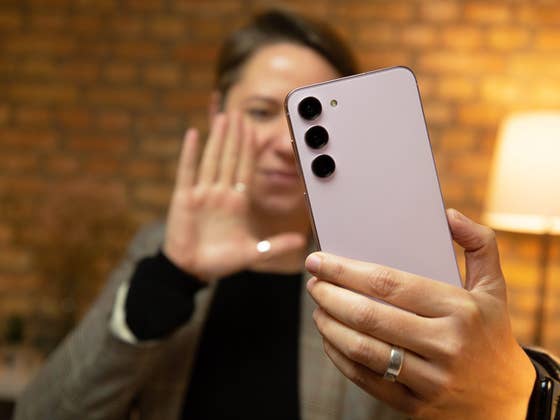
The Samsung Galaxy S23 (Plus) and Galaxy S23 Ultra were fitted with upgraded cameras and have just been launched over a month ago. However, the company is already rolling out an important software update that is intended to further enhance the cameras of the flagship trio while also addressing several problems.
Despite how the Galaxy S23’s cameras performed exceptionally in NextPit’s review, there were some minor to notable issues that plagued users since its launch. For instance, users were able to capture a photo when the autofocus feature has not yet been set, leaving users waiting for it to lock or manually choose an area to focus.
Better camera usability for the Samsung Galaxy S23
In the firmware, which is already available in South Korea as a March update, Samsung will let you decide whether you want to prioritize between speed and focus. Shooting with the former allows you to instantly click the shutter button and subsequently capture the photo even if the focus has not yet locked onto the subject. This is beneficial if you don’t want to miss out on critical moments.
There are also notable fixes included in the update. According to the release notes, the issue where irregular green lines appear on the left section when using any of the rear sensors has now been addressed. In addition, turning off the Night Scene after enabling it during low light mode would normally result in the camera malfunctioning – that issue has also been resolved as well.
As for the optimizations, Samsung says it is refining stabilization when recording videos at FHD resolution in 60 fps. When shooting night and sunset sceneries, line banding is now smoother with less noise. More importantly, it added that the overall stability of the Galaxy S23 cameras has been improved.
The rest of the March software changelog is listed below. It’s expected that the global roll-out of the update could arrive as early as April.
1. A function has been added to the gallery so that you can immediately delete photos that are being processed immediately after taking them with the camera.
2. For faster photo taking, the AF concept has been changed so that when the user presses the shoot button, the user can take a photo even when the focus is not completely set. However, if you want to shoot after completing Focus as before, please change the settings in the latest Camera Assistant. ※ Camera Assistant > Prioritize focus over speed (focus priority) On
3. Improved sharpness/flicker and added notice when shooting Ultrawide in low light indoors after setting Camera Video Mode > Super Steady On. ※ “To take a good Super Steady photo, I need more light.”
4. Fixed a phenomenon where a green line was displayed on the left side intermittently when shooting in the rear photo mode.
5. Improved image stabilization when shooting with FHD60 after setting Auto FPS Off in rear video.
6. Improved line-shaped banding noise in the sky in mid-low light when shooting high-pixel in low-mid light. Optimized overall sharpness for high-pixel shooting and improved intermittent blurring through OIS stabilization.
7. Fixed a malfunction when shooting after Night Off in low light after selecting Shooting Speed > High Resolution > Speed Priority in Camera Assistant. ※ Camera Assistant > Shooting Speed > High Resolution > Select Speed Priority > Camera > Night Off or Scene Optimizer Off
8. Fixed an issue where face recognition could not be recognized intermittently after ending a 3rd party video call.
9. Stability has been improved for camera movements introduced through other routes.
Apart from the camera, have you experienced any glitches with the Galaxy S23? Let us know in the comments.
We mark partner links with this symbol. If you click on one of these links or buttons–or make a purchase through them–we may receive a small commission from the retailer. This doesn’t affect the price you pay, but it helps us keep nextpit free for everyone. Thanks for your support!







0 comments