Sorry, but there's really nothing to see here right now. Our server is in maintenance mode – and our
little bot is trying to sort the error messages with its last bit of energy.
Whether it was a data leak, a power outage in the cluster, or just a grumpy bit – we don't know yet.
But what we do know is:
The data drama escalated into a server meltdown. But don't worry: We're on it.
What now?
Everything is surely running smoothly over at our colleagues from inside
digital – why not stop by!
Or you could pass the time by visiting our social media channels – for example Instagram, YouTube or TikTok. At least there are no
server problems there – promised.
Thanks for your patience. Our bot is already rebooting at full speed. 🔧
NewsTabletSamsung Galaxy S23 Gets New Camera Features and Fixes via Update
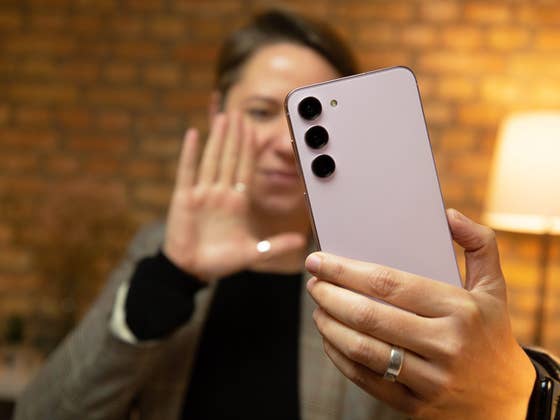
It seems August is a busy month for Samsung as the company continues to roll out several software updates including One UI 5.1.1 for its line of Galaxy foldable phones and One UI 6 Beta for the Galaxy S23 series. They also shipped the August security patch for standard Galaxy S23 (Ultra) users earlier this month, but only published the changelog yesterday which revealed numerous camera fixes and improvements slated for the trio.
Unlike the typical security patches, the August version weighs in at a hefty file size of 1.4 GB. This also explains why it contains more than just security enhancements. The update has started to arrive on compatible Samsung devices in many countries since last week.
New Samsung Galaxy S23 and Galaxy S23 Ultra Camera Features
As noted in the changelog that was shared on the Samsung Korea community forum, the latest firmware will deliver new features dedicated to the Galaxy S23 (review) series camera. It includes the 2x zoom cropped mode that users have been requested alongside a the fix to the ‘banana blur’ issue and other important changes in the gallery app.
2x zoom in photo and video
One of the most noticeable additions to this update is the new 2x zoom for photos and videos. Similar to the 2x zoom for portrait, the shooting mode relies on a cropped result of the main sensor. However, mentioned said that they have optimized the images to deliver comparable quality as though it was shot using a 2x optical zoom lens.
Samsung will also introduce an option to include the 2x zoom shortcut when using the Camera Assistant app. Users can also find and access the icon in the Super Steady video, which is an exclusive feature on the Samsung Galaxy S23 Ultra (review).
AI-optimized picture quality
As found on the Samsung Galaxy Z Fold 5 (review) and Galaxy Z Flip 5 (review), the company will also introduce AI-based image processing to the brick form factor flagship Galaxy devices when taking photos using digital zoom. It added that this is only applicable in the photo mode and not when shooting videos.
Samsung also noted that it will adjust the sensitivity of the face correction algorithm when using the front-facing camera. Users should expect a more natural-looking shape effect in these selfies pictures.
The infamous banana blurring issue faced by some Galaxy S23 users is apparently addressed in the August security patch. What’s this banana blurring issue all about? It basically involves certain close-up images taken using the rear camera that shows elliptical smudging in selected areas. Samsung said they have adjusted the focus position to reduce the blur.
Furthermore, Samsung is optimizing how blur should appear in high-resolution photos, especially at 50 MP and 200 MP resolutions. This is the same case for shots involving moving subjects in the same mode, which should see better blur depiction. Likewise, the file sizes of motion photos are said to be better optimized as well.
Lastly, several effects in the portrait video will also receive higher frame rates. These include the Big Circle, Color Point, and Glitch effects which are now maximized to 30 fps from 24 fps.
Have you already updated your Samsung Galaxy S23 to the August security patch? What do you think of these changes and improvements?
We mark partner links with this symbol. If you click on one of these links or buttons–or make a purchase through them–we may receive a small commission from the retailer. This doesn’t affect the price you pay, but it helps us keep nextpit free for everyone. Thanks for your support!








0 comments