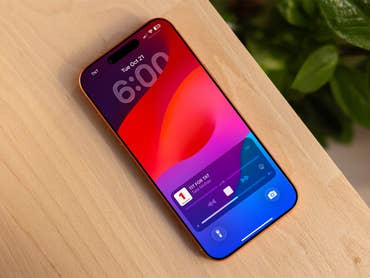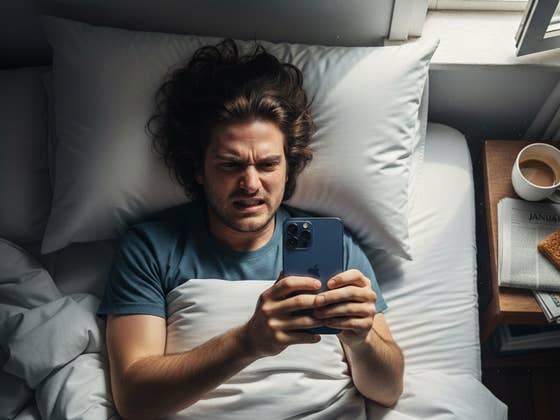
We have all been there once or twice: you set an alarm on your phone only to sleep through it because you were in a deep sleep or the vibration was too weak. Recently, many iPhone users have found this experience all too relatable. However, rather than human error, it appears many are missing their alarms due to a software glitch. Even worse, many users report reduced pay or even the risk of losing their jobs due to these silent alarms.
Reports of iPhone alarms going off without sound or vibration date back at least two years. In community forums, users reported that alarms rang silently despite being set to “ring” and with the device volume unmuted.
People Risk Reduced Paychecks Over Alarm Glitch
This bug continues to plague owners today. As shared by TikTok user Betty Chody last December (via PopSci), she recounted the harrowing experience of missing a flight because her iPhone alarm went off silently. According to her account, the alarm was allegedly active for over two hours with no sound or vibration before she finally woke up.
Her video sparked widespread outrage, with many users commenting that they, too, had missed work shifts, exams, or important appointments due to the silent alarms glitch.
@brettsbites Also like 20 ppl said it also happened to them today SO SUS
♬ original sound – Brett Chody
Similar cases have surfaced on Reddit recently. One user described waking up early to check their phone, only to find the alarm tab in the Clock app completely empty despite having set an alarm for 7 AM. Another user reported a month ago that seven separate alarms failed to make a sound.
For many of these impacted users, the concern is not just a late morning but the fear of having their salary cut or being fired due to strict workplace attendance policies, especially in the U.S.
What Causes Silent Alarms and Potential Fixes
The issue seems to affect iPhone devices regardless of the iOS version, with reports spanning from iOS 17 through iOS 18 and even into iOS 26. One suspected cause is the Attention Aware feature tied to Face ID. This feature is designed to reduce alert volume when it detects a face looking at the device, which may be triggered incorrectly while a user is asleep.
Another potential reason is that the system automatically resets the ringtones and alerts’ sound levels to a low volume without user input.
To address these potential root causes, users are advised to turn off Attention Aware in the Face ID settings. Alternatively, you can navigate to Sounds and Haptics and manually slide the Ringtone and Alerts volume to the right. If these steps fail, some users recommend installing third-party alarm apps.
Have you experienced silent alarms on your iPhone? How did you fix the issue? Share your experience with us in the comments below.
We mark partner links with this symbol. If you click on one of these links or buttons–or make a purchase through them–we may receive a small commission from the retailer. This doesn’t affect the price you pay, but it helps us keep nextpit free for everyone. Thanks for your support! Prices are based on the date of publication of this article and may be subject to change.