Sorry, but there's really nothing to see here right now. Our server is in maintenance mode – and our
little bot is trying to sort the error messages with its last bit of energy.
Whether it was a data leak, a power outage in the cluster, or just a grumpy bit – we don't know yet.
But what we do know is:
The data drama escalated into a server meltdown. But don't worry: We're on it.
What now?
Everything is surely running smoothly over at our colleagues from inside
digital – why not stop by!
Or you could pass the time by visiting our social media channels – for example Instagram, YouTube or TikTok. At least there are no
server problems there – promised.
Thanks for your patience. Our bot is already rebooting at full speed. 🔧
NewsTabletiOS 18 Beta 5: Safari Gets a Major New Distraction Control Feature
Over a month from the supposed next iPhone 16 launch event, Apple has rolled out the latest iOS 18 beta, which is on the fifth installment to the firmware. While the update focuses on refining many of the new features introduced with the earlier beta, there are a few major additions worth checking out.
Don’t miss: Apple Intelligence arrives via iOS 18.1 Beta
Safari gets Distraction Control
Perhaps the biggest addition with iOS 18 beta 5 is the new ability on Safari to hide web pages elements dubbed as “Distraction Control” which was first previewed at WWDC.
Essentially, this is a semi-accessibility tool on Apple’s web browser to get rid of items like ads, pop-up boxes, menu bars, imagery, and other animations from a website to give you a cleaner view of a page.
The feature is labeled as Hide Distracting Items, and it can be accessed through the option button that appears beside the URL on the address bar when you’re browsing using Safari. Turning it on shows you the current web pages, and you can then subsequently highlight box elements before hiding them. A dashboard is available to manage these items.
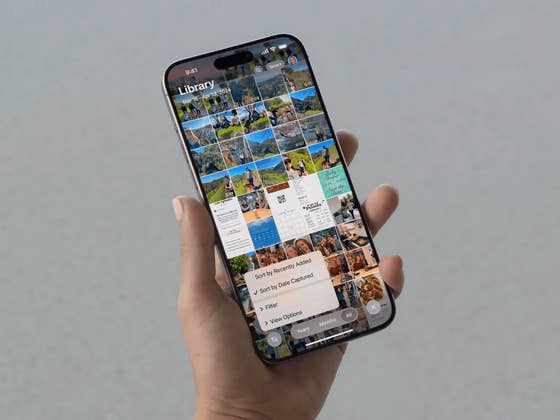
Simplified Photos app
In addition to Distracting Tool, the latest beta update also streamlines the Photos apps. This addresses the complaints and feedback from users on how convoluted the app has become in iOS 18.
Among those changes include the removal of the carousel from the main landing view of Photos as well as in the customize settings. This results in more photos shown in the grid while collections and other shortcuts are still accessible by scrolling to the bottom. The “Recent days” section has been altered, too, with smaller preview album covers.
Refinements on the control center and home screen
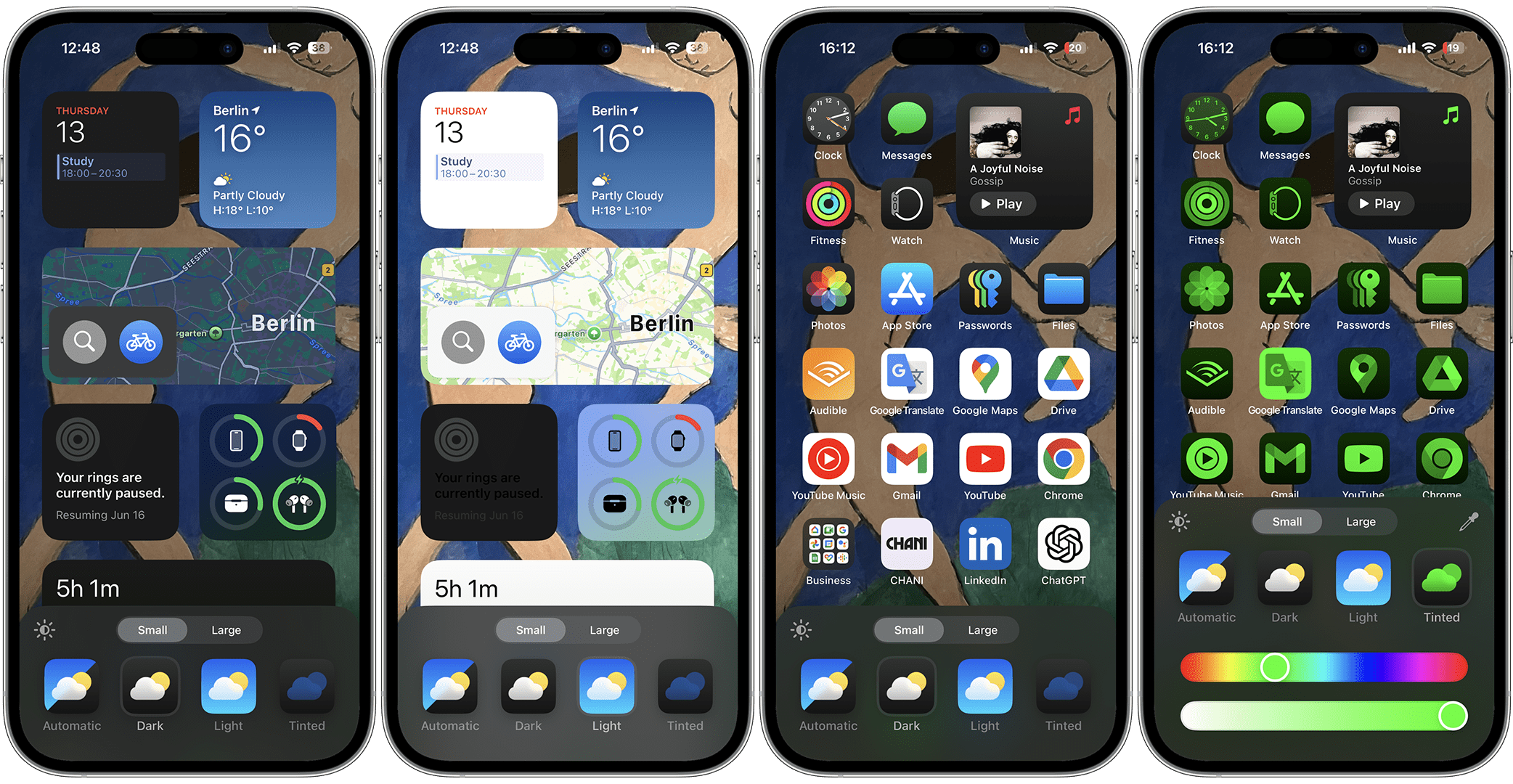
A lot of smaller changes are introduced to the control center and home screen as well. Mostly, these are focused on shortcuts and buttons, with Apple tweaking their design by bringing more highlights to glyphs and transparency.
Apple is also redesigning how some dark-mode app icons appear. Particularly, the Maps app gets less colorful in dark mode while the Find My icon has more prominent green rings.
A modest enhancement to the home screen is the new functionality to edit or manage multiple home screens. It is available as an Edit Pages button after you activate the edit button.
iOS 18 beta 5 is already available for developers and is expected to hit public testers by tomorrow or in the coming days. It’s expected another or two beta releases before we could see a release candidate or RC version of iOS 18 and then the definitive version for the public sometime in September.
Are you enrolled in Apple’s Developer Program? Have you updated to iOS 18 beta 5? Share with us the other changes you’ve found.
We mark partner links with this symbol. If you click on one of these links or buttons–or make a purchase through them–we may receive a small commission from the retailer. This doesn’t affect the price you pay, but it helps us keep nextpit free for everyone. Thanks for your support!







0 comments