Video Boost is a resource-intensive AI feature that enhances video quality by applying advanced processing techniques, essentially an HDR equivalent for video. However, due to its demanding nature, it is only supported on select Pixel models with the necessary hardware and on-device generative AI capabilities—namely, the Pixel 8 Pro (review), Pixel 9 Pro, and Pixel 9 Pro XL (review).
Once Enabled, Video Boost Stays On
Previously, users had to manually enable Video Boost in the camera settings before recording a video. Additionally, the setting would reset once the camera app was closed, requiring users to toggle it on again for each session.
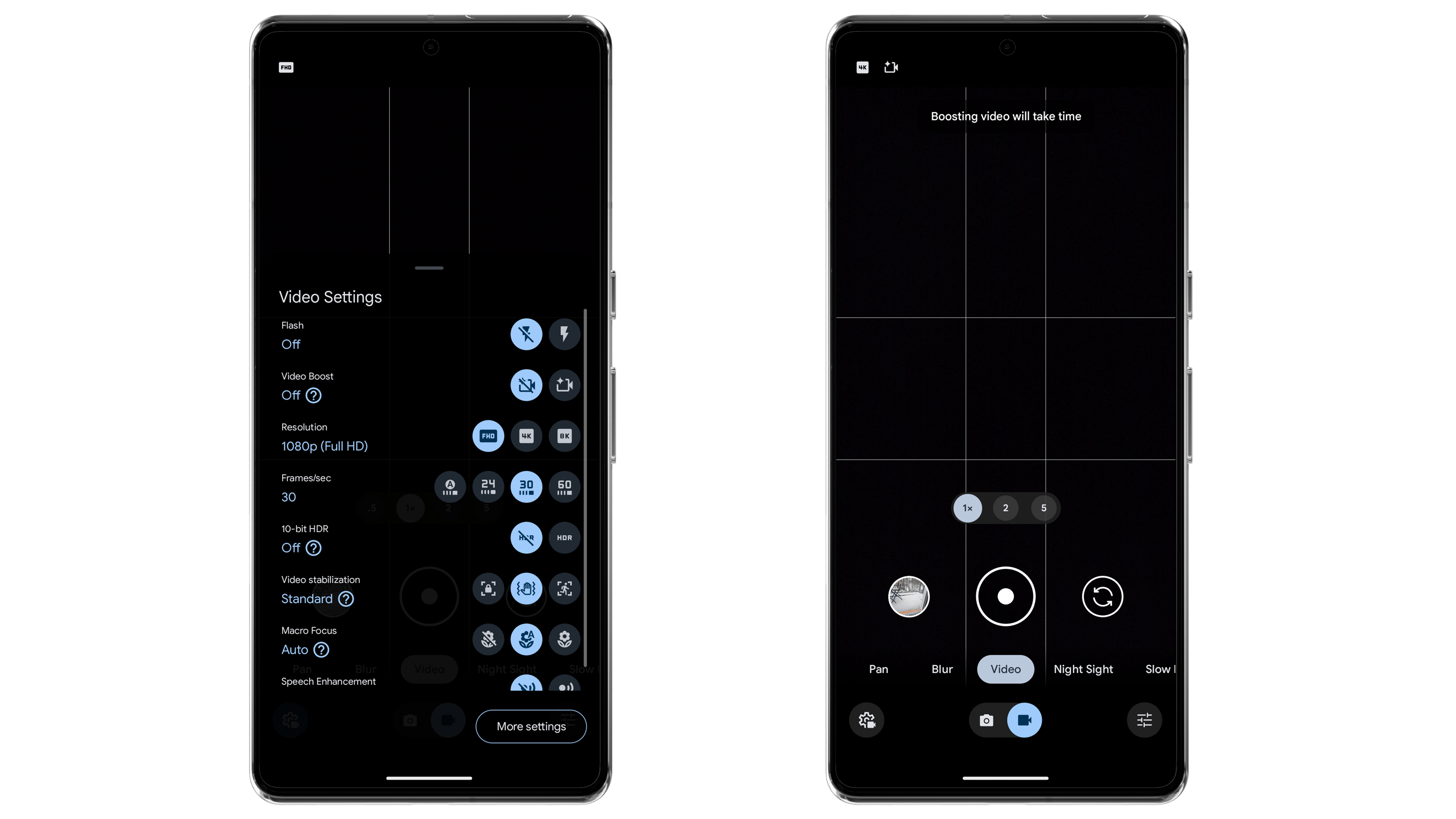
With the latest Google Camera update, this is changing. As observed in the updated Pixel Camera app for the Pixel 9 Pro, once Video Boost is enabled in the settings, it remains on permanently—even if you close and reopen the camera app. This removes an extra step, making the feature more seamless to use.
At this moment, the said change is live for the Pixel 9 Pro duo, but it is expected to trickle to the Pixel 8 Pro through a server-side update.
There’s a Catch: Expect Larger File Sizes
While this persistent camera setting is a welcome change, it does come with a downside—larger file sizes.
By default, Video Boost captures footage in 4K at 30 fps, with options for 8K and 60 fps. The AI-enhanced processing significantly increases file sizes compared to standard video recordings. For users with limited storage—especially those on base storage models or restricted cloud storage plans—this could be a concern.
To avoid running out of storage unexpectedly, users may want to manually enable or disable Video Boost when needed. This can be done by selecting Video mode, tapping on Settings, and toggling Video Boost on or off as required.
What do you think of Video Boost? Should other smartphone brands integrate similar AI-powered video enhancements? Please let us know your thoughts in the comments!