Sorry, but there's really nothing to see here right now. Our server is in maintenance mode – and our
little bot is trying to sort the error messages with its last bit of energy.
Whether it was a data leak, a power outage in the cluster, or just a grumpy bit – we don't know yet.
But what we do know is:
The data drama escalated into a server meltdown. But don't worry: We're on it.
What now?
Everything is surely running smoothly over at our colleagues from inside
digital – why not stop by!
Or you could pass the time by visiting our social media channels – for example Instagram, YouTube or TikTok. At least there are no
server problems there – promised.
Thanks for your patience. Our bot is already rebooting at full speed. 🔧
NewsTabletGoogle’s Pixel 8 and Older Pixels Gain New Vital Camera Features
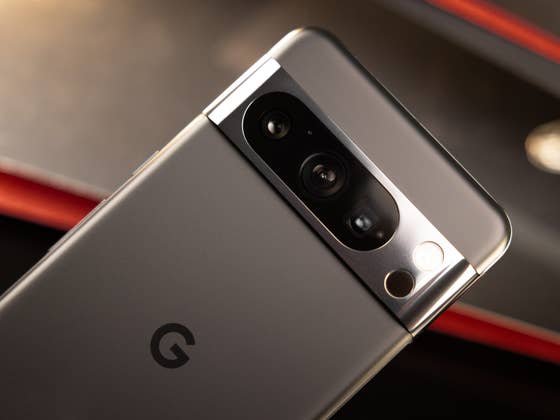
Google’s Pixel smartphones are considered to be one of the best camera phones that you can buy today. More than just sporting capable hardware as seen in the Pixel 8 and Pixel 8 Pro, the incredible photos and videos can also be credited with how well-polished and versatile the camera app in these devices is. Google has since released a major camera update that added a host of new features to older Pixel phones and the Pixel 8 series.
Also read: How to use the Google Magnifier app on Pixel phones
For older Google Pixel phones: An overhauled Camera UI
Google first introduced a revamped camera UI in the Pixel 8 (review) and Pixel 8 Pro (review), and they’re now expanding this to older Pixel phones via version 9.2 of the Pixel Camera app which was shared on the unofficial Google News Telegram channel. The new app will be available in the Google Play Store, but it might take some time before it is available for all users.
At a glance, the Pixel Camera 9.2 repositioned several tools such as brightness, shadow, and white balance level within a new shortcut with a carousel layout located at the bottom of the viewfinder. Meanwhile, access to other tools and modes like Night Sight, ratio, and timer can be found by swiping up the screen when the camera is running.
Google Pixel 8 and Pixel 8 Pro exclusive: Night Sight, Palm Timer, and Ultra HDR
Apart from these general changes, the Pixel 8 and Pixel 8 Pro will receive a “Reset all” button. This instantly clears off any camera customizations and adjustments made and returns to the default settings.
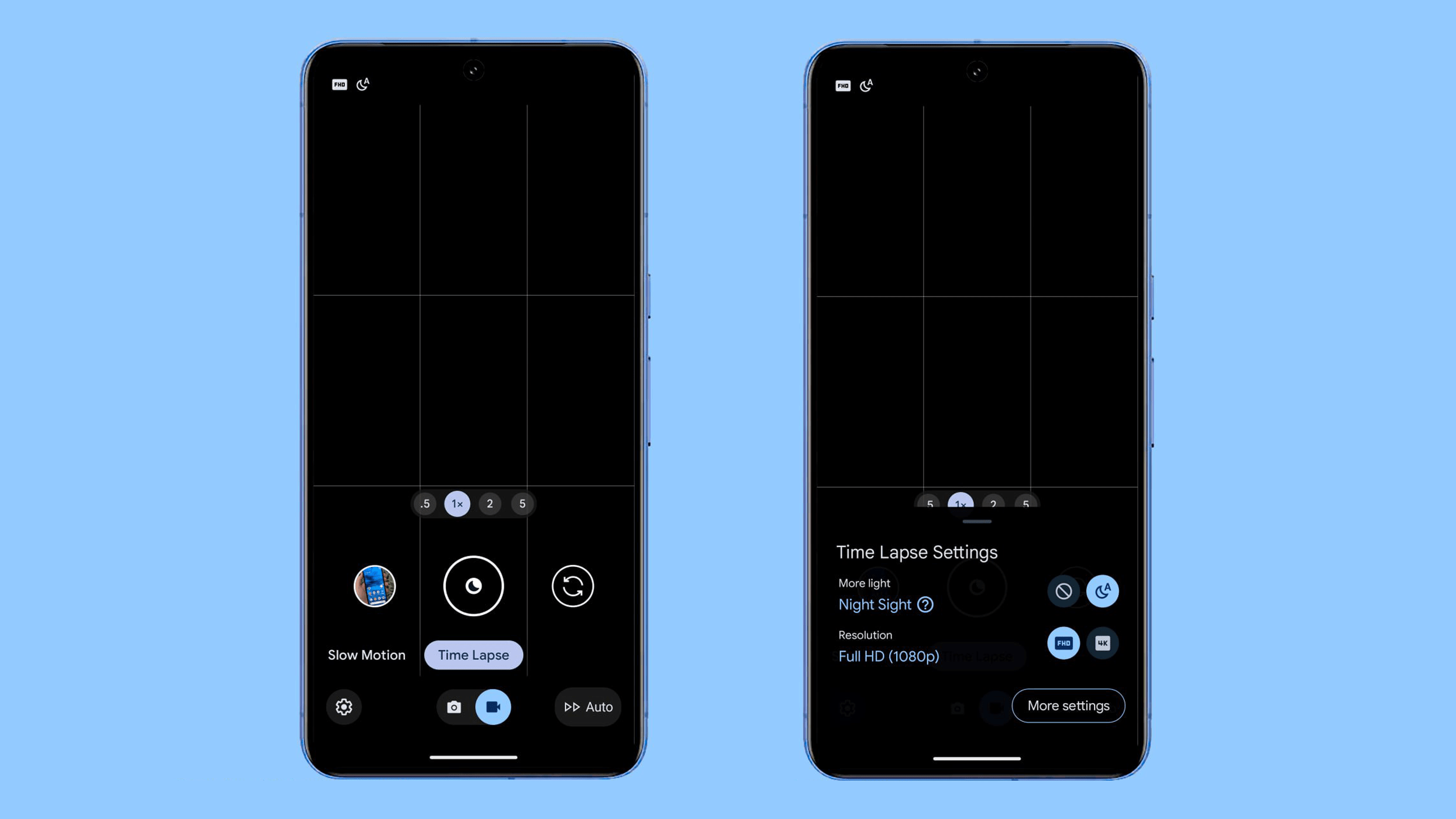
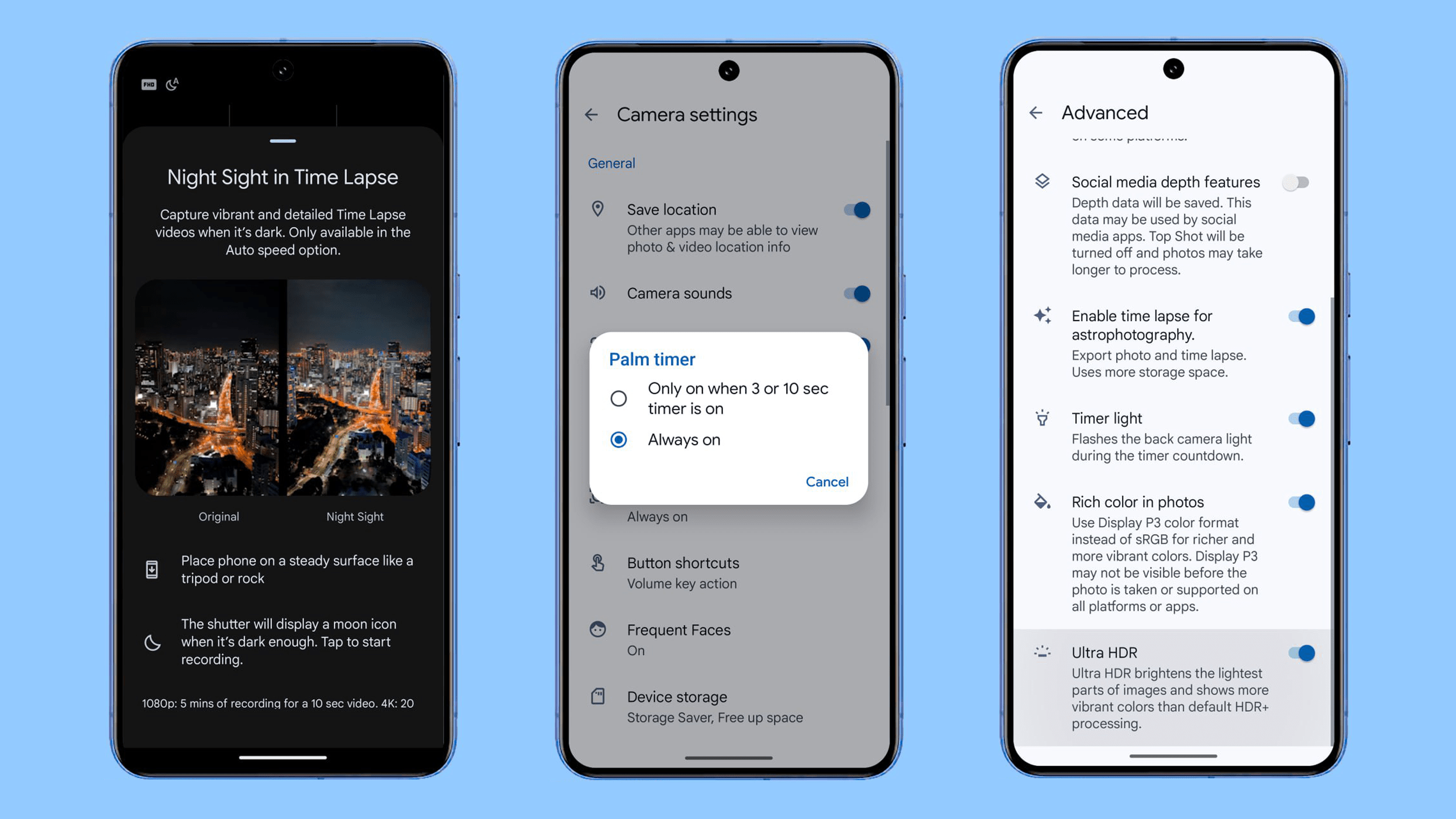
Other specific additions to the Pixel 8 camera app include the extended Night Sight in Time Lapse videos, an option for a Palm Timer gesture, and a shortcut for Ultra HDR in the settings. When using Night Sight in Time Lapse, users will have the option to record a 5-minute 1080p video and produce a 10-second time-lapse clip. Similarly, a 20-minute recording in 4K resolution can also result in a 10-second video.
As for the Palm Timer, it can now be used without having to preset a timer, which is different than before since you needed to select a designated time before using the gesture to take selfies. There will be options to enable Palm Timer with or without timers in the latest update.
Lastly, a toggle button for the Ultra HDR is included in the advanced settings of the Pixel 8 camera. This mode carries the prefix “Ultra HDR to brighten the lightest parts of images and show more vibrant colors than default HDR+ processing”. It should be noted this is limited to the Pixel 8 (Pro) due to hardware and AI constraints on older Pixel camera phones.
In addition, Google is expected to release a Pixel Feature Drop or the latest quarterly update based on Android 14 this December. The major firmware update should add more new features and both Pixel Fold (review) and Pixel Tablet (review) will benefit from it, too.
Which Pixel device are you rocking to? Have you updated to Pixel Camera 9.2? We look forward to hearing your thoughts on this matter.







0 comments