Sorry, but there's really nothing to see here right now. Our server is in maintenance mode – and our
little bot is trying to sort the error messages with its last bit of energy.
Whether it was a data leak, a power outage in the cluster, or just a grumpy bit – we don't know yet.
But what we do know is:
The data drama escalated into a server meltdown. But don't worry: We're on it.
What now?
Everything is surely running smoothly over at our colleagues from inside
digital – why not stop by!
Or you could pass the time by visiting our social media channels – for example Instagram, YouTube or TikTok. At least there are no
server problems there – promised.
Thanks for your patience. Our bot is already rebooting at full speed. 🔧
NewsZero Subscription: How to Watch YouTube Videos Sans Ads
Anyone who regularly uses YouTube is familiar with this problem: as soon as you click on a video, you are immediately greeted by several adverts. If things go really badly, a few more ads pop up right in the middle of the most exciting moments.
In recent years, various ways of escaping advertising have emerged. Some remain in a gray area, and others promise far more than what they ultimately deliver. However, one browser always manages to stand out in this context.
We are talking about the Brave Browser — a name that is no longer reserved just for an inner circle. This browser is popular due to its consistent approach to privacy and tracking protection. At the same time, it keeps cropping up in discussions about a smoother and faster YouTube experience. Watching YouTube videos without ads and without an expensive premium subscription? Sounds almost too good to be true. And yet, this is precisely one of the most practical features of the Brave browser.
First things first: Brave is no ordinary browser. It is based on Chromium, the same engine as Google Chrome, and therefore offers full compatibility with websites and Chrome extensions. At the same time, however, Brave boasts a number of key advantages: an integrated ad blocker, protection against trackers, fingerprint recognition, and its own rewards system called Brave Rewards.
Start menu of the Brave Browser Image source: nextpit / Thomas Kern
This is exactly where the key to an ad-free YouTube lies: Brave blocks ads and tracking scripts even before they are loaded. The same applies to the ad breaks that appear in videos. Technically speaking, requests to the servers of the advertising networks are intercepted and suppressed so that YouTube appears virtually “clean” to the user. The videos themselves continue to stream directly from YouTube, but the ads are not displayed at all.
Watch YouTube Videos Without Ad Breaks
Brave is not just an “ad-blocking browser”. With a focus on privacy, tracking cookies, scirpt analysis, and fingerprinting recognition are automatically blocked. This not only ensures greater security, but often significantly faster loading times as well. The difference is particularly noticeable on mobile devices or with slow internet connections.
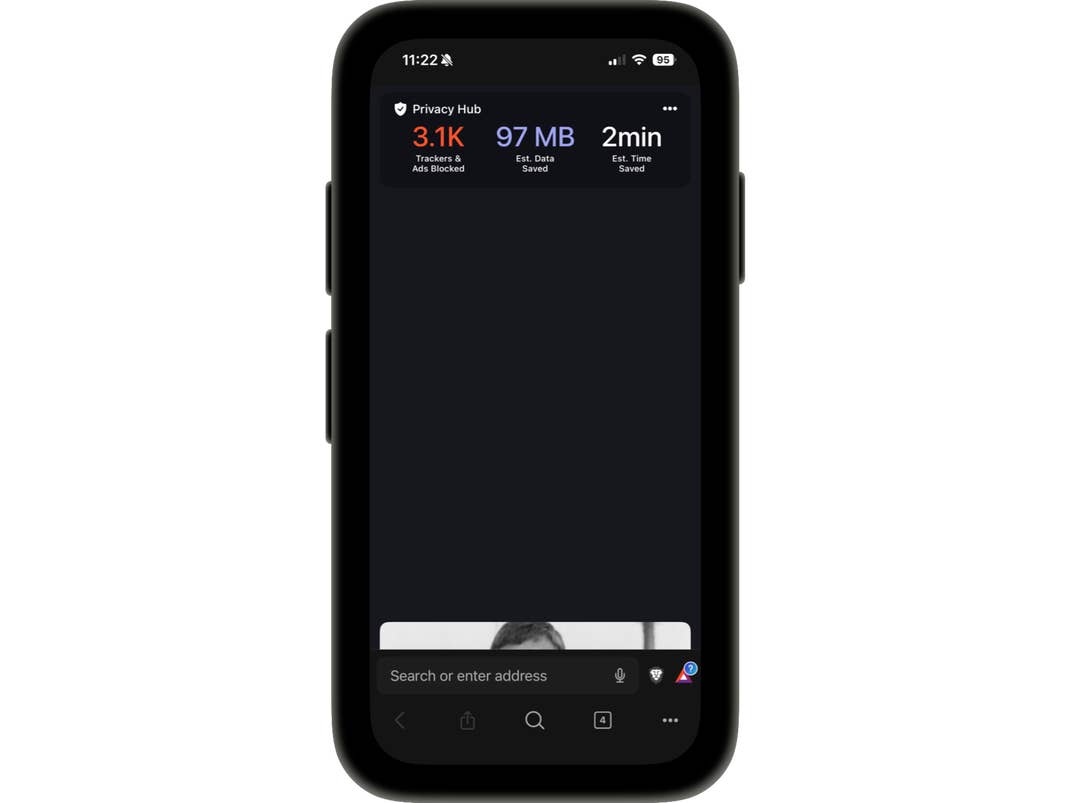
Another interesting feature is Brave Shield. Here, you can see how many trackers and ads have been blocked on a website. You can also selectively allow or block individual elements. All these work in tandem with the option to stream YouTube videos ad-free.
Disadvantages of the Brave Browser and How Does it Affect Content Creators?
A frequently mentioned shortcoming of Brave Browser is its connection to Peter Thiel, an early investor who is best known as the co-founder of Palantir, a company with a strong focus on data analysis and cooperation with government authorities. This closeness causes mistrust among users who expect maximum independence and transparency. Officially, there is no evidence that Brave actively shares user data with investors, but the connection to Peter Thiel alone could still be a concern for some.
Another disadvantage concerns the important revenue stream for content creators, who often lose their main source of funding due to aggressive ad blocking. As a result, content creators receive less support — precisely from viewers who consume the content and thus, indirectly support it monetarily.
We mark partner links with this symbol. If you click on one of these links or buttons–or make a purchase through them–we may receive a small commission from the retailer. This doesn’t affect the price you pay, but it helps us keep nextpit free for everyone. Thanks for your support!






0 comments