Sorry, but there's really nothing to see here right now. Our server is in maintenance mode – and our
little bot is trying to sort the error messages with its last bit of energy.
Whether it was a data leak, a power outage in the cluster, or just a grumpy bit – we don't know yet.
But what we do know is:
The data drama escalated into a server meltdown. But don't worry: We're on it.
What now?
Everything is surely running smoothly over at our colleagues from inside
digital – why not stop by!
Or you could pass the time by visiting our social media channels – for example Instagram, YouTube or TikTok. At least there are no
server problems there – promised.
Thanks for your patience. Our bot is already rebooting at full speed. 🔧
NewsTabletiOS 17 Beta 5: New Live Voicemail Prompt and NameDrop Animation
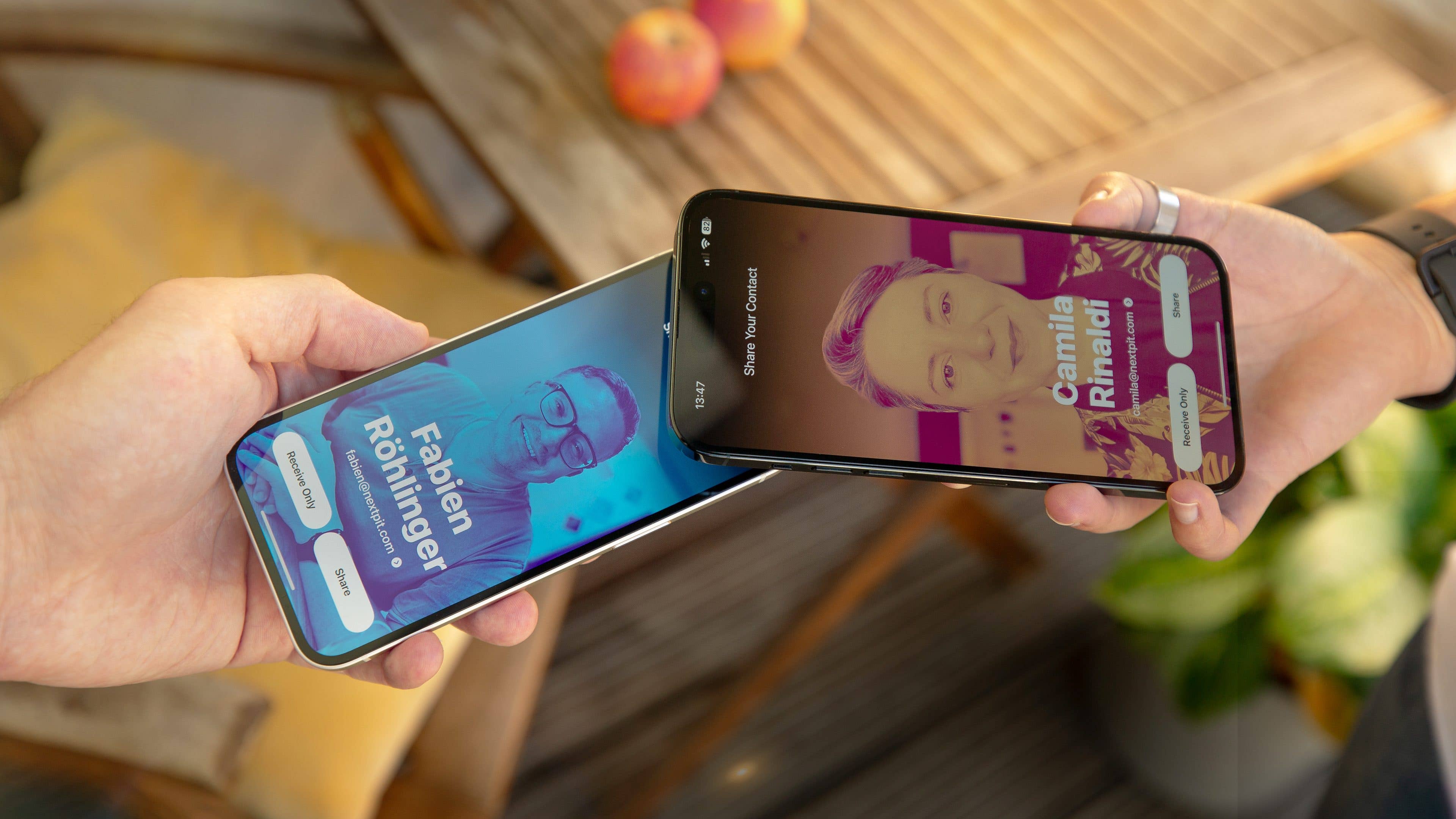
If you’re running the beta version of iOS 17 on your iPhone and iPad (iPadOS 17), Apple has now started to roll out the fifth beta. The latest software adds modest touches and bug fixes ahead of the final release next month. These include a new prompt for Live Voicemail and refreshed animation when using NameDrop.
Similar to previous iOS beta releases, the fifth beta is open for developers and testers. It is also a direct update from the fourth beta that was shipped last month. However, it should be noted that this beta is different from the public beta version.
Default Live Voicemail greeting will make it less confusing
One notable feature added to iOS 17 is the updated Live Voicemail. When enabled from the recipient’s side, it automatically transcribes what the caller is saying in real-time on the receiver’s iPhone screen before having it delivered as a voicemail.
What makes most users confused with the new Live Voicemail is the prompt that asks callers to leave their message after the tone so that the other end might pick up. The old note specifically mentioned “After the tone please say why you’re calling. The person you are trying to reach might pick up.”
In iOS 17 beta 5, Apple has changed the prompt that now displays it as “Your call has been forwarded to voicemail. The person you’re trying to reach is not available. At the tone, please record your message”. More importantly, this message will only be shown to the caller while the receiver will get to see the real-time transcription.
Another change spotted in the update is the new AirDrop and NameDrop animation and sound when you share files or contact info. Essentially, the two wireless transfer modes function similarly apart from the more pleasing effects. In the previous beta, NameDrop received a toggle for users to disable or enable the feature from the settings.
Now located in the iPhone storage section, there is a new section added that is dedicated to synced content. This option shows the amount of data synced across your multiple Apple devices. Furthermore, there is a trigger to run automated actions via location-based shortcuts like arrival and departure, marking a return in this version after being missing in the previous betas.
Notable bug fixes on iOS 17 Beta 5
Along with the tweaks, iOS 17 beta 5 will also introduce notable bug fixes that were associated with earlier builds. For instance, testers reported an issue when viewing the screen time analytics from the settings, where the update has seemingly fixed this. The same goes with the Pro Motion display when navigating on the home screen.
In terms of security, users using ad blockers when browsing noticed how these were not properly working on Safari in the previous iOS 17 beta. This has been evidently addressed in the latest beta.
The Cupertino firm has not confirmed when the next public beta release will commence. Given the availability of the beta 5, it is safe to say we may see a wider release to more testers in the coming days. Likewise, do you intend to try out the beta build on your iPhone or iPad?
We mark partner links with this symbol. If you click on one of these links or buttons–or make a purchase through them–we may receive a small commission from the retailer. This doesn’t affect the price you pay, but it helps us keep nextpit free for everyone. Thanks for your support!








0 comments