Sorry, but there's really nothing to see here right now. Our server is in maintenance mode – and our
little bot is trying to sort the error messages with its last bit of energy.
Whether it was a data leak, a power outage in the cluster, or just a grumpy bit – we don't know yet.
But what we do know is:
The data drama escalated into a server meltdown. But don't worry: We're on it.
What now?
Everything is surely running smoothly over at our colleagues from inside
digital – why not stop by!
Or you could pass the time by visiting our social media channels – for example Instagram, YouTube or TikTok. At least there are no
server problems there – promised.
Thanks for your patience. Our bot is already rebooting at full speed. 🔧
How-tosE-BikesSecure Encryption Key: This is what Vanmoof owners must do now!
VanMoof is facing insolvency and has filed for creditor protection. This has left users understandably concerned: What happens to my e-bike if VanMoof shuts down their servers? In this guide, we will explain how to safeguard the encryption key of your VanMoof bike. This way, you can continue using your e-bike, even if VanMoof eventually ceases operations.
The close integration of hardware and software brings dangers with it: If a manufacturer goes bankrupt, the servers may be shut down, and in the worst case, purchased products are useless for the end user. This happened, for example, with Peloton competitor Flywheel, whose exercise bikes were useless in one fell swoop after a patent dispute.
At Vanmoof, of course, the case is somewhat different. Here, each bike has an individual key, the so-called Encryption Key. This is stored both in the user’s account and in the bike. If both match, the bike can be unlocked via the app—and you can ride off with your Vanmoof bike.
If Vanmoof closes down and shuts down all servers, you will no longer be able to access your key. That means you won’t be able to use your bike with third-party apps in the future. Competitor Cowboy had released an app last week that addresses this very issue and lets Vanmoof users secure the key. However, the app does not work on Fabi’s Vanmoof bike.
How to secure the encryption key of your Vanmoof bike
How you can secure the encryption key of your Vanmoof bike with the help of an open-source project, you can read in this tutorial—and you should definitely do it as soon as possible!
Step 1: Install Docker Desktop
First, you need a runtime environment in which you can run the open-source tool. We use Docker Desktop for this purpose, which you have to download and install from the Docker website in the first step. Once the program is ready to run, we’ll continue with the second step.
Step 2: Install the Vanmoof Encryption Key Exporter
Now you need to install the Vanmoof Encryption Key Exporter. First, you have to download the project from GitHub. Click on the green “Code” button on the page and select “Download ZIP”. Then extract the archive into a directory.
Now you just need to install the project in Docker Desktop. We have done this under Mac OS X. To do this, open Terminal and change to the directory where you extracted the project. With the command ‘ls‘ the terminal shows you the content of the current folder, with ‘cd‘ and <directory name> you change to the desired folder.
Once you have reached the desired folder, you only have to copy the following command into the terminal and confirm it with Enter: ‘docker-compose up -d'.
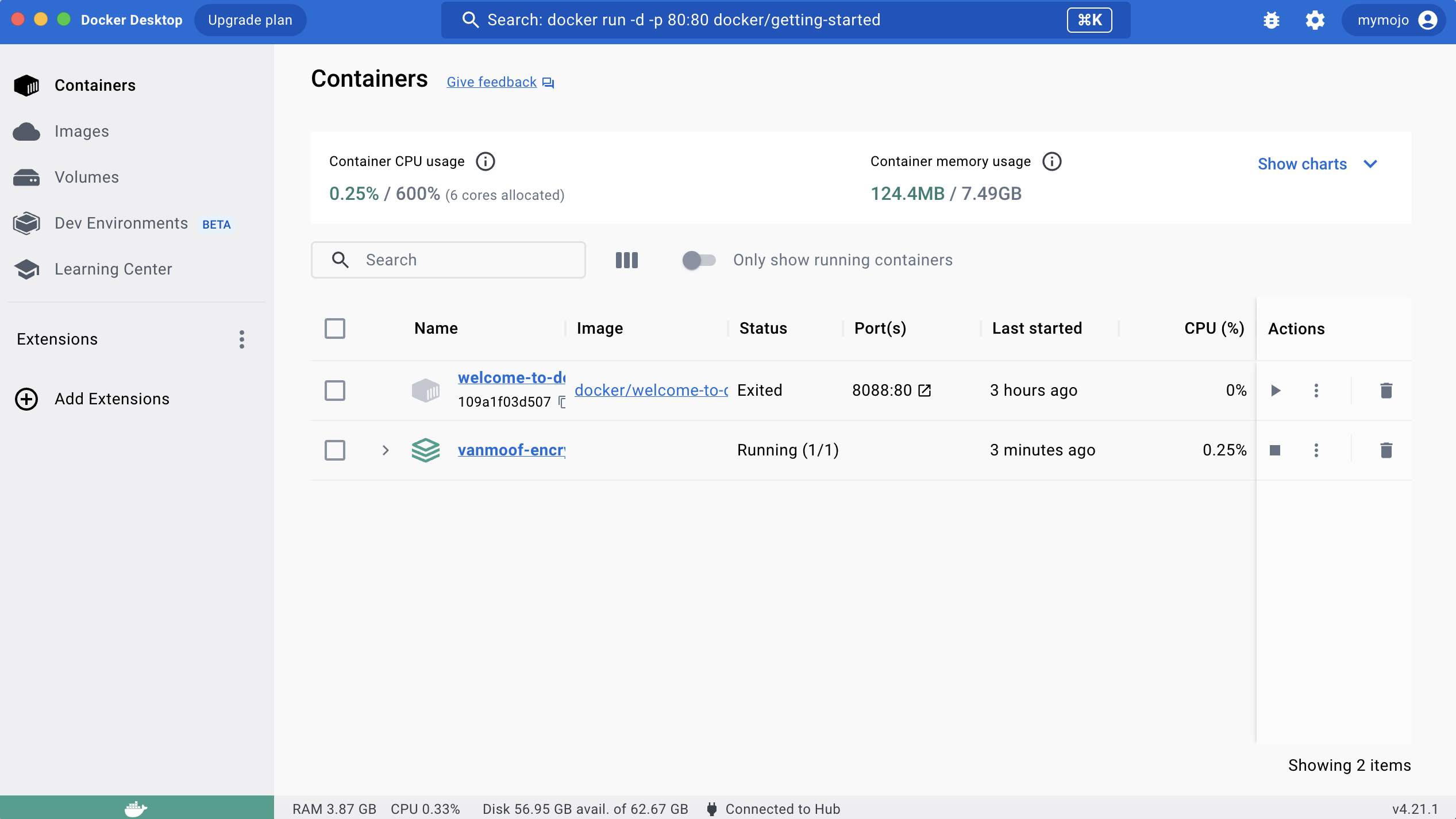
In our version of Mac OS X, the installation of an additional tool was requested, but failed. The Vamoof Encryption Key Exporter worked anyway. You can see if it worked in Docker Desktop—here the Vamoof Encryption Key Exporter should show up after a successful installation—and be displayed as “Running”.
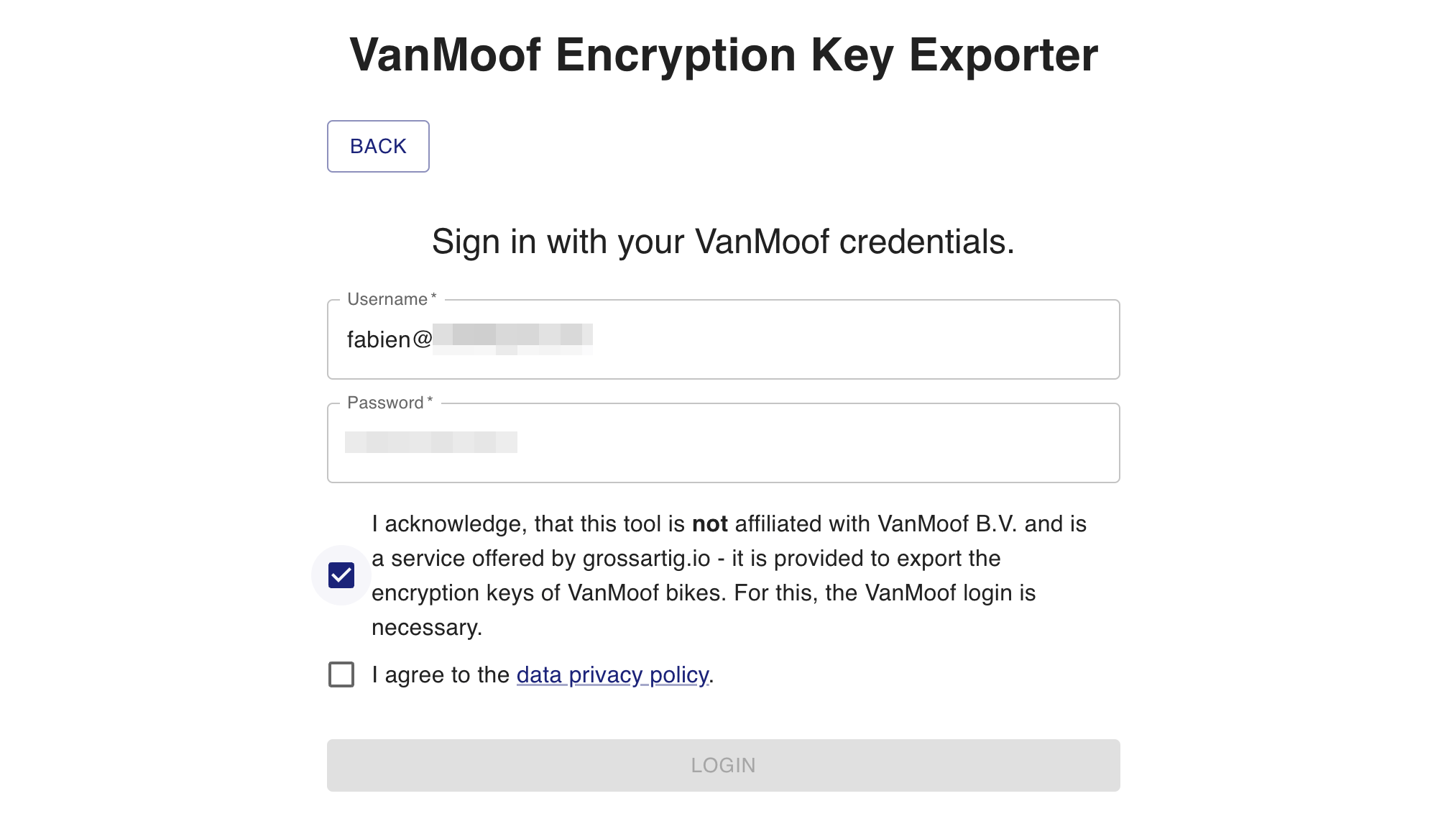
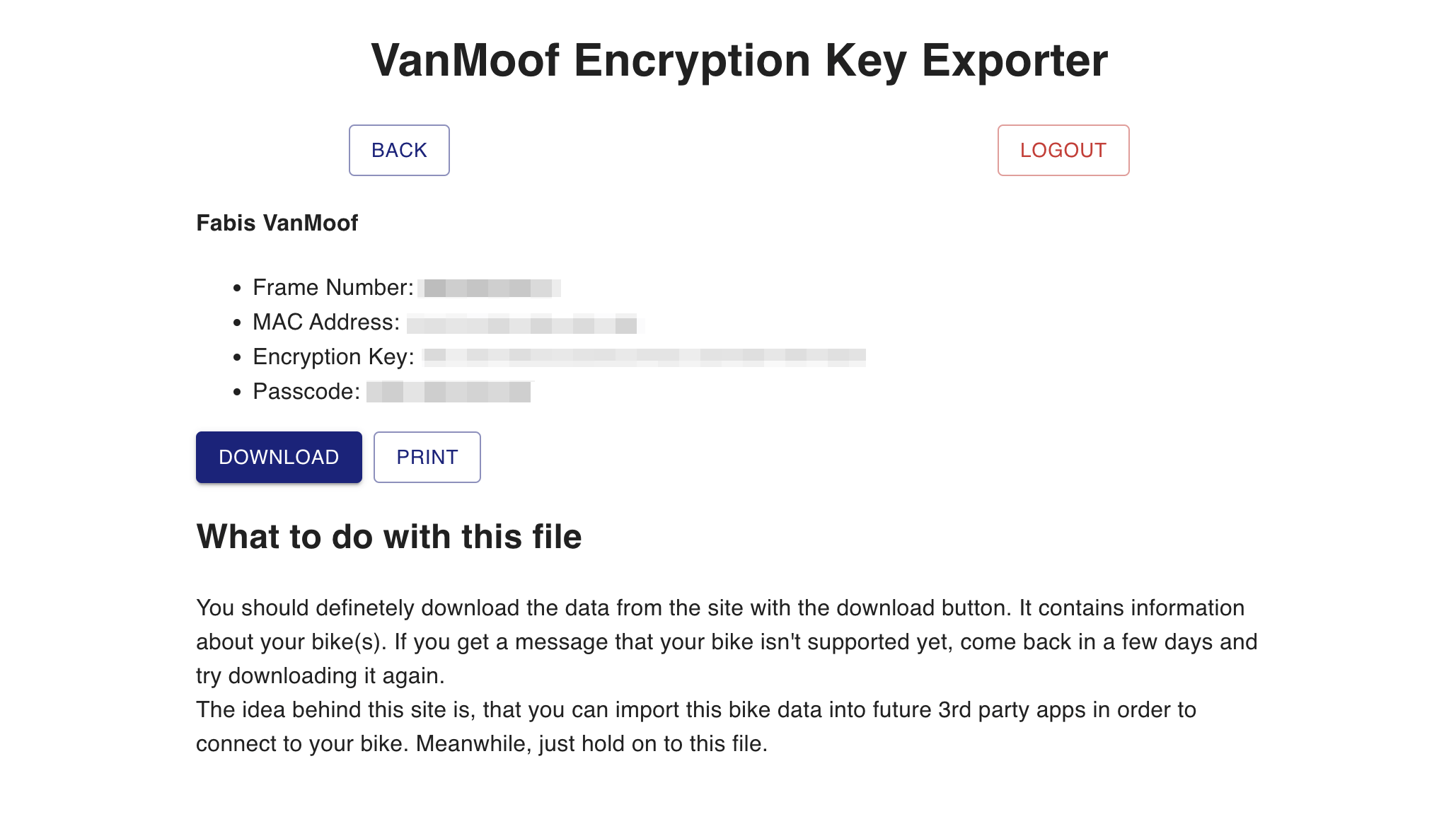
If you log in here with your Vanmoof account, the tool will extract your individual key. If you save this data, you can later unlock your Vanmoof bike with a third-party app—even if the bike manufacturer goes bankrupt and shuts down its servers.
Step 4: Wait and see and continue to enjoy the summer with your Vanmoof
Apart from the Cowboy app for iOS, which was launched last week (and doesn’t work for us), we don’t know of any app that can unlock your Vanmoof bike or even extract the encryption key. However, it won’t be long until corresponding solutions are available—and in any case, you are on the safe side if you have saved your key.
What do you think about the development that hardware only works as long as the manufacturer’s services are running? And have you already secured the key on your Vanmoof bike?
I have been writing about technology since 2004 with a strong passion for smartphones, photography, and IoT, especially in the world of smart homes and AI ever since they debuted. I'm also an avid cook and bake pizza at least three times a week using my Ooni Koda 16. In order to compensate for all the consumed calories, I indulge in sporting activities on a daily basis while strapping on at least two fitness trackers. I am strongly convinced that you can DIY a lot of things if you put your mind to it - including a photovoltaic system and power station.








0 comments