Sorry, but there's really nothing to see here right now. Our server is in maintenance mode – and our
little bot is trying to sort the error messages with its last bit of energy.
Whether it was a data leak, a power outage in the cluster, or just a grumpy bit – we don't know yet.
But what we do know is:
The data drama escalated into a server meltdown. But don't worry: We're on it.
What now?
Everything is surely running smoothly over at our colleagues from inside
digital – why not stop by!
Or you could pass the time by visiting our social media channels – for example Instagram, YouTube or TikTok. At least there are no
server problems there – promised.
Thanks for your patience. Our bot is already rebooting at full speed. 🔧
How-tosTabletSamsung Smart View: How to Connect Your Galaxy Phone to the TV
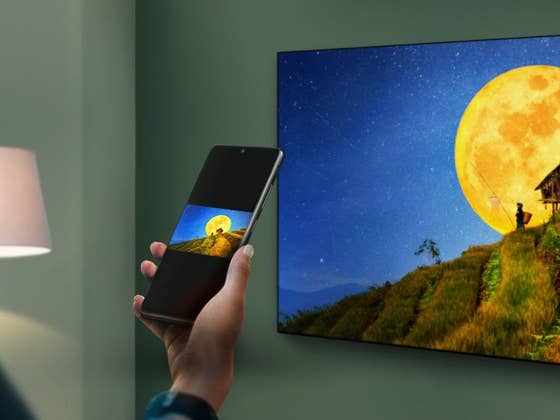
Samsung offers an integrated and easy way to display your phone’s contents on compatible TVs, using the Smart View feature available in most recent Galaxy smartphones and tablets and its line of smart TVs. Learn how to pair and mirror your mobile videos, pictures, and even games on the big screen.
No Samsung phone? Learn how to connect an iPhone or Android device to your TV
With one of the biggest ecosystems in the world, from smartwatches to huge 100+ inch screens, Samsung has an obvious advantage when it comes to synergies between different product categories.
The Smart Things smart home ecosystem is one of the results, with the option to remote control devices on many screens—TVs, phones, tablets, and even fridges—and even before that the option to mirror (or cast) the contents of one device to another: enter Smart View.
Smart View is Samsung’s version of Miracast—known by many names, depending on each manufacturer’s implementation. Replicating the phone’s screen on a compatible TV or monitor. In the past, the feature required an app, which is nowadays installed by default on Samsung Galaxy phones and tablets.
To use Smart View you will need a Samsung Galaxy phone or tablet, and a Miracast compatible TV or monitor—so TVs from LG, Sony, Philips, Panasonic, and other brands can also work. One other thing, the devices should be connected to the same home network, but we have seen a neighbor’s TV suggestion which was not listed in the router’s list.
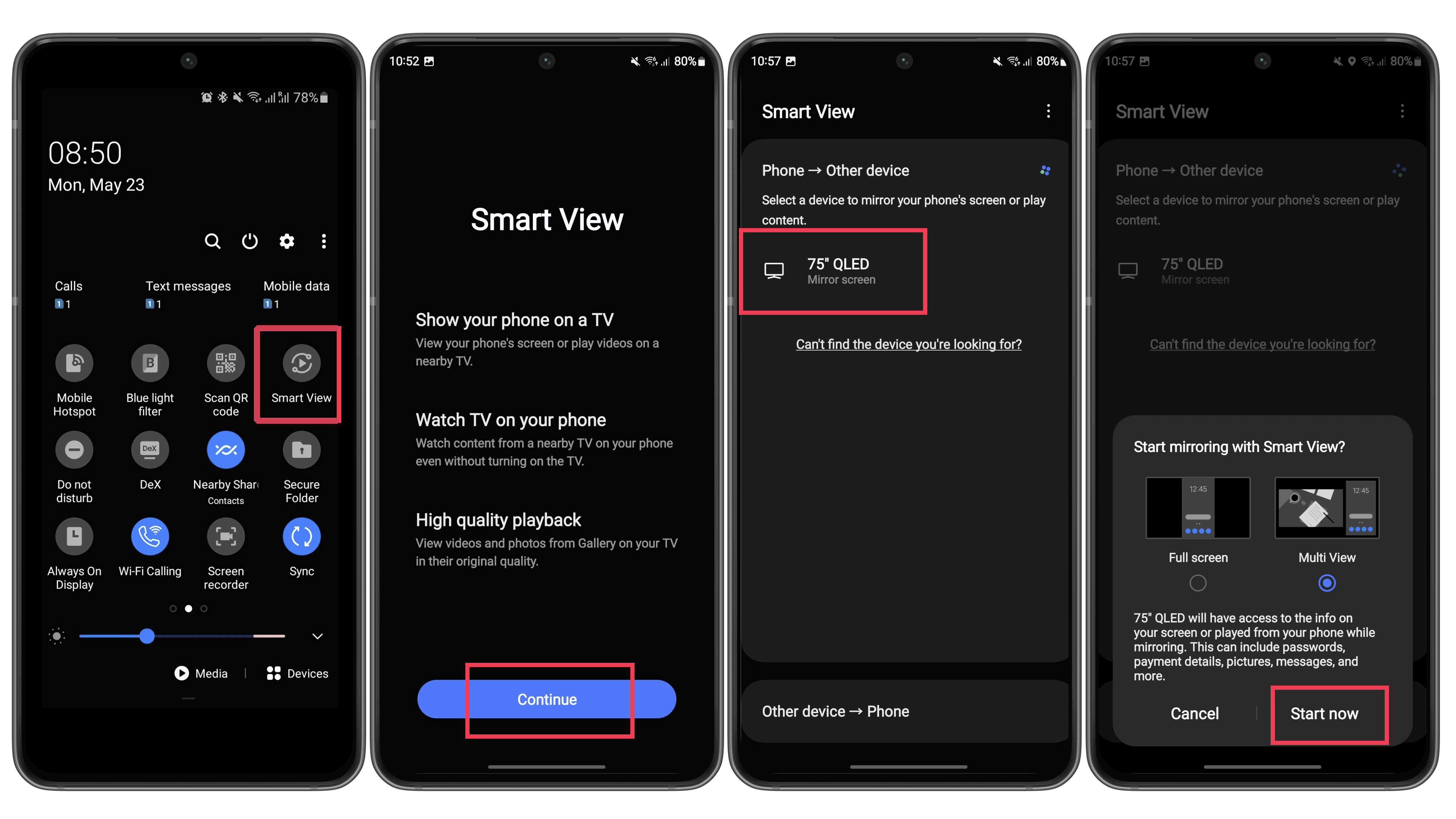
To use Samsung Smart View to display your phone screen on the TV just follow these steps:
Open the Quick Settings menu (swiping down from the top of the screen).
Tap on the Smart View button.
Wait for the displays to be detected and tap on the desired one.
Some TVs may require you to open a pairing menu, check the manual for instructions.
Confirm the screencasting by tapping on Start now.
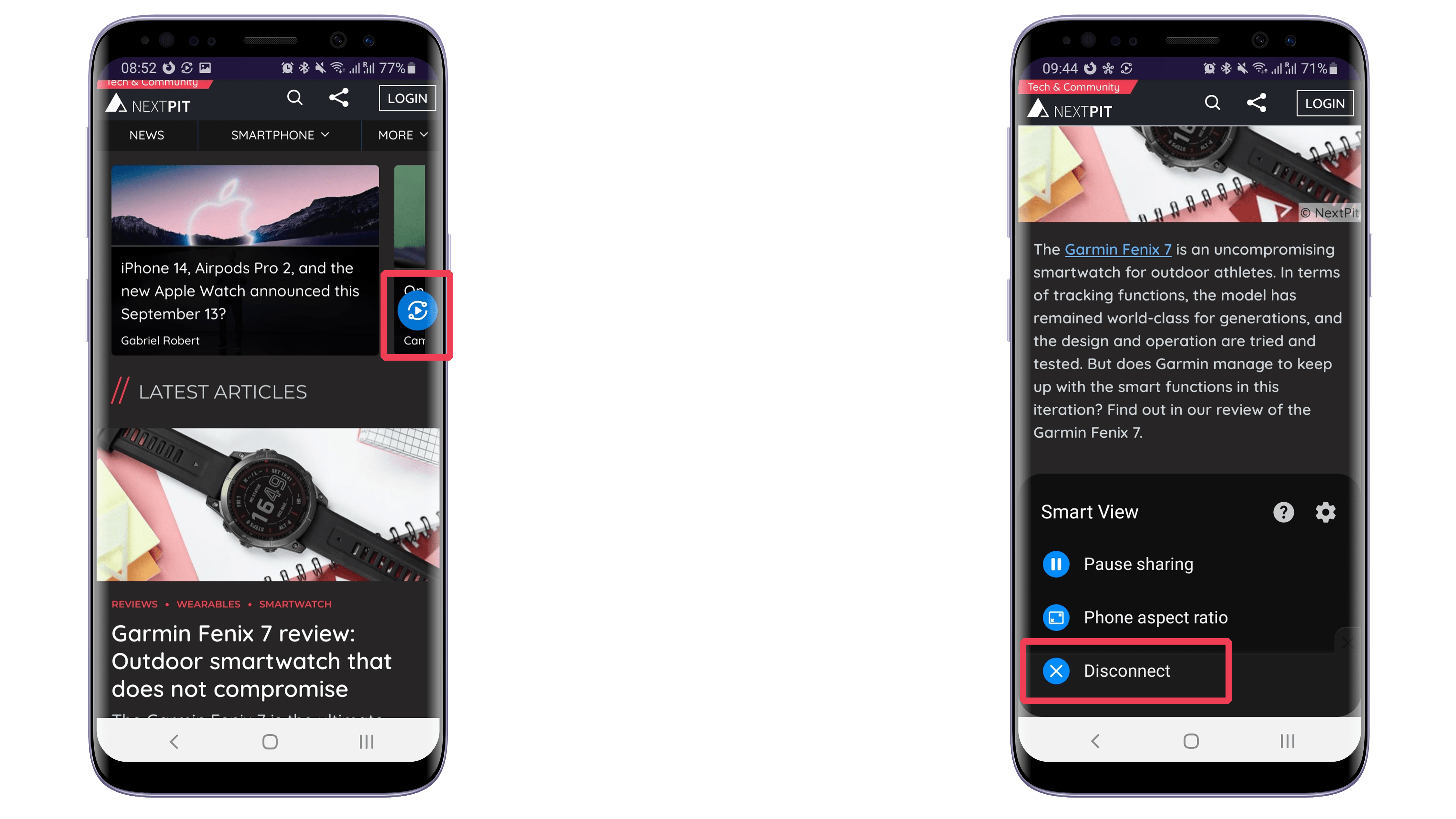
That’s it for our guide on using Smart View. Remember that you can adjust the screen proportions to better fit the display by going to the Smart View options menu. And if you put the phone in the landscape position (horizontal), the changes will be reflected on the TV, as long as you have auto-rotate enabled on the device.
Also note that some TV models are compatible with the Tap View feature, which starts mirroring the phone by simply (gently) tapping the phone on the display. Another option is to start screen mirroring using the Smart Things app, and lastly, some devices offer the option to use Samsung DeX to display the phone on the TV, either wirelessly or by using a certified cable.
Are you already using Miracast or another screen mirroring technology? Do you have any favorite tips or tricks? Share them in the comments below!
Article updated on May 2024 with new screenshots.
We mark partner links with this symbol. If you click on one of these links or buttons–or make a purchase through them–we may receive a small commission from the retailer. This doesn’t affect the price you pay, but it helps us keep nextpit free for everyone. Thanks for your support!
Seit 2008 schreibe ich für verschiedene Websites in Brasilien, Spanien, Dänemark und Deutschland über Technologie und habe mich auf mobile Ökosysteme spezialisiert. Dabei dreht sich bei mir alles um die interessantesten Modelle, ihre Komponenten und natürlich die ganze Welt der Apps. Dabei lege ich nicht nur Wert auf Leistung und Spezifikationen, sondern auch auf Aspekte wie Reparaturfähigkeit, Haltbarkeit und Herstellersupport.