Contents
Are you one of the many users who woke up late because your iPhone alarm failed to go off? You might not be dreaming. A recurring “silent iPhone alarms” bug may actually be making people miss their alarms. Here is how to check and fix the issue.
The problem of silent alarms on iPhones is not entirely new. It first occurred two years ago and has now surfaced again for some users, although it remains unclear how widespread the concern is. Because the affected iPhone models and iOS versions vary, it is not easy to pinpoint a single root cause. This guide will help you identify potential causes and the necessary fixes.
Method 1: Check Ringtone and Alerts Volume Level
Many users do not realize that overlooking the ringtone and alert volume level can silence alarms. This setting is located in Sounds and Haptics. There are reports that the slider for Ringtone and Alerts sometimes defaults to the far left, which mutes all sound alerts, including alarms.
- Also read: Check the Best iPhone Tips and Tricks
If this is why your alarm is silent, it is the easiest fix. Simply ensure the slider is set to the center or higher. As you slide it, you can hear a preview of the volume level. Follow the steps on how to change the volume level.
- Go to Settings on your iPhone.
- Tap on Sound & Haptics.
- Slide the slider to the right under the Ringtone and Alerts.
- Tap the back button to save the changes.
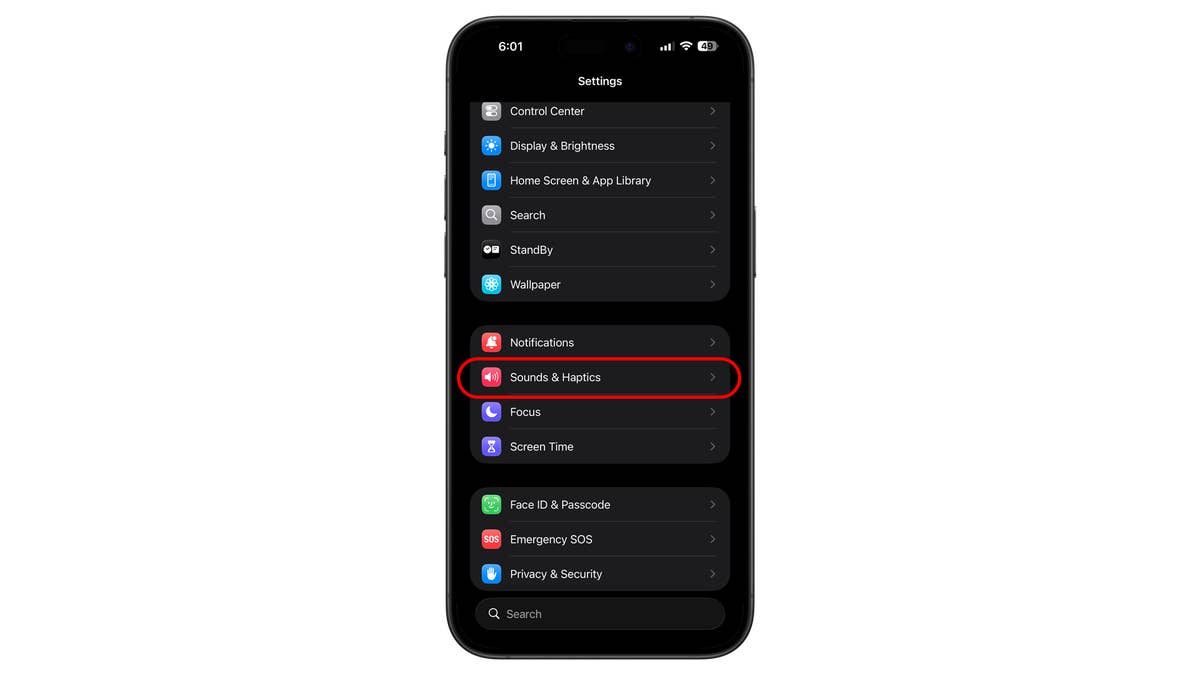
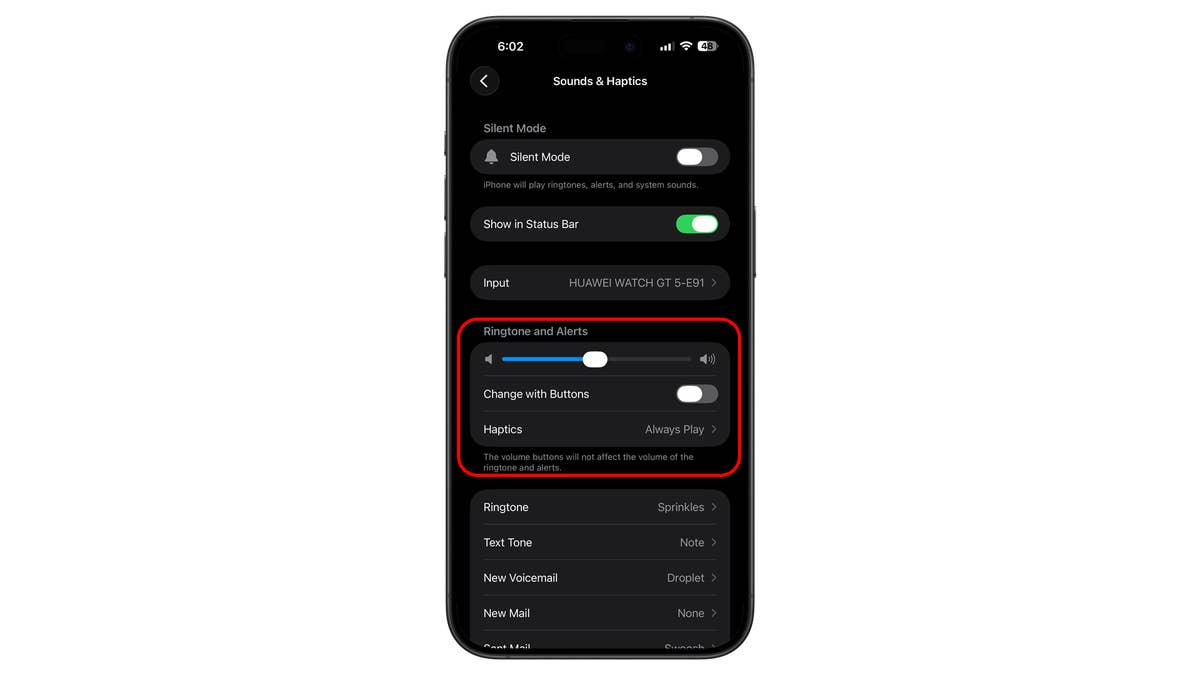
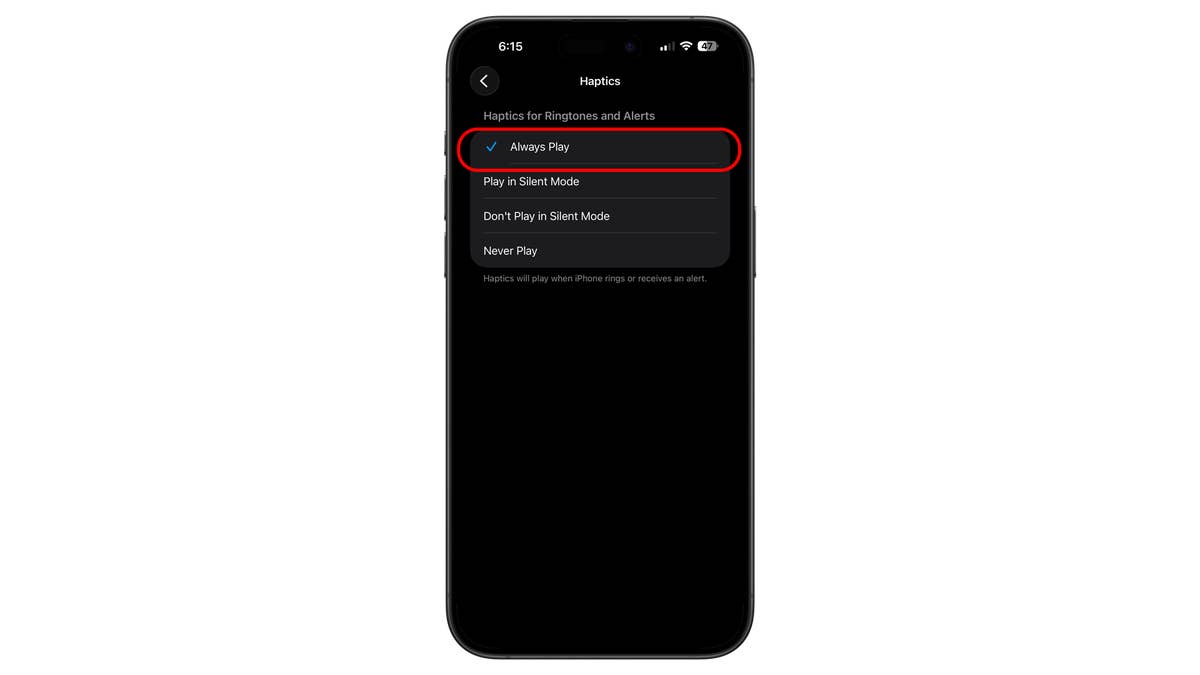
Importantly, you should ensure that Change with Buttons is disabled. If this is turned on, you might accidentally lower your alarm volume using the side buttons. You should also ensure that Haptics is enabled to add vibration to your alerts.
Method 2: Verify the Clock App Alarm Tone
Some users have found that their alarm tone was set to None after updating to certain iOS versions. While it is unverified if this is a consistent bug, it is advisable to double-check this section.
- Open the Clock app.
- Tap on the Alarms tab.
- Select your specific alarm time.
- Tap on Sound.
- Ensure a ringtone is selected and not set to None.
- Tap the back button to save your changes.
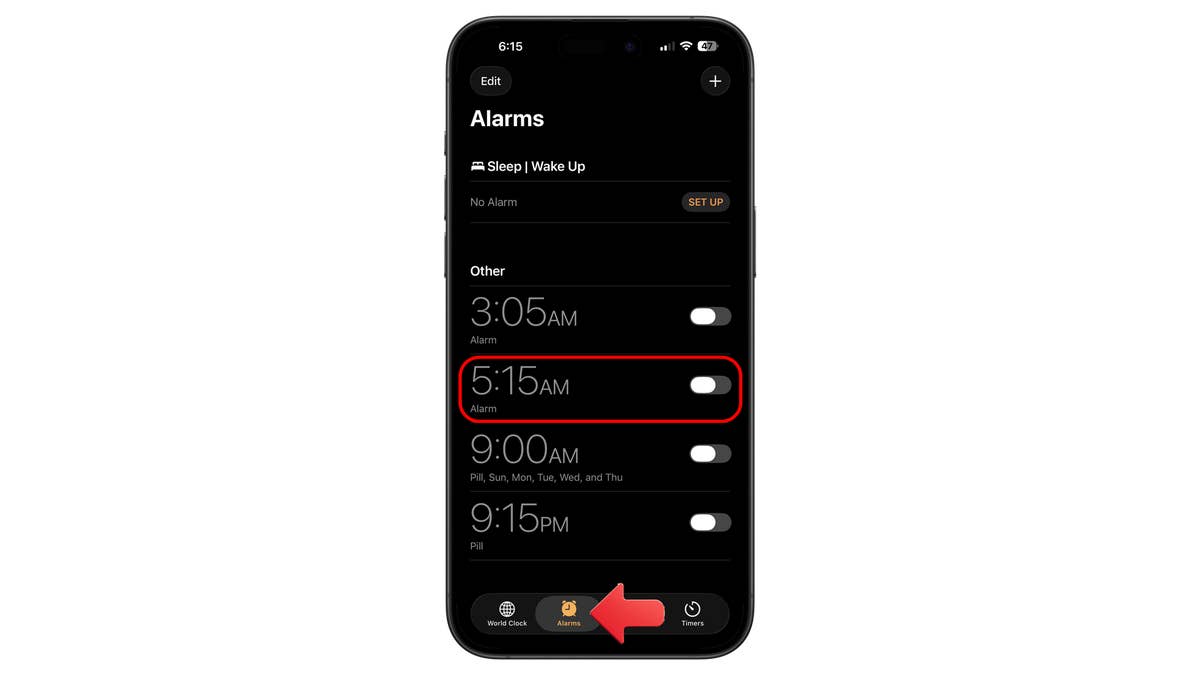
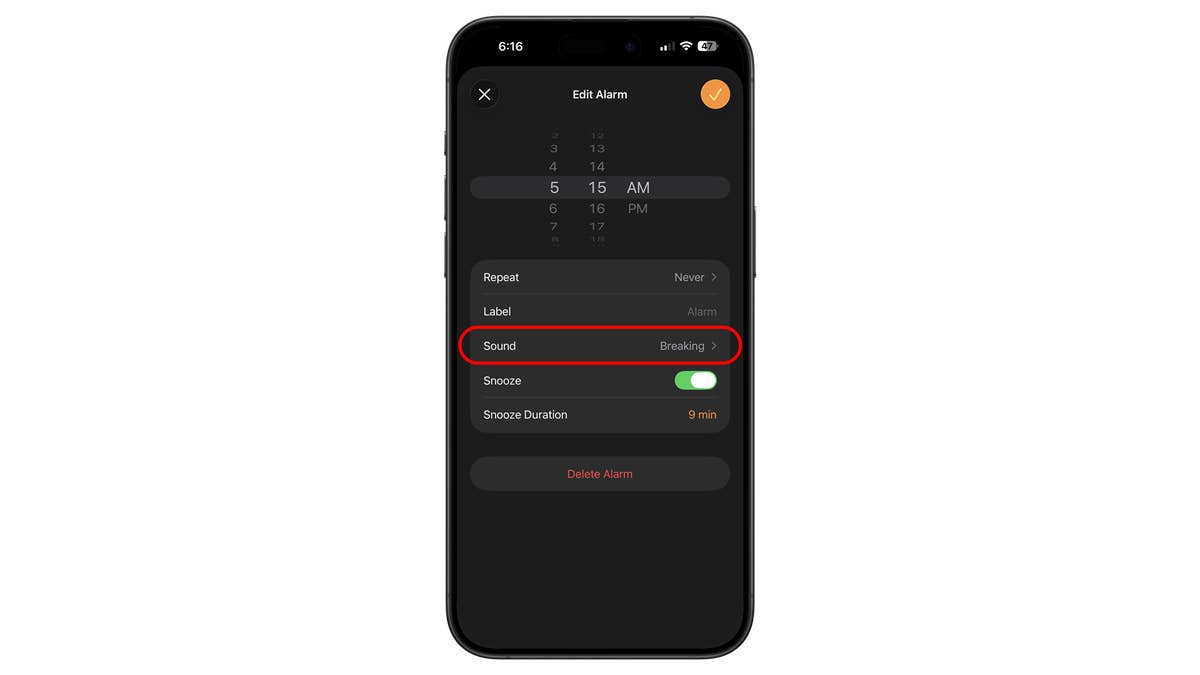
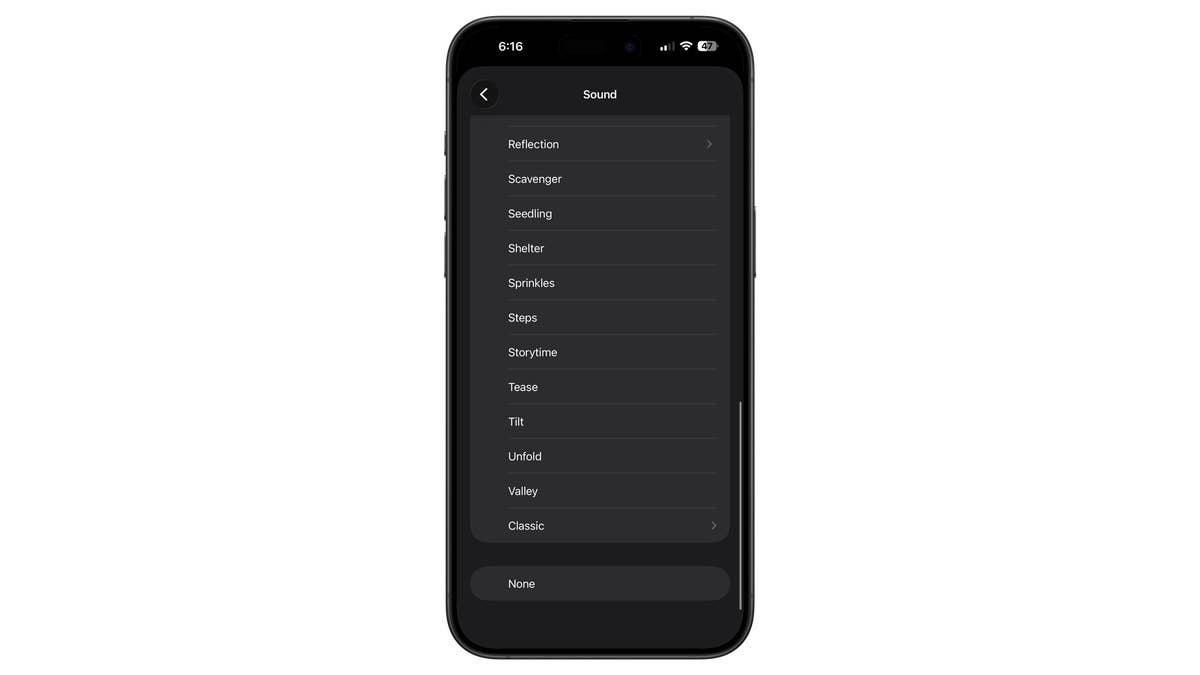
You can also use a custom ringtone as your alarm sound. The option is found in the same section inside Sound.
Method 3: Disable Attention Aware in Face ID settings
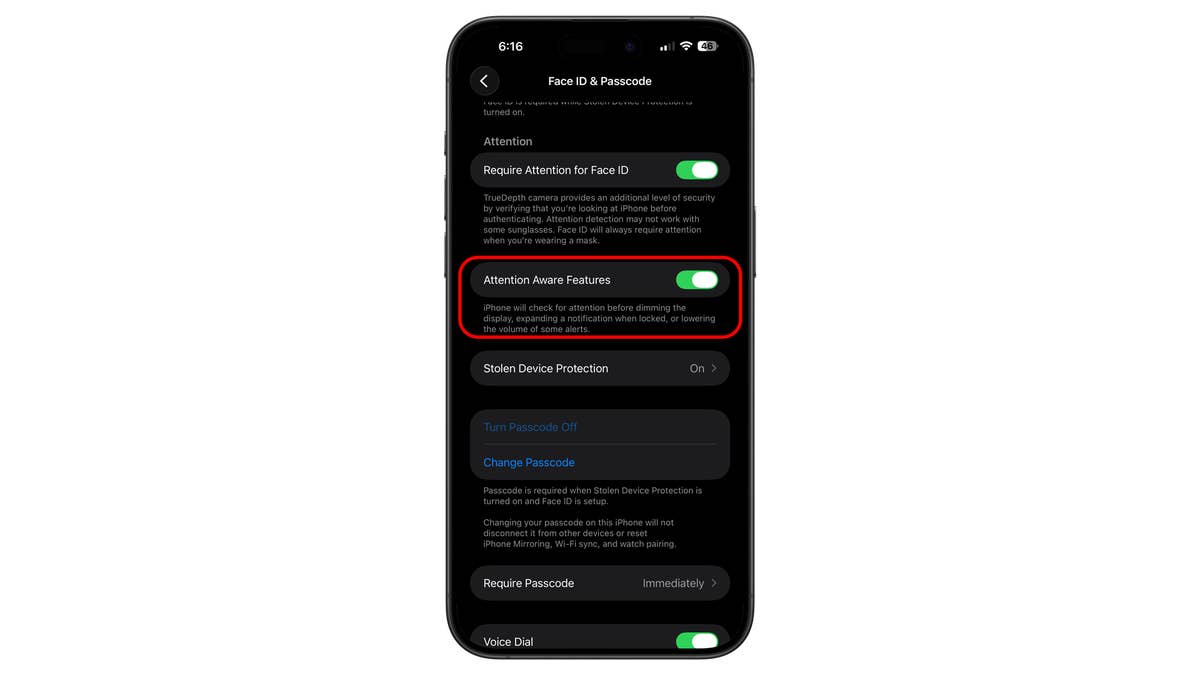
Another possible cause for interrupted alarms is the Attention Aware feature. When enabled, this feature reduces the volume of alerts if it detects your face looking at the device. It is possible that groggy users looking at their phones in the morning are accidentally triggering this feature, causing the alarm to quiet down. To disable it:
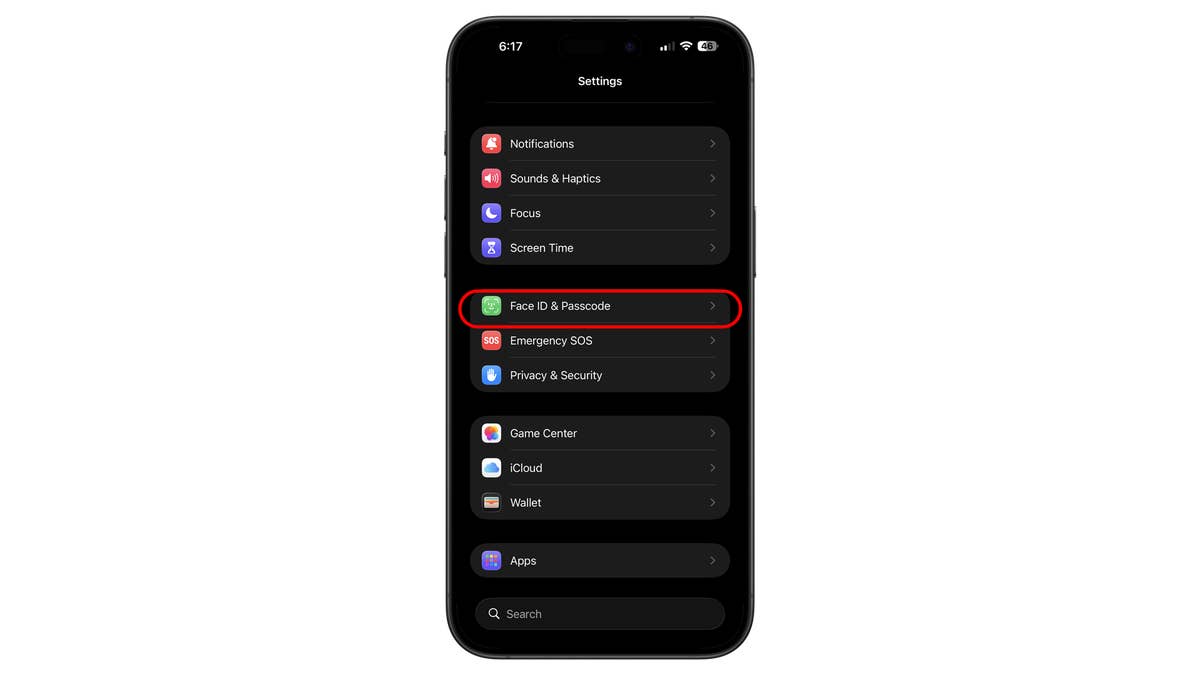
- Go to Settings and select Face ID and Passcode.
- Scroll down to Attention Aware Features.
- Toggle the setting to off.
This will allow you to test whether Attention Aware Features affect alarms on your iPhone. If you find that they do not impact the alarm, you can re-enable the feature from the same settings.
Method 4: Check if Sleep Mode Is Disabling Alarms
A less probable but possible cause involves the Sleep mode and Focus features. The Sleep mode, which integrates with the Health and Clock apps, prioritizes rest by minimizing alerts. If configured incorrectly, it may interfere with your expected alarm behavior. You can manage or disable Sleep mode directly within the Health app or through the Sleep shortcut in the Clock app to ensure your alarms remain active.
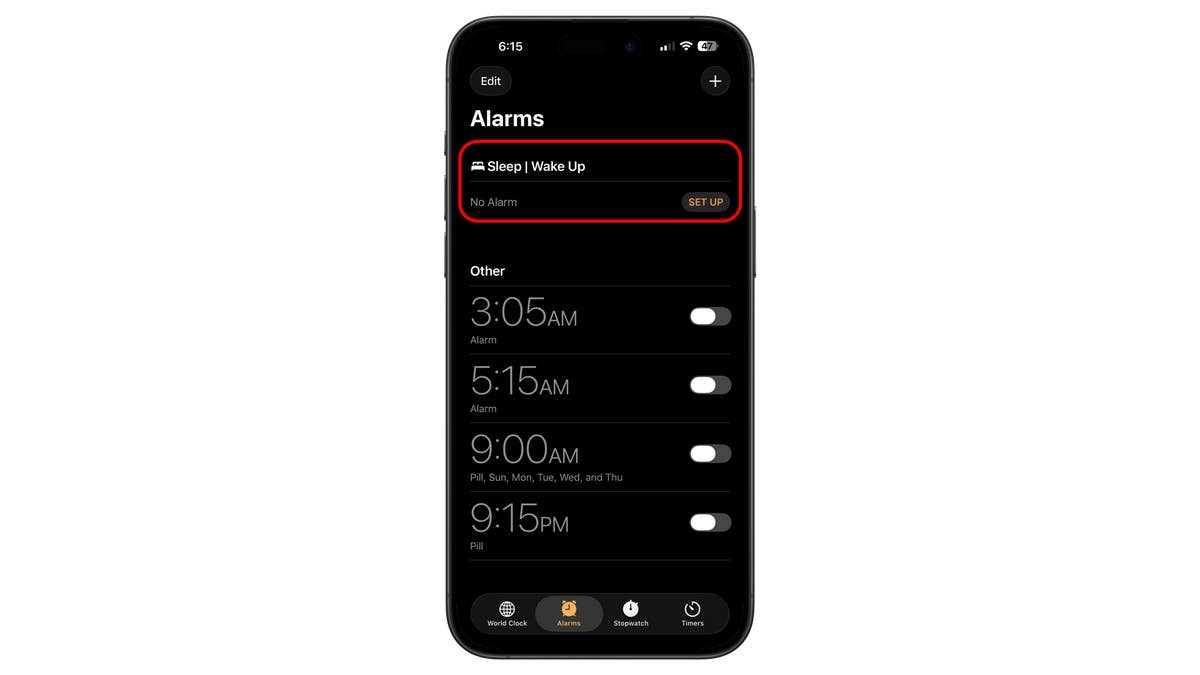
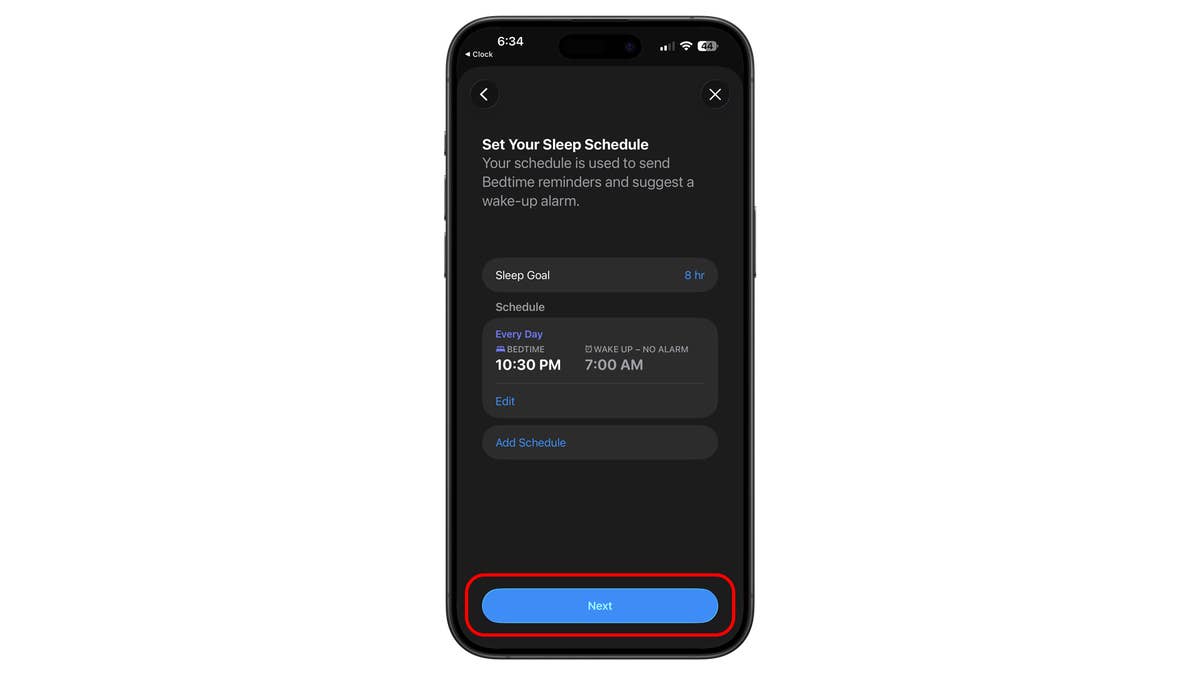
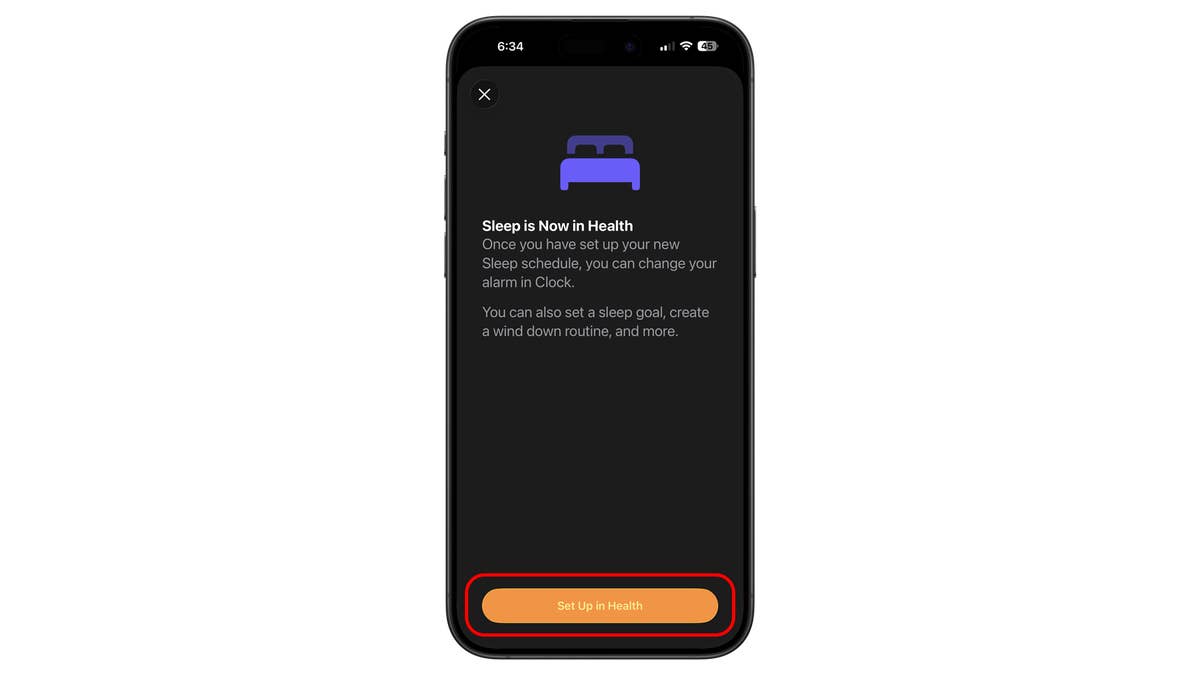
Those folks who use Focus can also check if they have the Sleep mode activated during their sleep. Turning this one might also affect the behavior of the alarms and alerts.
Did any of these methods fix your iPhone alarm problems? Which one helped you the most? Do you have other suggestions? We would like to hear from you in the comment section below.
We mark partner links with this symbol. If you click on one of these links or buttons–or make a purchase through them–we may receive a small commission from the retailer. This doesn’t affect the price you pay, but it helps us keep nextpit free for everyone. Thanks for your support! Prices are based on the date of publication of this article and may be subject to change.