
Contents
- 1 Reverse charging basics
- 2 How to use reverse wireless charging on Google Pixel phones
- 3 How to use Wireless PowerShare on Samsung Galaxy phones
- 4 How to use reverse wireless charging on Xiaomi phones
- 5 Enable reverse wireless charging on OnePlus’ OxygenOS
- 6 Enable reverse wireless charging on Honor Magic OS
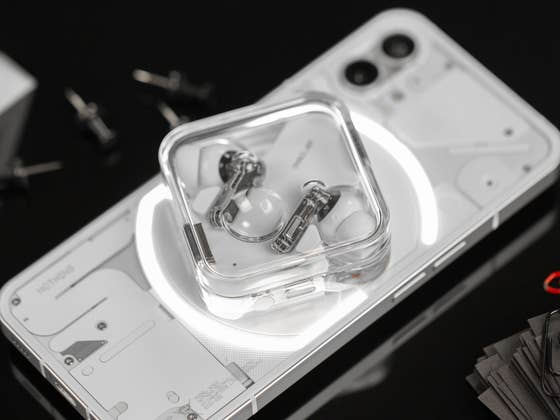
In short, the smartphone will use its battery charge to recharge the other device, useful when you don’t have a charger or wall socket nearby. The donor phone needs to be placed with the display down and the receiving device placed on top of it, like in the picture above.
Reverse charging basics
Besides reverse wireless charging, there is the traditional wired option, available on many phones, especially those using USB-C connectors—yes, including the newer iPhones. Reverse wireless, however, makes the phone work like a standard Qi charger, usually at a low-power output and lower efficiency, so don’t expect to recharge the other device fully.
The feature was popularized by Samsung, who used its Wireless PowerShare as a way to recharge its Galaxy earbuds and smartwatches. And now, Android flagships with wireless charging usually also offer the reverse wireless option. As of publishing this how-to, Apple still doesn’t offer the wireless option between devices.
How to use reverse wireless charging on Google Pixel phones
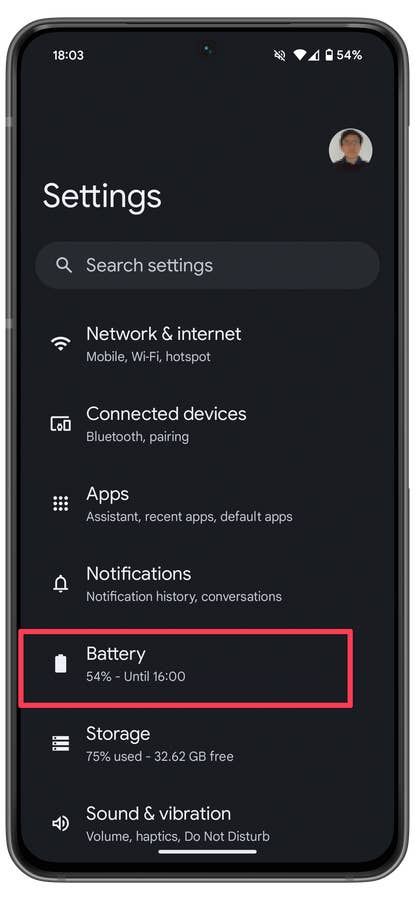
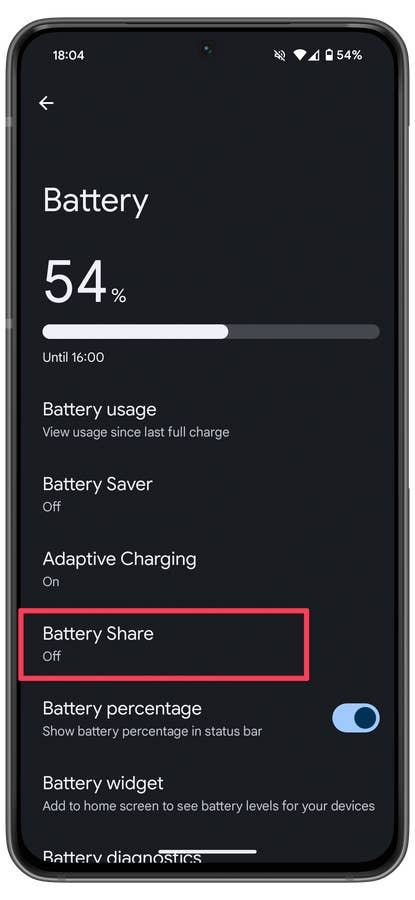
Google calls the reverse wireless charging option on its phones Battery Share. The option can be enabled both in the Quick Settings menu or in the Settings app by following these steps:
- Open the Settings app.
- Select the Battery option.
- Choose Battery Share.
- Enable the Use Battery Share option.
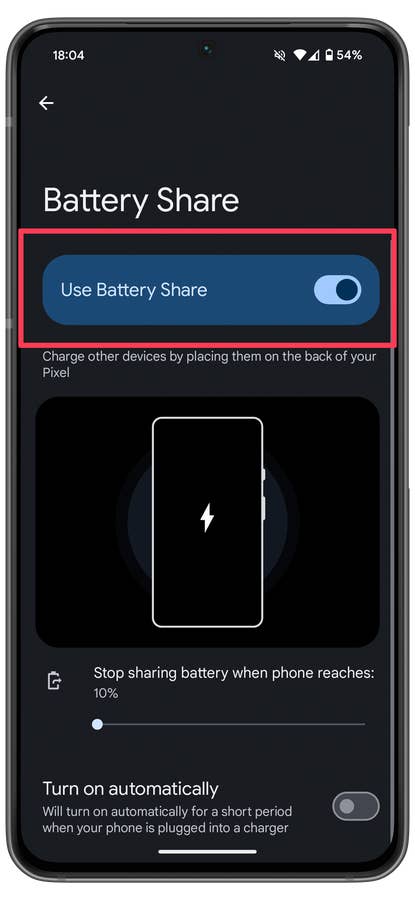
You can set a limit on how much power your Pixel phone can donate to the other device to avoid running out of battery, and we recommend setting the option to a higher value than the default 10%.
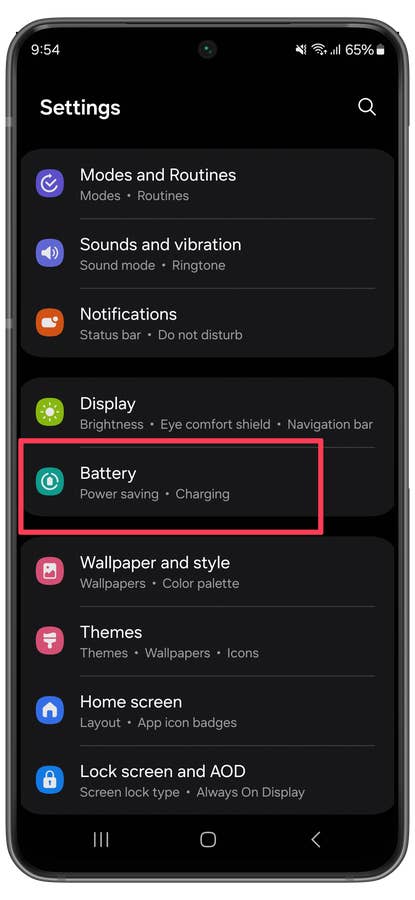
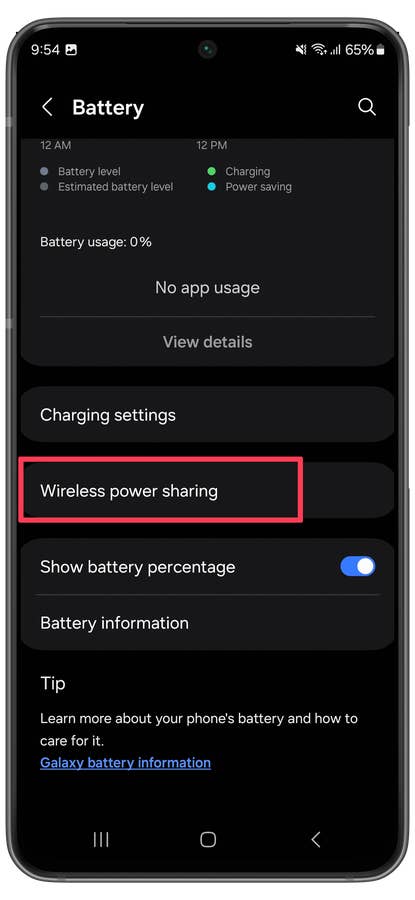
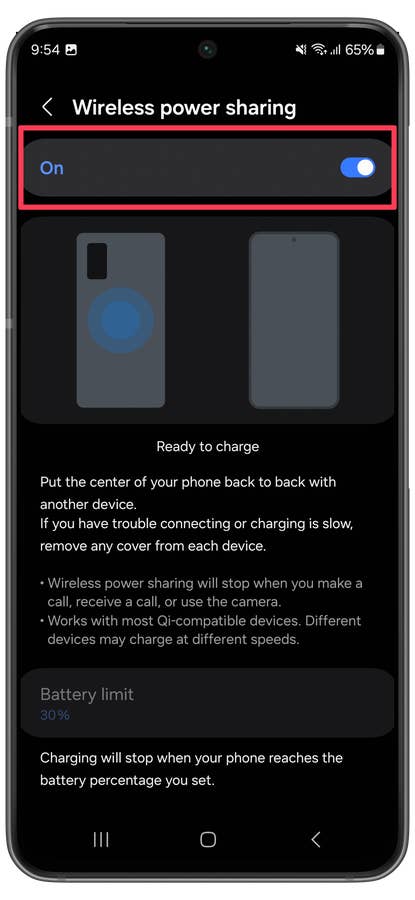
On Samsung flagships, the steps are similar to the ones on Pixel phones:
- Open the Settings app.
- Select Battery.
- Choose Wireless power sharing.
- Turn the On option.
How to use reverse wireless charging on Xiaomi phones
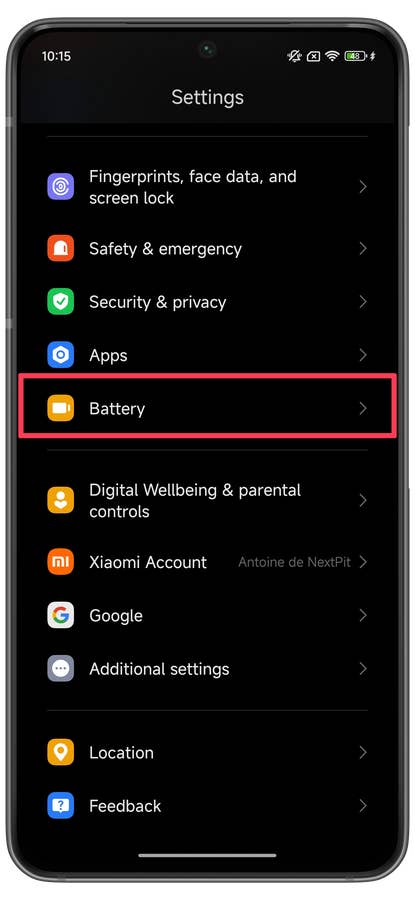
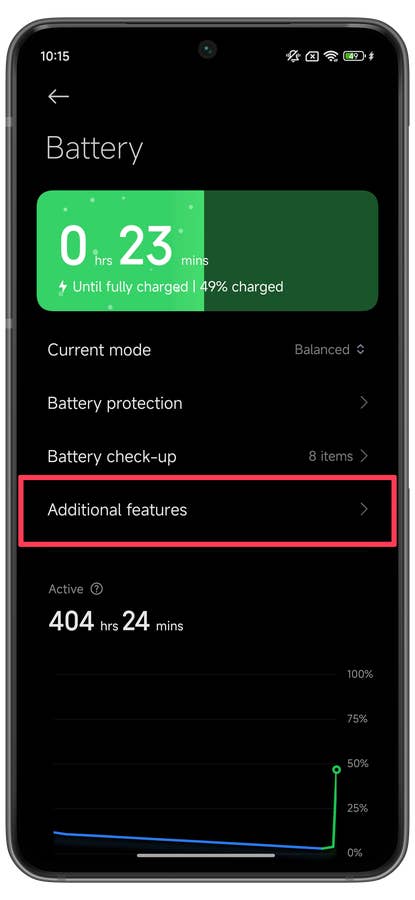
Xiaomi’s flagships are now also offering reverse wireless charging, but enabling it on HyperOS MIUI requires one extra step when compared to other Android skins:
- Open the Settings app.
- Select Battery.
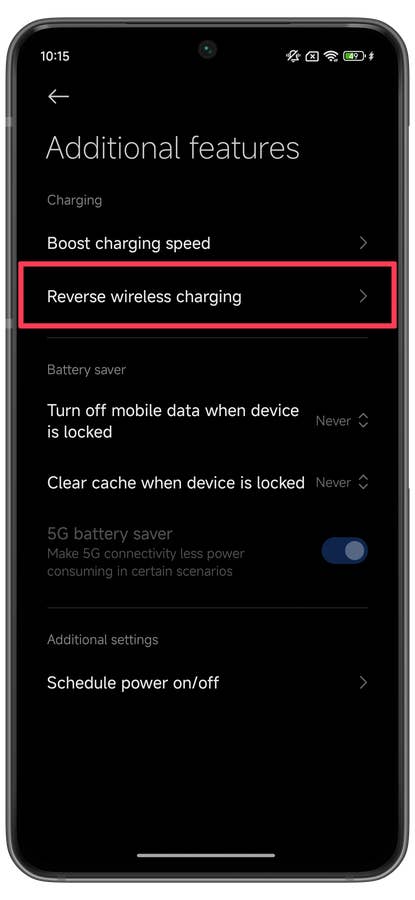
- Tap on Additional features.
- In MIUI, select the Battery tab.
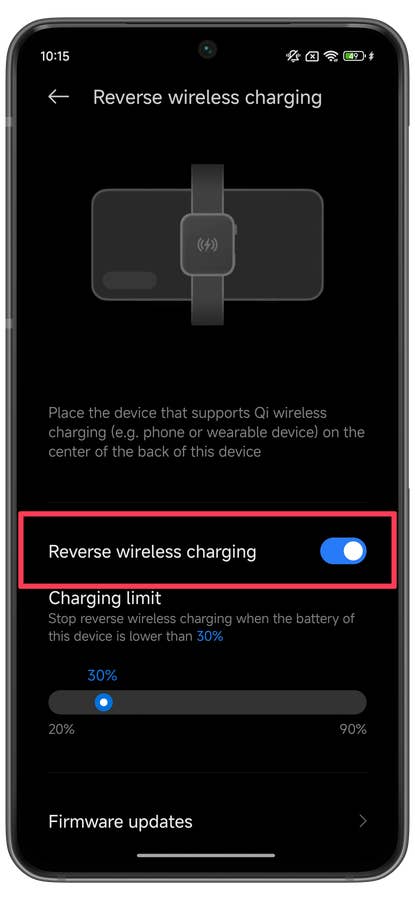
- Choose Reverse wireless charging.
- Activate Reverse wireless charging.
Enable reverse wireless charging on OnePlus’ OxygenOS
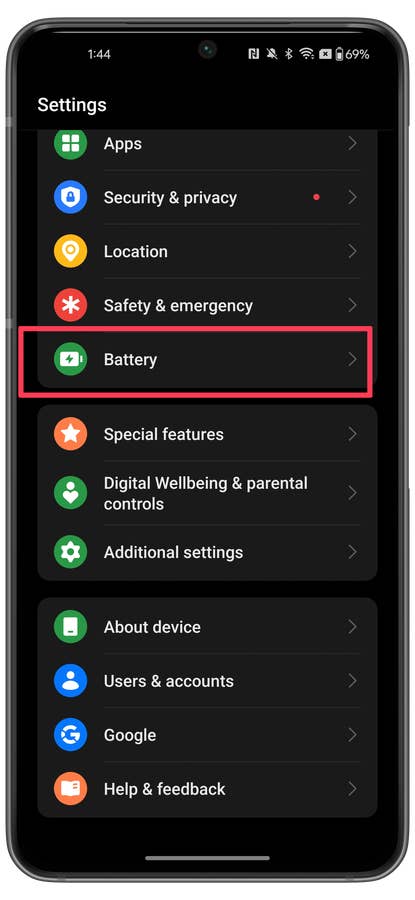
On OxygenOS (and some ColorOS versions), the steps for reverse wireless charging are these:
- Open the Settings app.
- Select Battery.
- Tap on Reverse wireless charging.
- Activate Reverse wireless charging.
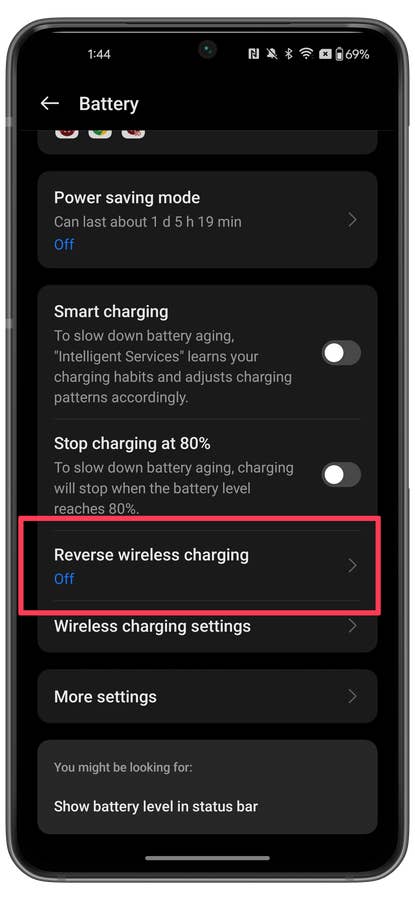
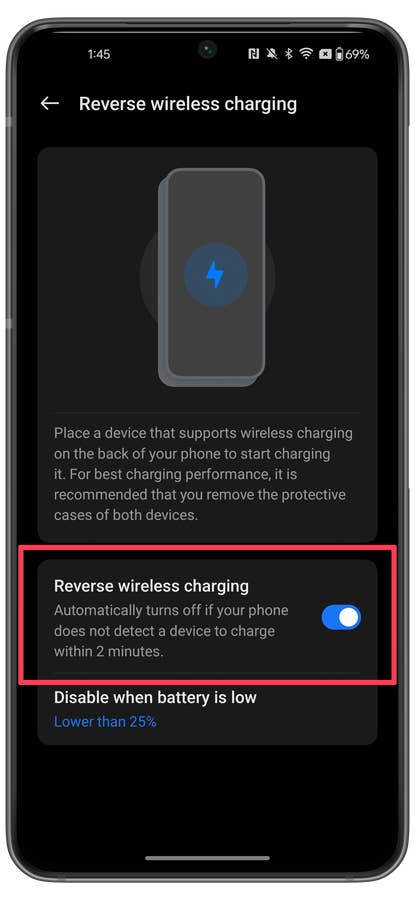
To disable the option, just repeat the steps above, according to the phone you are using.
Enable reverse wireless charging on Honor Magic OS
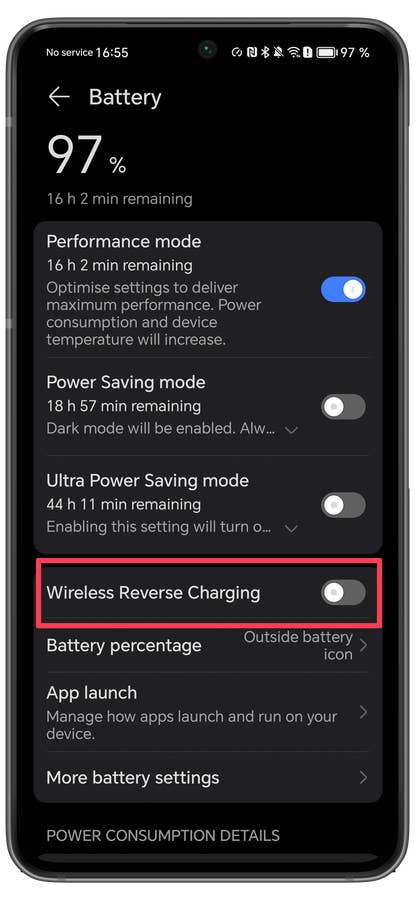
On MagicOS (and recent EMUI/HarmonyOS releases), follow these steps to activate reverse wireless charging.
- Open the Settings app.
- Select Battery.
- Activate Reverse Wireless Charging.


Have you used this feature? Share your tips and suggestions to avoid running out of battery, and solutions on how to keep the devices properly aligned when charging wirelessly.
We mark partner links with this symbol. If you click on one of these links or buttons–or make a purchase through them–we may receive a small commission from the retailer. This doesn’t affect the price you pay, but it helps us keep nextpit free for everyone. Thanks for your support! Prices are based on the date of publication of this article and may be subject to change.