
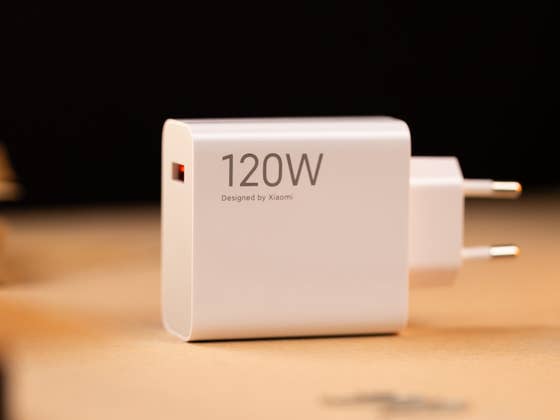
To activate maximum fast charging on your Xiaomi smartphone:
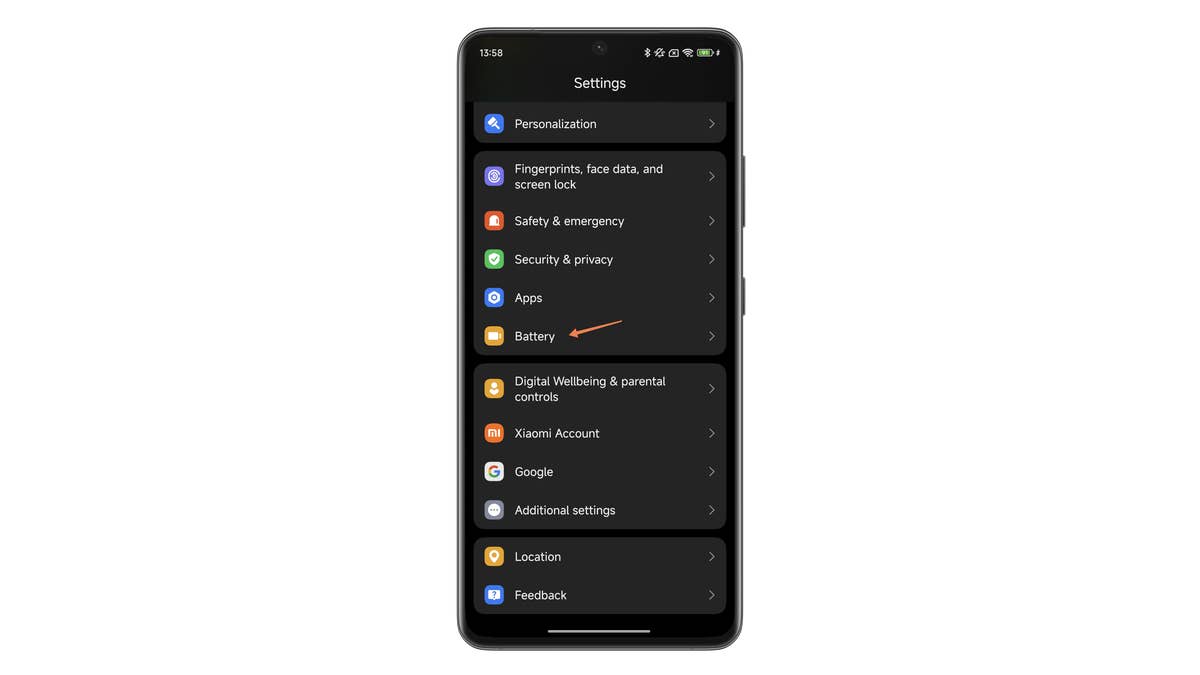
- Go to Settings, followed by Battery.
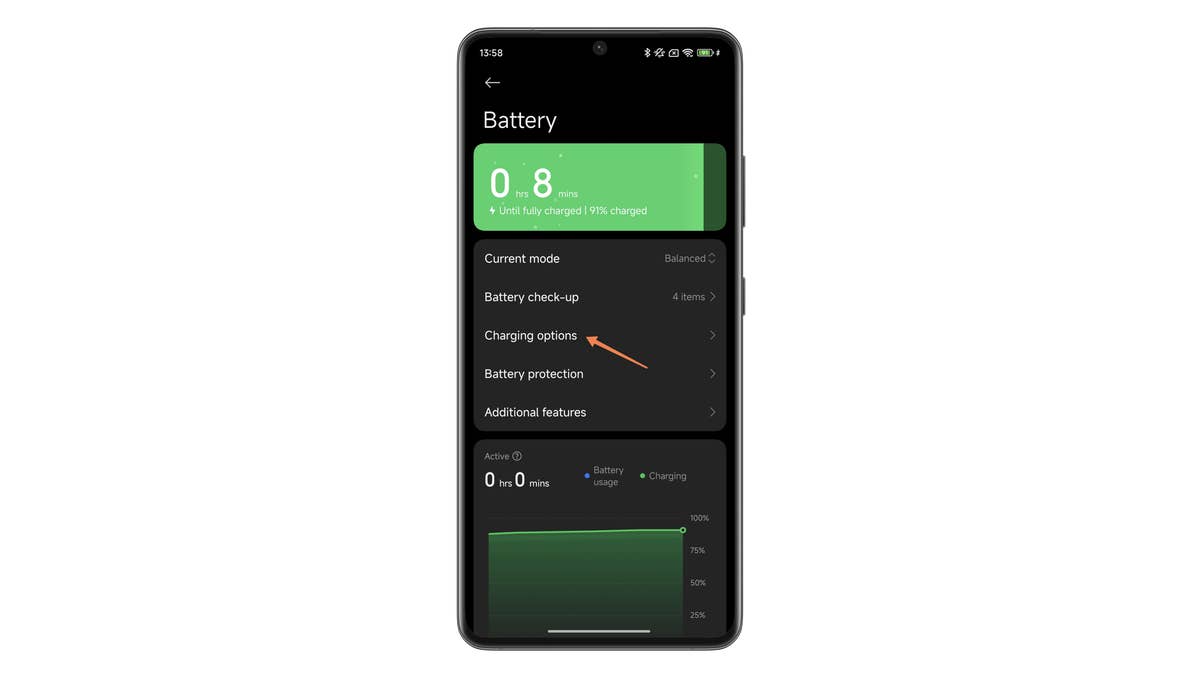
- In the Battery sub-menu, tap Additional features.
- Select Boost charging speed.
- Enable the Boost charging speed slider button.
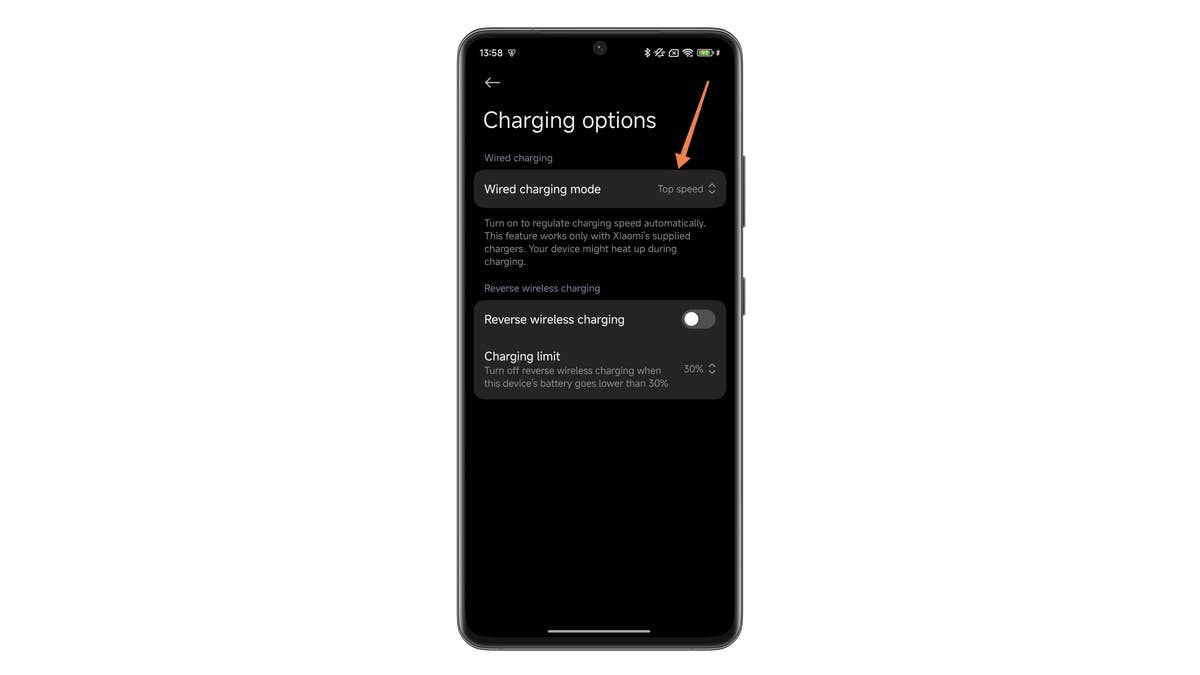
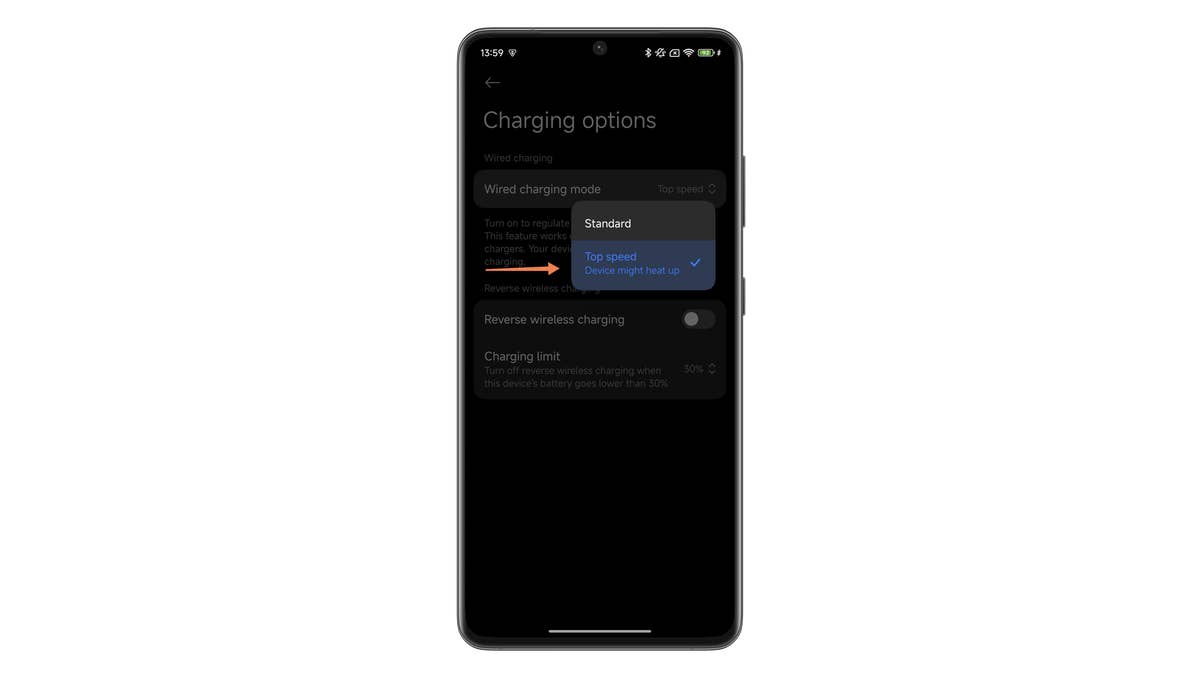
Logically, you’ll only be able to benefit from 120W fast charging if your Xiaomi smartphone is compatible. To achieve the 120 watts promised by Xiaomi, you’ll also need to use the official charger and cable. It won’t work with a third-party USB-C charger. You can also disable this option to preserve your battery, which is why Xiaomi implemented this feature.
- See our guide: The best secret features in HyperOS
In the battery utility settings, the manufacturer states that “This function will give priority to charging speed while ensuring the safety of your device. The weaker your battery, the faster it will recharge. This feature may cause your device to heat up.”
Under normal conditions, unless you put your smartphone to charge in direct sunlight at 40 °C, you’re not risking much. Whatever happens, 120 watts or not, your Xiaomi smartphone can automatically adjust the “power” it demands from your charger. This is performed dynamically and, most importantly, your smartphone won’t be taking in 120 watts throughout the charging cycle.
- Also read: Xiaomi phones to receive the HyperOS update
As the battery approaches 100%, the charging speed slows down. Once the 80% or even 90% mark has passed, the smartphone switches to trickle charge mode. The charger then delivers just enough juice to compensate for the “natural” loss of your smartphone’s battery capacity. We explained everything you need to know about trickle charging in this article.
That’s probably why you also receive an alert to let you know when 120-watt charging is active and the charging speed has increased.
That’s all for this tutorial showing you how to activate 120W fast charging on your Xiaomi smartphone. Are you familiar with this HyperOS tip? Are you going to activate this option or, on the contrary, deactivate it for fear of damaging your battery?