Sorry, but there's really nothing to see here right now. Our server is in maintenance mode – and our
little bot is trying to sort the error messages with its last bit of energy.
Whether it was a data leak, a power outage in the cluster, or just a grumpy bit – we don't know yet.
But what we do know is:
The data drama escalated into a server meltdown. But don't worry: We're on it.
What now?
Everything is surely running smoothly over at our colleagues from inside
digital – why not stop by!
Or you could pass the time by visiting our social media channels – for example Instagram, YouTube or TikTok. At least there are no
server problems there – promised.
Thanks for your patience. Our bot is already rebooting at full speed. 🔧
How-tosTabletMeasuring Temperature with the Pixel 8 Pro: Here’s How It’s Done
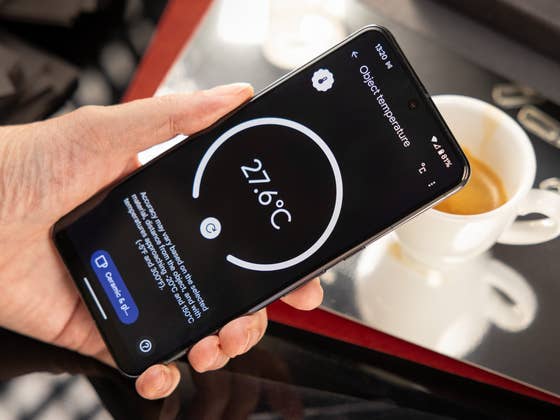
Measuring temperature using your phone is convenient, especially with the Google Pixel 8 Pro’s special sensor. You can gauge the temperature of your fridge, contact grill, or even your mulled wine. Soon, taking temperatures with a smartphone will be a breeze. Discover how to use the Google Pixel for temperature measurements in this nextpit tutorial.
Important for the measurement: Temperature sensor in the Google Pixel 8 Pro
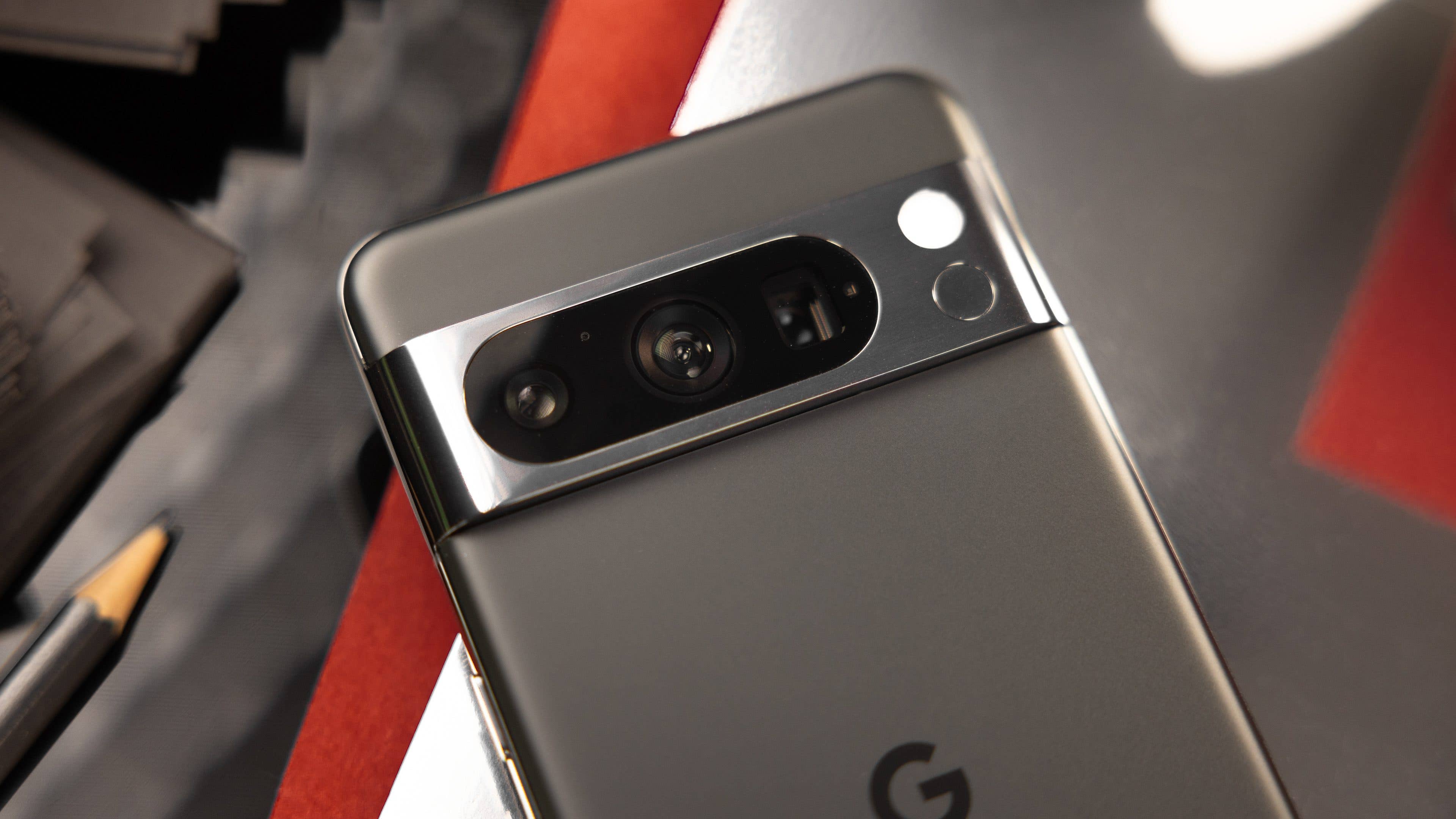
The Google Pixel 8 Pro has a sensor on the back that is responsible for contactless temperature measurement. This infrared sensor is located directly below the LED flash next to the camera module. Google recommends a distance of less than 5 cm for the measurement. It also works with a longer distance, but the measurement becomes less accurate.
The sensor then measures the infrared radiation emitted by any object from this short distance. Since the infrared radiation is directly proportional to the temperature, the Pixel 8 Pro can then estimate the object’s temperature. However, there is still one important factor here: the emissivity.
All materials emit different amounts of radiation depending on the temperature, and the emissivity determines this ratio. Therefore, you will also find a material setting in the thermometer app, and you should take it seriously for an accurate measurement result.
This is how temperature measurement via smartphone works
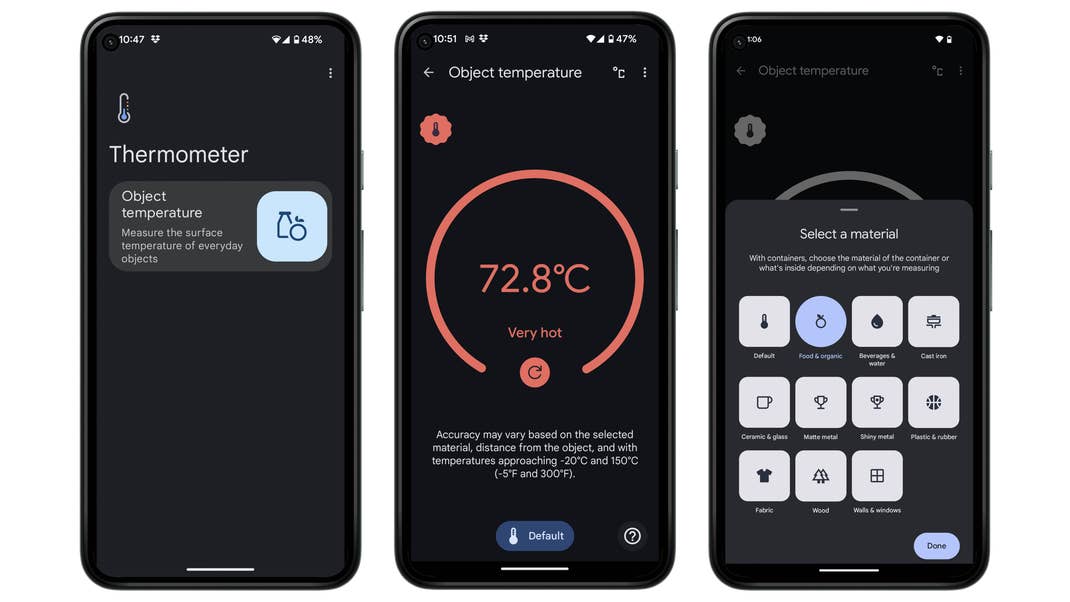
When you start the thermometer app on the Google Pixel 8 Pro, you will see exactly one option on the home screen: The measurement of an object temperature. In the future, there should be at least one more option here, but more on that later. If you click on the button, you will see a large, round button on the display. When you press it, the Pixel 8 Pro measures the temperature.
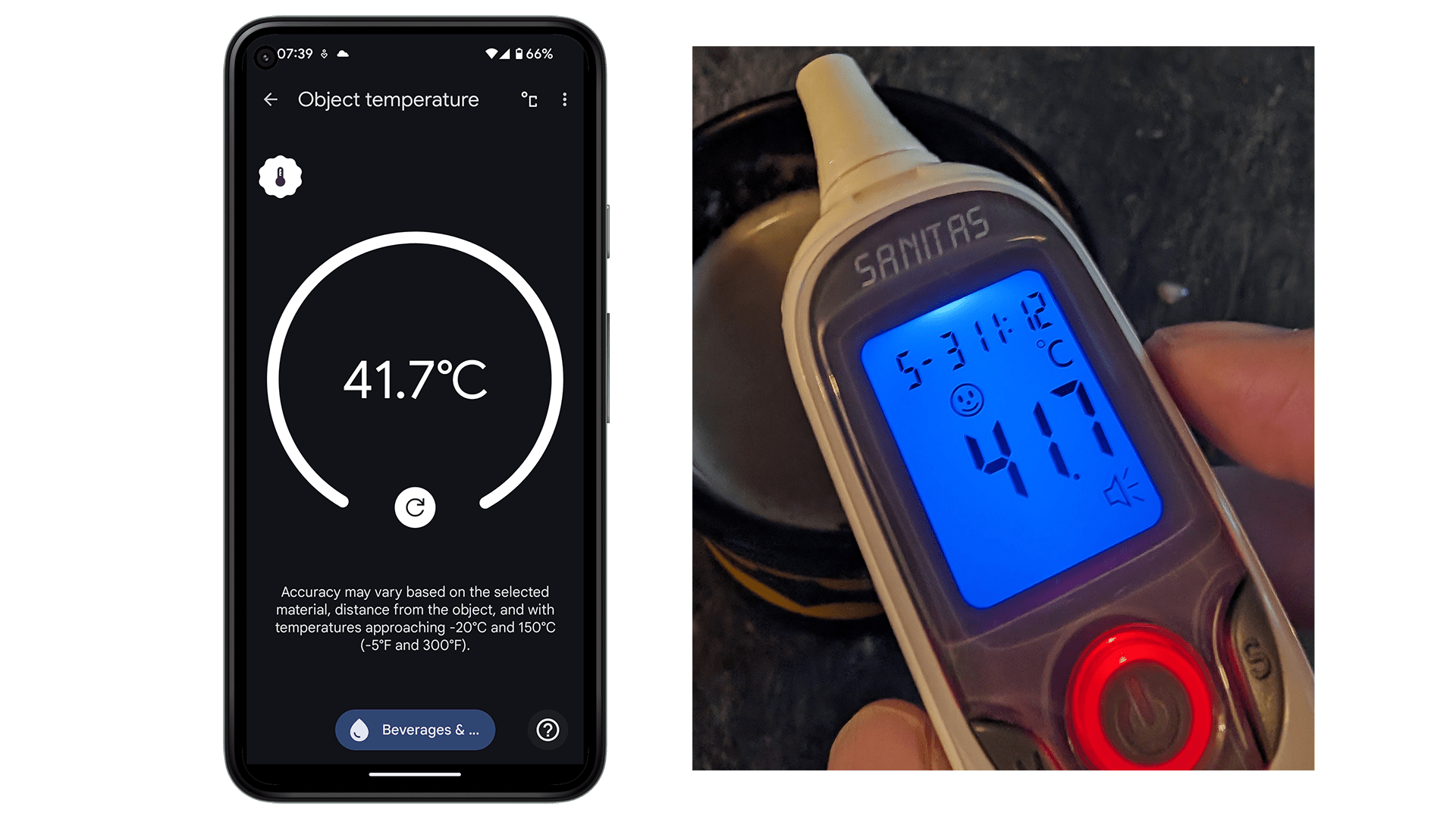
It really worked precisely in the test. For example, we measured the temperature of tea with a clinical thermometer and the Pixel 8 Pro. The result was identical, with 41.7°C in each case. That is quite impressive.
There is a button at the bottom of the screen that allows you to select different materials. For example, there’s food, drinks and water, ceramics and glass, fabric, wood and more. At the top of the screen, there are two buttons that allow you to switch between Celsius and Fahrenheit and to call up this Google help page with additional information.
And that’s about it. Unfortunately, it’s not possible to manually adjust the emissivity of the material being measured, as is the case with professional infrared cameras, for example.
What’s next for temperature measurement in the Pixel 8 Pro?
In the US, Google is also in contact with the Food and Drug Administration (FDA) to be able to use the Pixel 8 Pro to measure body temperature as well. However, there are two different types of approval, and Google has not yet revealed whether it is just a clearance of the function itself (“clearance”) or a clearance for medical use (“approval”)—you can read more about the differences here.
In any case, Google’s self-declared goal is to allow users to measure their body temperature and enter it into the Fitbit app.
I have been writing about technology since 2004 with a strong passion for smartphones, photography, and IoT, especially in the world of smart homes and AI ever since they debuted. I'm also an avid cook and bake pizza at least three times a week using my Ooni Koda 16. In order to compensate for all the consumed calories, I indulge in sporting activities on a daily basis while strapping on at least two fitness trackers. I am strongly convinced that you can DIY a lot of things if you put your mind to it.