Google began shipping the Android Auto 15.2 update late last month, and it continues to roll out this October. Since then, however, users have reported that the update breaks the “Quick Controls” feature on their Android Auto interface.
A Key Android Auto Feature Is Missing
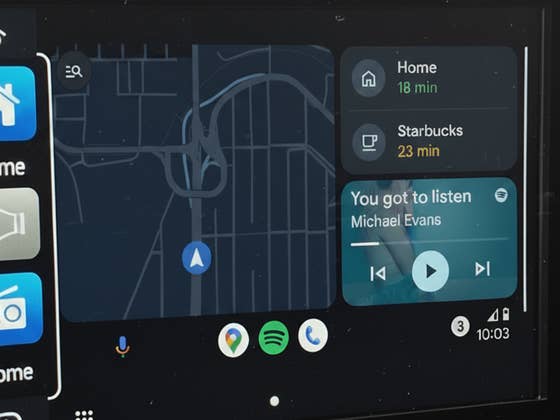
Quick Controls is a UI element that appears on the taskbar when running an app like Maps in full screen, replacing the list of app shortcuts at the bottom of the screen. It provides quick access to media and navigation widgets, allowing drivers to avoid extra steps like reopening the current app or media player. Now, that functionality is either missing or non-functional, frustrating many users.
The first report surfaced on September 27, with user Dolf Stars flagging the issue. According to the post, Quick Controls no longer appear, even when the toggle is enabled in the taskbar widget settings.
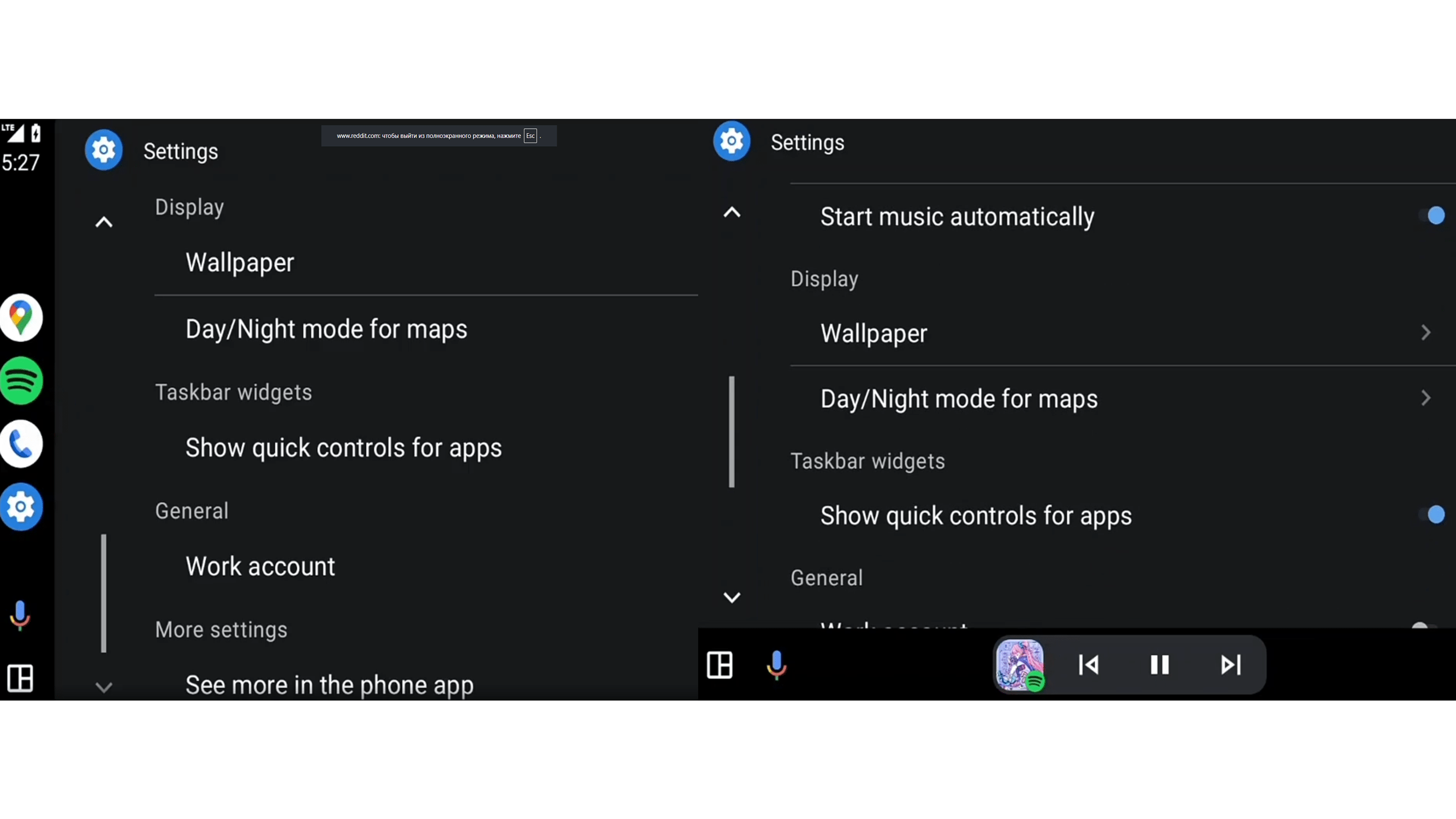
There’s also another interface bug seemingly tied to Android Auto 15.2: the taskbar now sticks to the left side of the screen when apps are displayed in a vertical layout. Previously, the taskbar would shift to the bottom in horizontal mode. This change may be related to the Quick Controls issue, but confirmation from Google is still pending.
Apparently, the problem is widespread and affects users across various car models, regardless of the Android phone brand they’re using. Plus it appears this is a glitch rather than a deliberate UI redesign.
Google Is Working on a Fix
One of Google’s community specialists has acknowledged the issue and confirmed that the team is investigating, so we can expect that this will be addressed in the coming days or weeks, if not soon.
However, some users on Google’s community forum and Reddit have suggested workarounds, including clearing the cache of the Android Auto app as a potential fix, though others say the issue returns during the next drive session. A more reliable solution is to downgrade to a previous version of Android Auto and avoid updating to 15.2 for now.
For now, it’s a waiting game for Android Auto users. We don’t yet know how long it will take for Google to issue a patch, but it’s likely that the rollout of Android Auto 15.2 has been paused until the problem is resolved.
Do you use Android Auto in your vehicle? Which version are you running? How has your experience been so far? Share your thoughts in the comments.
We mark partner links with this symbol. If you click on one of these links or buttons–or make a purchase through them–we may receive a small commission from the retailer. This doesn’t affect the price you pay, but it helps us keep nextpit free for everyone. Thanks for your support! Prices are based on the date of publication of this article and may be subject to change.