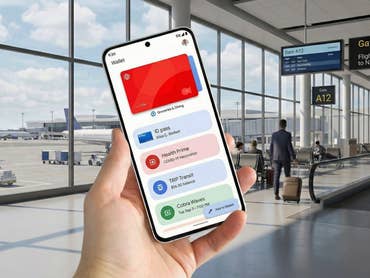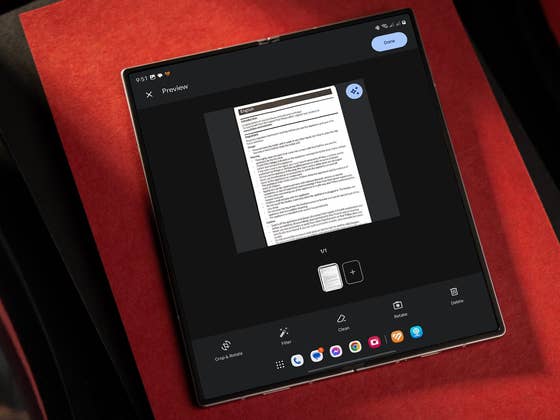
Google continues to refine Google Drive with frequent updates. Last year, it introduced a dedicated shortcut for the scanner feature. This year, AI-powered enhancements, including the Gemini integration, were added. As part of the latest Android update, Google Drive now applies AI-based auto-enhancements when scanning documents, ensuring clearer and more professional-looking results before saving or printing.
How to Automatically Enhance Scanned Documents and IDs on Google Drive
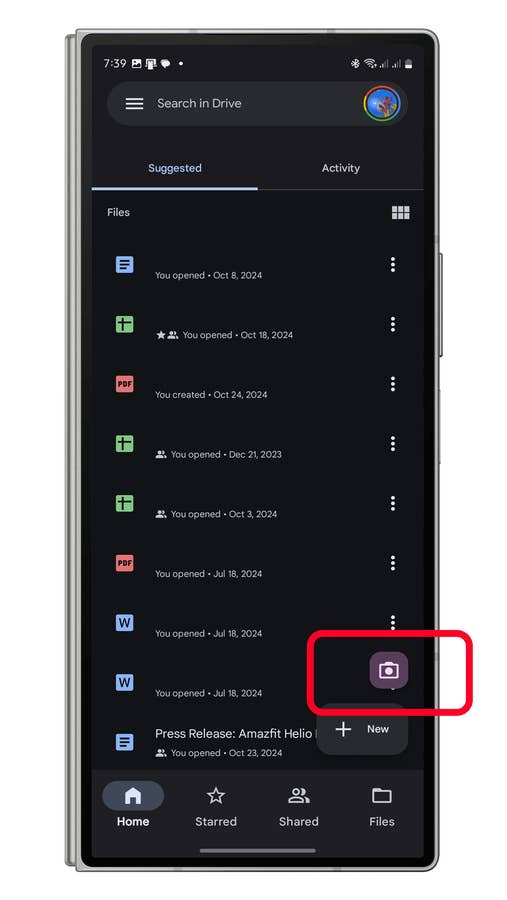
Previously, scanning documents, receipts, or IDs required manual adjustments like applying filters or adjusting brightness. With the new update, these enhancements are applied automatically. Here’s how to use the feature:
- Open the Google Drive app.
- On the Home tab, tap the camera icon.
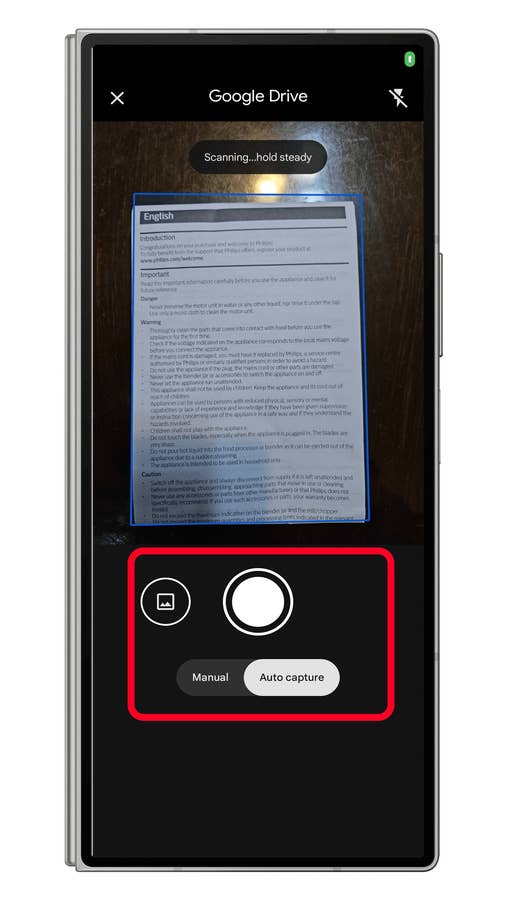
- Choose Auto Capture in camera mode (this is the default setting).
- Align the camera viewfinder with the document or ID you want to scan.
- Tap the shutter button when ready.
- Confirm that auto-enhancement is enabled (look for the AI logo).
- Tap Done to save.
- Choose a file format (PDF or JPEG) and destination folder.
- Tap Save to finish.
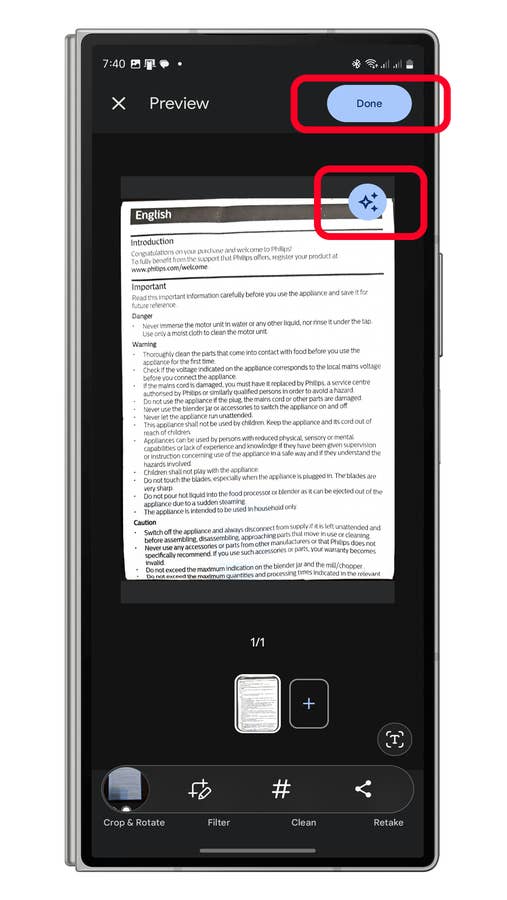
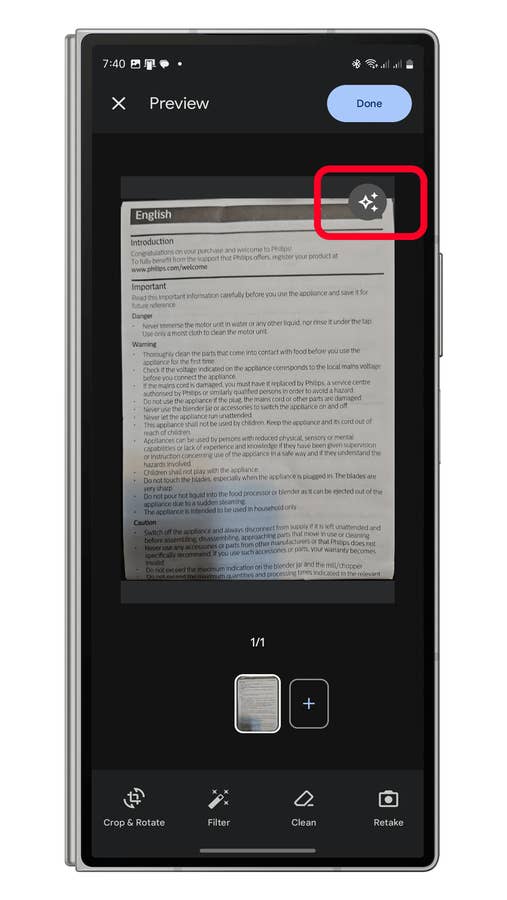
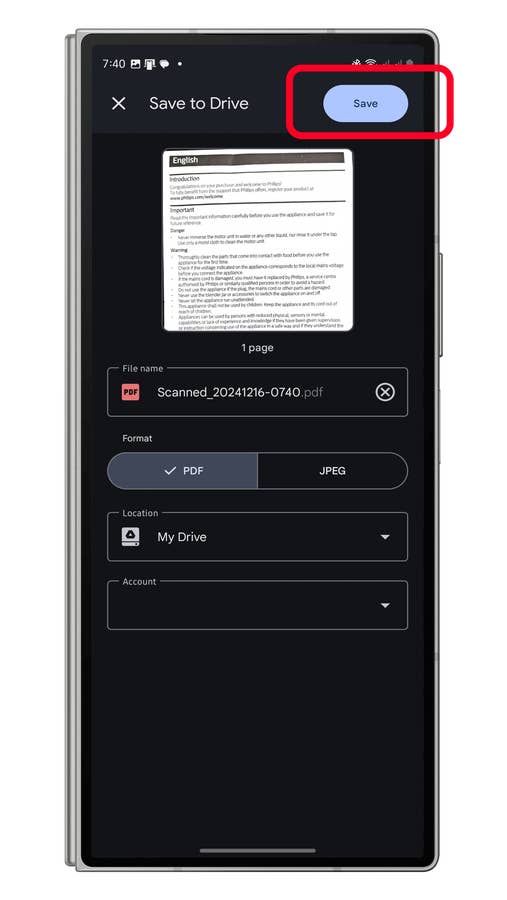
The key difference with this auto-enhancement feature is that adjustments such as sharpness, brightness, tone, and color are applied instantly, eliminating the need for manual edits.
If you prefer manual adjustments, you can disable auto-enhancement and access options like Crop, Rotate, Filter, and Clean, offering finer control over your scanned images.
Which Android Devices Support Google Drive’s Auto-Enhancement?
The new feature is being rolled out through a server-side update via the Google Play Store, meaning you don’t need to install anything manually. Despite its AI-powered capabilities, the feature works on a wide range of Android smartphones and tablets and does not require an internet connection or cloud processing.
Besides Google Drive, do you use third-party apps to convert images to PDFs? Which apps do you recommend? Share your thoughts in the comments below!
We mark partner links with this symbol. If you click on one of these links or buttons–or make a purchase through them–we may receive a small commission from the retailer. This doesn’t affect the price you pay, but it helps us keep nextpit free for everyone. Thanks for your support! Prices are based on the date of publication of this article and may be subject to change.