Contents
- 1 The Perfect Pair: Withings Body Scan and Whoop Integration
- 2 The Science Behind Withings’ Precision: Bioelectrical Impedance Analysis (BIA)
- 3 Why This Combination Works
- 4 Step-by-Step Guide: Connecting Your Withings Scale to the Whoop App
- 5 Accessing Your Body Composition Data in the Whoop App
- 6 Using Alternative Smart Scales with Whoop
- 7 Final Thoughts
The Perfect Pair: Withings Body Scan and Whoop Integration
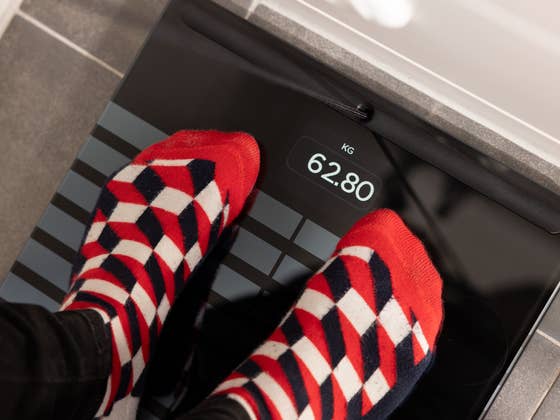
As a tech reviewer and avid user of health wearables, I’ve been putting the Withings Body Scan smart scale through its paces. What caught my attention is its integration with Whoop, which elevates my understanding of body composition and weight trends by combining data from both platforms. By linking these two devices via the Whoop app, you can synthesize insights, transforming isolated metrics into a cohesive health profile.
- Buying Guide: Body Fat Scales with and without handles compared
The Science Behind Withings’ Precision: Bioelectrical Impedance Analysis (BIA)
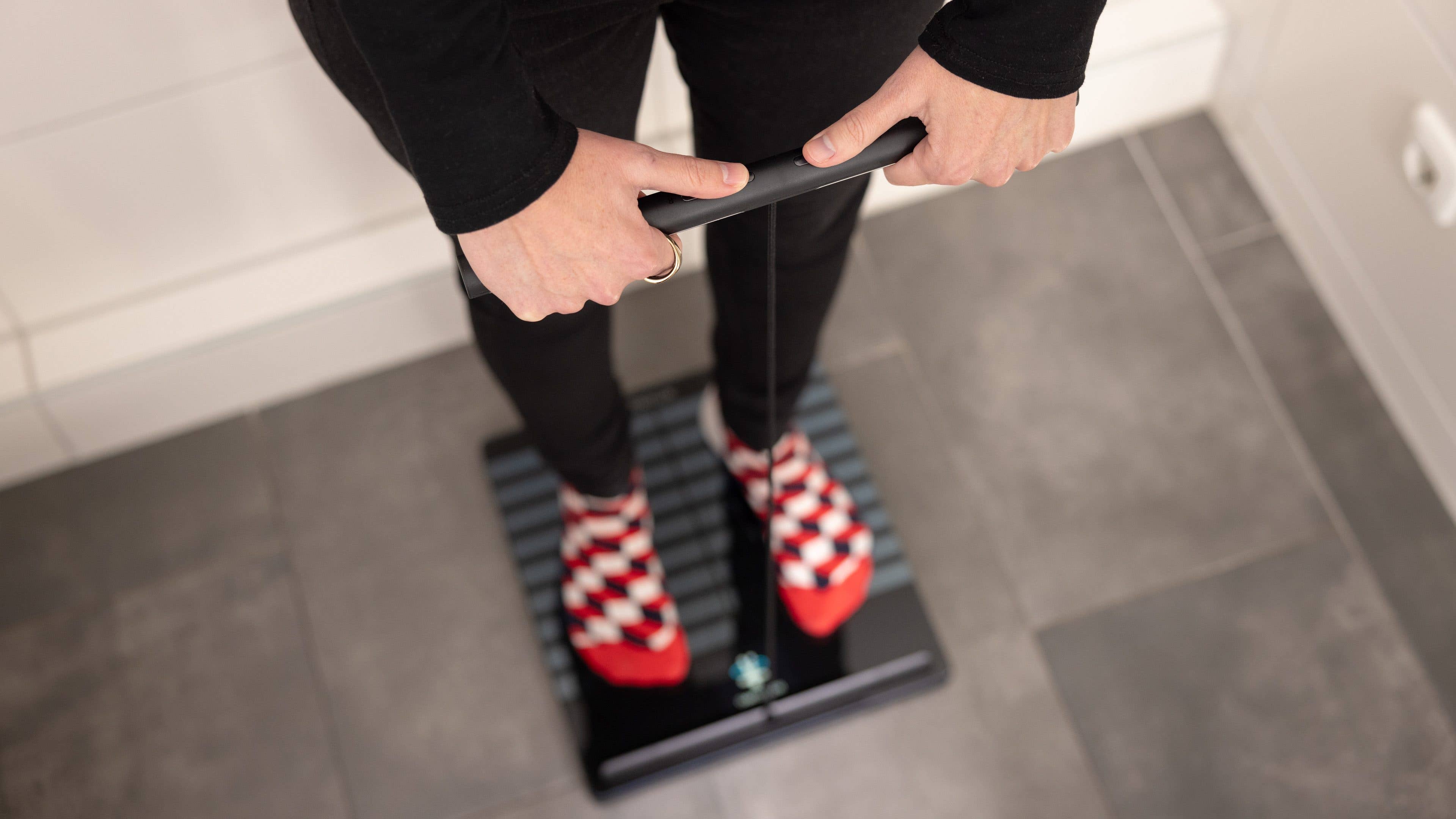
Let’s break down why the Withings Body Scan stands out. The scale employs Bioelectrical Impedance Analysis (BIA), a sophisticated technology that sends a low-level electrical current through your body using eight electrodes (four in the glass base and four in a handle). This current flows faster through water and muscle but slows down in fat tissue, enabling the scale to provide a detailed breakdown of your body metrics.
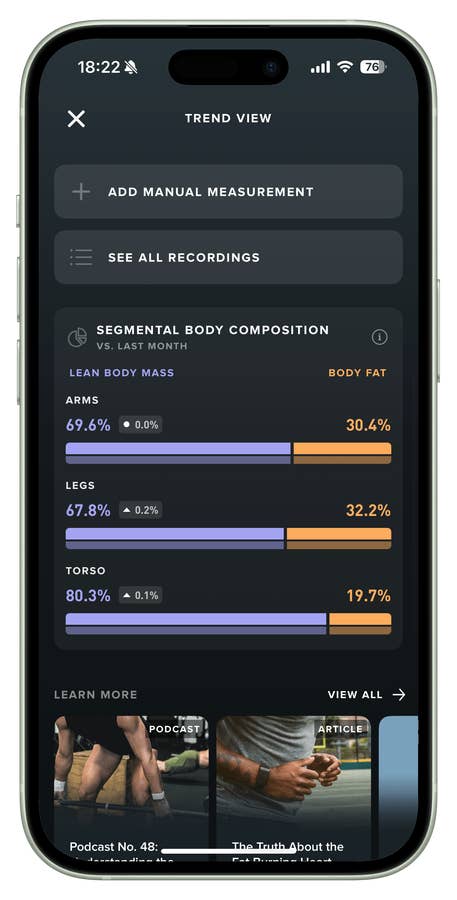
With this tech, you can get readings for fat percentage, muscle mass, hydration levels, and even segment your body analysis across your arms, legs, and torso.
While some smartwatches, like those from Samsung, also feature BIA technology, my tests reveal that Withings offers superior precision, especially for those serious about body composition analysis. Even though the Whoop 4.0 tracks BIA metrics, the added accuracy of the Withings scale makes it a perfect complementary tool.
Why This Combination Works
Integrating Withings’ body composition insights with Whoop’s continuous fitness analysis is a game-changer. Whoop excels at tracking metrics like recovery, strain, and sleep, but it doesn’t dive deep into body composition. By syncing the Withings scale, you’re essentially enriching Whoop’s robust data set with granular insights about your body’s makeup, making your fitness journey more holistic.
Step-by-Step Guide: Connecting Your Withings Scale to the Whoop App
Ready to start syncing your body metrics directly to Whoop? Here’s how to get your Withings Body Scan Scale connected in a few simple steps:
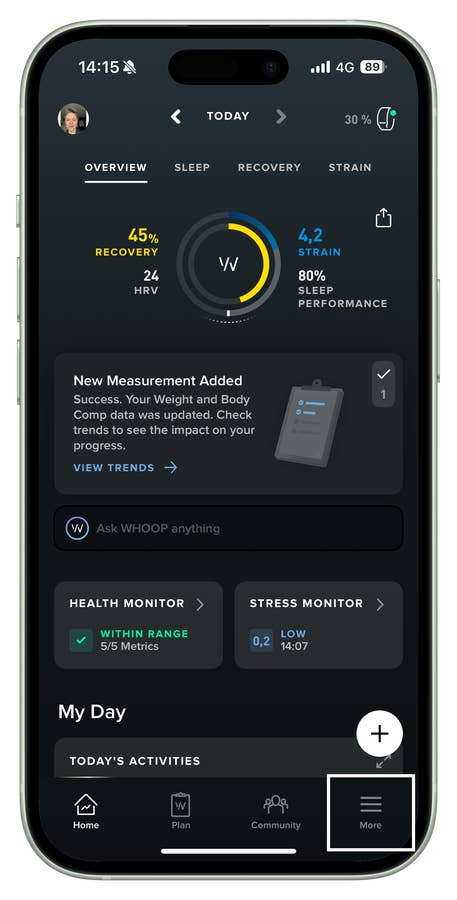
- Open the Whoop app on your smartphone.
- Go to the More tab.
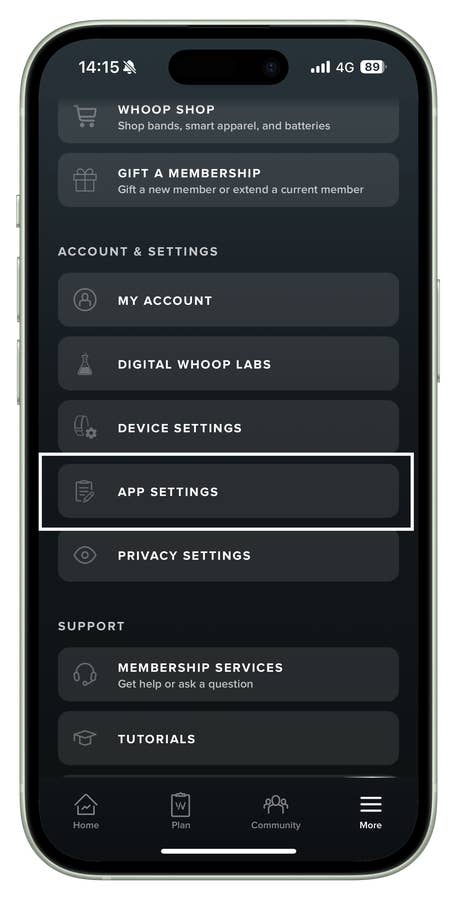
- Navigate to Account & Settings.
- Select App Settings.
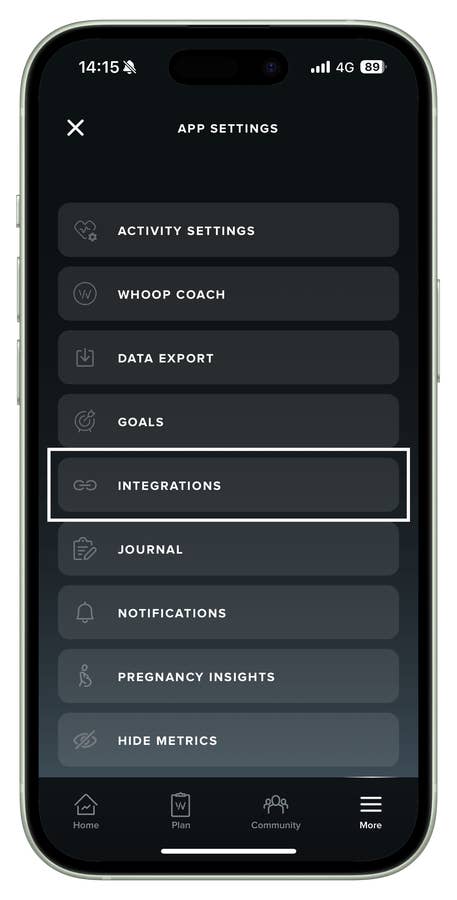
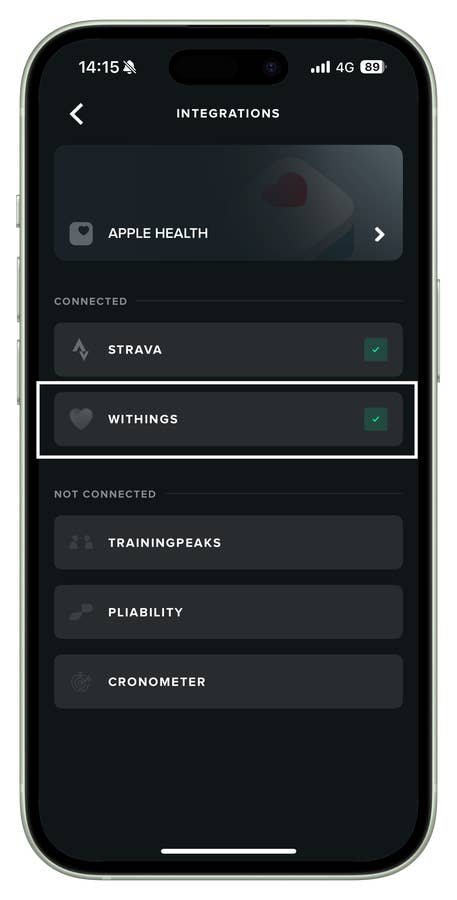
- Tap on Integrations.
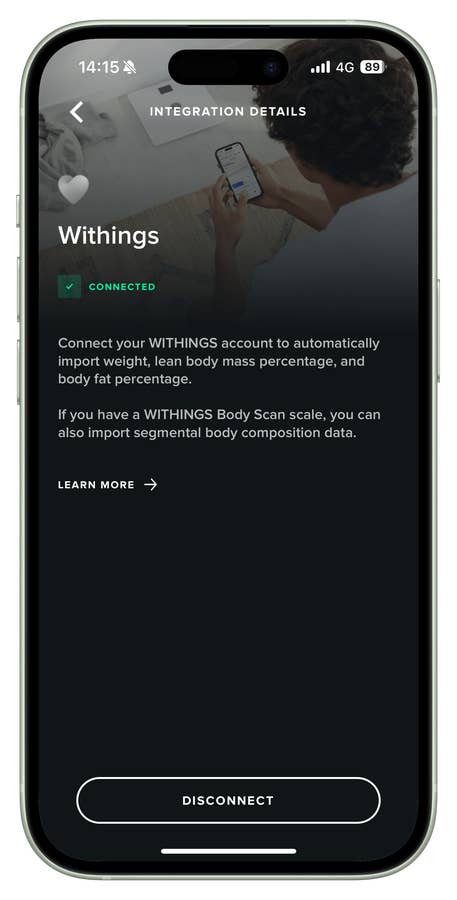
- Choose Withings from the list of supported apps.
- Log in to your Withings account and authorize the connection.
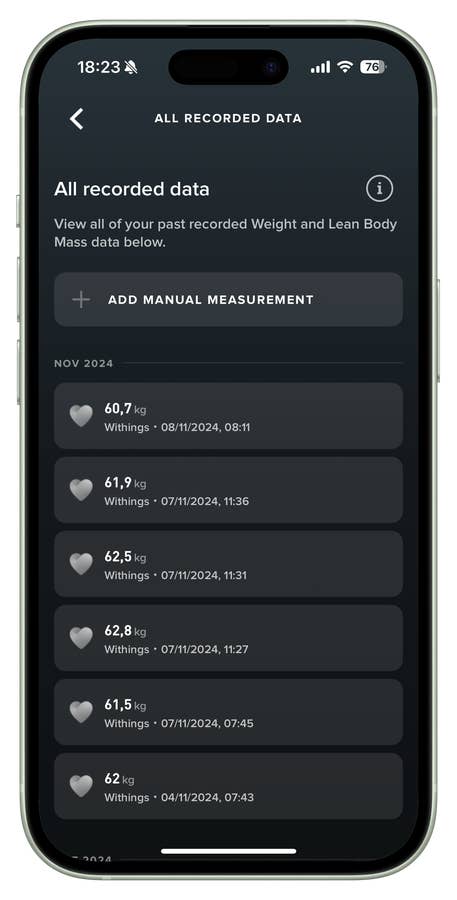
Voilà! Your weight, body fat percentage, and other metrics from the scale will now sync automatically to the Whoop app. This integration allows you to monitor your body composition data directly alongside Whoop’s analytics, offering a comprehensive view of your overall health.
Accessing Your Body Composition Data in the Whoop App
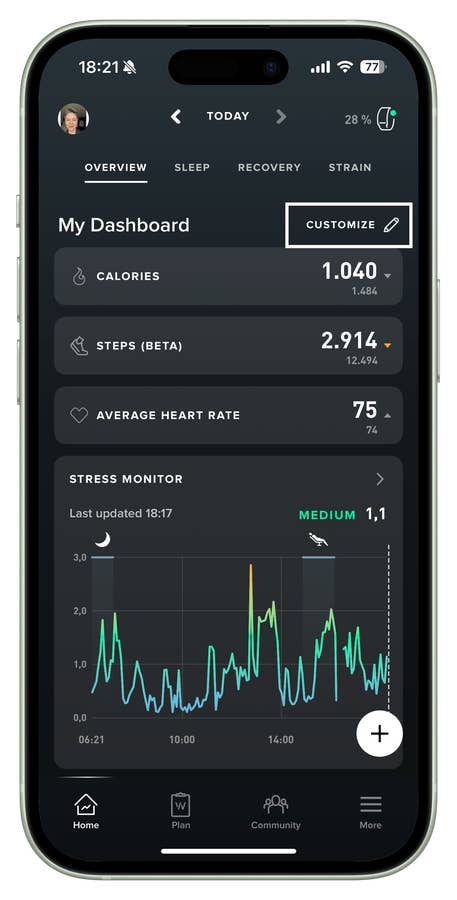
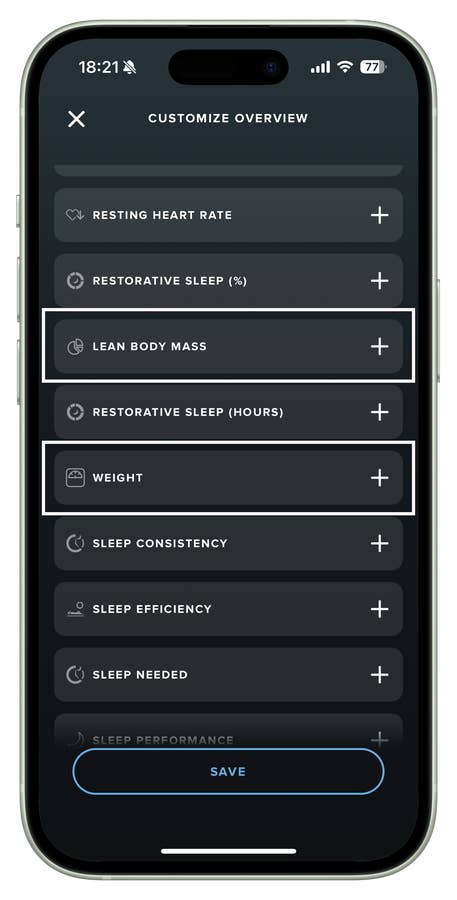
Once you’ve synced your Withings scale with Whoop, there are two effective ways to access and leverage your body composition data:
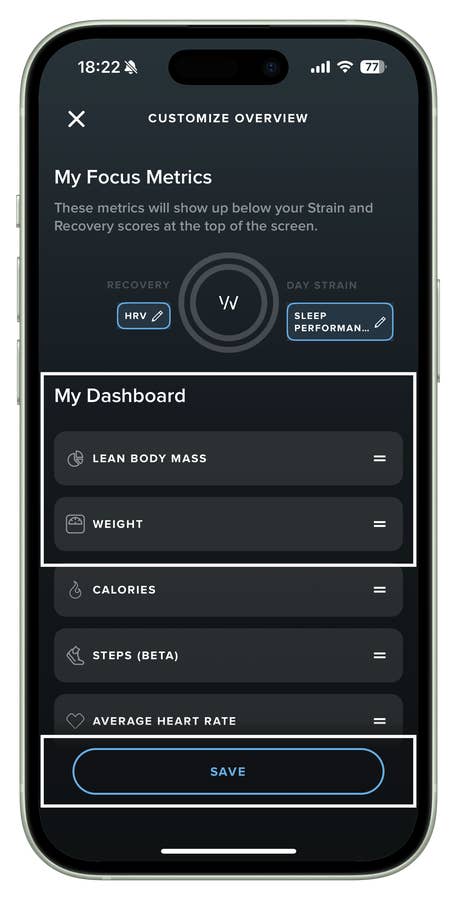
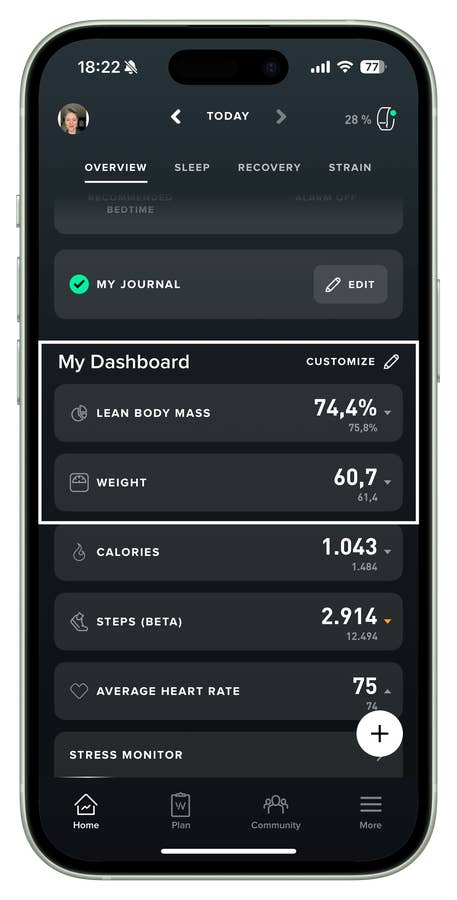
- Add Weight and Lean Body Mass as Key Statistics on your Whoop Dashboard.
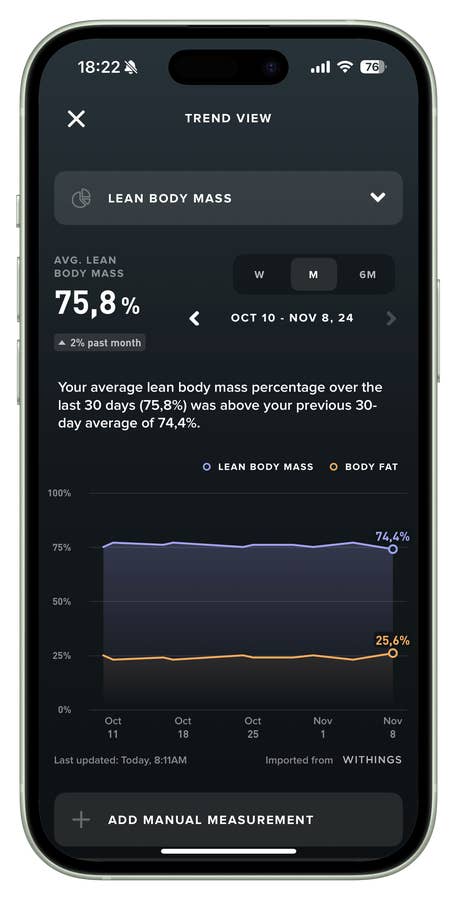
- Tap on any metric on the Home screen or within specific pillar screens (like Strain or Recovery). Use the drop-down arrow to select Weight and/or Lean Body Mass for an easy view of your body composition trends.
Using Alternative Smart Scales with Whoop
If you’re using a different smart scale, don’t worry—there’s a workaround. You can sync it with Apple Health or Google Health Connect and then connect that data source to Whoop. While this setup might require an extra step, it still enables you to centralize all your health data for a richer analysis.
Final Thoughts
The integration of the Withings Body Scan Scale with the Whoop 4.0 is more than just a tech combo—it’s a strategic partnership for those who want to optimize their fitness journey. By leveraging the best of both platforms, you gain a deeper, more actionable understanding of your body’s metrics, helping you make more informed decisions about your health and lifestyle.
If you’re serious about taking control of your wellness, this is one partnership worth exploring.