Sorry, but there's really nothing to see here right now. Our server is in maintenance mode – and our
little bot is trying to sort the error messages with its last bit of energy.
Whether it was a data leak, a power outage in the cluster, or just a grumpy bit – we don't know yet.
But what we do know is:
The data drama escalated into a server meltdown. But don't worry: We're on it.
What now?
Everything is surely running smoothly over at our colleagues from inside
digital – why not stop by!
Or you could pass the time by visiting our social media channels – for example Instagram, YouTube or TikTok. At least there are no
server problems there – promised.
Thanks for your patience. Our bot is already rebooting at full speed. 🔧
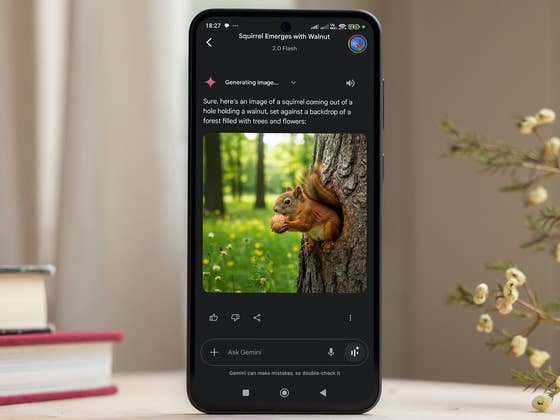
Google has been actively enhancing the image generation capabilities of Gemini. Following the launch of AI Studio, which offers native AI editing on the web, Google is now extending some of these functions to the Gemini app for mobile. This expanded feature will allow users to upload images to the chatbot and perform edits using natural language prompts.
Google’s AI Studio, accessible through the Gemini web interface, utilizes the Gemini 2.0 Flash model. Its advantage lies in its ability to generate and edit images using contextually aware and complex text prompts, eliminating the need for traditional editing tools or specialized skills. Now, Google is rolling out a similar image editing capability to the Gemini mobile app.
With this update, users can upload both AI-generated creations and their original images directly to the Gemini app and perform edits simply by using text prompts. There is no limit to the number of edits a user can apply to each image. Google highlights that the tool works best for tasks such as changing backgrounds and styles, as well as adding, removing, or tweaking specific elements within an image.
The in-app image editing is designed with multi-step processing in mind, allowing users to refine their edits iteratively. You can start with initial prompts and continue to expand upon them, even potentially creating visual narratives like storybooks. Furthermore, Google touts that the text prompts will deliver “intuitive and more contextual” results. Edited images will also feature the SynthID watermark, similar to standard Gemini-generated images.
Unlike AI Studio, which is currently limited to the Gemini 2.0 Flash model, users can choose any available Gemini model when using the new in-app image editing feature. Consequently, basic users for Android version will have free access to this functionality once it rolls out, giving Gemini a potential edge over other chatbots and AI platforms like OpenAI’s ChatGPT.
The feature is currently rolling out and Google anticipates it will be available in most countries and 45 languages in the coming weeks.
Do you think the native Gemini image editing will be a valuable tool for users who lack expertise in image editing software like Photoshop and Lightroom? We’d like to hear your thoughts in the comments.
We mark partner links with this symbol. If you click on one of these links or buttons–or make a purchase through them–we may receive a small commission from the retailer. This doesn’t affect the price you pay, but it helps us keep nextpit free for everyone. Thanks for your support! Prices are based on the date of publication of this article and may be subject to change.