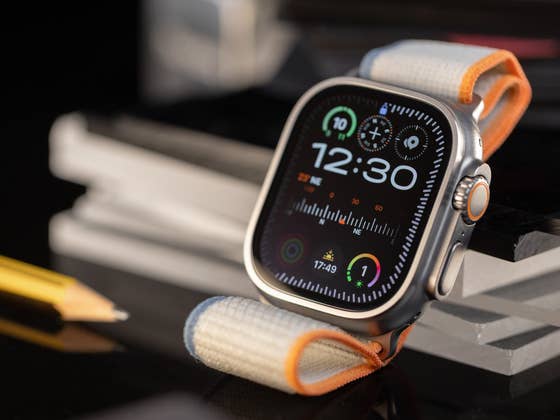
How Break Through Silent Mode Works
Apple Watch users have long relied on Sleep Wake-Up Alarms, which can wake them up with either sound or haptic vibrations when the silent profile is enabled. However, some users find that haptic-only alarms and snoozes aren’t strong enough to wake them.
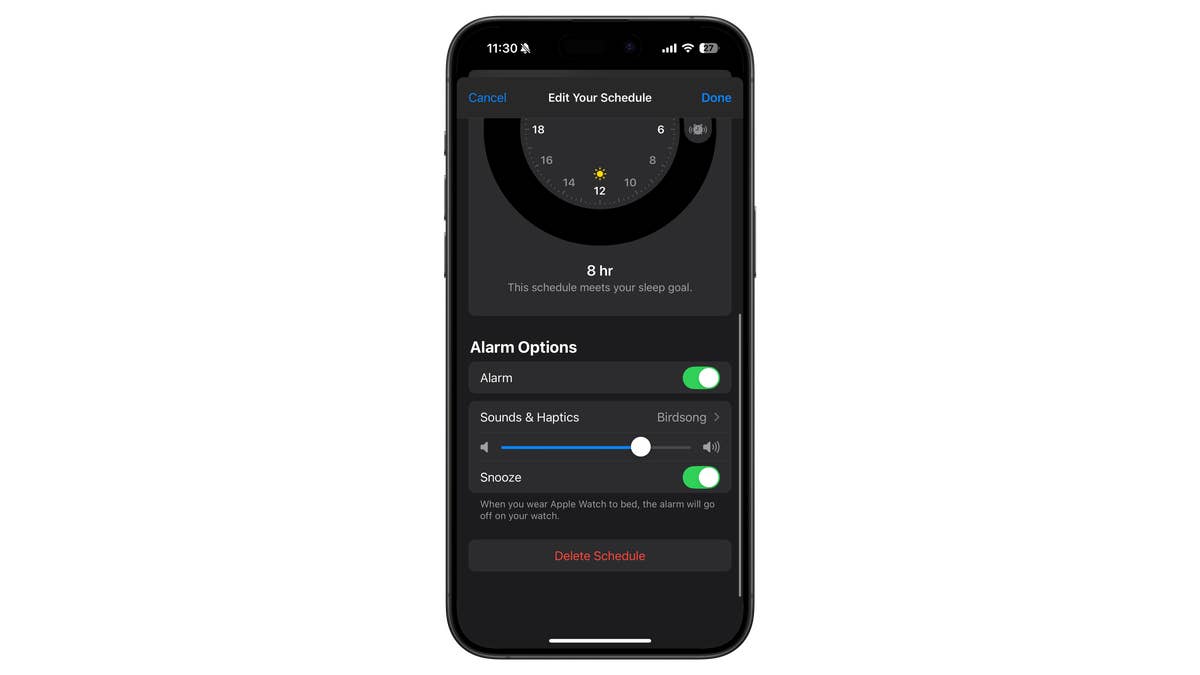
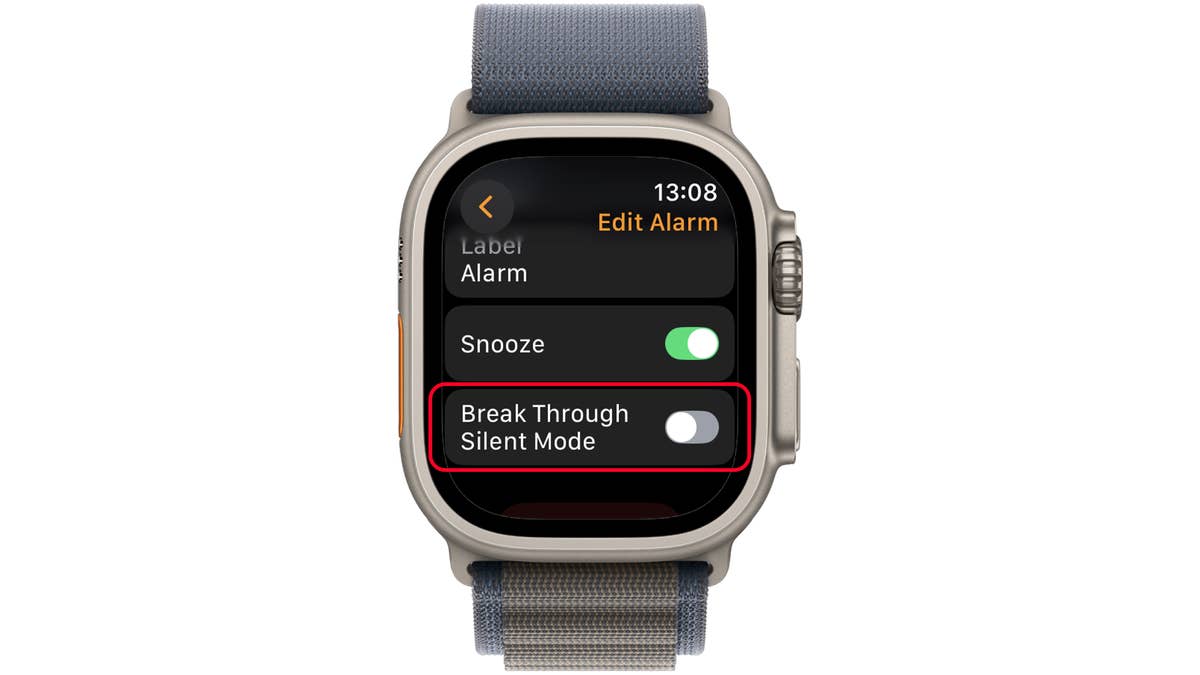
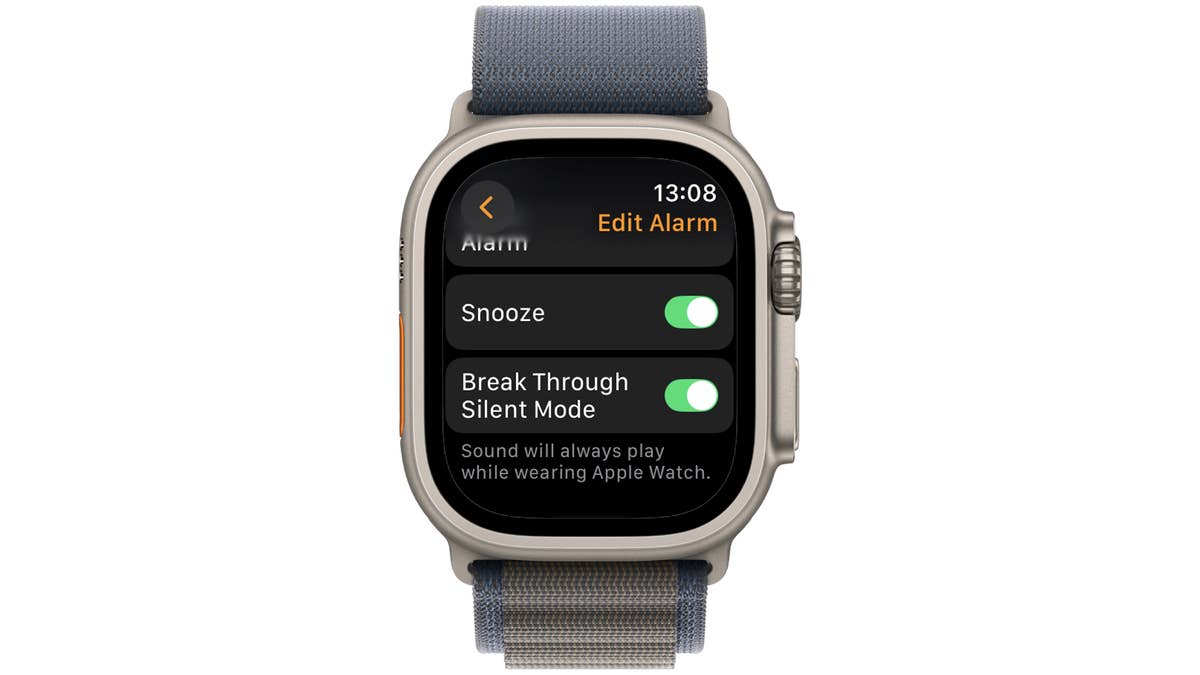
With watchOS 11.4, Apple introduces the Break through Silent Mode tool, which ensures that alarms play an audible sound even when the Apple Watch is on silent profile. This new toggle appears just below the Snooze option in the alarm settings.
- If enabled: The alarm will play a sound along with haptics, even in silent mode.
- If disabled: The alarm will only play a sound if the silent mode is off.
It’s surprising that Apple only now added this feature, considering iPhones and competing smartwatches have had similar options for years.
How to Set Up a Sleep Wake-Up Alarm on Apple Watch
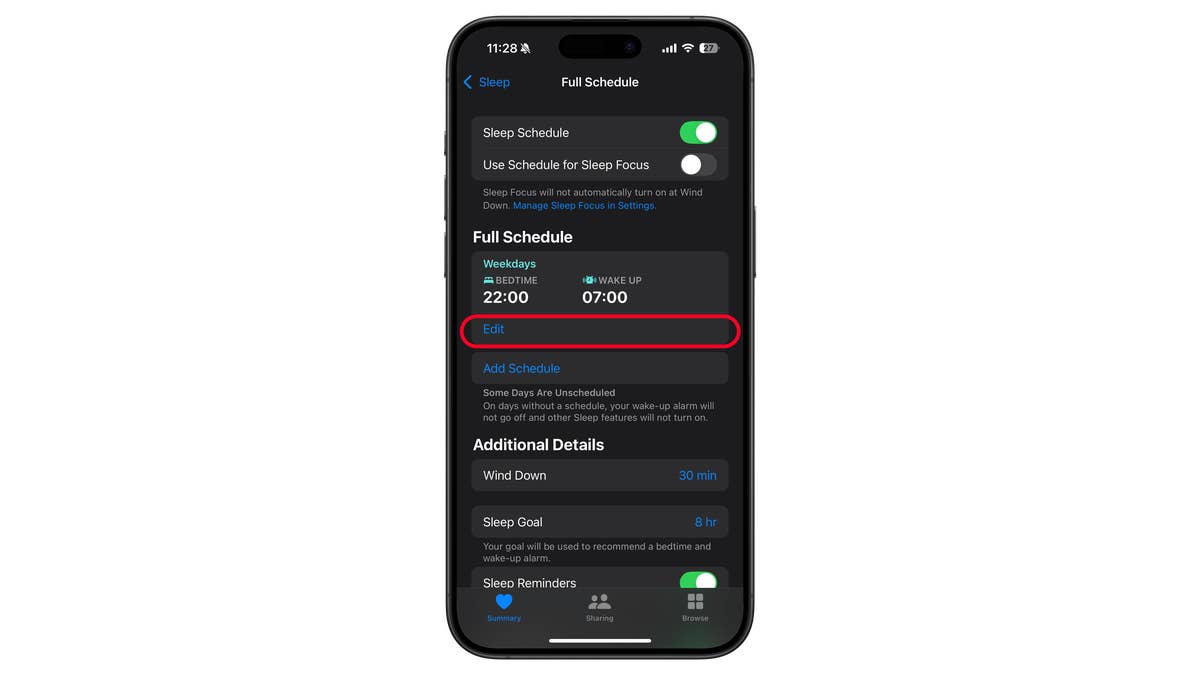
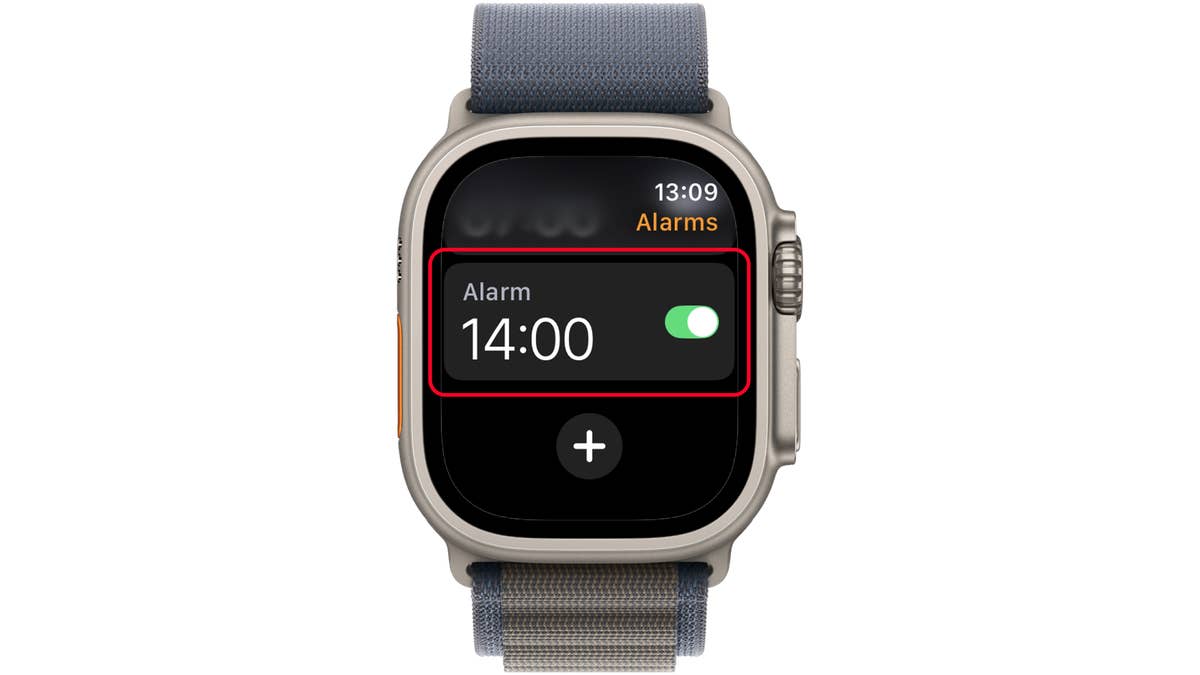
Accessing the Break through Silent Mode feature is found in each alarm’s setting, which you need to enable it manually but only once for recurring alarms or with those synced with the Sleep Mode. Below is how it is done.
- Open the Health app on iPhone.
- Tap Browse and then select Sleep.
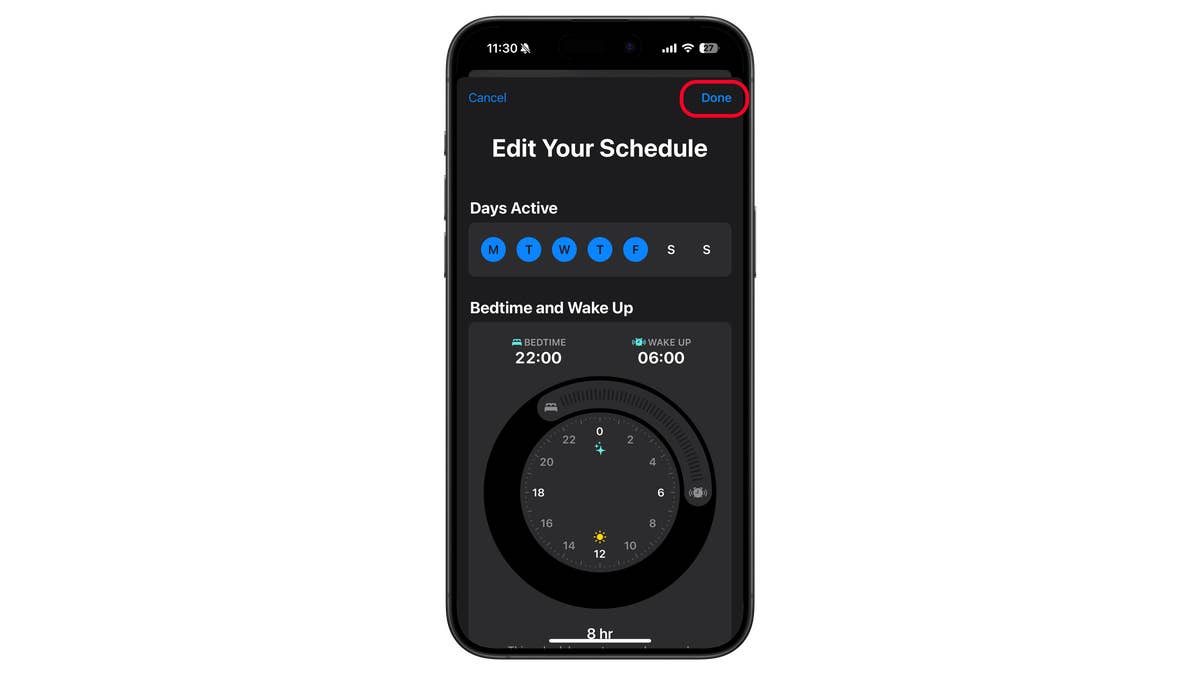
- Now, tap Full Schedule & Options.
- Set your Sleep Schedule.
- Enable Wake Up Alarm and customize the sound, haptics, or snooze options.
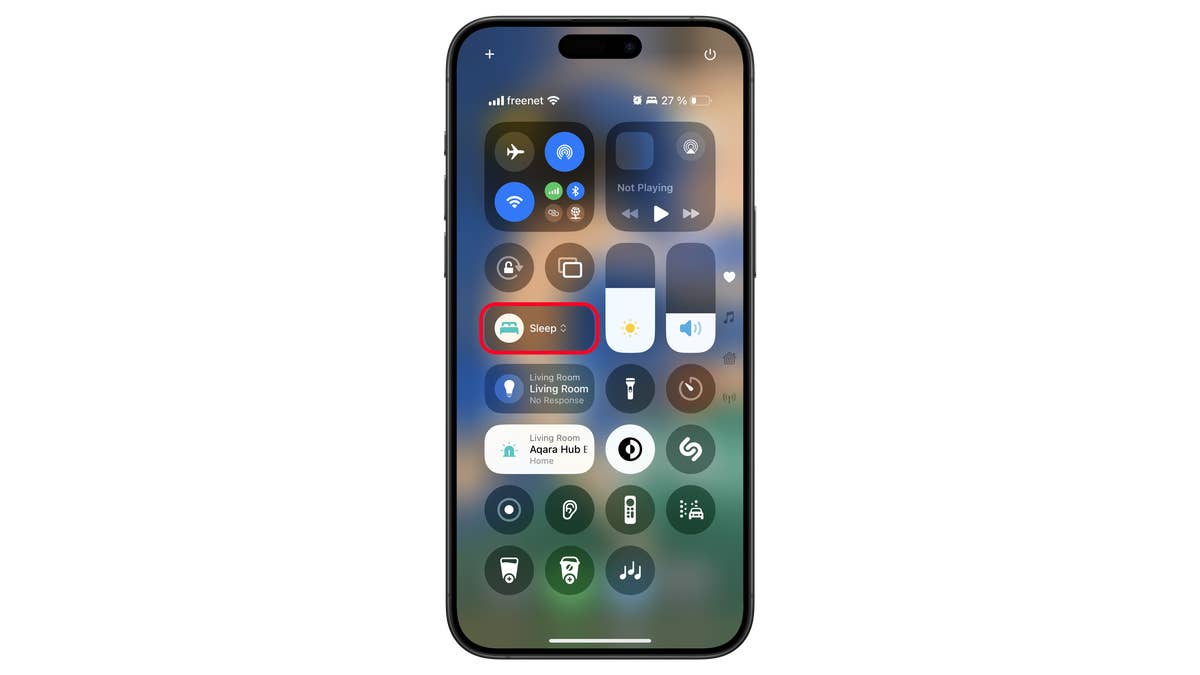
- If using the Apple Watch, ensure Sleep Mode is enabled in Control Center.
Other watchOS 11.4 Features
Aside from the alarm update, watchOS 11.4 also introduces support for Matter-compatible robot vacuum cleaners in the Home app, allowing users to control them via Siri and automation scenes. Additionally, the update includes bug fixes to improve UI responsiveness when selecting or switching watch faces.
The watchOS 11.4 is compatible with the following Apple Watch Series and Watch Ultra models:
- Apple Watch Series 6 and newer, such as the Watch Series 10 (review)
- Apple Watch Ultra (1 & 2)
- Apple Watch SE 2
You can download and install the watchOS update through a connected iPhone and then by going to the General section of the Apple Watch app.
What do you think of Break Through Silent Mode? Is this a feature you’ve been waiting for? Please let us know in the comments!
We mark partner links with this symbol. If you click on one of these links or buttons–or make a purchase through them–we may receive a small commission from the retailer. This doesn’t affect the price you pay, but it helps us keep nextpit free for everyone. Thanks for your support! Prices are based on the date of publication of this article and may be subject to change.