
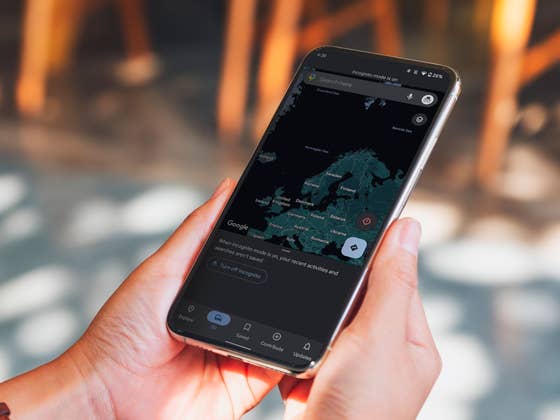
Activate Incognito Mode on Google Maps
To prevent Google from tracking your search queries in Maps, simply follow the steps below:
- Tap your profile photo.
- Select the option Turn on incognito mode
- Google Maps will restart and display a notification that Incognito Mode is now turned on. Tap on Close.
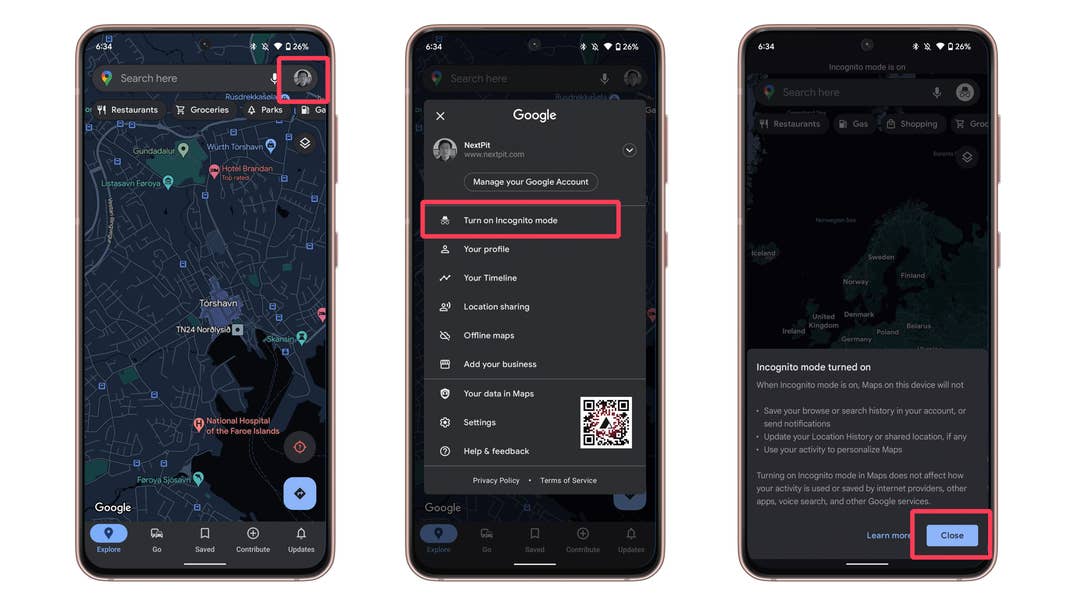
If Incognito Mode is activated, you will no longer receive any notifications. The search history and its queries, your location history, and the personalization of apps are also disabled. Other disabled functions when Incognito Mode is enabled are:
- Recent activities.
- Saved locations.
- Changes and entries in the Maps database.
- Updates to places you have subscribed to.
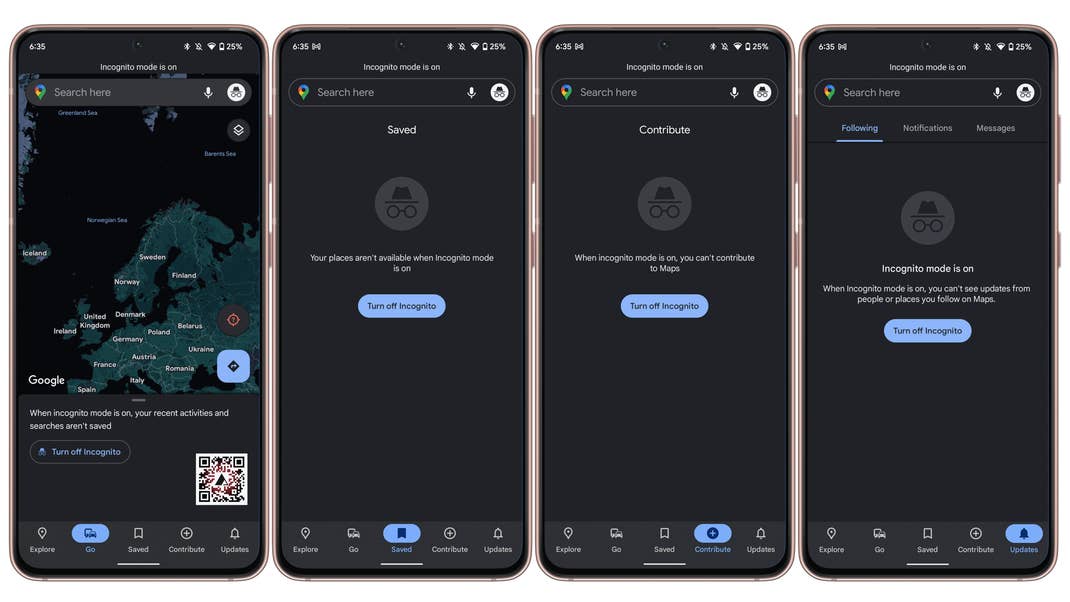
It is possible that disabling all these functions has a positive effect on your overall battery usage. However, I was unable to confirm or even verify this.
Are you already aware of Incognito Mode in Google Maps? How do you feel about Google Maps always saving the history of places you’ve visited? Please let us know in the comments.
We mark partner links with this symbol. If you click on one of these links or buttons–or make a purchase through them–we may receive a small commission from the retailer. This doesn’t affect the price you pay, but it helps us keep nextpit free for everyone. Thanks for your support! Prices are based on the date of publication of this article and may be subject to change.