


0
2 Min.
Circle to Search is one of the newer Android features that has truly taken off. It also continues to receive upgrades and integrations, such as a song search tool. Now, Google has updated the feature, which now adds recent song search history, making the tool even more meaningful. Here’s how you can use it.

0
3 Min.
T-Mobile has faced numerous data breaches and cybersecurity incidents in recent years. But it seems the troubles don’t stop there. Now, its updated privacy settings have forced users to opt in for data collection that could pose serious risks to their data and accounts, with even some of its customers potentially unaware. Here’s what these changes are and why you should disable them.

0
6 Min.
Using WhatsApp on the Apple Watch isn’t nearly as easy as Apple’s own native messaging apps. In fact, even getting basic message notifications from WhatsApp on the watch can be frustrating. In this article, we’ll walk you through a few workarounds to help you stay connected without the hassle.

0
6 Min.
The next days will be alarmingly hot in the Northern Hemisphere. In the U.S., temperatures are expected to hit a dangerous range between 39.4 °C and 51.6 °C. Across Europe, the heatwave could push the mercury up to 46 °C in some regions.

2
3 Min.
Is your Xiaomi smartphone charging too slowly for your liking? In the HyperOS 2 settings, Xiaomi allows you to increase the charging speed of your smartphone. If you have an official Xiaomi 90 or a 120-watt charger, your Xiaomi 15 (read review) or Xiaomi 15 Ultra (review) can go from 0 to 100% battery in less than an hour. Find out how to unlock fast charging on your Xiaomi smartphone in this tutorial.

0
4 Min.
Apple revealed iOS 26 at the WWDC 2025 keynote, with the update introducing the Liquid Glass design language, marking one of the most sweeping UI changes in years. If you’re interested in testing it, Apple has made it available as a beta via the Developer Program for testers and developers. Here’s how to join the beta and install iOS 26 on your iPhone.

0
3 Min.
Google has rolled out Android 16 QPR1 Beta, which brings the Material 3 Expressive design language. Beyond the fresh UI tweaks, it also enables a new Advanced Protection feature, a suite of safeguards designed to protect Android users. Here’s how to enable it and when you might consider turning it on.

0
9 Min.
The next generation of Whoop is finally out. Whether you’ve been waiting for the refined Whoop 5.0 or the powerful new Whoop MG, this guide is your shortcut to understanding what’s new, how to upgrade, and which membership fits your life.

0
3 Min.
Google’s Translate tool has consistently been a better and more versatile option compared to Apple’s translation tool on iPhone and iPad, offering broader language support and more accurate translations. With the iOS 18 update, Apple is now enabling users to change the default translation tool to a third-party option like Google Translate. Here’s how to do it and what you need.
0
3 Min.
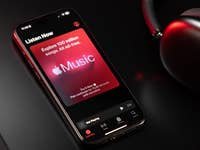
Although Apple Music noticeably lacks many features compared to major music streaming services, it continues to receive smaller yet important improvements. The iPhone maker’s latest upgrade is support for transferring or syncing music libraries and playlists to the Apple Music app, which is now rolling out to a few countries.
Also read: How to identify songs and sync them to your iPhone