


Contents
- 1 Jump to:
- 2 The best and most useful free apps
- 3 Best free browser app: Firefox
- 4 Best free Android Launcher: Nova Launcher
- 5 Best free messenger: Signal
- 6 Best free grocery shopping app: Bring!
- 7 Best free music player: Phonograph
- 8 Best free file manager: Amaze
- 9 Best free antivirus app: Sophos Free Antivirus and Security
- 10 Best free calendar app: DigiCal Calendar Agenda
- 11 Best free navigation app: Waze
- 12 Best free photo editing app: Snapseed
- 13 Best free video editing app: Kinemaster
- 14 Best free camera app: Open Camera
- 15 Best free e-reader: ReadEra
- 16 Best free game: Pixel Dungeon
- 17 Get paid apps gone free with Apphoarder
- 18 Finding the best free apps
- 19 NextPit’s app central
Jump to:
- Web browser
- Launcher
- Messenger
- Shopping / to-do lists,
- Music player
- File manager
- Antivirus
- Calendar
- Maps / navigation
- Video editing
- Photo editing
- Camera
- E-reader
- Game
- Paid apps gone free
- How to find the best free apps
The best and most useful free apps
In this list you’ll find apps that are free permanently once you install them. Sometimes certain functions are locked until you make a payment, but with the ones below we’ve ensured that the free functions and features are the best, and can be used to a good extent.
Don’t forget to leave a comment telling us your thoughts and recommendations, and for further research, we recommend the tips and the end of the article.
Best free browser app: Firefox
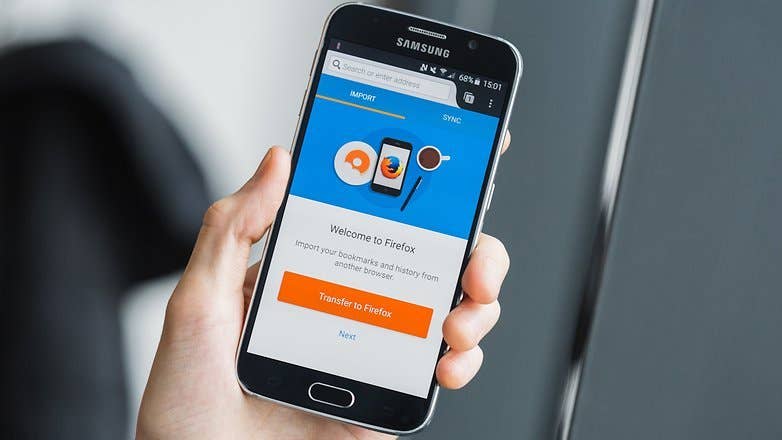
Your favorite browser is a bit of a personal thing and depending on what you want out of that, you may well have a different favorite. That said, if you don’t already have a favorite and want to try something other than Chrome, Firefox is worth checking out – particularly if you use it on the desktop too, as it’ll sync your tabs and history.
It’s highly customizable and puts the same emphasis on privacy and open source as its desktop counterpart, so it’s hard not to recommend it. It’s also entirely free.
Best free Android Launcher: Nova Launcher
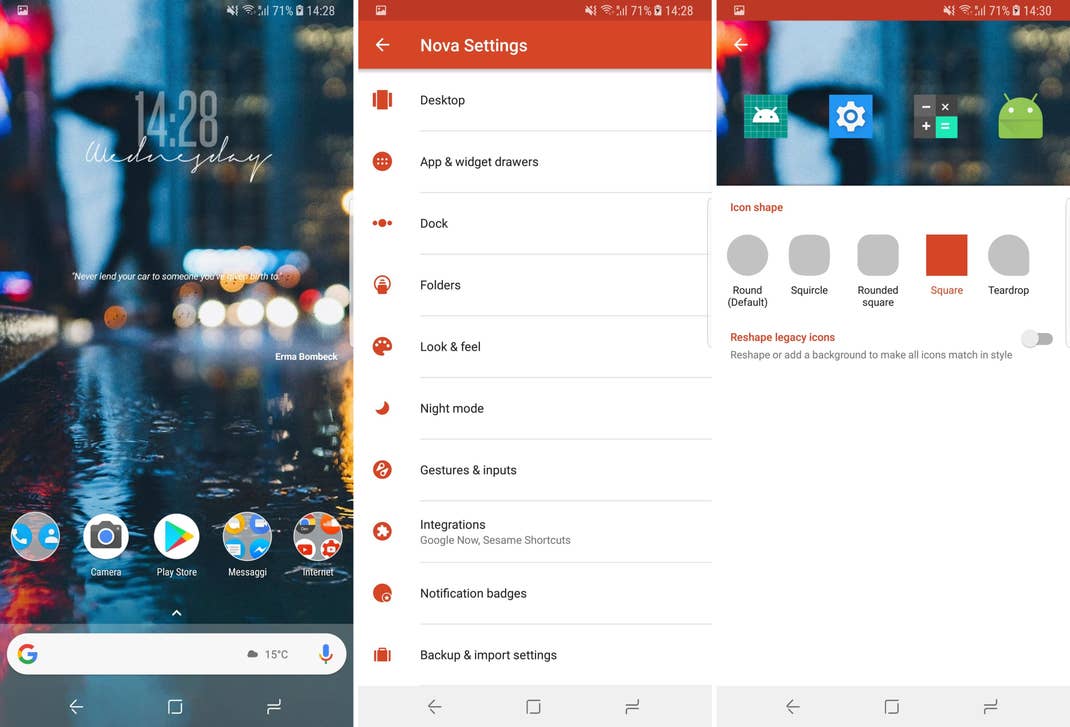
One of the classics among the launchers is also available for free: Nova Launcher. For some functions, you have to buy the prime-unlocker for a fee, but the basic functions can also be used like this. Above all, the high performance has a positive effect on many a manufacturer’s UI attachment.
INSTALL (com.teslacoilsw.launcher)
Best free messenger: Signal
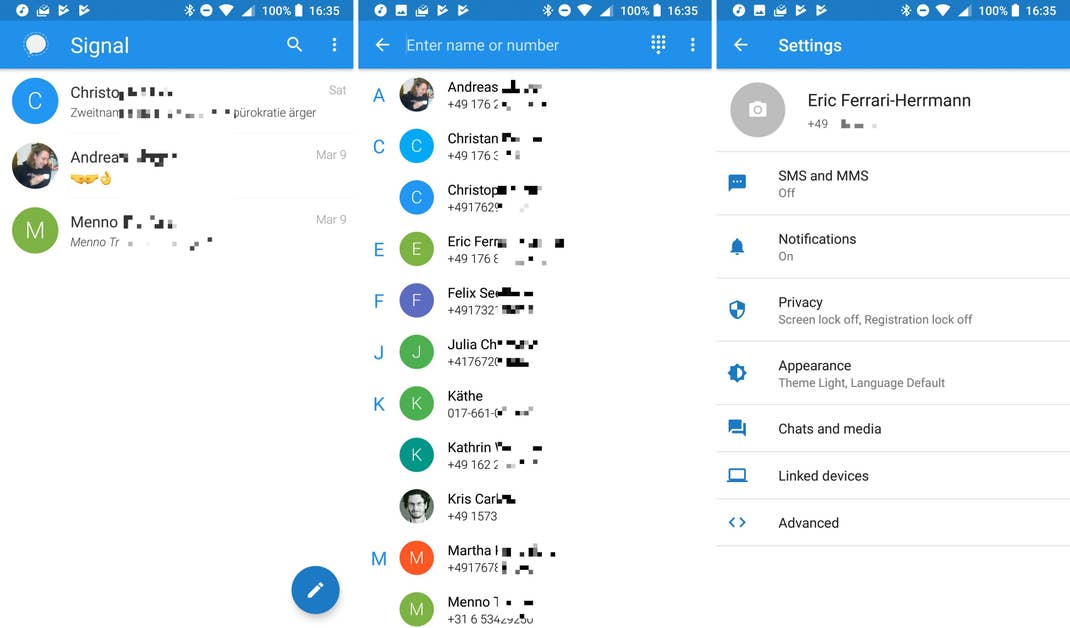
If you are looking for a free but recommendable messenger, you have found it with Signal. Signal supports classic text chats as well as voice and video calls. Its encryption is considered extremely secure and so the signal protocol is also used by competitors such as WhatsApp or Allo (only for incognito chats). What’s the difference between Signal and other apps? There is no need to worry about data protection. Even Edward Snowden swears by this app.
INSTALL (org.thoughtcrime.securesms)
Best free grocery shopping app: Bring!
Bring! Is basically a digital shopping list with an appealing design and assistance with searching for individual products. Recipes will help you with research and add the ingredients you need to the list all in one go. The brochures including special offers at your supermarkets will help you to save money, and you can set up several different lists and invite your friends or family to your individual shopping list.
INSTALL (ch.publisheria.bring)
Best free music player: Phonograph
For a long time, the go-to music player on Android has been Winamp, for its huge range of features and different options. That, however, makes it a little overly complicated to use for a casual listener, and it looks a bit retro too.
Phonograph is the opposite in terms of design, and brings a simple flat Material Design approach to your music. There aren’t endless pages of options to scroll your way through but there’s enough for most users and, more importantly, it’s really simple to use.
If simple isn’t what you want, then Winamp is the one to check out.
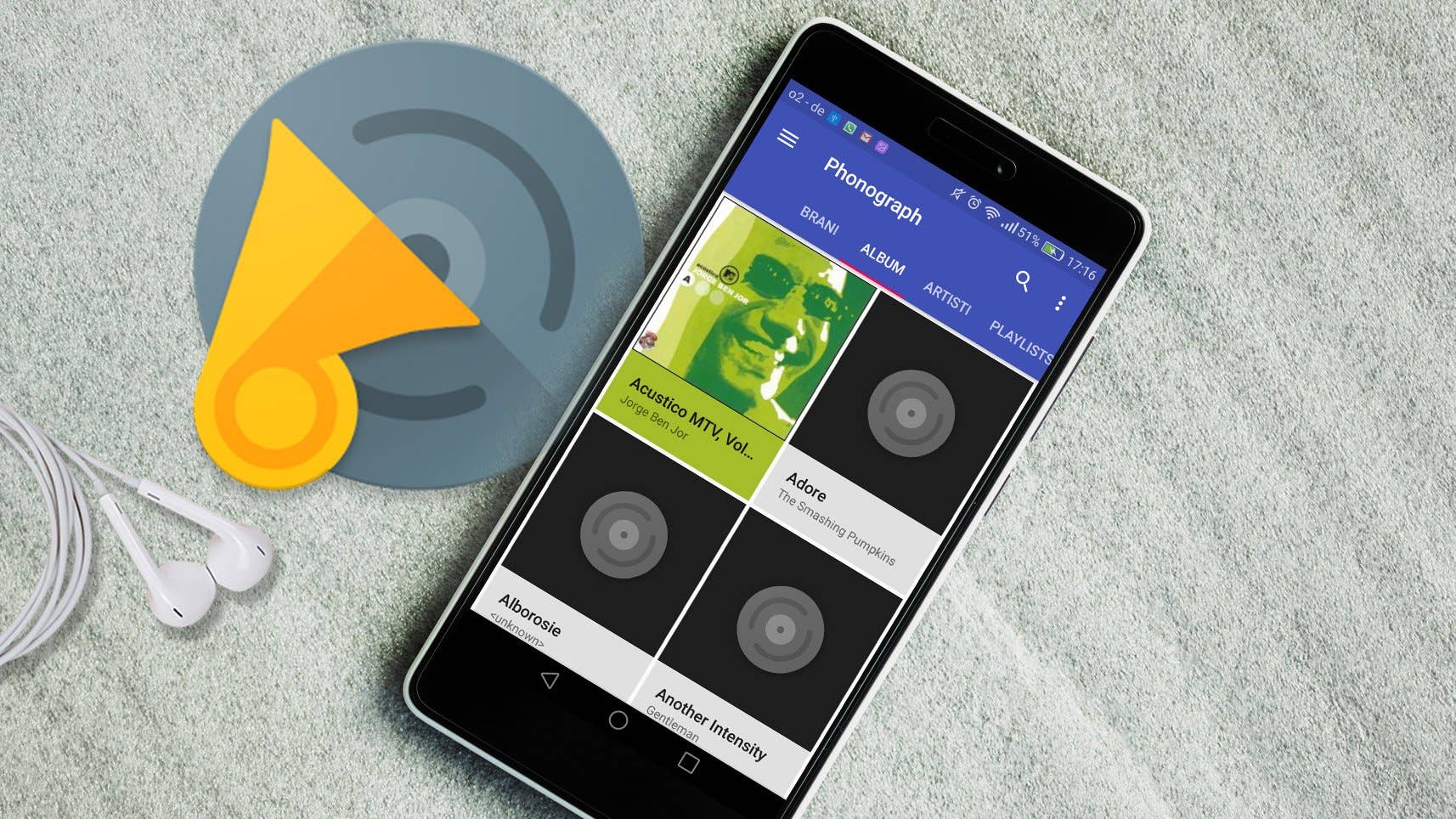
INSTALL (com.kabouzeid.gramophone)
Best free file manager: Amaze
Open source fans should be happy with Amaze File Manager: The file manager is free and provides full access to local files on your phone or tablet. Of course, you can manage your memory card with Amaze. There is an additional App Manager, with which you can manage, save or uninstall your applications.
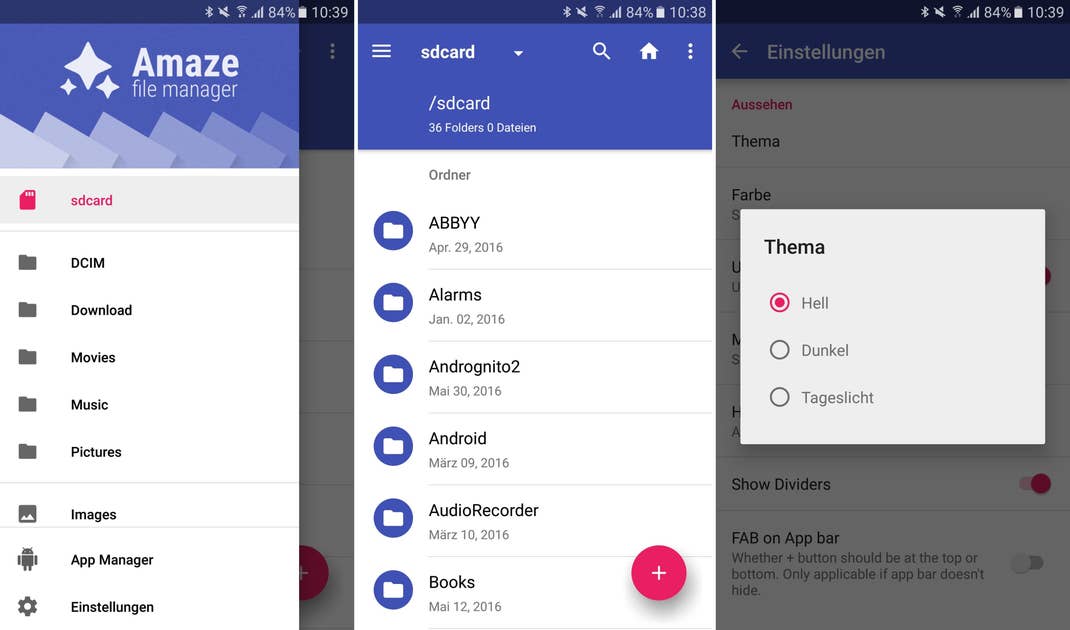
INSTALL (com.amaze.filemanager)
Best free antivirus app: Sophos Free Antivirus and Security
When it comes to security for your precious device, you can get top-notch protection without spending a penny. Sophos has a great record from independent watchdogs such as AV-Test. There aren’t even any ads to annoy you, because Sophos makes money from B2B sales instead. Malware protection is based on an online database that also checks the reputation of individual apps and recommends alternatives.
- How to monitor system performance on your device
- Antivirus and mobile security to keep your Android safe
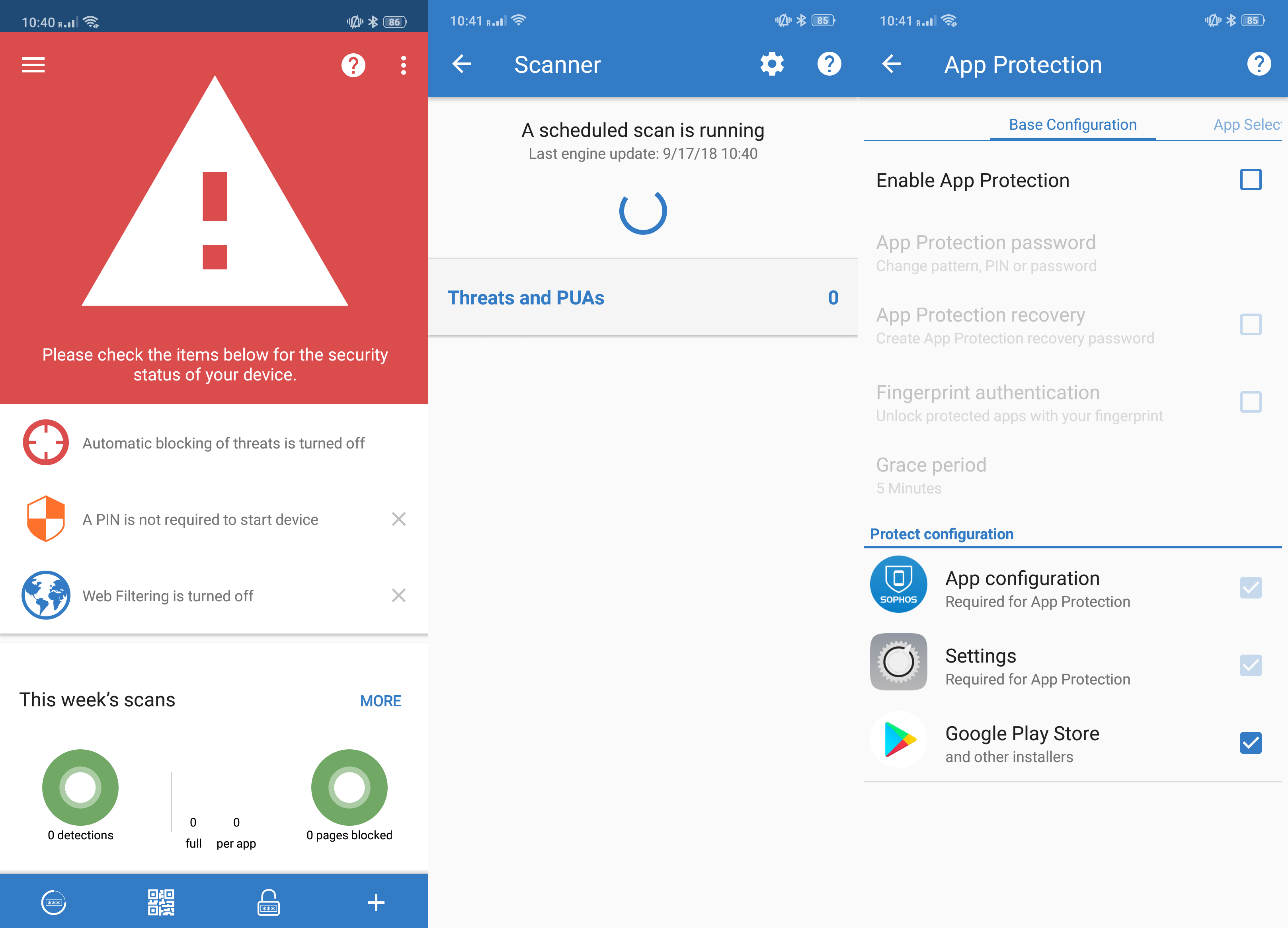
Sophos has a varied feature set, incorporating child protection filters, call blockers and device encryption and more. It also includes anti-theft features that allow you to remotely control your smartphone via SMS from other phone numbers you’ve previously specified.
Best free calendar app: DigiCal Calendar Agenda
For many people, Google Calendar probably offers enough functionality and convenience that you’ll never need to look around for an alternative. If, however, you fancy a change of scenery and a few additional features, and all still for free, then DigiCal is well worth checking out.
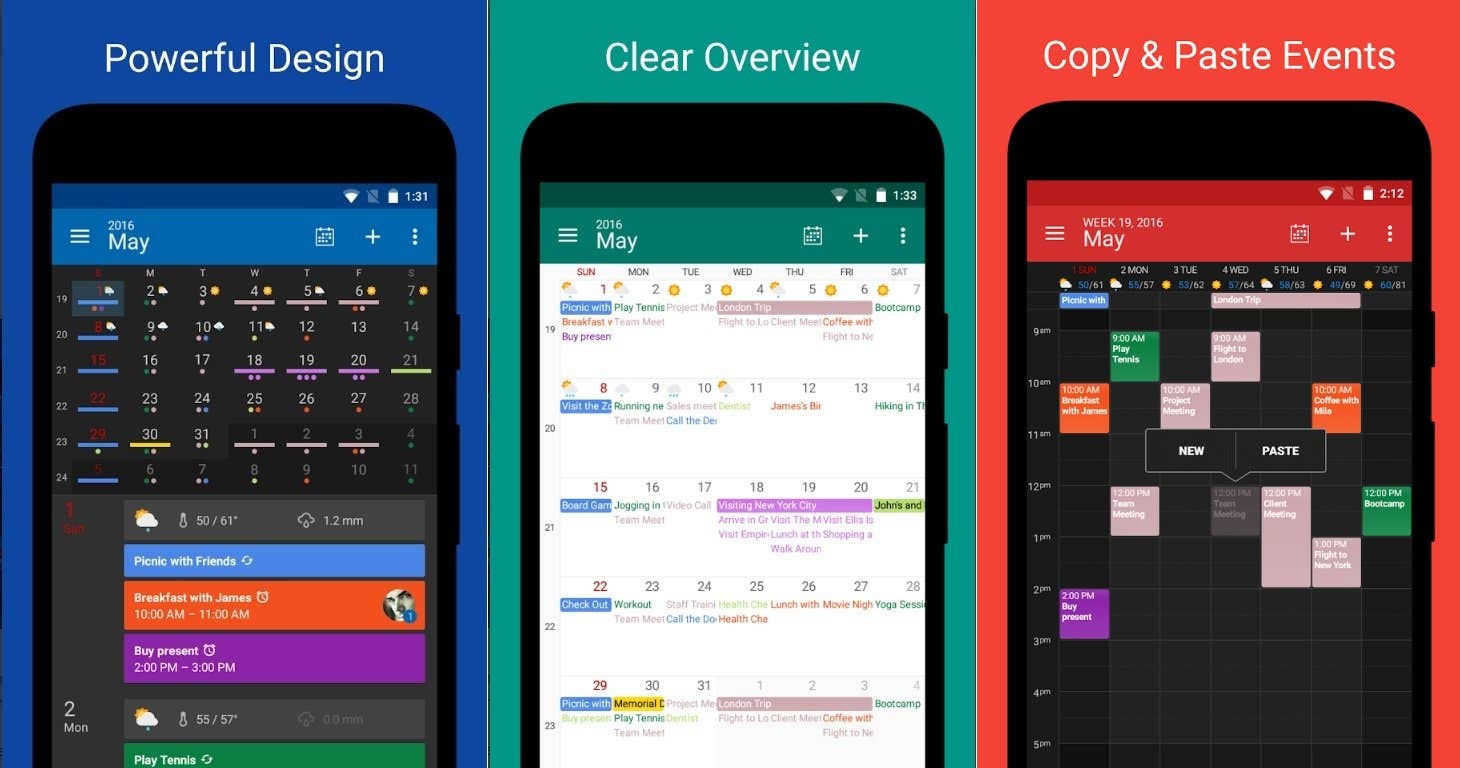
The free version of DigiCal has a decent range of features, widgets, and calendar views to organize your schedule in a way that makes sense to you. You can view by day, week, or month and set widgets to make information available without the need to start the app. In-app purchases exist for extras like weather forecasts, or the DigiCal+ that adds extra view modes such as year view, even more widgets and themes, and also removes ads.
INSTALL (com.digibites.calendar)
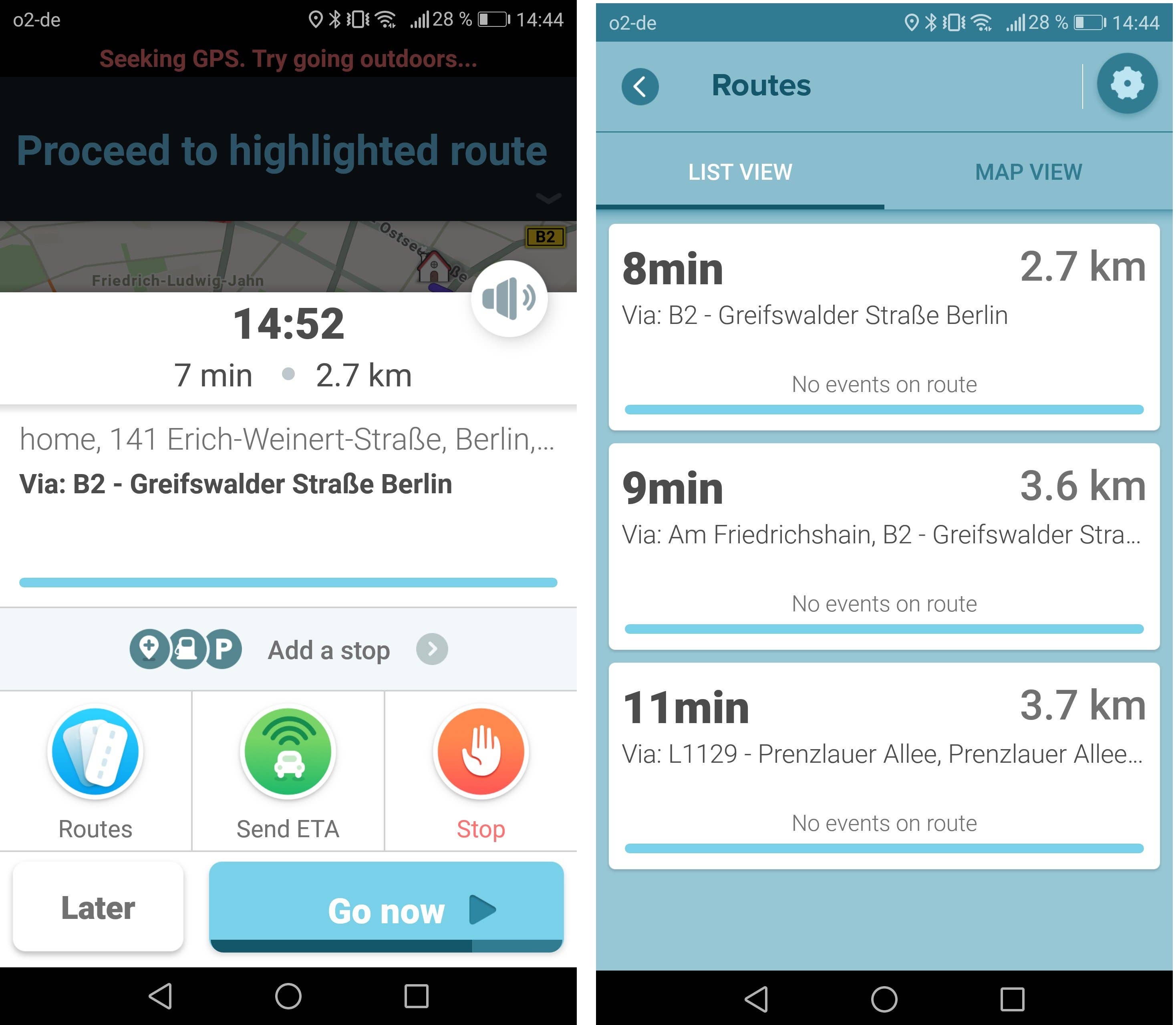
Waze is the best free navigation app because in addition to searching for the best route based on distance, it also takes into account the current traffic congestion along your route. It does this by crowdsourcing real-time congestion information from its users, allowing you to save time by avoiding construction and traffic accident delays in the busiest parts of the city.
It also has the option to change the voice to several funny alternatives, and it can warn you when you’re speeding. Another great feature is that it can sync with your calendar so you don’t have to type in addresses.
Best free photo editing app: Snapseed
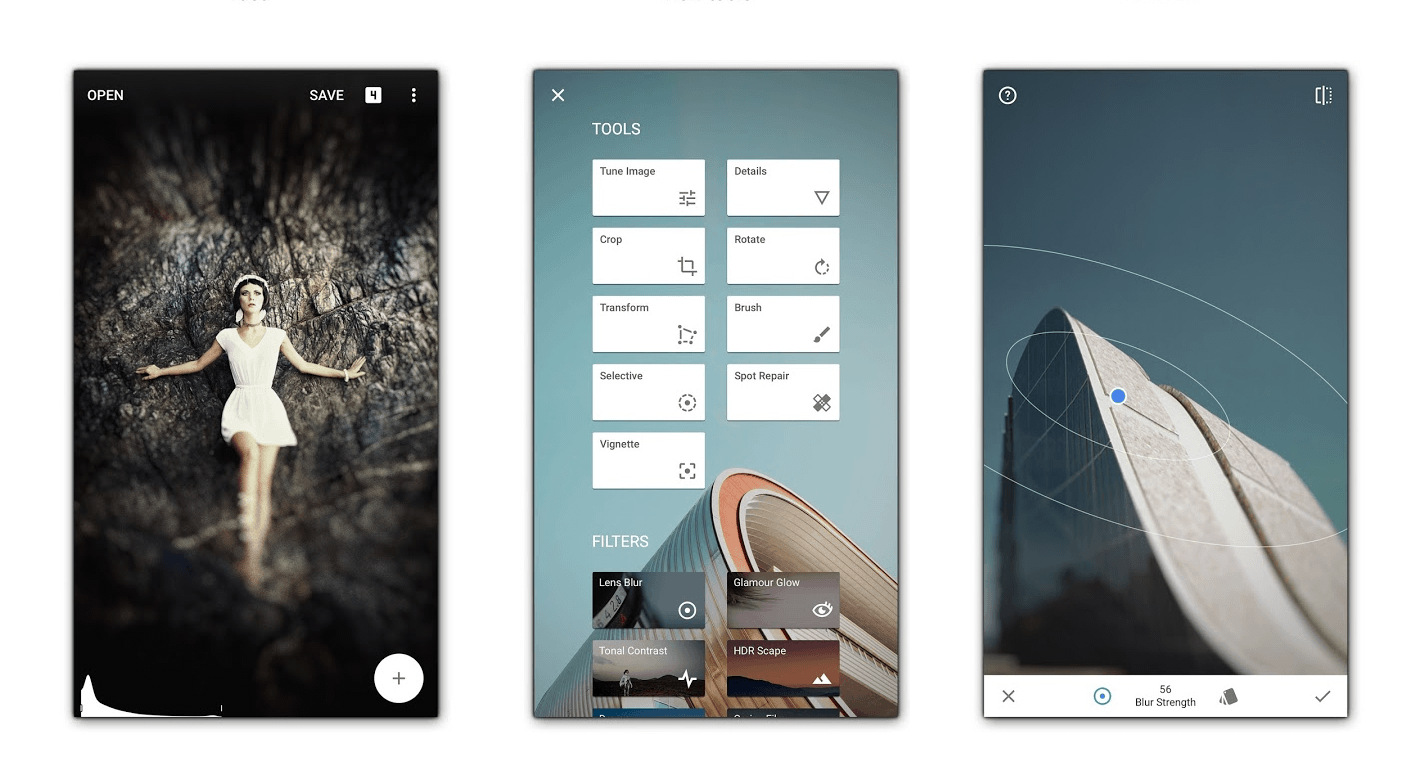
It’s a tough call between two experienced apps for best free photo editor, but Snapseed (now owned by Google) just beats VSCO Cam.
As well as long-standing Android app pedigree, 25 different filters, support for JPG and RAW DNG files, image tuning controls and a bunch of other tools (like Bokeh blurs, glow effects, etc.) that are really easy to use, it’s also entirely free, which is where it beat VSCO, as that app charges for some filters.
INSTALL (com.niksoftware.snapseed)
Best free video editing app: Kinemaster
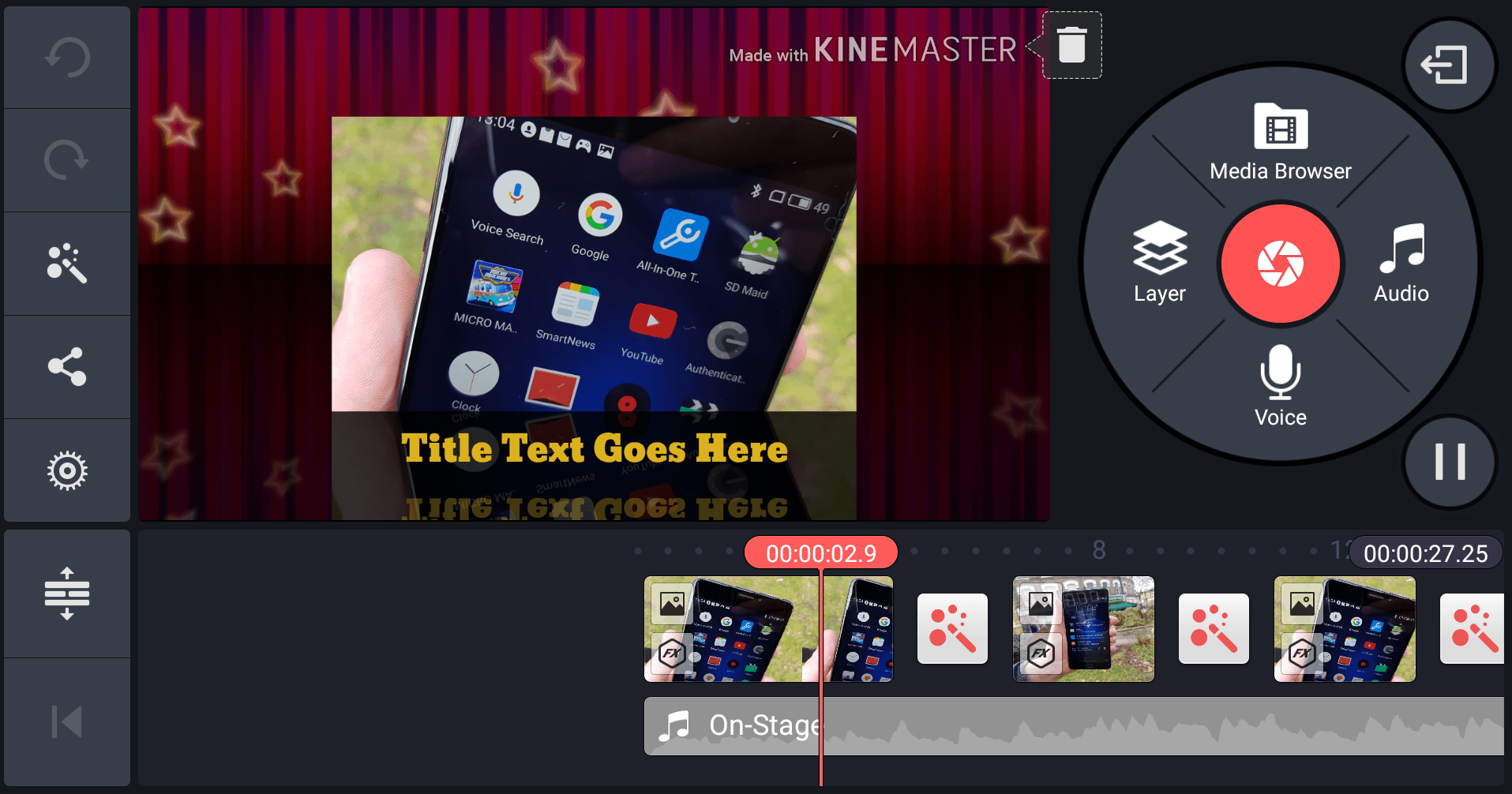
Video editing is a tricky category if you’re looking for a fully-featured app with a whole bunch of different options, but still don’t want to spend any money. Kinemaster is a good compromise for this, if not the one with the most features.
For free, you get a super-easy video editor that supports images, clips, music tracks, screenshots and other types of content. Quickly throwing together a video is a quick task, along with editing it and setting it to one of the pre-installed themes. The downside, however, is that you’ll have a small watermark unless you choose to pay for a subscription to the service.
For anyone willing to pay a little money to get a lot more manual control over the resulting videos, PowerDirector is worth checking out, or if you want an even simpler video maker, there’s Quik, which is free to use for short videos.
INSTALL (com.nexstreaming.app.kinemasterfree)
Best free camera app: Open Camera
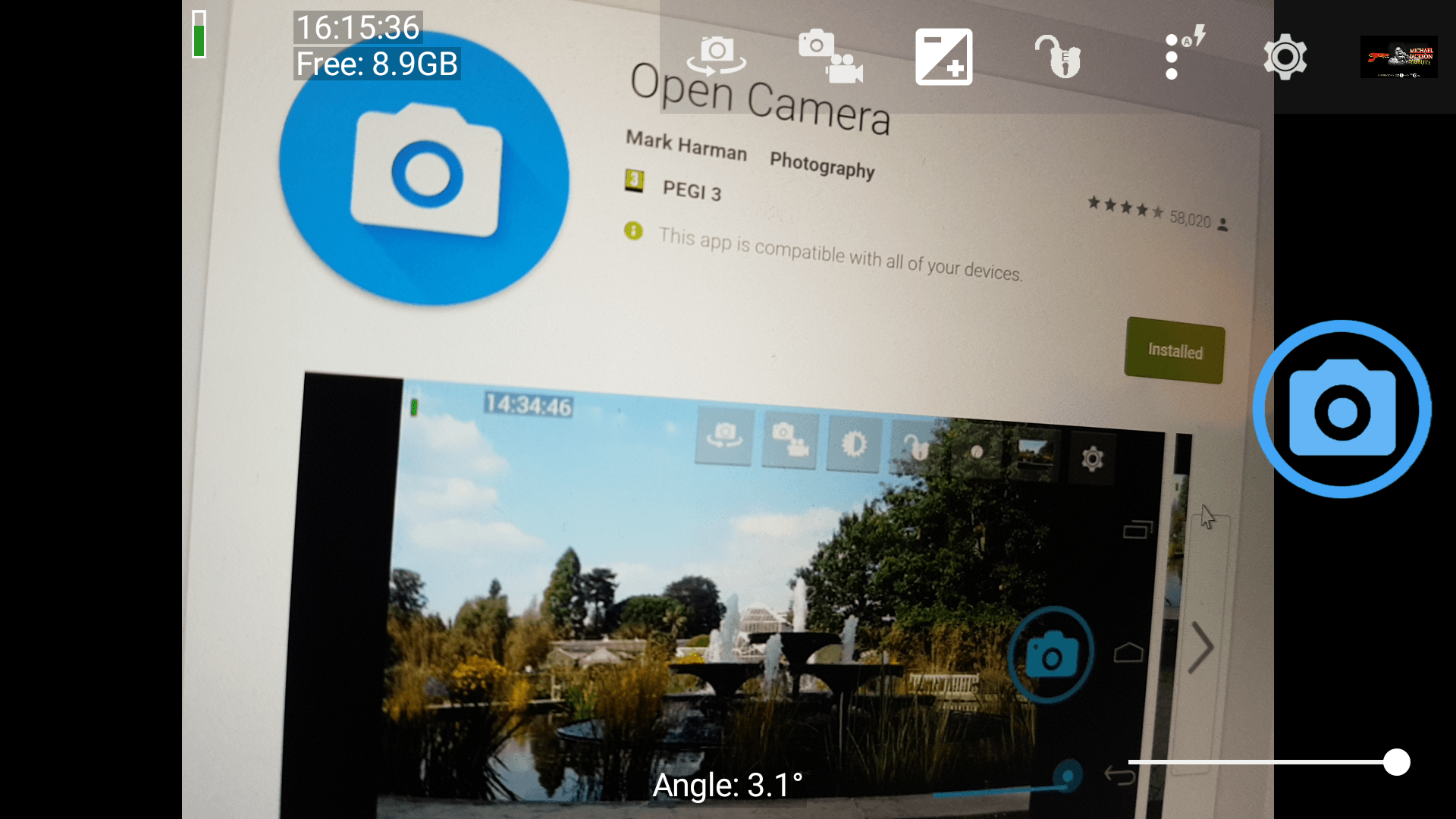
If you want a massive amount of options for capturing your pictures, and a whole lot of manual control over the settings, AND you want all that without ever paying any money, then Open Camera is well worth a look.
Is it the best designed UI? Nope. Is it the easiest to use? Not even close (it’s not hard either, though). But what it does is offer most of the common tools you could want when taking snaps on your phone, including things like time and location stamps, a burst mode, and a really handy widget for the home screen that opens the app and captures a picture with a single press.
There are other camera apps with more features available, but you’ll have to pay for many of them, whereas Open Camera is totally free. There’s a donation version of the app if you want to show your appreciation to the developer though.
INSTALL (net.sourceforge.opencamera)
Best free e-reader: ReadEra
ReadEra is a fast and versatile document reader that’s great for ebook fans. It can open and read EPUB, PDF, DOC, DOCX, RTF, TXT, DJVU, FB2, MOBI and CHM file formats. The app automatically recognizes these types of files on your device and saves your place so it’s easy to pick up where you left off the next time you open the app.
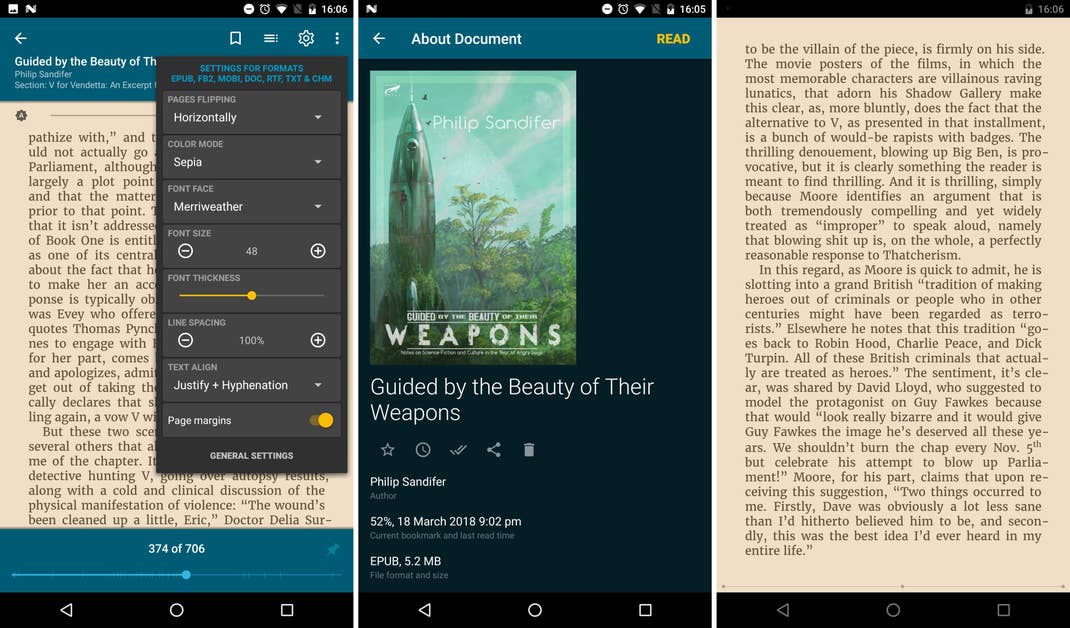
Overall we found the presentation to be easy on the eyes, and best of all, there aren’t even any ads to get in the way of your reading!
Best free game: Pixel Dungeon
Ok, there are a lot of good free games for Android that we really love, but if you only have space or time for just one, then Pixel Dungeon stands out for bringing potentially hours of fun for free. Totally free, without even any ads, although there is an option to donate to the developer to show your appreciation.
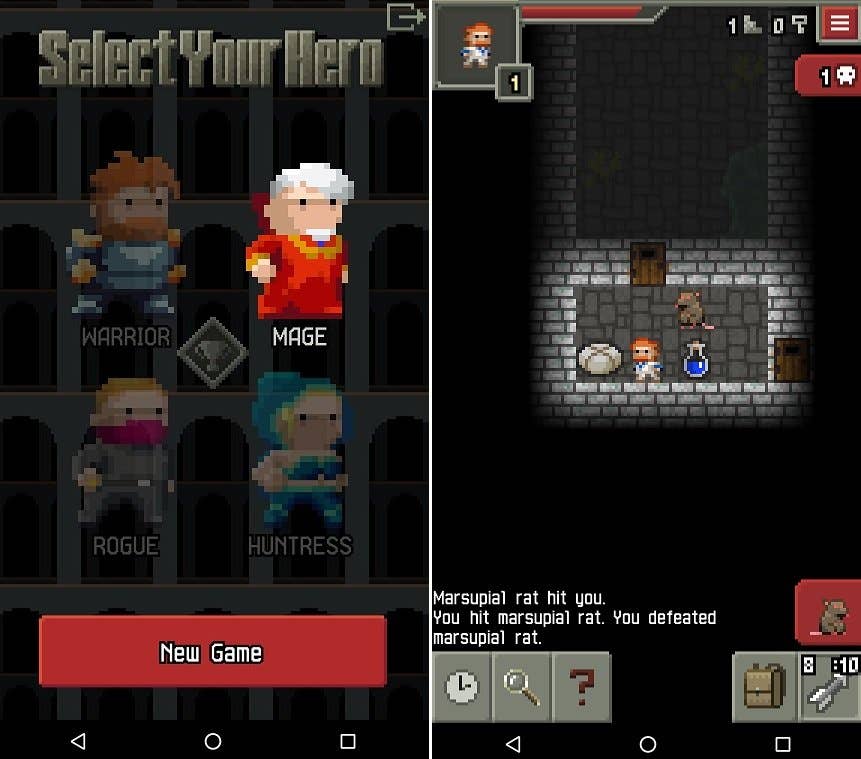
The gameplay itself is rather straightforward fantasy-themed dungeon exploring in the ‘Roguelike’ genre, where the death of your character is permanent and randomly generated paths and enemies abound. Despite the difficulty, there are enough options and surprises to keep you trying again and again.
INSTALL (com.watabou.pixeldungeon)
Get paid apps gone free with Apphoarder
Sometimes a developer will offer their premium (paid) app for free on the Play Store for a brief time. Great, but the Play Store is such a crowded marketplace that you’re not likely to notice. That’s where AppHoarder comes in. Essentially, this apps keeps a list of paid apps that are temporarily free on Google Play.
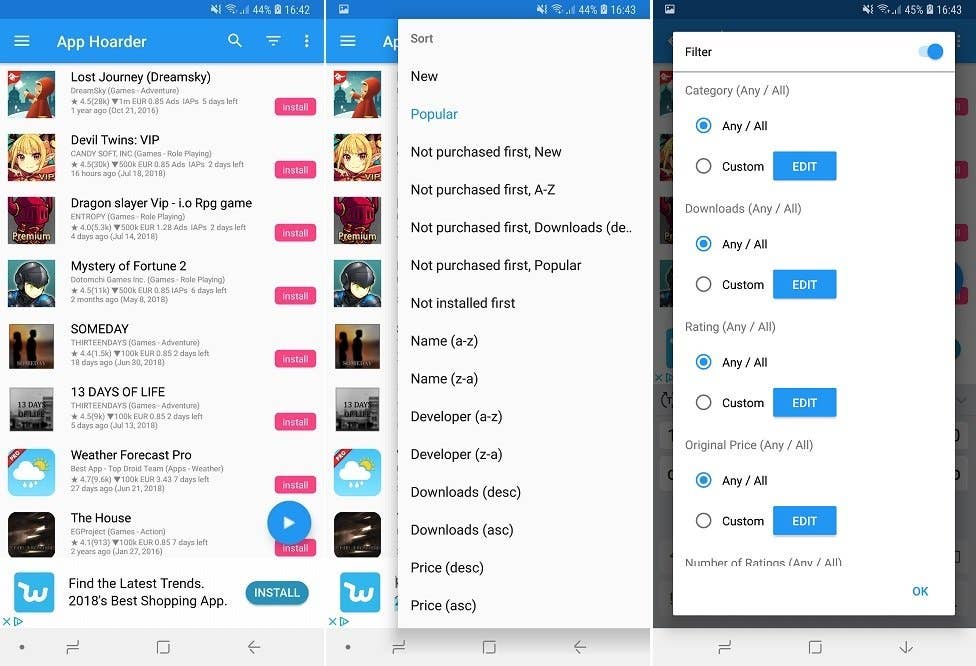
The app doesn’t control for quality, and while you’re not likely to find something you want every day, occasionally a real steal will turn up and you’ll be glad AppHoarder brought it to your attention.
Get it on the Play Store
Finding the best free apps
Free should be free
Free apps can definitely be good. Developers can genuinely make a good source of income through affiliate links or banner ads, and other apps may come from developers who don’t rely on any profit from the app. These are both positive examples.
However, what we don’t want to see in a free app is content that encourages the deliberate or accidental opening of an advertisement, things that may monitor your market or user behavior or apps that may otherwise disrupt the smooth running of your device.
Tips from Google
It may not seem like it, but the Play Store is actually monitored and maintained. Individual apps can be categorized into Android Excellence apps. The list is constantly updated and includes mostly mainstream apps, but there will be the occasional one you’ve never heard of.
Give us your recommendations!
What were your favorite apps of the year? Do you agree with our choices, or do you have some favorites of your own? Let us know in the comments below!
NextPit’s app central
The contents of this article have changed since it was originally published. The comments below may have been left in response to a previous version.
Hi, All The Apps Is Good. But Security Apps One of Most Important For Everyone. So, Everyone Should to Used Good Security Apps on Their Android Device. Thanks For Review here.
I got a lot of information about apps, Your article is extremely helpful and has great information. I value your endeavors and all the best. It’s exceptionally helpful data. I will sit tight for your next post. Keep It up.
SolCalendar no
More on playstore any reason for that?
Wow, how do you get to have Microsoft and S.H.I.T. in the same article?
Great post! I am actually getting ready to across this information, is very helpful my friend. Also great blog here with all of the valuable information you have Keep up the good work you are doing here.Well, got a good knowledge.
yeah ita great browsers
I have been using Waze for a long time and I am very pleased that I am aware of road events or other unforeseen incidents. As for Signal, I installed it but I can not understand how it works, because it’s basically an SMS application and not messaging.
I’ll look for other applications.
For best free launcher you really should make it Microsoft Launcher. It’s way more feature packed than Nova’s free launcher.
Free does mean free, not that you can pay extra to unlock more features, like with Nova Launcher, yes I know you say there is the option to pay for the extras, BUT it is not a free proggy.
My main applications: Firefox, Microsoft Laucher, Waze, Open Camera, Office Lens, and a few of the less important.
What about Levipic?
That’s cool!
My top pics for this list are Malwarebytes, VSCO, Adobe Lens, Snapseed.
Hey
I have tried Amaze and believe me it does what it says … )))
I Like Signal, I only heard very good opinions.
And for navigation, Waze is perfect!
I use sendleap to access my texts on a tablet or pc. it is completely free. has a web interface and desktop apps, even on Linux.
I use waze for some of my commute needs and I also sometimes use Nova launcher. I have also used Microsoft to do which is also free for my to-do list and Google keep for notes and other info I want to be able to find again.
I found the article very helpful. Thank you Nicholas Sir.
Some free lifestyle category apps which I recommend are "Journey", "Alarmy" and "Daylio".
Very good list. I’d advice x-plore as the best file manager (for functionality, not looks…)
nice article
snapseed is a very good application for me.