


0
3 Min.
Every year, Samsung rolls out fresh wallpaper options to give your Galaxy phone’s home or lock screen a new look. But now, with the launch of Galaxy AI, you’re not just picking wallpapers—you’re creating them. Thanks to the new Generative Wallpaper feature, this guide will walk you through crafting AI-powered wallpapers that truly make your device yours.

1
2 Min.
There are many practical functions tucked away in the Accessibility shortcuts that simplify the iPhone’s operation. Ever since iOS 14 rolled out, Back Tap function has been available, which can be used to execute many different commands. You can activate selected iPhone functions by double or triple-tapping the back. This nextpit guide shows you where to find the hidden function and how to activate it.

0
2 Min.
The recent Made by Google event was different from previous Pixel events, mainly because the spotlight was mostly on AI. Part of the new suite of AI features is Gemini Live, an upscale version of Gemini, capable of handling free-flowing conversations better than the standard AI chatbot. Just a couple of days after the announcement, Gemini Live has started making its way to a wider list of Galaxy and Pixel smartphones.

0
2 Min.
One of the major features that debuted with the Google Pixel 9 series was Satellite SOS. The internet search giant partnered with Garmin to enable this feature on its handsets. Alongside the announcement, it hinted the new Pixel emergency feature might also arrive on more Android devices in the future.

0
3 Min.
Samsung announced it will introduce its AI-powered Circle to Search feature to selected mid-range Galaxy smartphones and tablets. This feature is one of the most popular tools in Galaxy AI which debuted with the Galaxy S24 series first and was later enabled on older high-end Galaxy models.

0
5 Min.
Google revealed the Pixel 9 series at its Made by Google event, bringing a host of improvements from the Pixel 8. Along with the announcement, pre-orders have also begun. If you’re upgrading to one, we share the guide on buying the new Pixel 9 through the best trade-in and carrier deals.

0
5 Min.
Google announced today four new smartphones from the Pixel 9 series, a new Pixel Watch in two sizes for the first time, and new Pixel Buds. While the hardware sounds like a full evening program, the real star is an entirely different one: Gemini—and especially Gemini Live. Is this the moon landing moment for artificial intelligence?
0
2 Min.
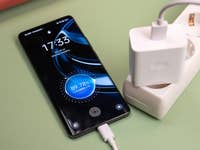
While we’re still debating whether ultra-fast charging speeds are necessary for smartphones, it hasn’t stopped Chinese companies from continually pushing the boundaries. Realme teased its upcoming charging technology that claims to fully charge a smartphone in under 5 minutes using a 320-watt charging solution.
Also read: Steps on how to diagnose your smartphone’s batter
1
8 Min.
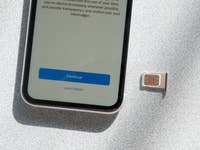
It’s not always that you turn to your mobile data and are successfully connected to the internet on your Android phone or iPhone. If you’re wondering why your cellular phone data is not working, we’re here to help. nextpit identifies the top reasons and how to fix those problems.

0
3 Min.
Do you have a nice scene in a photo and want to get rid of the background? Since iOS16 was released, the option to remove the photo’s background has been available on the iPhone. We explain how you can remove backgrounds in photos on your iPhone in this article.