


0
3 Min.
Since Gemini started replacing Assistant on Android, Google continued to give it important enhancements, making it an even more capable AI chatbot. Over this week, new functionalities have graced in Gemini including an on-screen contextual feature and an extension in Gmail, bringing the AI treatment to users’ inboxes.
Also read: Google Gemini Live impressions

0
2 Min.
You’re probably familiar with it: your smartphone’s power adapter is always neatly plugged in on the sideboard or bedside table. But what about the energy costs if the power adapter is left plugged in all the time? And is this perhaps even a fire risk? nextpit looks into this and reveals the answer in this article.

0
3 Min.
Wireless charging is already a popular feature in premium smartphones, some are now starting to offer reverse wireless charging—or Wireless PowerShare on Samsung Galaxy phones. This handy feature makes it easy to recharge a friend’s phone (including iPhones), a smartwatch, or in-ear earbuds. Learn how to use it on Google, Honor, OnePlus, Samsung, and Xiaomi phones.

0
2 Min.
Apple started rolling out the latest beta of iOS 18.1 to developers yesterday, which is now in its third installment. iOS 18.1 Beta 3 continues to bring new Apple Intelligence features that were first added in the first release. The most notable addition to this update is the AI-powered Clean Up feature or the equivalent of Magic Eraser in Google Photos.
Also read: Top AI feature you should add to your arsenal

0
4 Min.
Samsung offers many ways to personalize our smartphone, including the lock screen. One option that is not mentioned often enough is the real-time weather background. We would like to highlight how the current weather can be displayed in your own photo. How does this work and how do you configure such a weather photo? nextpit has all the details, of course.

0
2 Min.
With foldable smartphones more common than ever, they also become less fascinating over time. Hence, we see manufacturers begin to reinvent things such as giving them an improved build or new looks. Tecno is no different, recently showed off its latest tri-folding smartphone concept, the Phantom Ultimate V2, following the launch of its initial foldable devices last year.
0
2 Min.
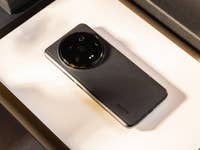
Xiaomi is no stranger to fascinating smartphone concepts that range from a rollable device to a camera smartphone with a full-sized lens but most of these didn’t translate into a consumer-ready product. It turns out the company might still introduce one of those fancy ideas involving a button-less device into a device that anyone can get their hands on.
Also read: The best Xiaomi smartphones you can buy in 2024

0
6 Min.
It’s cool, it’s fun, and it’s weird, but what is it for? I tested Gemini Live, Google’s conversational AI, on the Pixel 9 Pro XL (review). As a proof of concept, Gemini Live impressed me. It’s fun to debate with your smartphone even if it means getting gaslit. However, is it really useful? Above all, is Gemini Live worth the $20 monthly subscription?

20
2 Min.
Do you have limited data volume or want to see the perfect route abroad without Wi-Fi or mobile data? With the offline function of Google Maps, routes, map sections or entire cities are available to you without an internet connection so that you can reach your destination. In this guide, we show you how to use Google Maps offline.

0
2 Min.
AI and Gemini assistant were under the spotlight when Google debuted the Pixel 9 range, leaving new hardware features in the handsets relatively unknown. Among those meaningful additions left unmentioned was the new Adaptive touch feature, which adjusts touchscreen sensitivity based on the panel’s state, taking into account the presence of a screen protector as well.
Also read: Possible reasons your phone’s display is not switching on.