
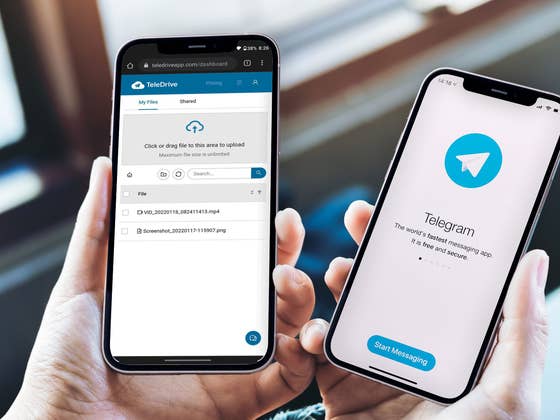
The app started its public beta phase in November 2021, after some months of closed testing. In short, TeleDrive accesses the messenger API to upload, download, and access files on the user’s Telegram account with an interface that resembles services like Google Drive, Dropbox, Microsoft OneDrive, Apple iCloud, and others.
Note: This is an unofficial implementation of a Telegram feature, using the app’s official API. It is possible the Telegram developers may block access to it in the future, so we don’t recommend you to use TeleDrive on mission-critical environments. Files stored using the app’s interface, however, can be accessed over the regular Telegram app at any time.
How to use Telegram as an unlimited cloud storage
To start using TeleDrive, you need to log in to the service using your browser — works on both desktop and mobile — using your Telegram account. To do so:
- Open teledriveapp.com in your browser.
- Alternatively, the service offers servers in Germany: ge.teledriveapp.com and the US: us.teledriveapp.com.
- Tap on Register Now.
- Type your phone number registered with your Telegram account and press Send code.
- Confirm the code sent to the Telegram app and tap Login.
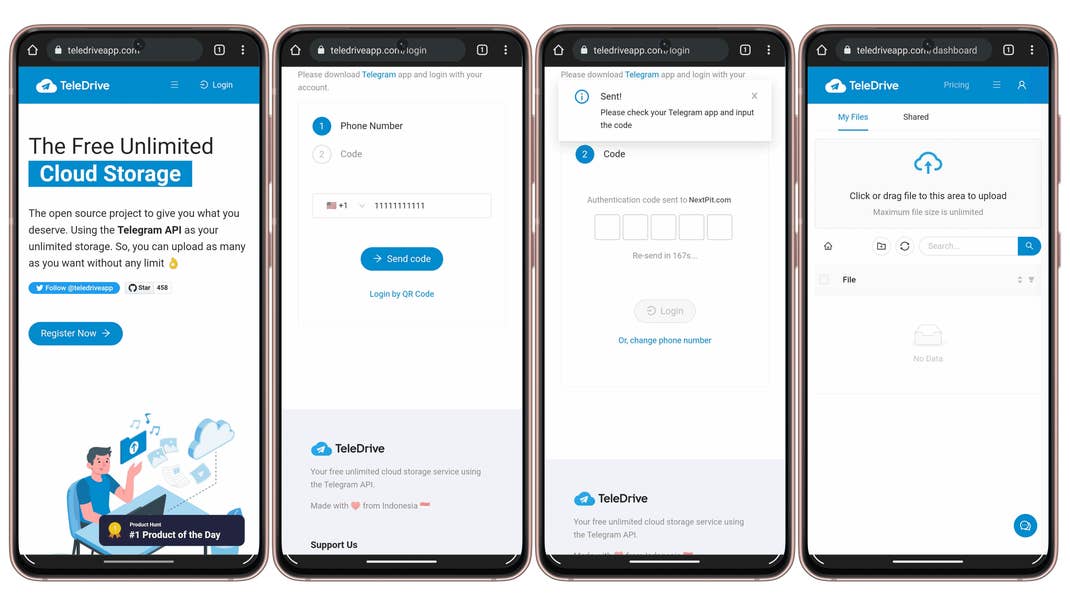
Depending on your mobile and browser settings, the webpage offers the option to create a shortcut in the home screen, allowing you to open TeleDrive as a pure web app, without the browser’s elements — toolbar and other interface elements.
TeleDrive features: Media player, file sharing, drag and drop, and more
The TeleDrive web interface is still in development, but already offers some nice features:
- Drag and drop, making it easy to upload files from the file manager.
- Record and upload videos directly from the page — after giving the necessary permissions, of course.
- Options to filter for folders, images, videos, audios, documents, and unknown files.
- Access not only to your files, but also those shared with you by contacts.
- Media player compatible with popular video and picture formats.
Another feature borrowed from traditional cloud storage services is the option to share and send files from the main interface. Both are available in Telegram by default, but TeleDrive adds the option to share files with a simple web link.
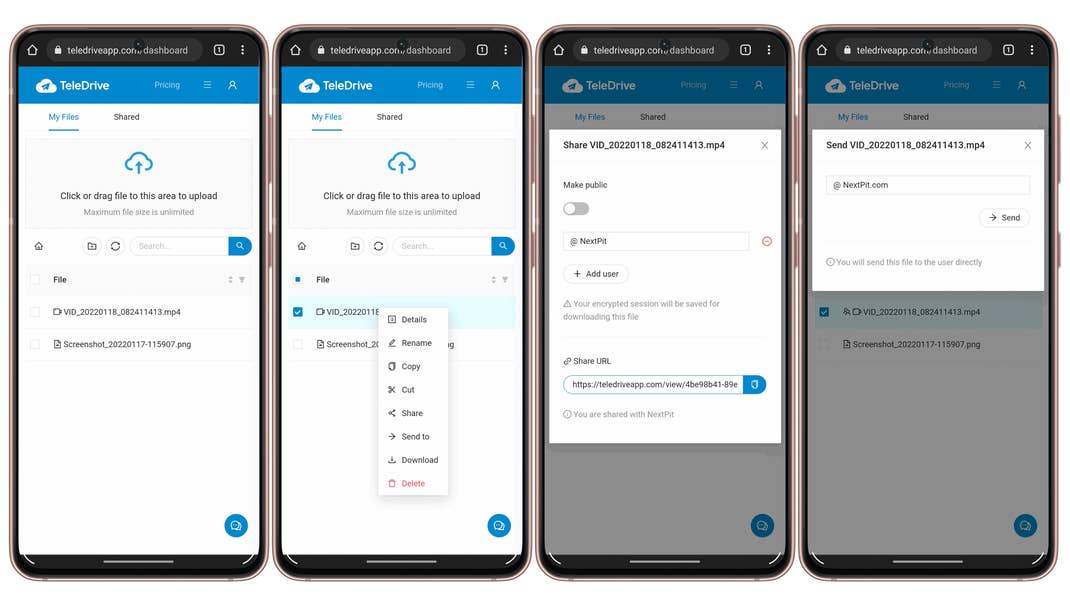
Remember, files uploaded using TeleDrive can be accessed as usual using Telegram’s Saved Messages folder in the main contact list.
You can check TeleDrive’s source code on GitHub, and the app’s Privacy Policy explains the app collects some personal information related to the login, including e-mail, username, IP address, browser type, OS, and others.
Although the storage space is unlimited, at least according to Telegram, the TeleDrive app restricts the daily bandwidth to 1.5 GB, and upload and downloads to a maximum of 2 GB. Unlimited use of the platform requires a yearly subscription, which costs $10. Other costs are covered by corporate sponsors, but the TeleDrive developers announced plans to include ads on the website.
Did you like this tip for sharing and accessing files online? Which is your preferred method to cloud storage? Share your tips and suggestions in the comments below!