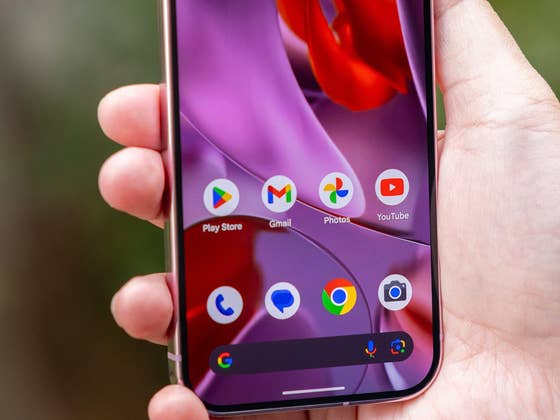
Currently, Google Messages supports automatic message and media backups through the linked Google account. However, this feature is limited to automatic syncing, giving users no option to manage their data manually. That’s set to change with the upcoming update to the messaging app.
Better controls to backup and transfer your Google Messages chats
According to findings in the latest Google Messages app (via 9to5Google), code strings hinted that Google is developing a dedicated page for backup and restore. This feature was described as allowing users to restore “conversations, media, and more anytime in the app.” In addition, it noted messages will be restored automatically once the user signs in with their account.
Even better, Android Authority successfully activated the feature and shared screenshots of its interface. The tool introduces a prominent pop-up card that details the backup and restore functionality, with options to confirm or decline its use.
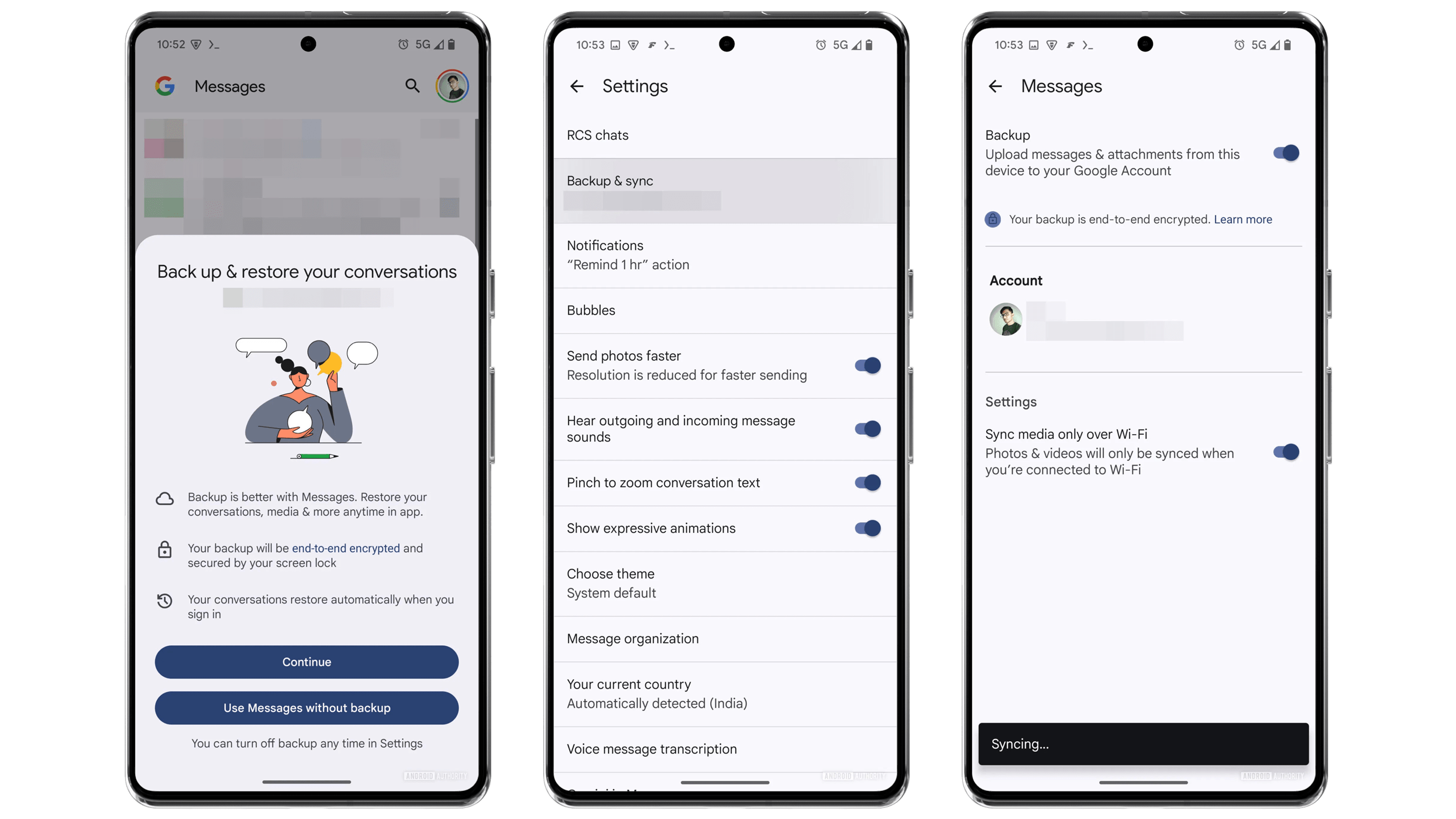
The feature is also integrated into the app’s settings. Users can toggle the feature on or off, select the Google account where conversations will be synced, and choose between cellular or Wi-Fi connectivity for syncing. Once a backup is created, restoring messages can be performed directly from the settings menu.
Interestingly, the new feature functions as a simplified version of the existing Google account synchronization method. By offering a manual option to back up and restore conversations, it could provide more flexibility and convenience for users.
It was also highlighted that backups are end-to-end encrypted and utilize the Android screen lock, meaning the compatibility of the tool should be limited to devices that support the latter.
Google Pixel 9 has a similar message transfer feature
In a related update, Google recently enhanced its messaging transfer capabilities with the Pixel 9 series. This enables users to migrate their entire Google Messages data and history, including RCS chats. However, this functionality is limited to Wi-Fi and USB cable transfers.
Beyond backing up or restoring, Google Messages also supports using the app on multiple devices such as on the Web, a separate Android tablet, or a smartphone where you will be able to view incoming messages and compose or reply to a chat.
At press time, it’s unclear when the native backup and restore feature will officially roll out. Google may release it through a Play Store update or as a server-side update.
Which backup and restore option do you prefer? Do you have any other tips to manage your conversations on your Android smartphone? Share your thoughts with us in the comments below.
We mark partner links with this symbol. If you click on one of these links or buttons–or make a purchase through them–we may receive a small commission from the retailer. This doesn’t affect the price you pay, but it helps us keep nextpit free for everyone. Thanks for your support! Prices are based on the date of publication of this article and may be subject to change.