
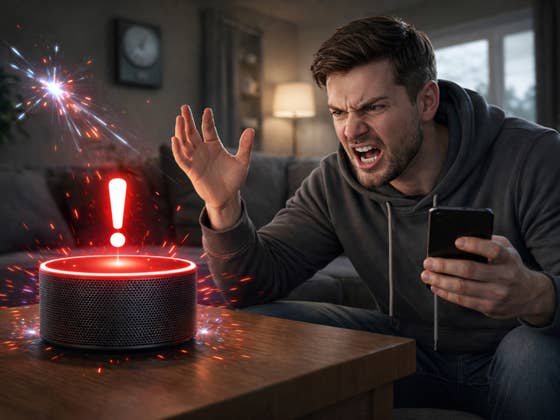
In theory, everything should now be better for Amazon users. But the reality is far from that: users report irritating responses, worse speech recognition, and a feeling that Amazon is taking control of their own devices away from them.
Why is Amazon forcing this service on users?
Many Echo speaker owners were astonished when their device suddenly had an extended version of the Alexa software installed – without any notification or opt-out option. Instead of improving the voice assistant, Alexa+ seems to have the opposite effect on many users: Responses become slower, routines no longer run reliably, and personalized settings simply disappear. The problem is that there is hardly any way to revert to an earlier version or circumvent the automatic update.
And it gets worse: many users are annoyed at how invasive Amazon is here. While traditional software updates usually explain what is changing and how to reject them, Alexa+ relies on silent updates – i.e., updates that run in the background, without prompting. Many people are now wondering whether Amazon is going too far here and blurring the lines between improving the user experience and paternalism.
But what is really behind this forced installation? Amazon emphasizes that the new version of Alexa should work “smarter” and more efficiently in the long term. However, so far, there is a lack of information about the benefits users can expect and whether they can actually address the numerous complaints.
What exactly does Alexa+ do – and why do people hate it?
Many users hoped that the upgrade would finally provide answers to typical Alexa problems: misunderstood voice commands, inconsistent smart home control, and slow responses. But the opposite seems to be the case. Instead of becoming measurably smarter, Alexa+ is apparently struggling with poorer recognition and unexpected behavior in many places.
Routines that previously worked reliably suddenly grind to a halt or get confused. And as no downgrade option is offered, many users are now stuck with this new, worse option.
Another point of criticism concerns transparency: Amazon doesn’t explain in detail what changes Alexa+ brings. For many of those affected, it seems as if functions have simply been redesigned or removed, without it being clear whether this has contributed to improvement or deterioration. The lack of communication adds to the frustration.
What can affected users do now?
The options are currently limited. If you want to deactivate the automatic update, there is no direct button for this in the settings of your Echo device. Some tech communities recommend workarounds such as skills restrictions or manual management of software versions, but these methods are often complicated. Experts recommend creating regular backups of your smart home configuration to quickly restore functionality, at least in the event of malfunctions.