


20
3 Min.
It’s not that uncommon to hear about a phone exploding or bursting into flames. In one instance, Galaxy S4 caught fire and burned down an entire apartment, and in another, a girl’s phone battery exploded while she was sleeping. So we thought we’d share some reasons why this could happen, along with some tips to prevent your smartphone battery from exploding.
Best ways to save battery on your Android
Smartphone battery killers: the worst apps for your battery

20
6 Min.
Custom ROMs are no longer a niche only for those with the expertise to install them. Rooting your phone and equipping it with a custom ROM is getting easier and less risky. However, many newcomers still baulk at the jargon that developers use when explaining various processes. So we’ve put together a glossary of terms to help make those first tentative steps a little easier.
Best root apps for Android
Best custom ROMs for Android Marshmallow
8
2 Min.
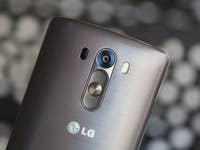
There’s more than one way to take a screenshot with the LG G3, one of 2014’s top smartphones. You can do it using either the phone’s hardware or its software, and we’ll explain both processes below. Read on to find out two ways to take a screenshot with the LG G3.
LG G3 review
LG G3 Android update news

12
3 Min.
All this time you thought you were just unlucky when you dropped your phone and it always seemed to land face down, cracking the screen and costing a small fortune to repair. But it’s not you, it’s science. A new study has revealed the real reason why phones always land on their screens. Luckily it’s also discovered the best way to stop a phone screen breaking in a fall.
Motorola Droid Turbo 2 review
How to use your broken smartphone from a PC
9
3 Min.
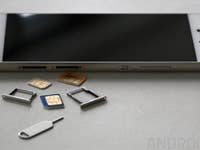
Carrier unlocking your phone is a lot easier than it used to be, but it still takes a little time because each cellular network has a different carrier unlock process. But the good news is, once you complete the process to SIM unlock your phone, you can easily switch between any cellular provider. Here’s how to do it.
Project Fi: everything you need to know
How to improve Wi-Fi connectivity on your phone

17
3 Min.
One game is discussed more than any other at the AndroidPIT office, and that’s Clash of Clans. Everyone wants to improve their skills and get more gems in Supercell’s classic strategy game. So to give you the edge against the competition, we’re delivering you the best Clash of Clans cheats and tips we can find.
Best Android games
New Android games of the month

2
2 Min.
The Facebook app has some issues that you might be aware of. Sure, it has been “optimized”, but can still act like a bloated, sluggish and data hungry thing. But not using the Facebook app to save battery and data means no Facebook notifications, right? Wrong. I’ll show you three easy ways to still get Facebook notifications without the Facebook app.
Facebook alternative apps
How to log out of Facebook Messenger

14
3 Min.
There are many reasons why people love Nexus devices, but chief among them is how perfect for customization and modding they are. If you want to delve into these features, get faster updates or flash a different version of Android, the first thing you need to do is unlock the bootloader. Here is the easiest way to unlock the Nexus 6 bootloader.
Nexus 6 tips and tricks
How to make your Nexus 6 screen bigger

20
3 Min.
Android 6.0 Marshmallow has landed, but if you’re not thrilled about the update, you don’t have to put up with it. Let us explain how to downgrade your Nexus device to a previous Android version. This walk-through applies to whatever version of Android your Nexus is running.
Nexus 5 tips and tricks
How to install Android 6.0 Marshmallow on a Nexus
9
4 Min.
Nexus devices are the perfect playground for modders, tweakers and custom ROM fanatics, and none more so than the legendary Nexus 5. Before you do any of that you’ll first need to unlock the Nexus 5 bootloader, and we’re here to show you how to do just that. The steps are the same, whether you’re on Android Lollipop or Marshmallow.
Nexus 5 tips
How to root Nexus 5 on Android Lollipop