

3
12 Min.
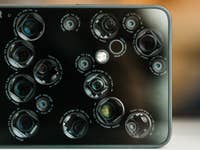
While smartphone manufacturers are eagerly ramping up the number of megapixels in their cameras, entering three-digit megapixel figures while touting fantasy level zoom on their devices, a far more important camera feature remains pretty much an unknown quantity to many: the sensor size. Why this is so crucial for image quality? Find out more below.
10
2 Min.
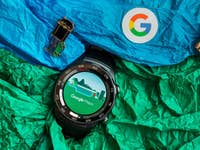
It’s easy to get turn-by-turn directions on your Wear OS smartwatch. Plus, with Wear OS, you can do it without being connected to your smartphone if your smartwatch has GPS built-in. Here’s how to use Google Maps on your Wear OS smartwatch, by voice command and manually.

2
14 Min.
Fitness trackers, pedometer apps, heart rate monitors, etc. have lead to the ‘quantified self’. Our physical health is measured by means of number of steps taken, resting pulse, or VO2max values. But what do these values actually mean and how relevant are they for health? Here’s an overview.
0
8 Min.
F2.0, F1.7 or even F1.4: In recent years, the f-stop or aperture ratio on smartphones has become a popular marketing tool. But what does the aperture on smartphone cameras actually mean? And how does the f-stop affect the image quality?

0
10 Min.
Apart from the 10,000 steps challenge that many of us try to achieve on a daily basis, keeping track of the number of calories burned each day happens to be THE measure that fitness trackers and smartwatches rely on. While having data at your fingertips is great, the more pressing question would be: what do I actually do with it? In addition, is it possible to rely on the calculated calorie burn, and is there a way to improve the degree of accuracy?

1
5 Min.
Are you preparing for your next holiday abroad? How do you deal with foreign languages? When overseas, you may come across road signs and restaurant menus offered only in a foreign language. Fear not, you can quickly translate them with your smartphone’s camera? Here’s how to do these instant translations even when offline.

20
8 Min.
The Google Play Store is a big benefit of owning an Android device. It gives you a wide variety of apps to choose from. To get the most out of your shopping experience, we’ve gathered some Google Play Store tips and tricks to help you test drive apps, save money and more. Check them out below!

17
10 Min.
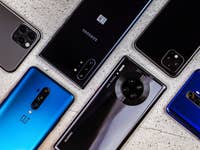
There’s more than one smartphone available out there today! These devices are no longer just for making calls or receiving SMS messages; you can run most aspects of your day-to-day life through your smartphone. As a result, it can be very difficult to know which smartphone is the one for you. Here are 10 things to consider when you’re in the market for a new smartphone.

20
8 Min.
Not all smartphones have the speaker quality or volume levels to make your stereo envious. These two issues—along with poor speaker placement—can get in the way of you enjoying the sound. Here are a few tips to help you improve sound quality and increase volume on Android. You can try a speaker booster or volume booster app, but plenty can be improved with a little audio know-how.

0
4 Min.
The TalkBack function in Android smartphones is meant to assist vision-impaired users to navigate their smartphones in an easier and more accessible manner. However, this faithful companion can do far more. Since April 13, you are able to access the TalkBack Braille keyboard and we will show you how this is done step-by-step below.