Contents
Pros of the Withings BeamO
- Compact and easy to use
- Supports up to 8 users
- Effortless data sharing with your doctor
- ECG reviews included with subscription
- CE marked in Europe
Cons of the Withings BeamO
- Feels a bit removed from most people’s day-to-day reality
- FDA clearance still pending
BeamO: Design & Hardware
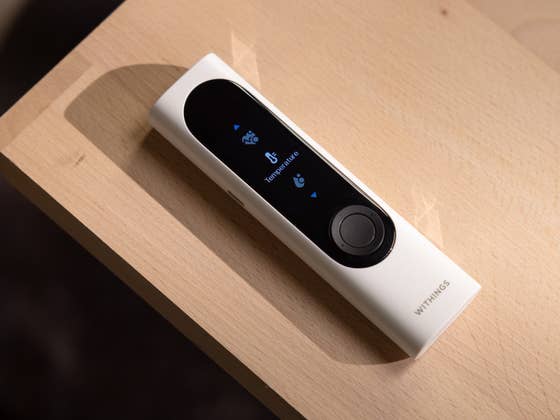
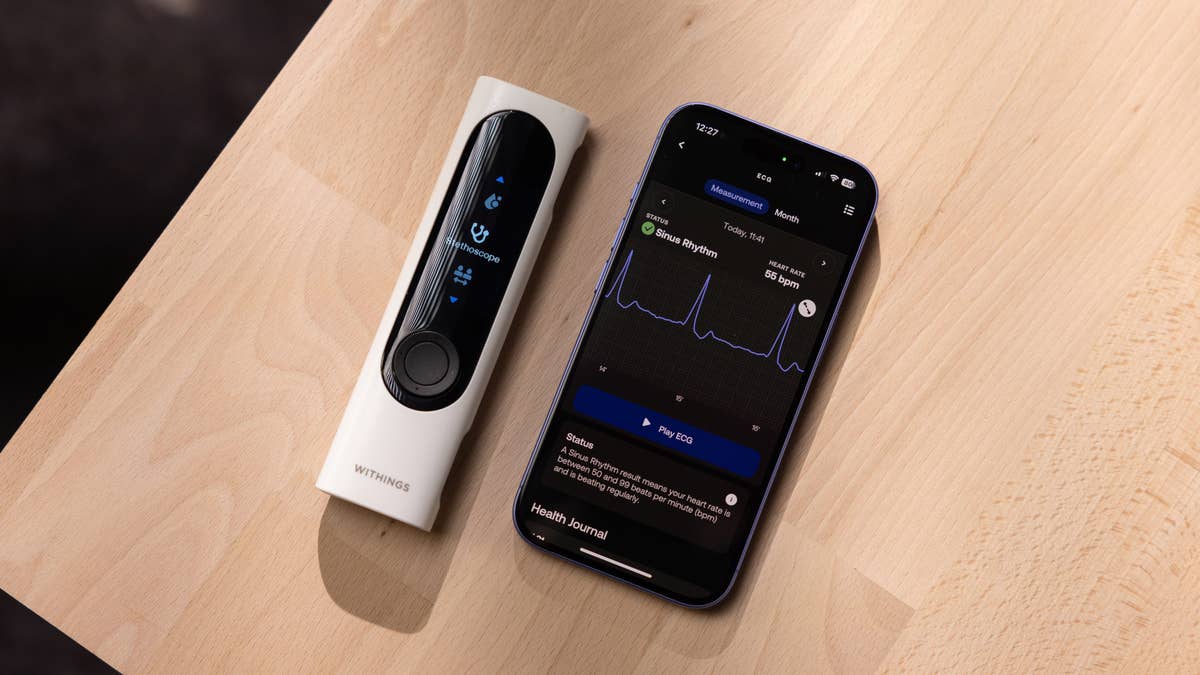
The BeamO is all about functional design, but it also has a smart, high-quality feel. For starters, the device can be used completely on its own thanks to its color display, physical navigation buttons, and cleverly positioned sensors—all fitting into a 3.7 × 1.9 × 13.6 cm body that’s about the size of a TV remote.
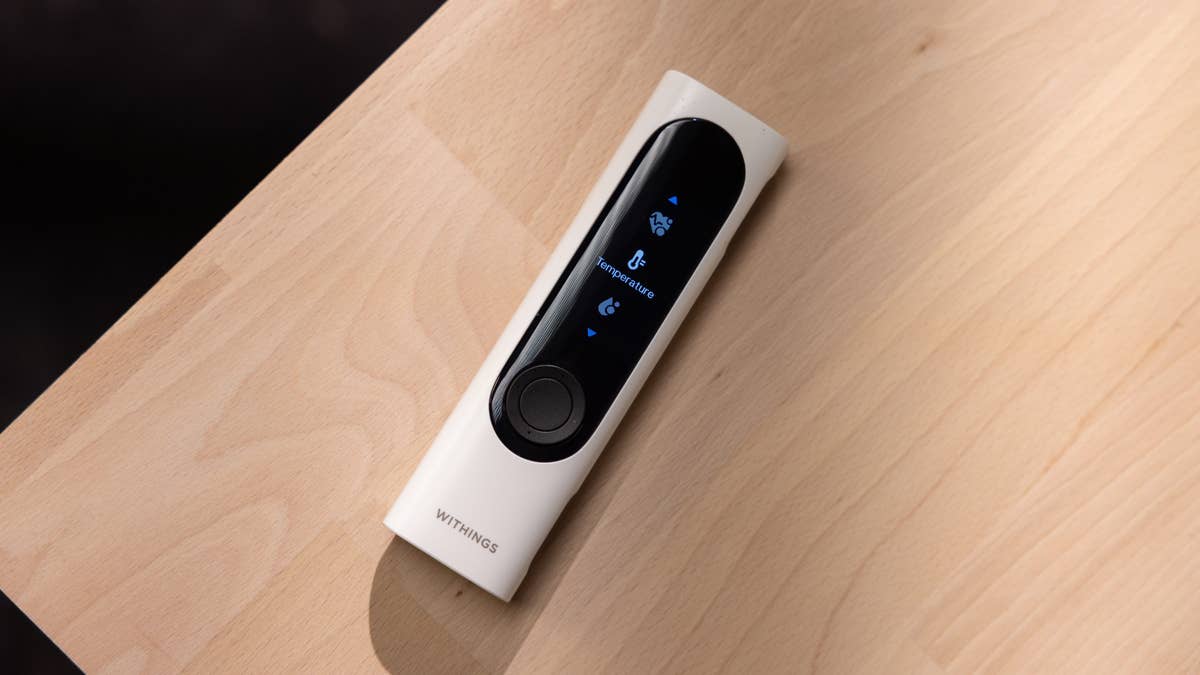
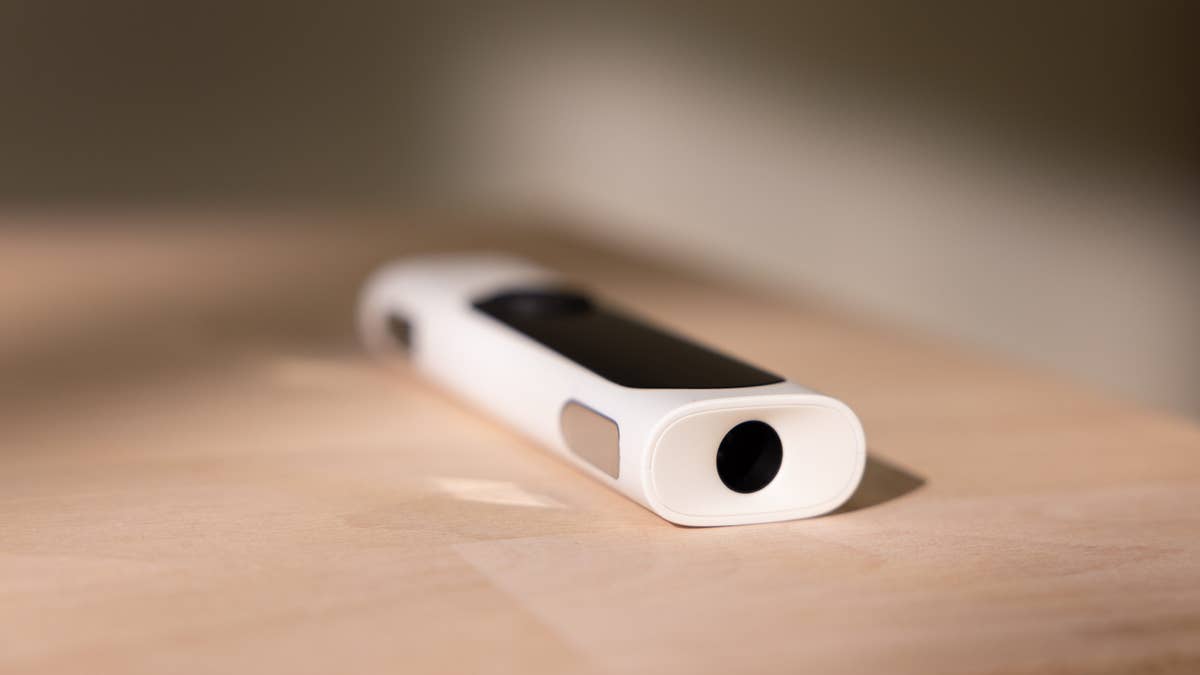
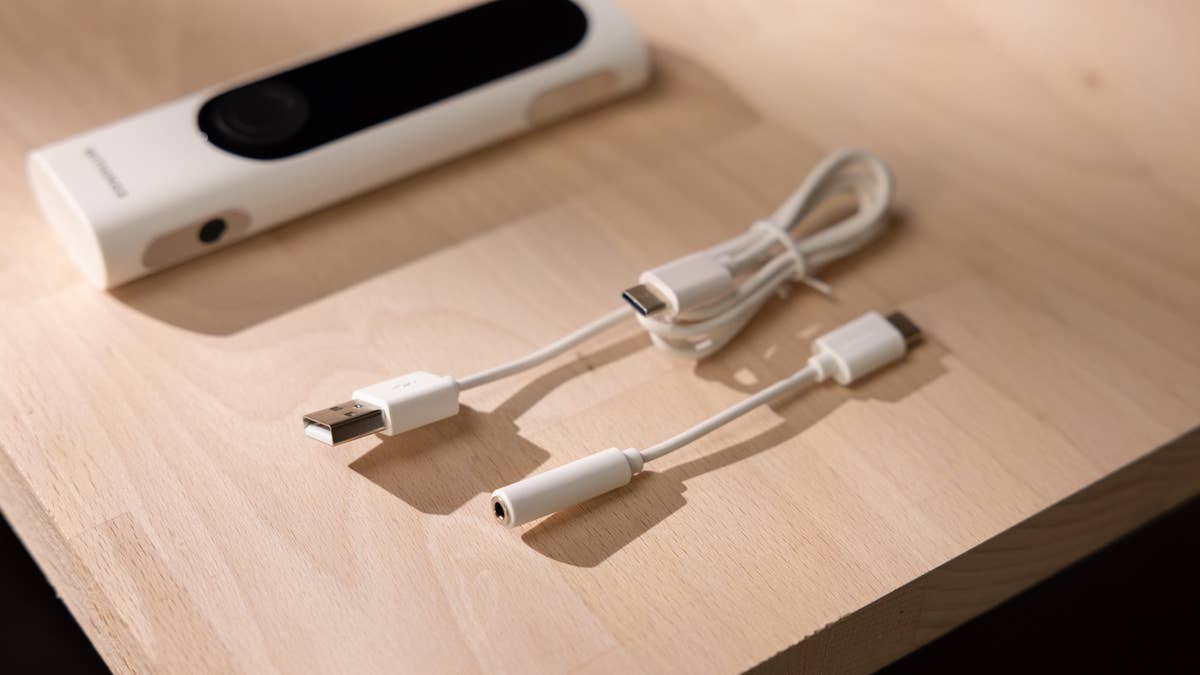
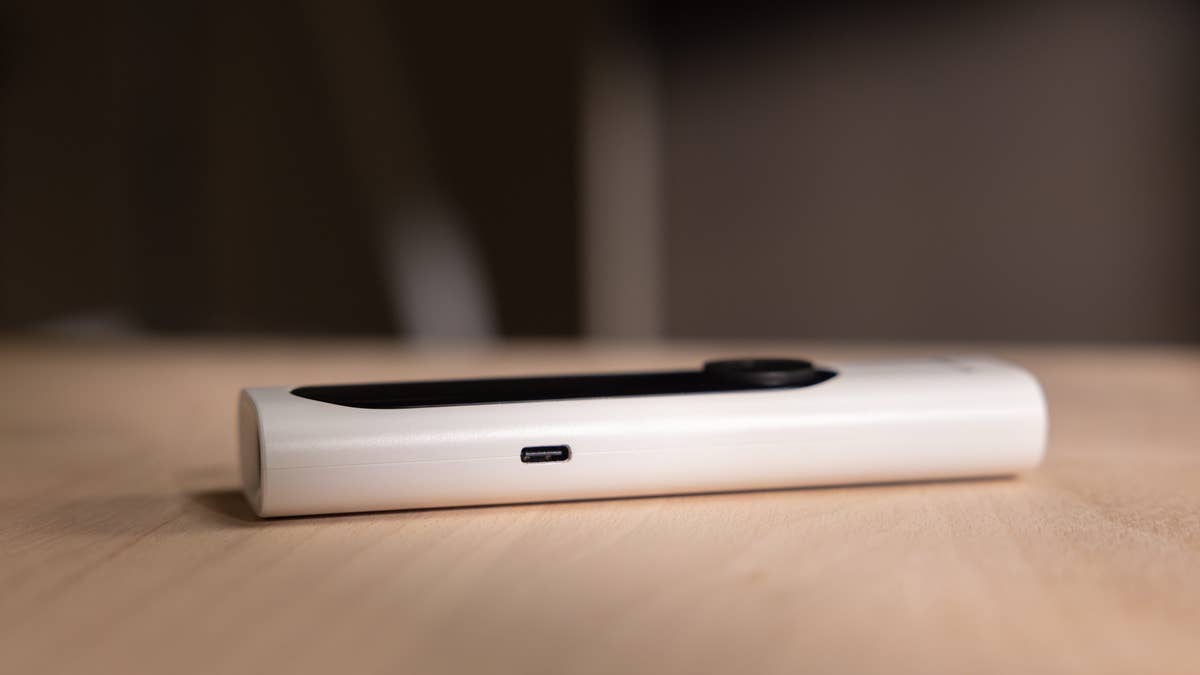
The digital stethoscope is on the bottom, the contactless thermometer sits at the top, and the single-lead ECG sensors are on the right side—using them almost feels like holding a gamer’s joystick. Right next to the ECG sensor, also on the right, is the oximeter. Finally, on the left side, there’s a USB-C port for charging and for plugging in headphones, which lets you listen to heartbeats and lung sounds.
It seems like the designers really enjoyed working out all these details, and in day-to-day use, their choices just make sense. Best of all, BeamO fits pretty much anywhere—from a nightstand drawer, to a first aid kit, a backpack, or a purse.
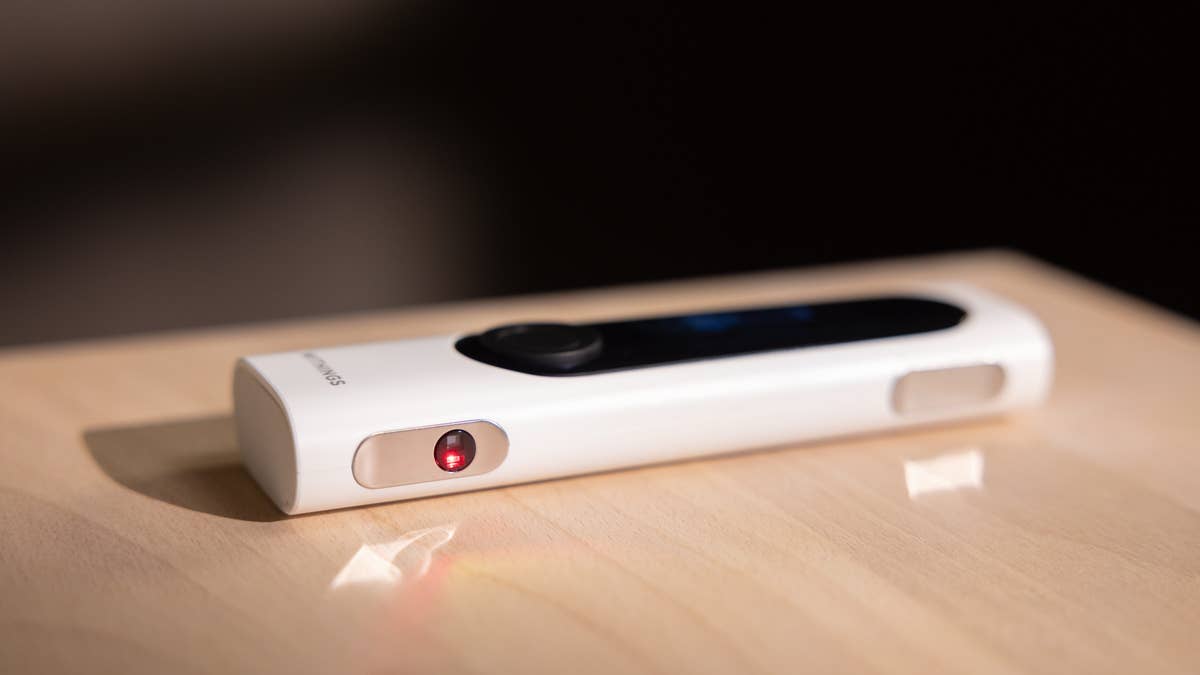
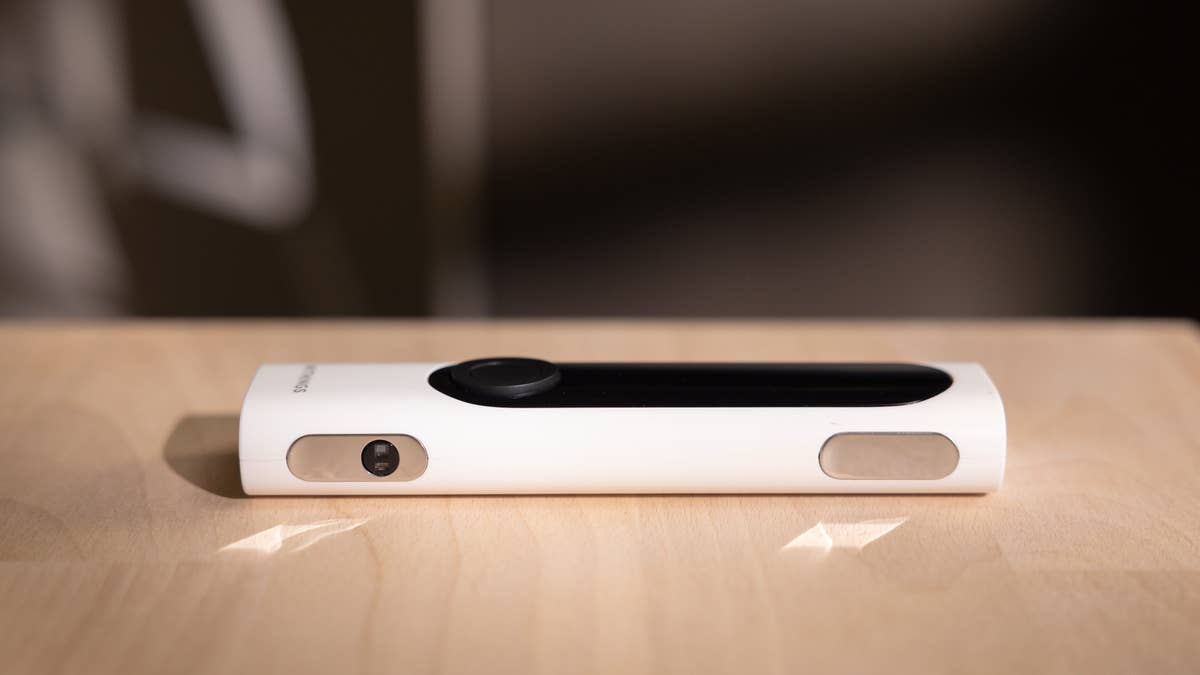
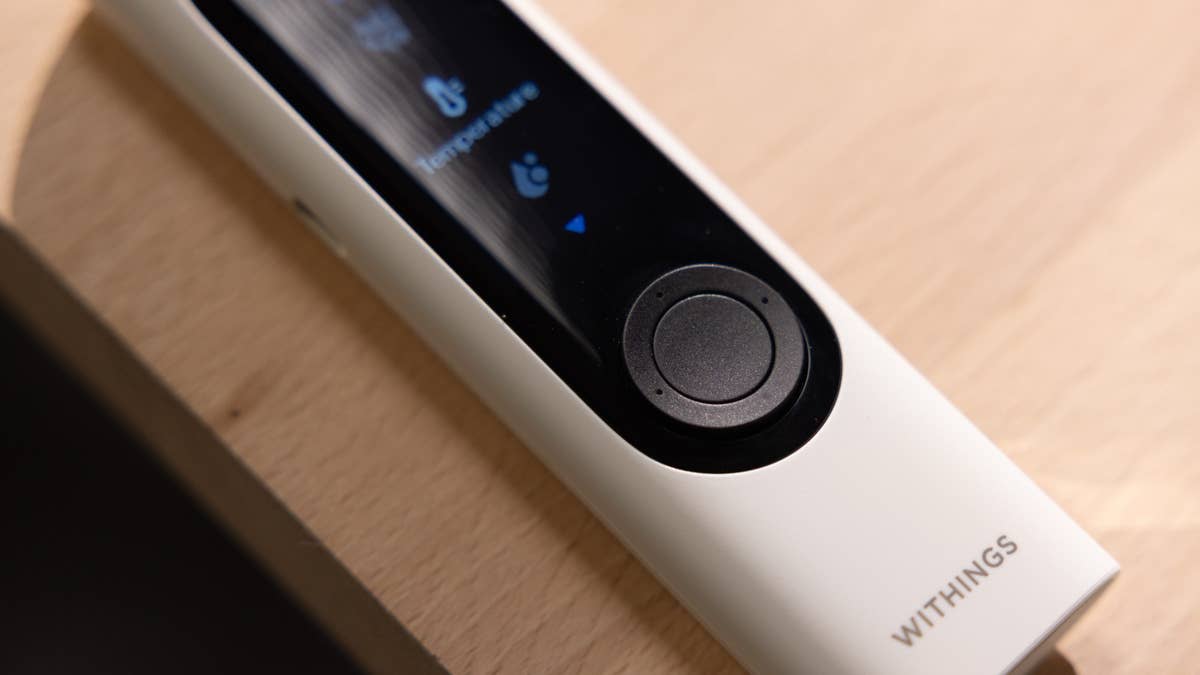
It has a clear, easy-to-read LCD screen, and the case is mostly plastic, weighing just 80 grams—it’s genuinely light in the hand. On top of that, it’s shock resistant (though I haven’t drop-tested it myself yet). One more build quality note: the ECG sensors use stainless-steel electrodes.
Despite all these smart design choices and the lightweight build, I do think there’s still room for improvement. When you consider that a smartwatch can already do most of these measurements—except for the stethoscope function—it’s easy to imagine future versions getting even smaller and lighter. Of course, those upgrades come at a price; this device already costs €249 (around $280), and we all know that shrinking tech usually means a higher price tag.
Battery life is rated at eight months by Withings, and it takes about 60 minutes to fully charge. The best part is the USB-C port, so you can use your regular phone charging cable. It’s genuinely convenient.
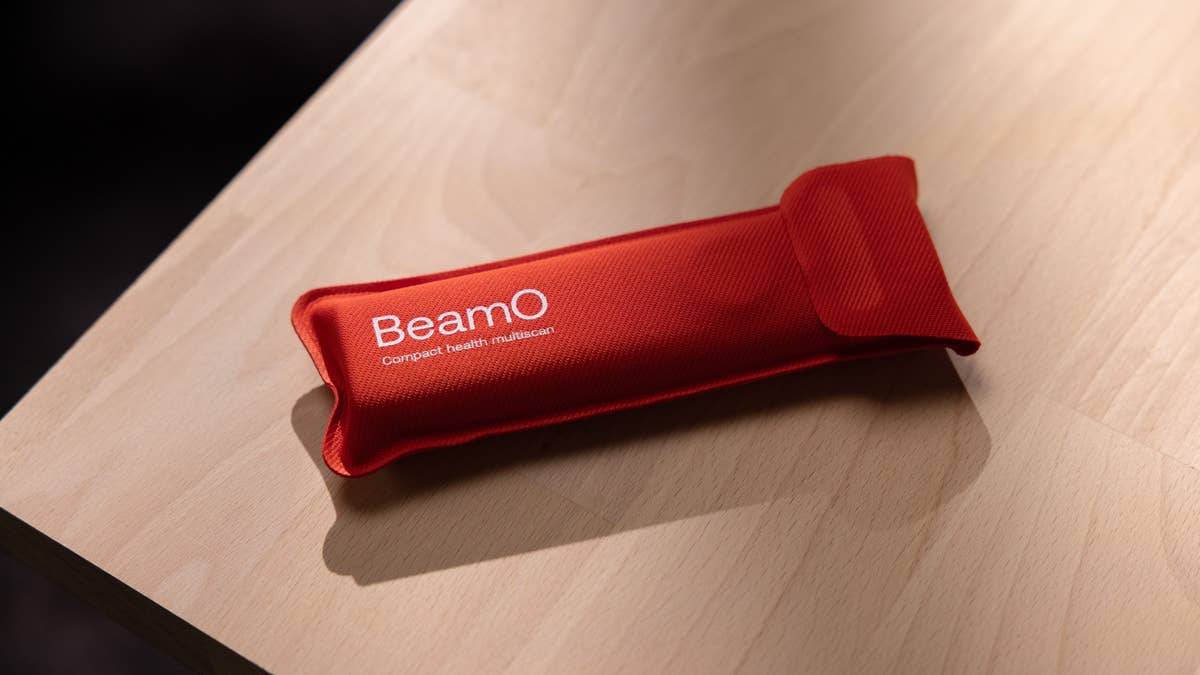
This isn’t just a thermometer you unbox and start using right away—it’s a multifunctional health device that generates and collects data, and that data needs to be stored somewhere. So, before you can use it, you’ll need to go through a setup process.
Is set up genuinely easy? If you’re already in the Withings ecosystem, it’s pretty straightforward. Just add the device in the Withings app, connect it to Wi-Fi, and (if prompted) update the firmware. Withings walks you through each step with tutorials and real-time prompts.
If you’re new to Withings, you’ll need to start by downloading the app from the Apple App Store or Google Play Store and creating an account. Only then can you add the device, connect it to your Wi-Fi network, and follow the on-screen instructions.
For anyone used to setting up smartphones or wearables, this process shouldn’t pose much of a challenge. It does take a bit of time to create an account and make sure the device is connected to your phone and the internet, but it’s nothing out of the ordinary. However, if you’re not particularly tech-savvy, you might find the in-app guidance a little tricky to follow.
BeamO is designed for household use—for the whole family. To keep everyone’s health data separate, each person needs their own account. Withings makes this easier by letting you send a quick shareable device link, which is also a plus for privacy. For kids, you can set up an account under the main user.
There’s also a guest mode, which is handy since BeamO supports up to eight users.
Switching between users is actually very smooth: you can quickly select the user on the device screen before each measurement. However, as mentioned, each user does need to download the app using the shared link and connect the device to the app and the internet before they can start using it.
Overall, the setup worked well for me and my invited users—with one exception.
So, yes, there’s a learning curve before you start using BeamO. You do need to make sure everything is set up properly to get the most out of what this tech can offer.
How Does BeamO Actually Work?
Once you’ve set up the device, using the BeamO is straightforward. As the name suggests, “Beam” hints at scanning or sending information, which fits—this device literally beams your health data to your phone or doctor. All you do is collect the information with the device, and it syncs with your phone afterward.
Everything starts on the device itself, which then syncs to the app.
Using the navigation and select buttons, you scroll through user profiles (including a guest mode if needed). After picking your profile, you select which measurement you want to take and follow the on-screen instructions. Each function takes a different amount of time, and results are displayed right on the device.
You’ll also get haptic feedback when a measurement is finished—handy for things like temperature checks where there’s no direct contact with the device. This feedback is also there for ECG and blood oxygen readings, making the experience user-friendly.
Some features, like listening to heart or lung sounds, are less familiar for non-health professionals and require a bit more patience and attention. But overall, the process is pretty straightforward.
Measuring Temperature with BeamO
The contactless thermometer is quick and hassle-free. Its design gives you stable readings, even if you’re not always the same distance away, which makes it super convenient. All you have to do is point it at your forehead and move it from the center to the side.
Checking Your Blood Oxygen Level
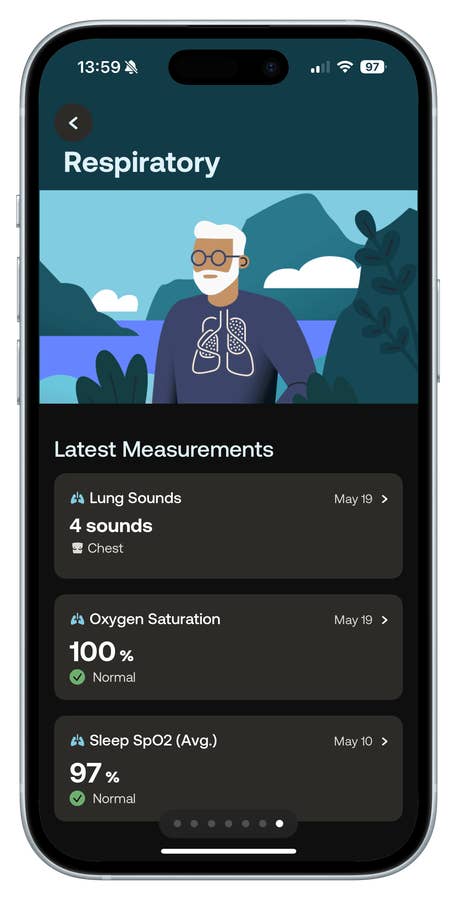
BeamO’s oximeter measures your blood oxygen (SpO₂) by shining a red light onto your finger. You just follow the prompts and make sure to keep your finger pressure within the target range—honestly, it’s easy to get it right.
Electrocardiogram (ECG) Reading
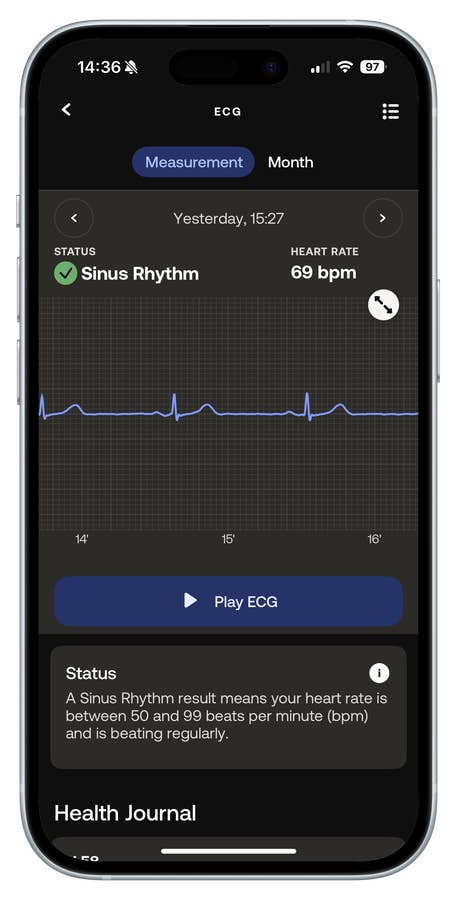
This is where things might feel a bit more clinical, but it’s not complicated. The single-lead ECG detects signs of atrial fibrillation (Afib)—a feature that’s now standard on many wearables. While BeamO’s ECG function is still awaiting FDA clearance in the US, it has already received CE marking in Europe, which means it meets all EU health, safety, and environmental standards.
- Also read: Body Scan Smart Scale review
The ECG measurement works similarly to SpO₂—you press your fingers on the sensors and stay within the target area until the reading is done. Important tip: don’t talk during the measurement, or you’ll get inaccurate results (I learned this the hard way!). Overall, the process for adults is simple.
Recording Lung and Heart Sounds
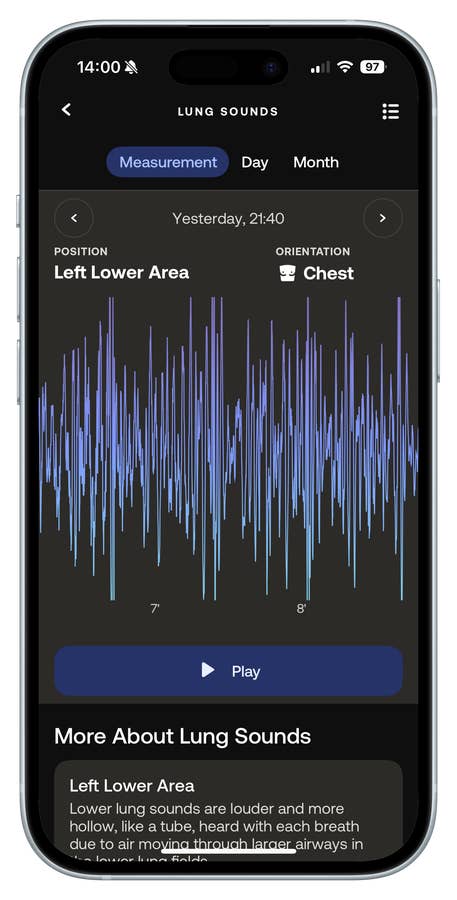
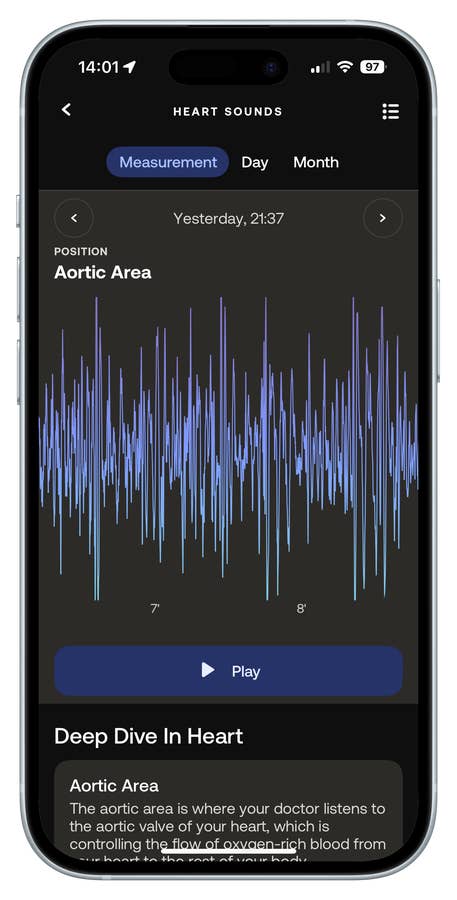
The digital stethoscope feature will feel unfamiliar to most people—after all, we rarely check these metrics outside a doctor’s office. The measurement is straightforward for adults, though it takes a bit of time (about a minute each for heart and lungs), and you need to position the device correctly on your rib cage.
For kids, especially if they’re nervous, it might take some practice. A thoughtful touch: you can connect headphones to the device and listen to heartbeats or lung sounds as you record them.
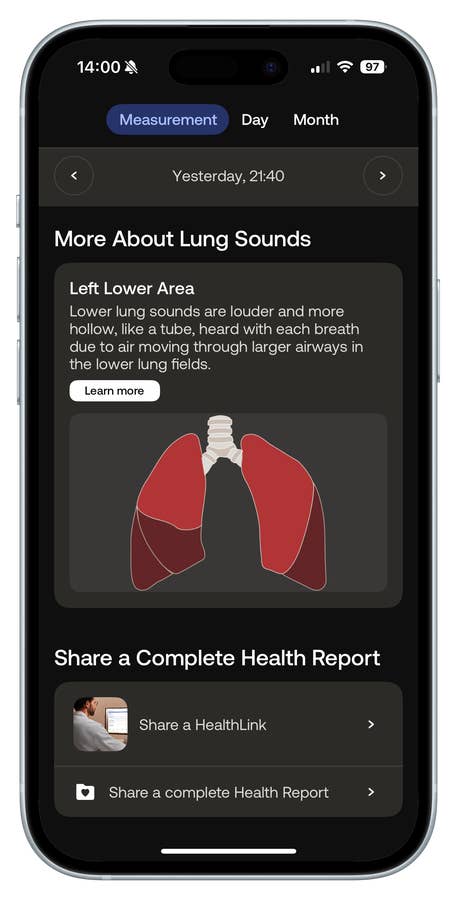
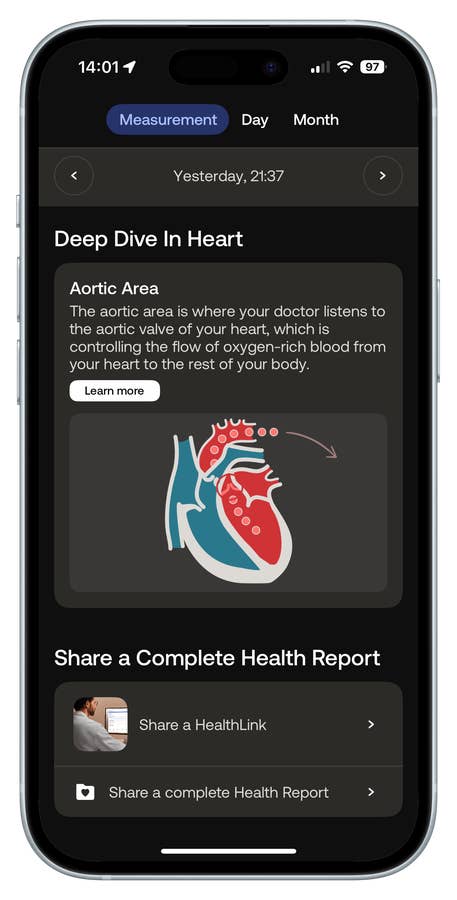
Realistically, most people won’t understand what they’re hearing—but being able to “hear” your heart is actually pretty poetic. More importantly, BeamO records and beams these sounds directly to the app, so you can share them in real time with your healthcare provider. That’s where this feature really shines.
Overall, even though the BeamO offers a wide range of features, it’s friendly and practical to use. For most people—excluding health professionals and those with medical training—some of the measurements might feel a bit overwhelming at first. Even so, Withings provides accessible educational material, and I believe parents, fitness enthusiasts, and anyone relying on telehealth can get a lot out of this device with just a little attention to detail.
App Integration, Membership & Telemedicine
I’ll be honest—the BeamO might not fit into everyone’s daily routine, but it’s still a practical and genuinely useful device
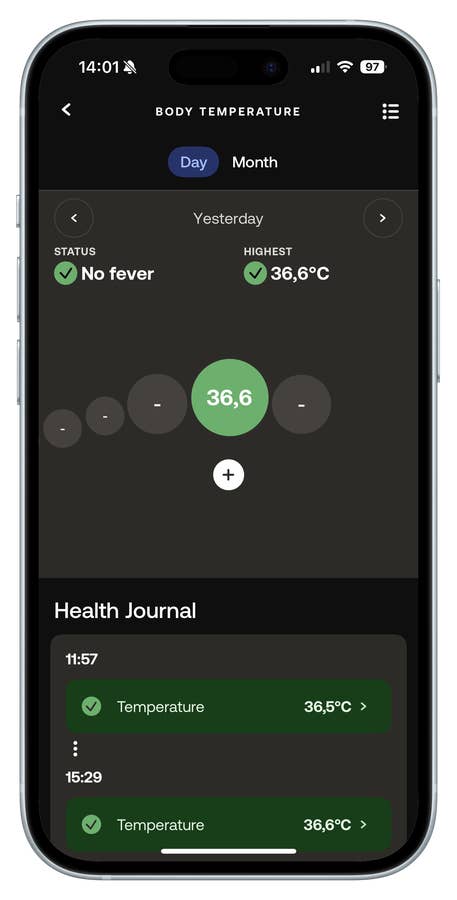
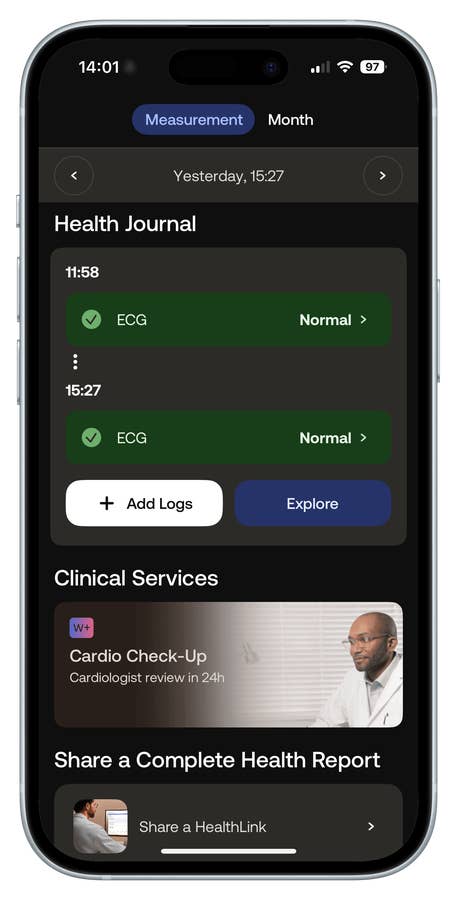
Like other Withings products, it syncs seamlessly with the Withings app (Android and iPhone). You can easily log symptoms, track medications, and monitor health trends over time—all in one place. It’s especially handy for keeping track of sick days during flu season or seeing how long it takes to recover from different illnesses. Over time, all this data gives you a much clearer picture of how your household is handling common health issues.
The app also lets you log symptoms like fever, headache, or stomach pain right from the device, making it much easier to keep track of issues as they happen.
Membership: Withings+
Withings also offers a paid subscription called Withings+. For US$ 9.95 per month or US$ 99.50 per year, you unlock additional features—most notably the Cardio Checkup service.
This gives you access to a cardiologist’s review of your ECG data within 24 hours, which is a huge step-up compared to the long wait times you often face with traditional healthcare. If you or a family member have a known heart issue, this could be especially valuable.
Telemedicine & Data Sharing
BeamO is more than just a health checkup tool—the real reason I wanted to test it is that, with the ongoing strains on the healthcare system (something we saw clearly during the COVID-19 pandemic), we need smarter ways to manage our health at home.
What stands out is how easily you can share your health data. You can upload measurements directly to telehealth apps like Doctolib or TeleClinic (Zocdoc or Teladoc Health in the US), so a doctor can review your results before your virtual visit. Or, you can send data straight to your family doctor using Withings’ HealthLink feature, or export a full health report—a PDF summary—right from the app.
All these sharing options are built in, making it much easier to get the right information to your healthcare provider.

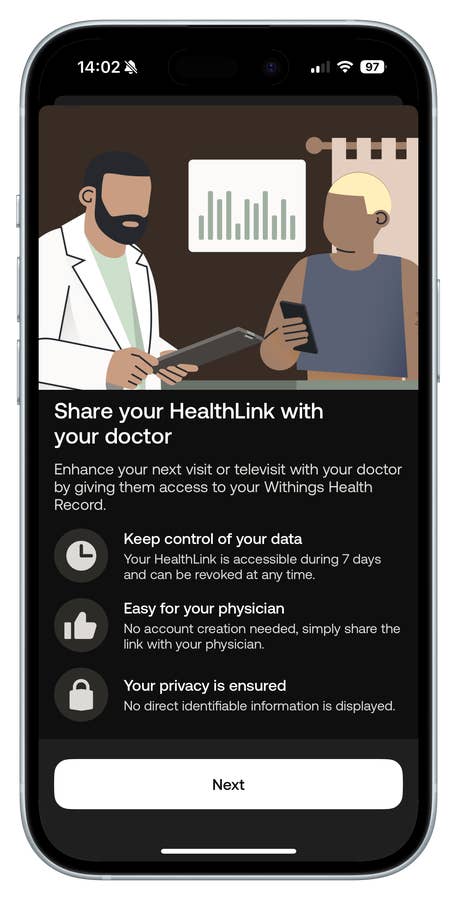
That said, while companies like Withings are pushing for greater integration between wearables and clinical care, most doctors haven’t fully embraced these tools yet. So, it’s definitely worth having a conversation with your family doctor before investing in a device like this for telehealth purposes—especially if that’s your main reason for getting the BeamO.
When it comes to privacy and data sharing, Withings checks all the right boxes. The company is fully GDPR-compliant in the EU and follows US healthcare privacy regulations. Your health data is stored on region-specific cloud servers, and Withings has a dedicated cybersecurity team in place to help keep everything locked down and secure.
Should You Buy the Withings BeamO?
While testing the BeamO, I didn’t personally have any fever, cough, or flu symptoms that would make it essential to use. But I did lend it to a friend’s mother who was visiting from Brazil. She has a history of heart issues, and after some anxiety triggered her symptoms, she decided to try BeamO for a week—alongside her usual medication and doctor’s monitoring. She relied on the ECG feature daily, and being able to track her heart data helped her feel more in control and, according to her, completely eliminated her anxiety-induced tachycardia during her stay.
She told me that monitoring her ECG every day gave her peace of mind and helped her manage her anxiety—she didn’t have another episode until she returned to Brazil.
That experience really highlighted what BeamO is for: people who are proactive about health maintenance, parents who want to keep an eye on their kids after a diagnosis, caregivers, and especially those relying on telemedicine. Most of all, it’s for anyone who wants to build a real database of their health metrics—tracking temperature, logging symptoms, monitoring recovery from illness, and collecting cardiovascular data like pulse, ECG, and oxygen levels.
Withings’ mission is clear: make it easy to keep tabs on your health, wherever you are. But just to be clear: BeamO is not intended for making medical diagnoses.
For example, while it’s cool to listen to my own lungs with BeamO, that feature isn’t very useful without a doctor to interpret the sounds. This is where your healthcare provider becomes essential.
When it comes to reliability, you can trust the thermometer readings here—probably more than with your average drugstore model. BeamO has gone through rigorous testing, is regulated in the EU, and Withings has a strong track record of medical-grade devices developed with top health institutes.
Ultimately, the value you’ll get from BeamO depends on how much you’ll actually use all those extra health metrics—and whether you see yourself sharing them with your healthcare provider for remote checkups. If you’re only going to reach for it when you have a fever, honestly, a $5 thermometer will probably serve you just as well.
For those interested, BeamO launched in Europe in April at €249.95, with US availability expected soon, pending FDA clearance. It’s already CE marked, meaning it meets all EU health, safety, and environmental standards for sale across Europe.