


0
2 Min.
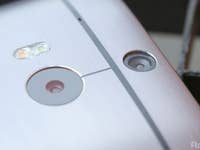
Yesterday we took an in-depth look at the camera and its features on the HTC One (M8), and today we were able to demonstrate the many features on the UltraPixel duo camera in our hands-on video, such as 3D effects, UFocus, filters and more.
0
4 Min.
One of the highlights of the HTC One M8 is the duo camera. We’ve written a lot about the two camera lenses found on the back side as well as its functions, but whether it can prove itself to be more than just a marketing stunt is the question that interests us here. Today we tested to see how well the post-processing works, what other things the HTC One camera can do, what is only a gimmick and what we think is actually of some use.
3
2 Min.
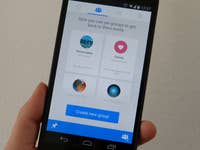
Don’t think that after widening its domain with WhatsApp that Facebook would forget about improving its other apps. In fact, the company is working continually to improve their own apps, like the Facebook app for Android that just received a new user interface. In the latest Facebook Messenger update, you are now able to create pinned Messenger chats from indiduals and groups and add shortcuts to these on the home screen of your Android device.
16
2 Min.
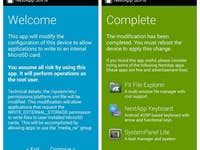
You may have heard that ability to write to the SD card. You may have even been suffering from this problem without even knowing it wasn’t related to your device. Basically, Google is limiting app access on the SD card to their own little sandboxed folder, meaning that one app can no longer write to another app’s folder.

3
2 Min.
Have you ever pressed send too quickly, inserted the wrong contact or made a funny and even embarrassing auto-correct mistake in an SMS? Well, you can easily unsend this SMS to avoid any awkward situations. Here is how.

8
6 Min.
Have you ever wanted to create animations and cartoons but aren’t willing to spend a lot of money or invest a lot of time in the art? Well, you can try your hand at creating animations right on your Android tablet. One app that could help you on your way in becoming the next Walt Disney is Animation Desk Sketch & Draw, an app designed solely for tablets. In our app review, we will see if it really does the trick.

3
4 Min.
With the NSA and other news of spying circling the internet, it’s making more of us give security and the protection of our personal data a second and deeper thought. It’s with this matter in the forefront that Silent Circle came up with an innovative and clever plan to counter this rising concern: the Blackphone, one of the most interesting smartphones presented at the MWC this year. We were able to do a short hands-on review and shoot a short video of the high-security smartphone.
1
3 Min.
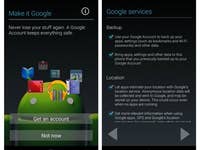
If you’re lucky enough to own more than one Android device you’ve probably already confronted this dilemma: how to manage multiple devices on a Google account. Basically you have a couple of options, you can either use the same account on both devices, meaning that your Google content will be mirrored on both devices, or you can create an alternative account for the secondary device and manage your connections manually. Here’s how to do both.

1
2 Min.
If you like to jump on the latest firmware bandwagon as soon as the file is available or like trying out different custom ROMs, you’re most likely pretty comfortable with flashing your device. One of the downsides is that in order to get to this point, you need to have Samsung smartphone, a PC, and the Odin recovery software. Thankfully, a new mobile version of Odin has been released that helps users skip the whole PC part of the process and enabling users to do everything from their Samsung smartphone.

1
4 Min.
After the official launch of the LG G2. At LG’s press conference in Barcelona, we had the chance to check out the G2 Mini and its new features for a first test.