Sorry, but there's really nothing to see here right now. Our server is in maintenance mode – and our
little bot is trying to sort the error messages with its last bit of energy.
Whether it was a data leak, a power outage in the cluster, or just a grumpy bit – we don't know yet.
But what we do know is:
The data drama escalated into a server meltdown. But don't worry: We're on it.
What now?
Everything is surely running smoothly over at our colleagues from inside
digital – why not stop by!
Or you could pass the time by visiting our social media channels – for example Instagram, YouTube or TikTok. At least there are no
server problems there – promised.
Thanks for your patience. Our bot is already rebooting at full speed. 🔧
ReviewsGalaxy Watch Ultra: Samsung’s New Smartwatch Is on Another Level
Samsung raised the bar with the Galaxy Watch Ultra, surpassing the Pro model with a bold leap forward in the wearable space. Packed with sophisticated features, this watch aims to redefine what a smartwatch can do. However, with a premium price tag, it’s not without its quirks. On paper, the Galaxy Watch Ultra seems like the ultimate smartwatch, but in everyday use, one issue still holds it back from perfection. Let’s break down the Galaxy Watch Ultra and see if it lives up to the hype.
The Galaxy Watch Ultra kicks off at $650, and is available directly from Samsung. They’ve got financing options starting at $27.09 per month, plus trade-in deals that can help shave down the price. You can purchase one directly from Samsung’s site with quick shipping, or grab it through Amazon and other retailers.
If your day-to-day needs don’t involve tackling triathlons, Samsung has other models that deliver similar features without the hardcore endurance modes. If you’re after the highest standard of fitness tracking and performance, the Galaxy Watch Ultra is still the one to beat.
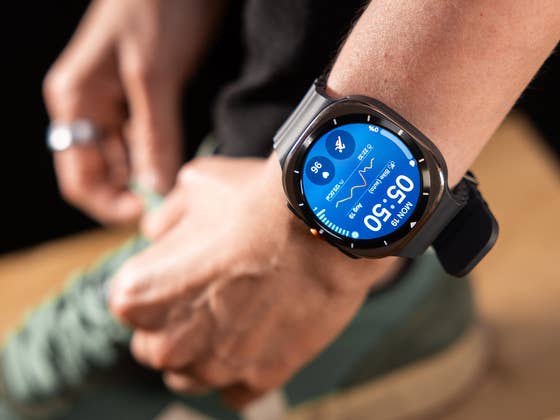
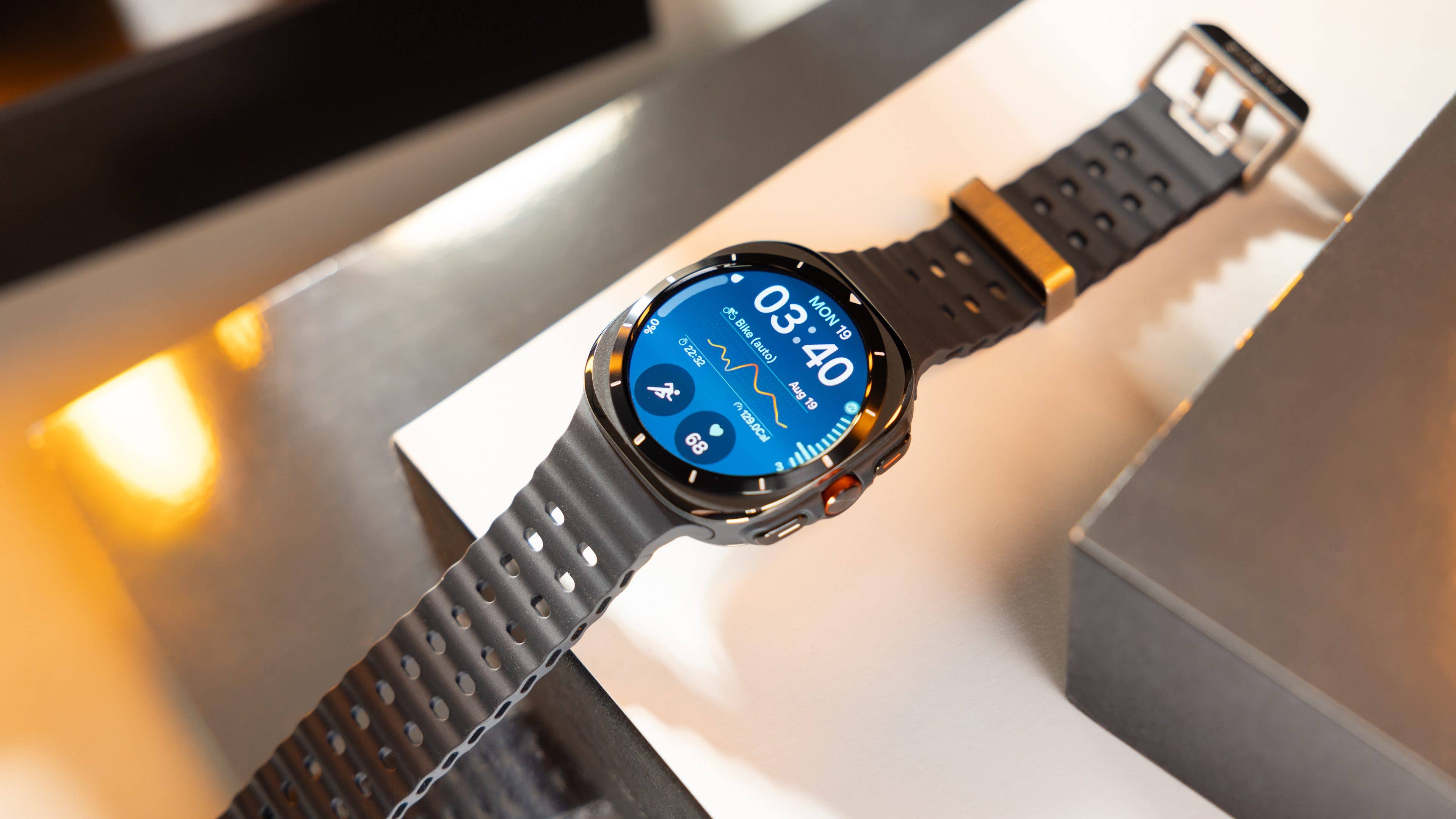
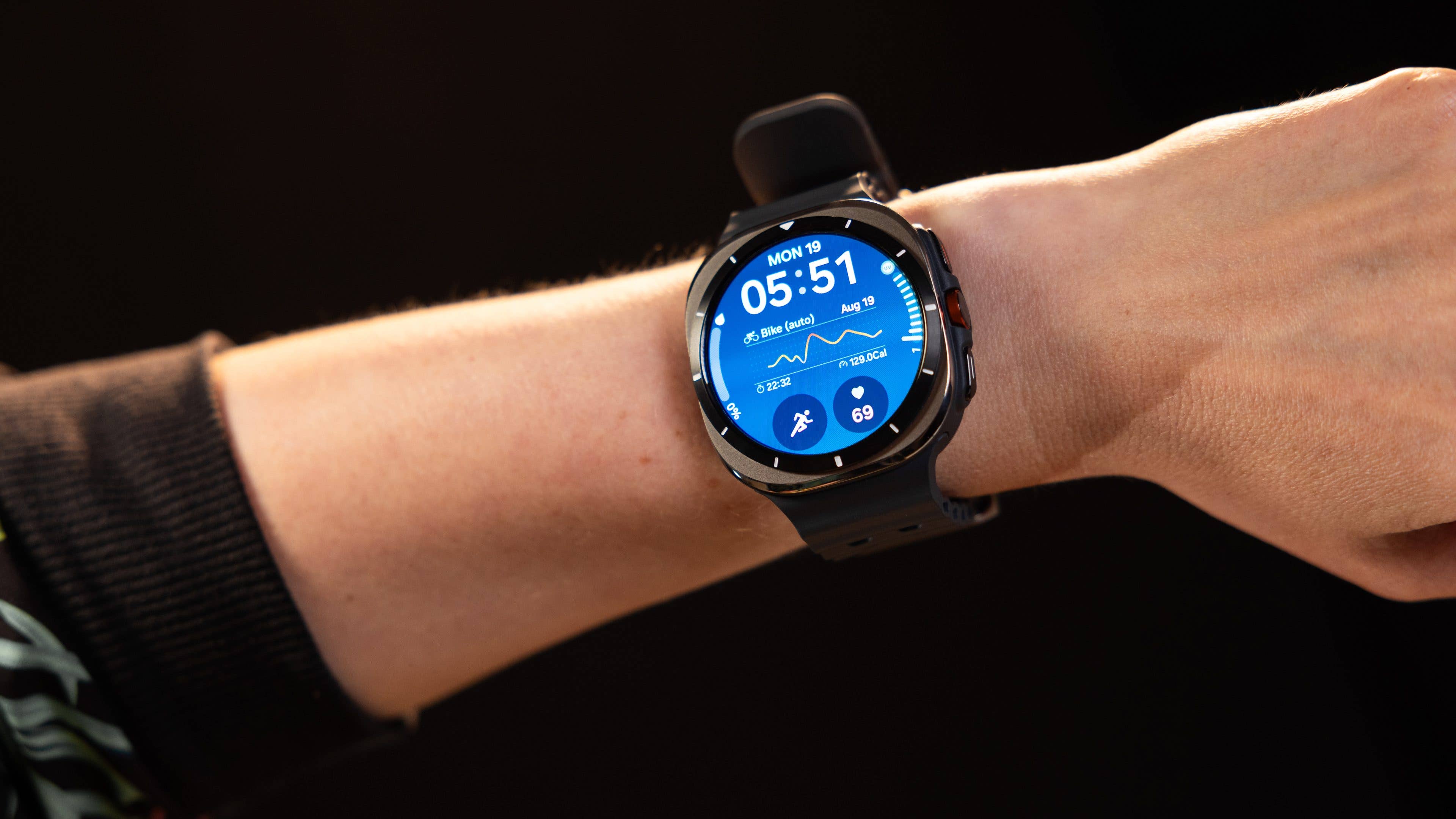
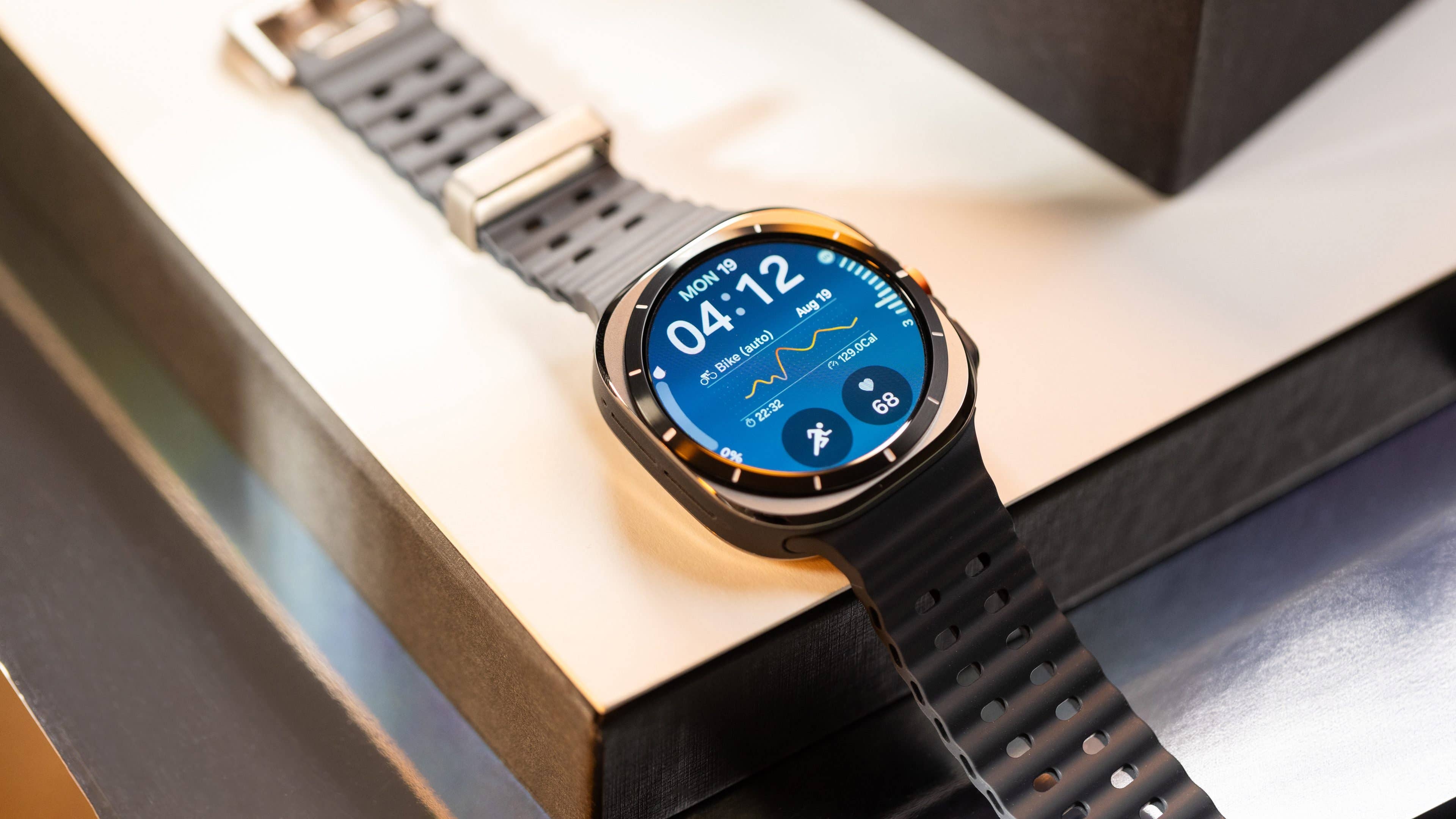
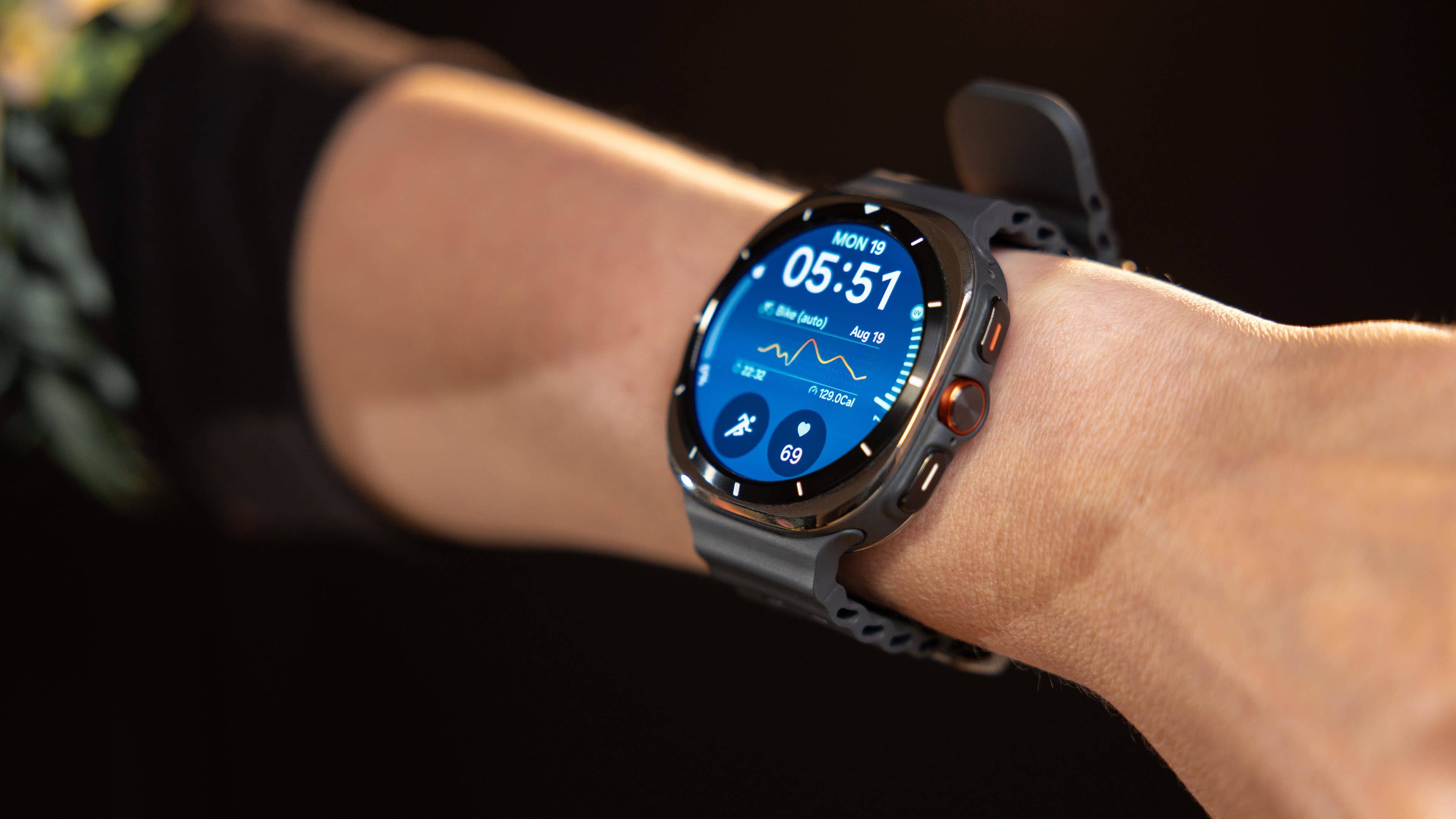
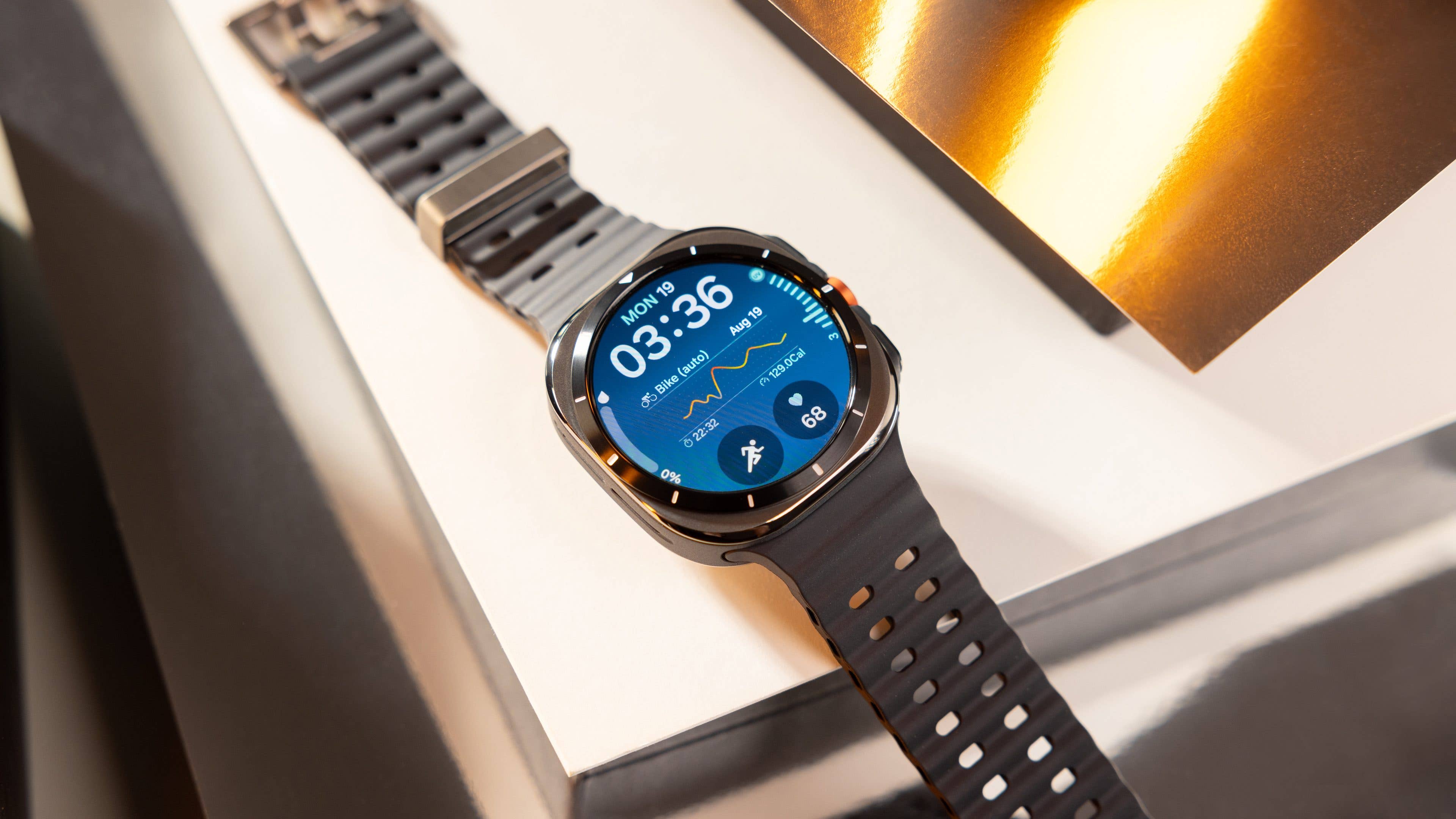
The Galaxy Watch Ultra is tailored for fitness enthusiasts and adventure seekers alike—wearing it isn’t just about tracking your stats; it’s a statement. The circular display, elegantly framed within its square case, features hour markers along the edges of the screen, adding a touch of classic watch charm .
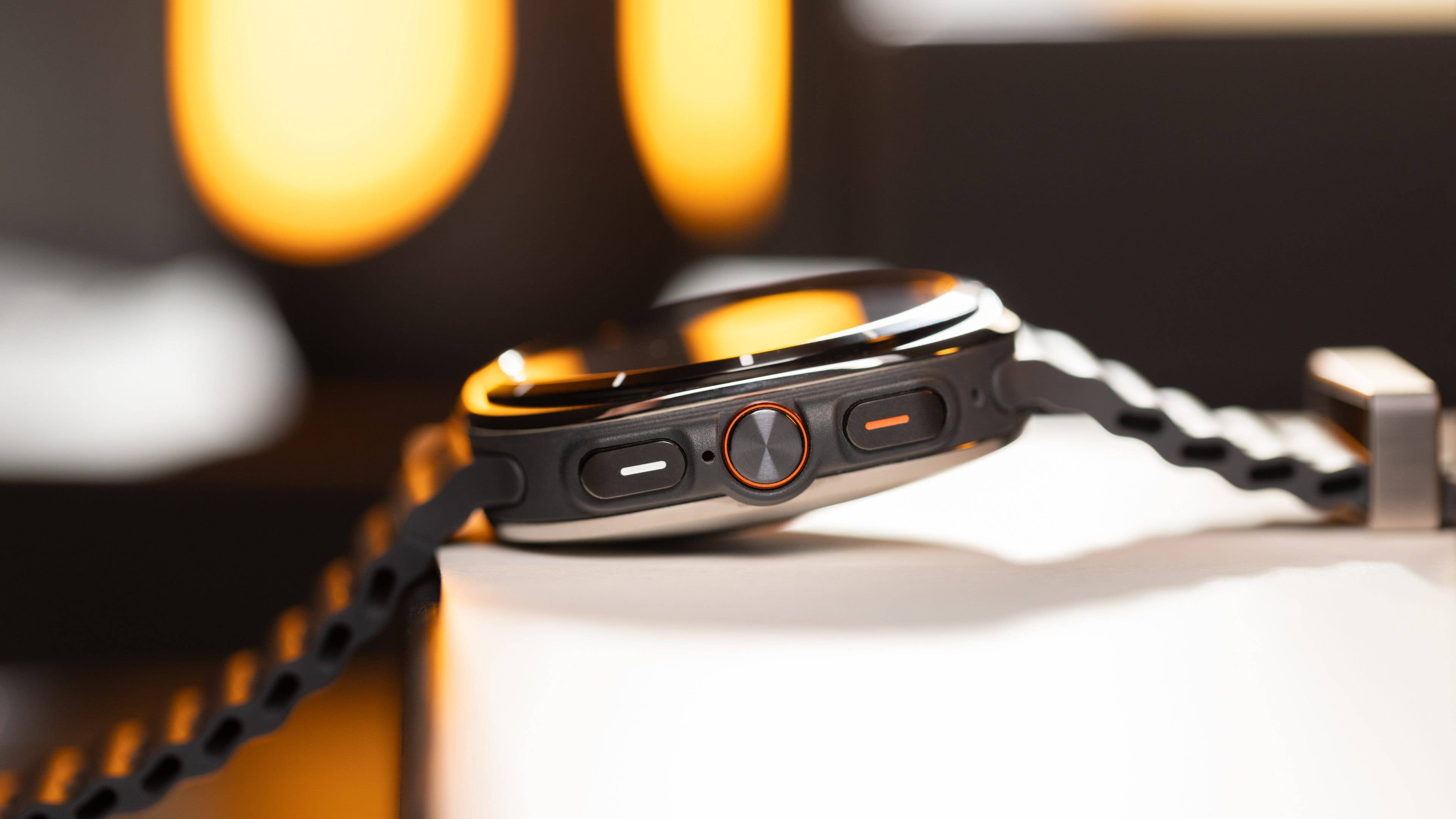
Additionally, the three physical buttons are impossible to miss, and with three distinct case colors, this smartwatch is as much about style as it is about functionality.
Pros:
A stylish statement on your wrist.
Vibrant, colorful display.
Sleek Ultra watch faces, though the selection is a bit limited.
Samsung didn’t hold back when it came to durability—the Watch Ultra is a beast. Built with a titanium case for top-tier impact resistance, it’s designed to withstand just about anything you throw at it.
With water and dust certification, plus a 10ATM rating, this smartwatch can handle the pressures of extreme aquatic activities without breaking a sweat. It even meets the rigorous MIL-STD-810H standard, ensuring it’s ready for harsh environments—like the OnePlus Watch 2 (review).
Beyond its rugged build, this smartwatch skips the physical rotating crown in favor of a digital one, maintaining the seamless experience Samsung wearables are known for. A standout feature is the new Action Button—a practical addition for those intense moments. It’s customizable, allowing you to tailor its function to your needs, and with a long press, it activates an extremely loud siren for Emergency SOS, ensuring you’re prepared for whatever comes your way.
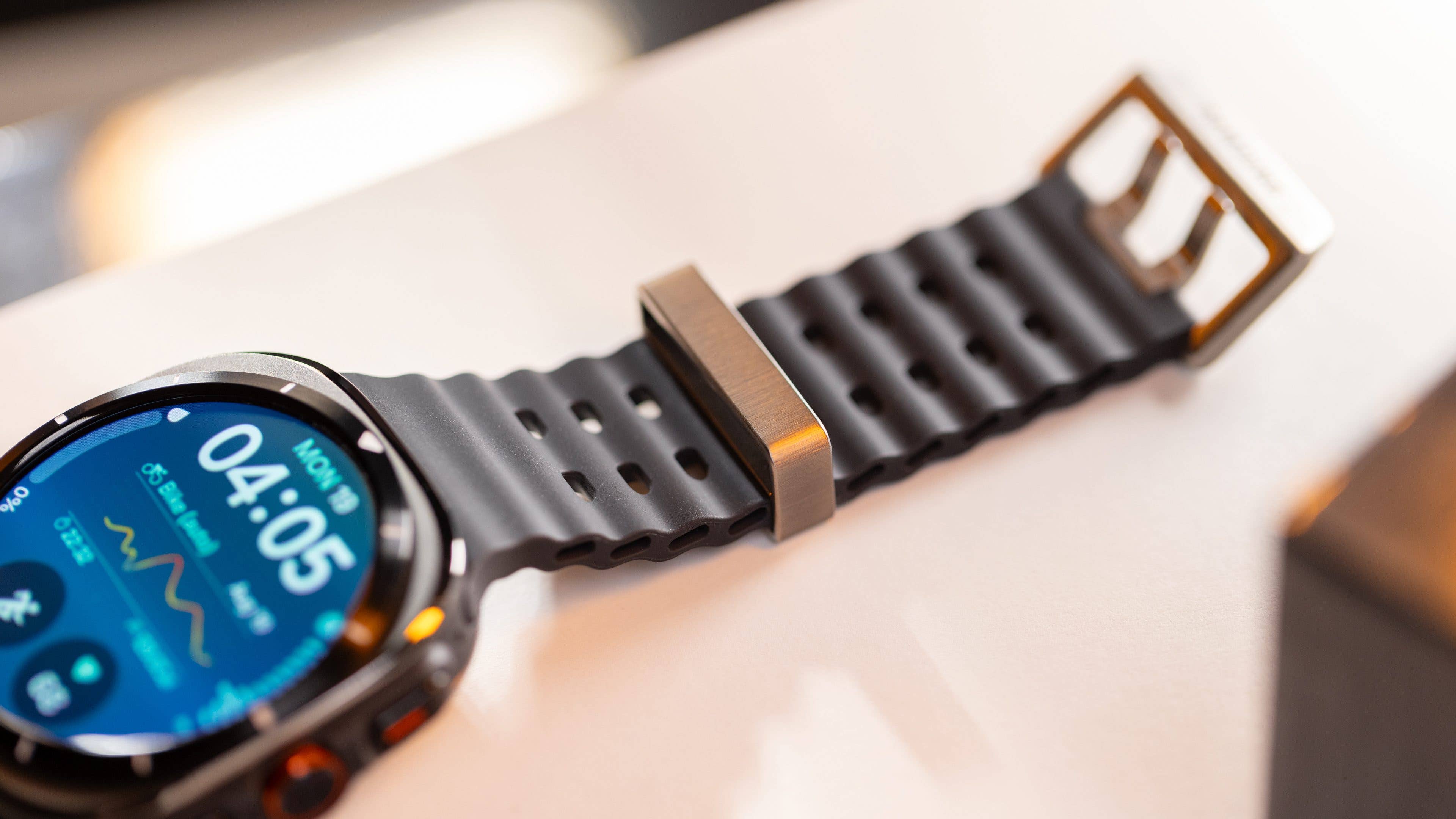
For this review, I received the Titanium Silver variant paired with the Marine band though, I must admit, I would have preferred the Trail band, which is available for $79.90. The strap system is straightforward, but I have a few reservations about the Marine band’s design. For instance, while typing this review, I found the titanium buckle getting in the way of my MacBook keyboard consistently, which was a bit frustrating.
The display quality on the Watch Ultra is nothing short of impressive, featuring a vibrant and colorful Super AMOLED screen that can reach up to 3,000 nits—making it comfortable to view even in the brightest sunlight. For those night adventures, the Night Mode Watch Face ensures optimal readability in low light.
The sapphire glass provides excellent touch sensitivity, though I’d recommend using the physical buttons when your hands are wet for a more reliable experience.
Finally, while this is primarily a design discussion, it’s worth highlighting that Samsung has done an impressive job with the new Ultra watch faces. These watch faces are not just customizable, offering options to tweak everything from colors to complications, but they also adapt beautifully to the Always-on Display experience, maintaining their clarity and interactivity even when your wrist isn’t in motion.
Though the selection is currently limited, I’m hopeful we’ll see more dedicated watch faces roll out for this device in the future.
Software & Compatibility
The Galaxy Watch Ultra runs on Wear OS 5, offering a wide range of apps commonly used on Galaxy devices. This ensures a smooth and intuitive user experience. Additionally, the integration of the Galaxy AI-powered Assistant enhances the smartwatch experience by enabling hands-free operation .
Pros:
Smooth and intuitive user experience with Wear OS 5.
Galaxy AI-powered Assistant for hands-free operation.
Seamless integration with the Galaxy ecosystem.
Samsung Health and Samsung Wearable support for Android devices.
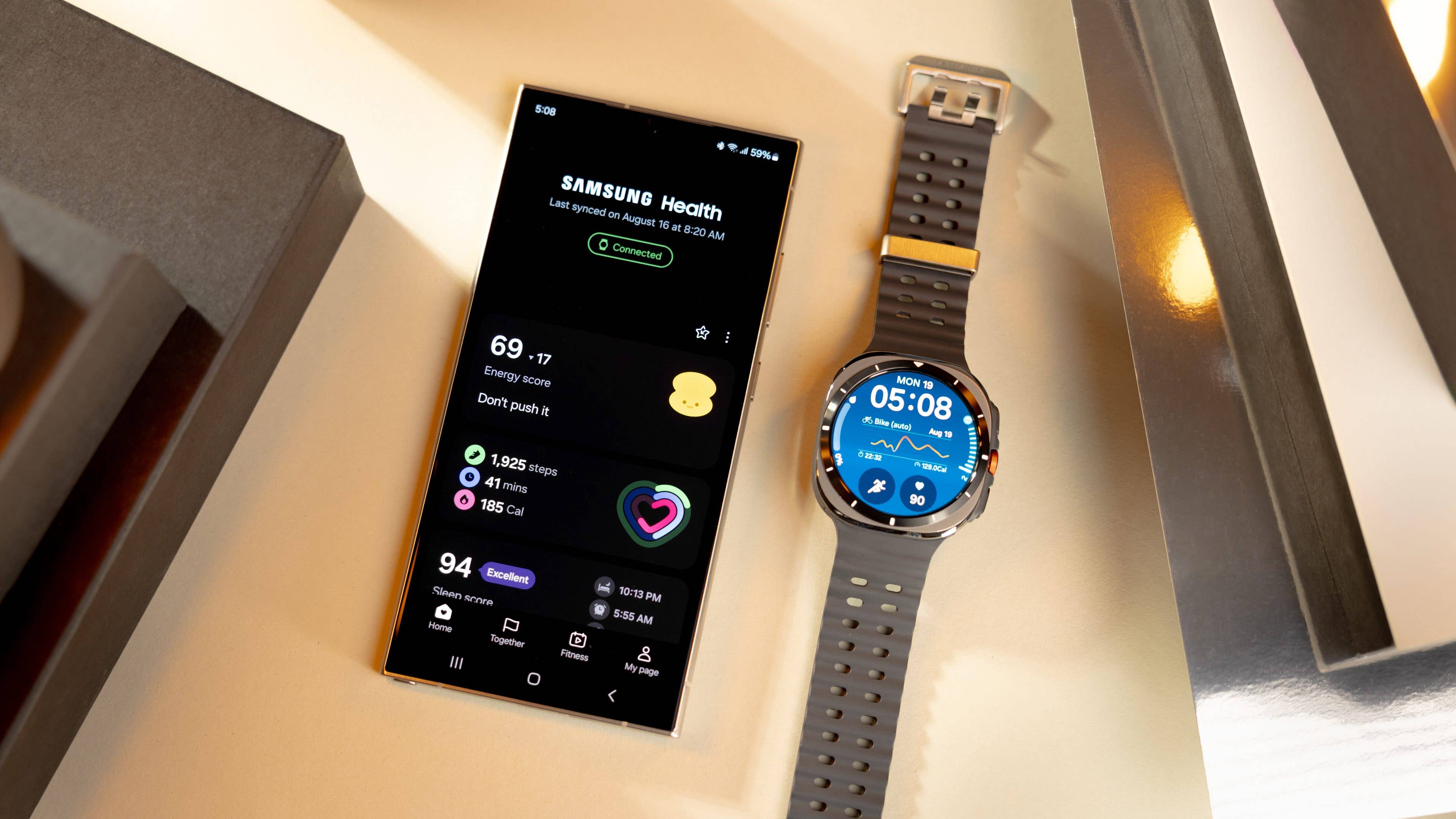
I’ve been using the Watch Ultra alongside the Samsung Galaxy S24 Ultra (review), and the connectivity experience is seamless. The watch pairs effortlessly with the phone via Bluetooth, and managing the device is a breeze through the Wear app, allowing for easy customization of settings and preferences. Health and fitness metrics are conveniently displayed in the Health app, which offers a clean, user-friendly interface.
Software is key to the wearable experience, and Samsung has performed an impressive job integrating its UI across the Galaxy and Android ecosystems. While you can use the Galaxy Watch Ultra with other Android devices like the new Pixel 9 Pro XL (review), some features—such as Energy Score, Galaxy AI, Find My Ring, and gesture controls—remain exclusive to Samsung phones. Unfortunately, there’s no support for iPhone users.
Empfohlener redaktioneller Inhalt
Dieser externe Inhalt von YouTube wurde von der nextpit Redaktion ausgewählt und ergänzt den Artikel. Du hast die Wahl, ob du diesen Inhalt laden möchtest.
Externen Inhalt erlauben
Ich bin damit einverstanden, dass externer Inhalt geladen wird. Personenbezogene Daten werden womöglich an Drittplattformen übermittelt. Nähere Informationen enthält die Datenschutzerklärung.
I’ve also been testing the Watch Ultra alongside the new Samsung Galaxy Ring (review coming soon) and it proved incredibly handy for tracking health metrics, especially with sleep measurement integration. Given how uncomfortable it can be to sleep with such a large smartwatch on your wrist, the ring offers a much more comfortable alternative. However, it does add a significant cost to the already pricey Ultra smartwatch.
Overall, I appreciate Samsung’s design of the Wear and Health apps, which feature an intuitive and user-friendly UX. You can easily connect with apps like Strava and Komoot for routes, and even use Google apps like YouTube Music, Maps, and the Play Store—so you can get your favorite apps on the watch if they’re supported.
Wellness & Fitness Features
The Galaxy Watch Ultra was designed for endurance enthusiasts, with a multisport mode and training features that are essential for pushing limits and breaking personal records. Beyond that, it integrates the full spectrum of wellness metrics available in Samsung Health, now enhanced by the upgraded BioActive Sensor .
Samsung has also introduced a long-awaited recovery metric called the Energy Score, a valuable tool for monitoring your post-workout recovery.
Pros:
The most accurate Galaxy Watch yet.
Multisport features are genuinely fun.
Energy Score on-board.
Cons:
No support for external sensors.
The sleep metrics are not as accurate as we hoped.
When it comes to wellness and fitness features, the Galaxy Watch Ultra paired with a Samsung device offers a comprehensive experience. While there’s much to discuss, I’ll focus on a few highlights to showcase the precision of its built-in sensors and Samsung’s thoughtful approach to these features.
However, a notable drawback of the Ultra is its lack of support for external sensors. This means you have three options: rely entirely on the smartwatch’s built-in metrics, use an extra device during workouts, or depend on a third-party app to integrate all the data. On the plus side, it does support Bluetooth connections for wireless earbuds or headphones.
Optimized BioActive Sensor
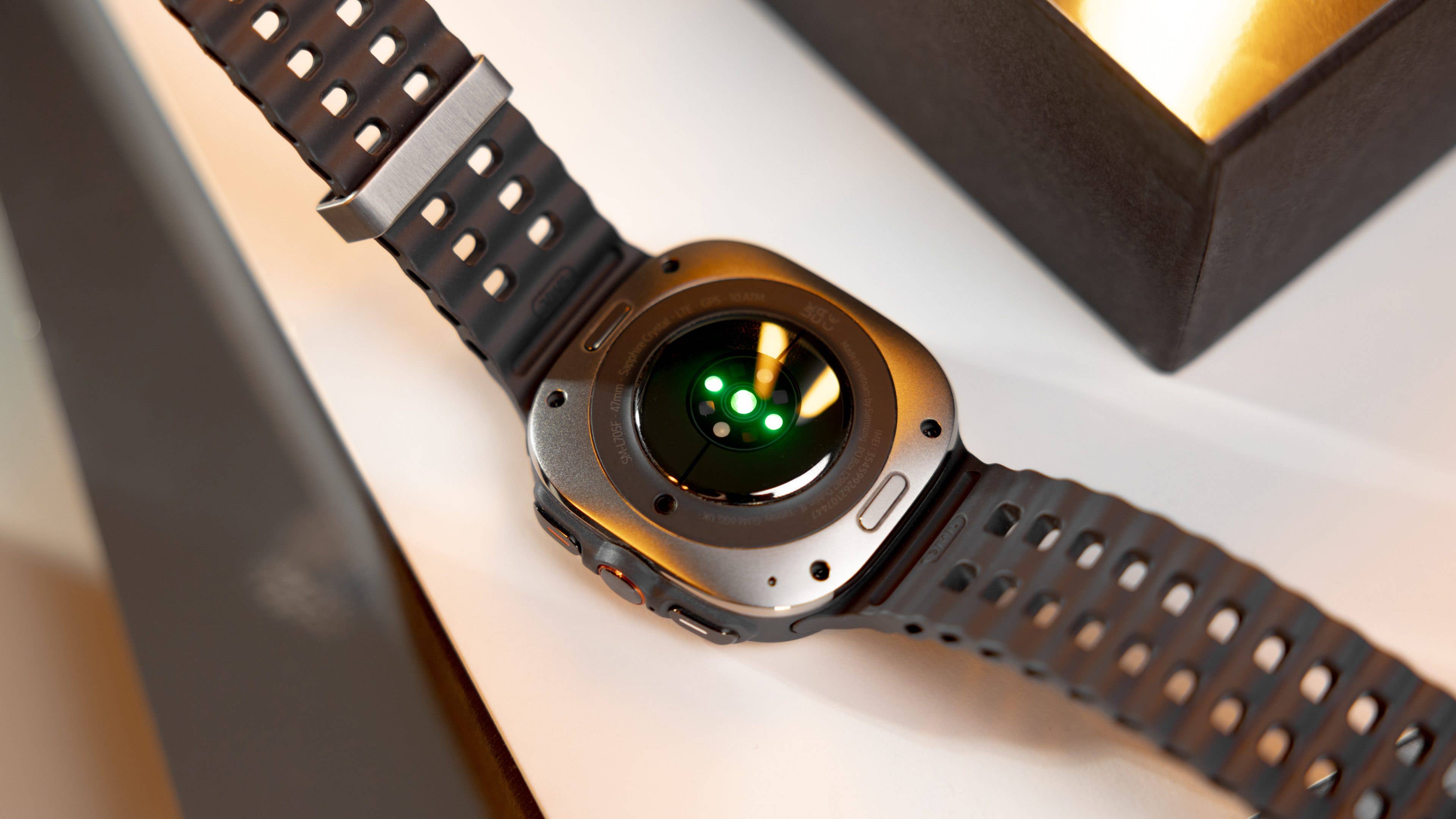
As previously noted, the optimized BioActive Sensor significantly improves accuracy over its predecessor, making health tracking more reliable. While avoiding excessive technical jargon, it’s important to highlight that Samsung upgraded the photodiodes and expanded the LED range to include blue, yellow, violet, and ultraviolet. These enhancements enable more precise measurements of the heart rate, sleep quality, blood oxygen levels, and stress.
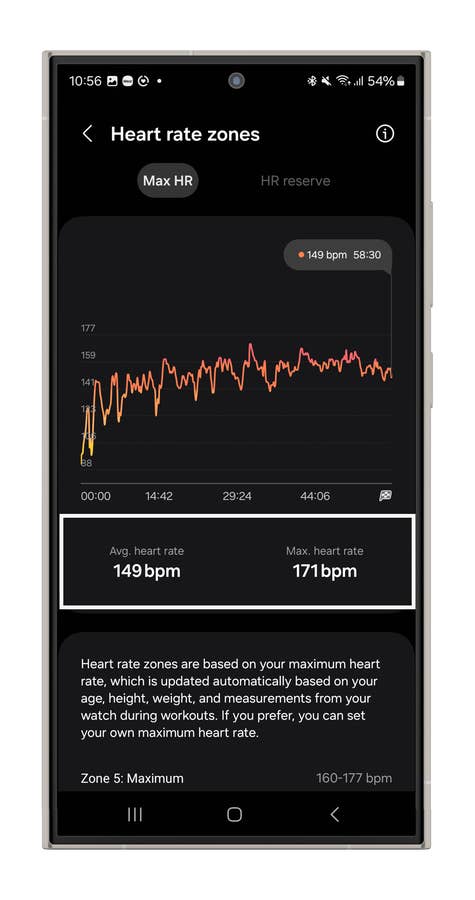
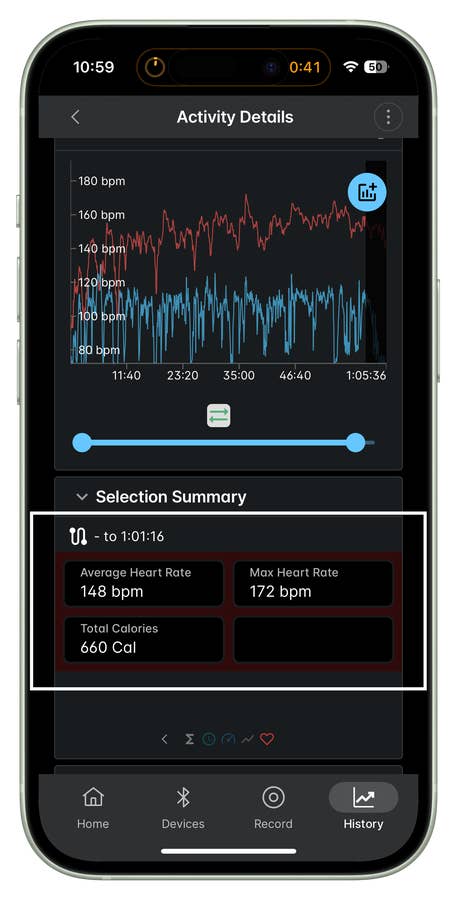
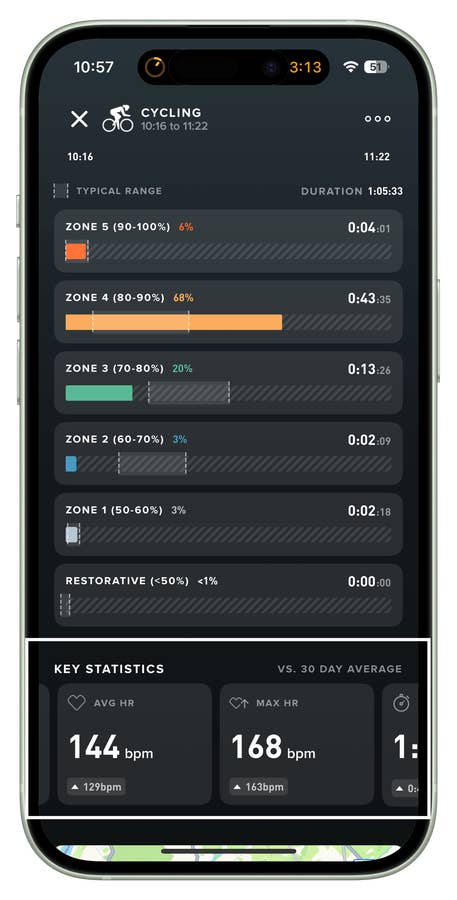
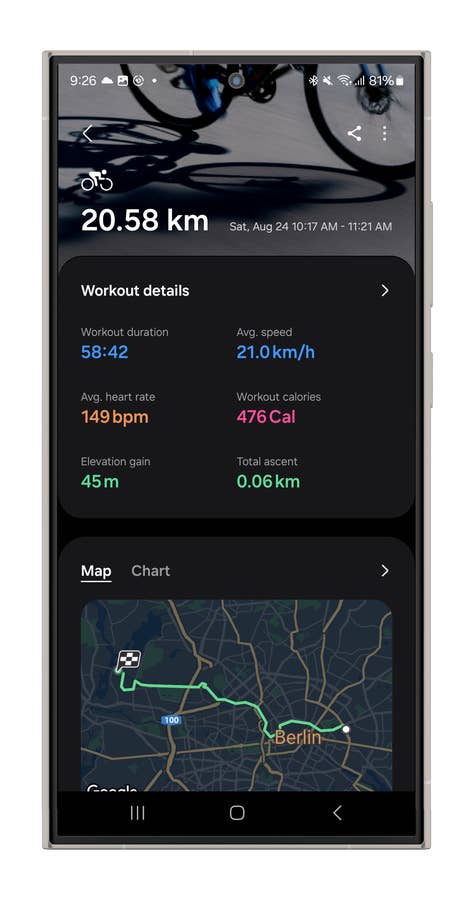
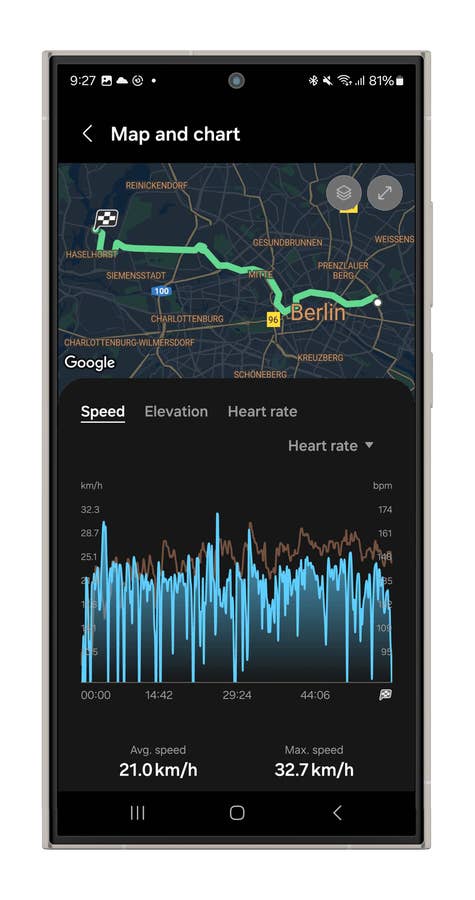
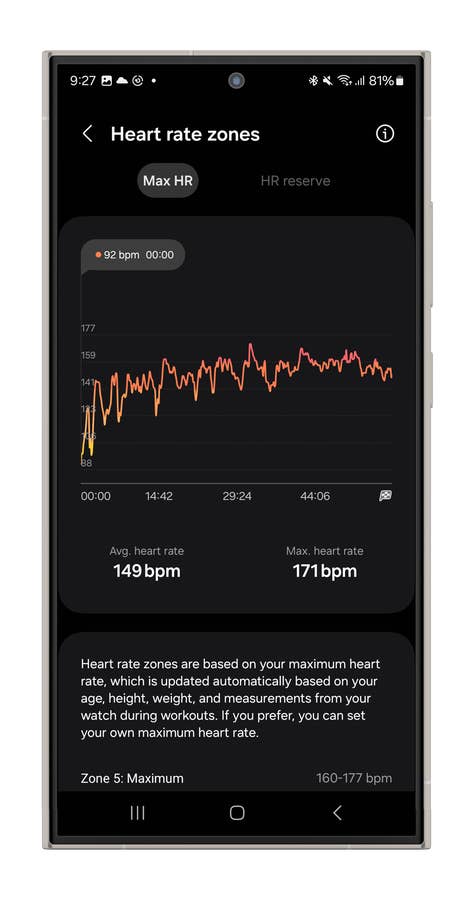
For example, during a 21 km bike ride, I compared heart rate measurements across different devices. The Galaxy Watch Ultra recorded an average heart rate of 149 bpm and a maximum of 171 bpm. The Wahoo chest strap showed 148 bpm and 172 bpm, respectively, while the reference device, the Whoop 4.0, recorded 144 bpm and 168 bpm.
Bike rides can be challenging for accurate measurement due to constant changes in hand position and perspiration rate. The Galaxy Ultra did really well, matching the results of the chest strap.
An analysis comparing average and maximum heart rates as measured by the Galaxy Watch Ultrau0027s sensor.
Quelle: nextpit
An analysis comparing average and maximum heart rates as measured by the Wahoo chest strapu0027s sensor.
Quelle: nextpit
An analysis comparing average and maximum heart rates as measured by the Whoopu0027s sensor.
Quelle: nextpit
Sleep Metrics
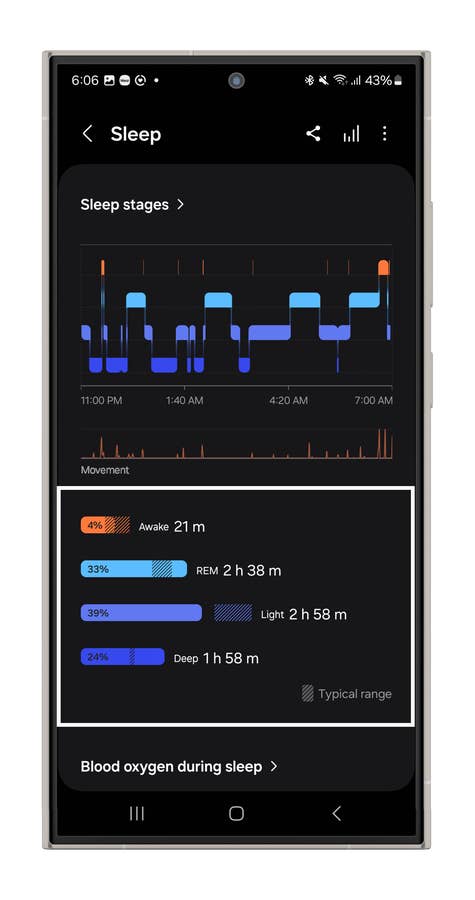
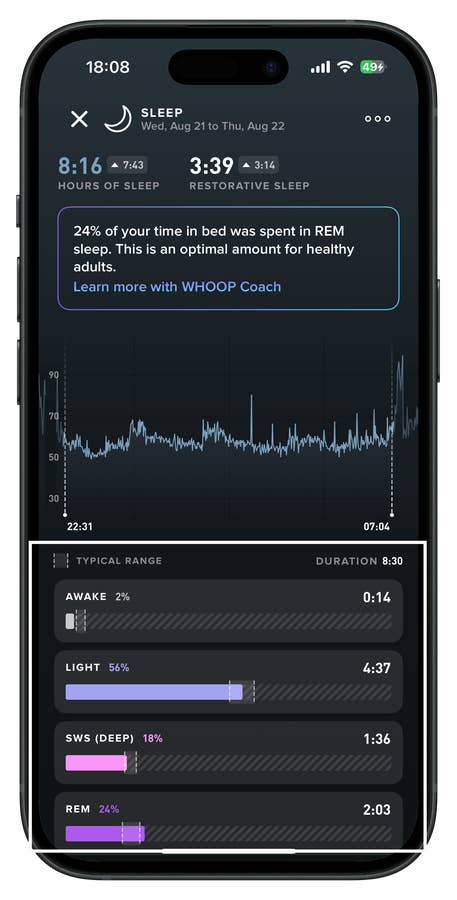
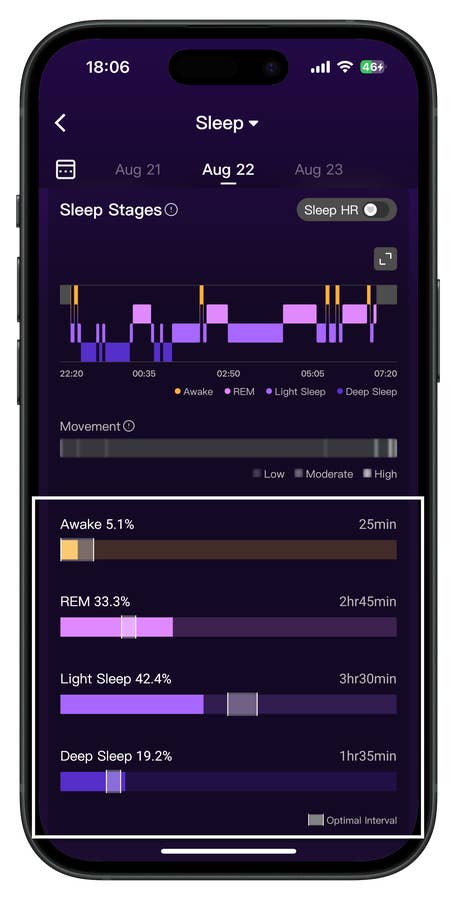
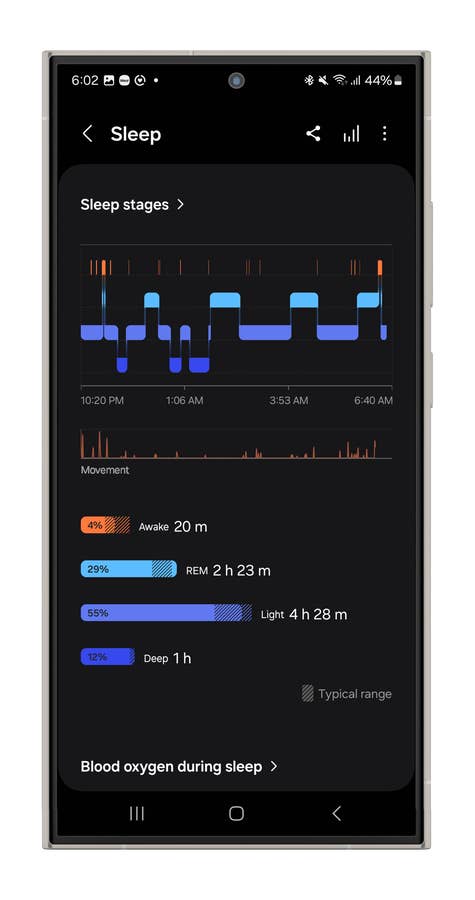
When it comes to sleep metrics, the accuracy doesn’t quite match the heart rate performance. Sleep tracking is notoriously challenging for smartwatches and fitness trackers. In a comparison between the Watch Ultra, Whoop 4.0 (review), and RingConn Gen 2 Smart Ring (review), the results varied significantly. While they occasionally aligned on deep sleep stages or REM stages, discrepancies were frequent.
Sleep stages measured by the Galaxy Watch Ultrau0027s sensor.
Quelle: nextpit
Sleep stages measured by the Whoopu0027s sensor.
Quelle: nextpit
Sleep stages measured by the RingConn Gen 2 smart ringu0027s sensor.
Quelle: nextpit
Additionally, wearing the Watch Ultra to sleep can be uncomfortable due to its large 47 mm case size. I would recommend using it for sleep tracking only if you don’t have an alternative device. Sleep metrics are crucial for the new body index Energy Score, so for more accurate recovery insights, it’s beneficial to connect your sleep data through compatibility with the Health app.
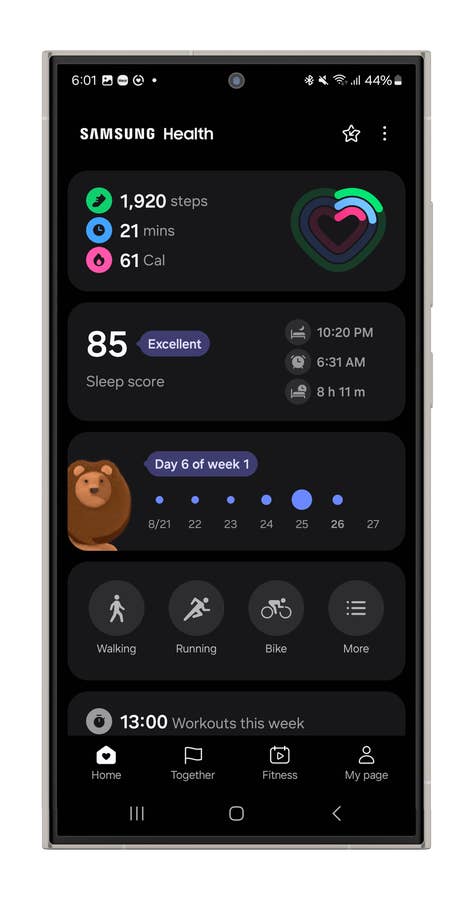
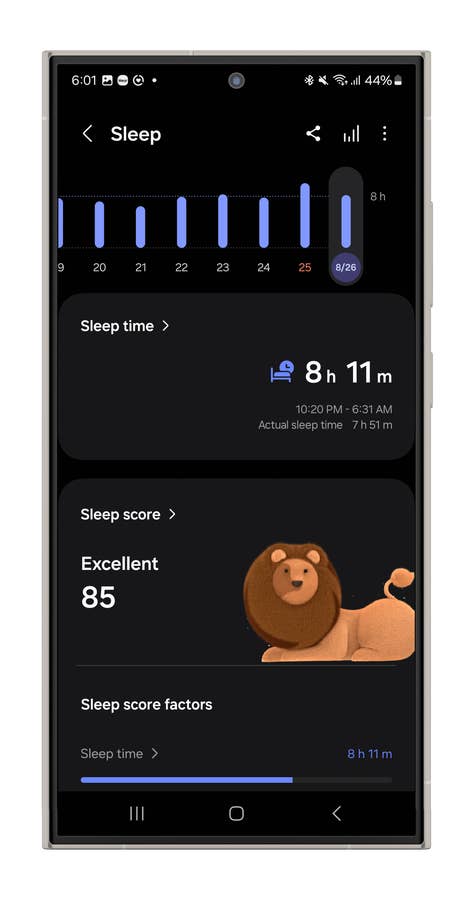
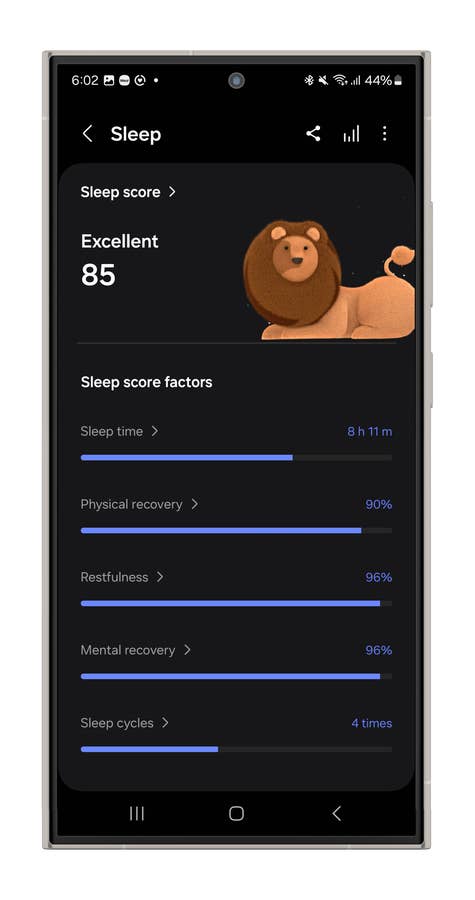
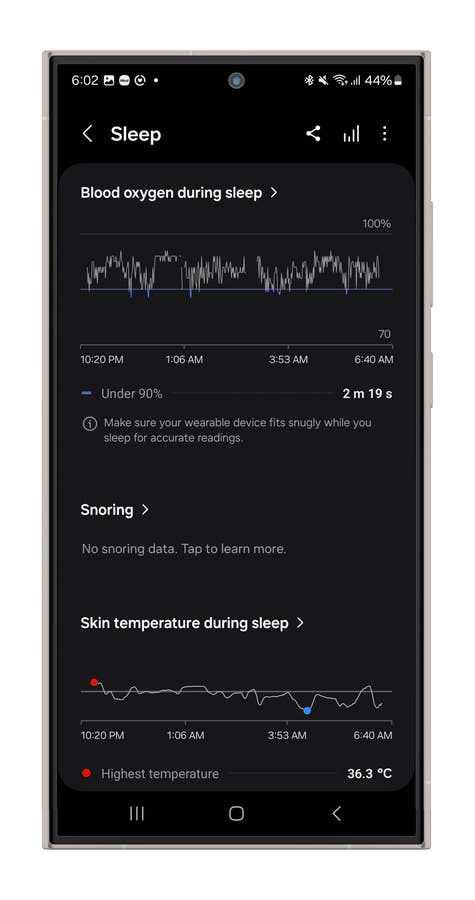
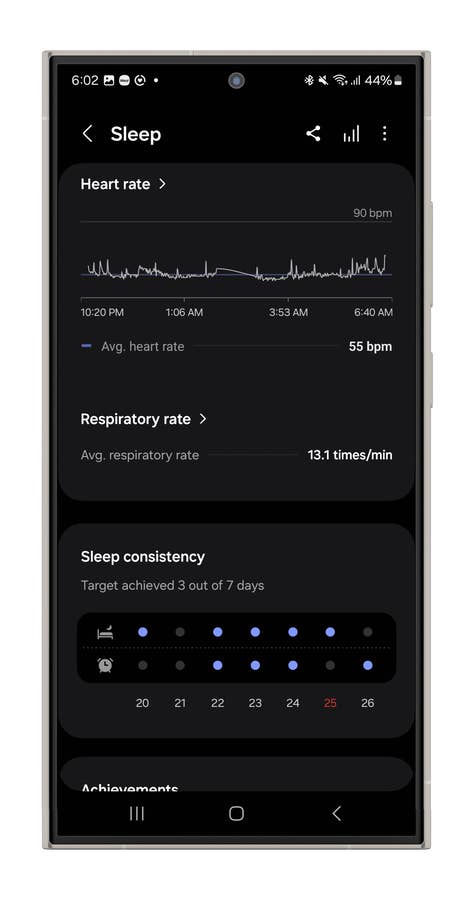
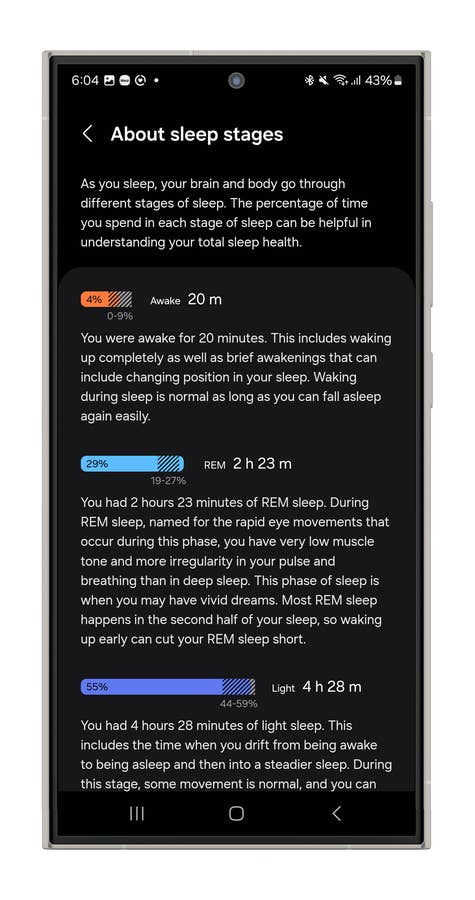
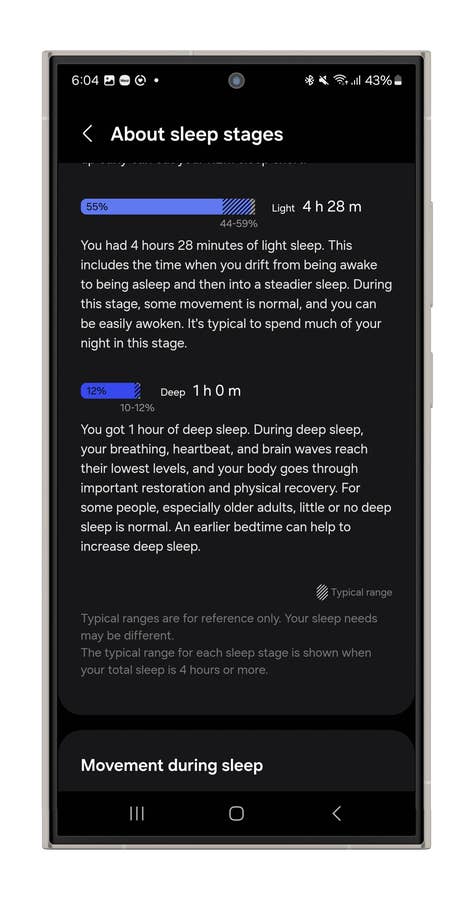
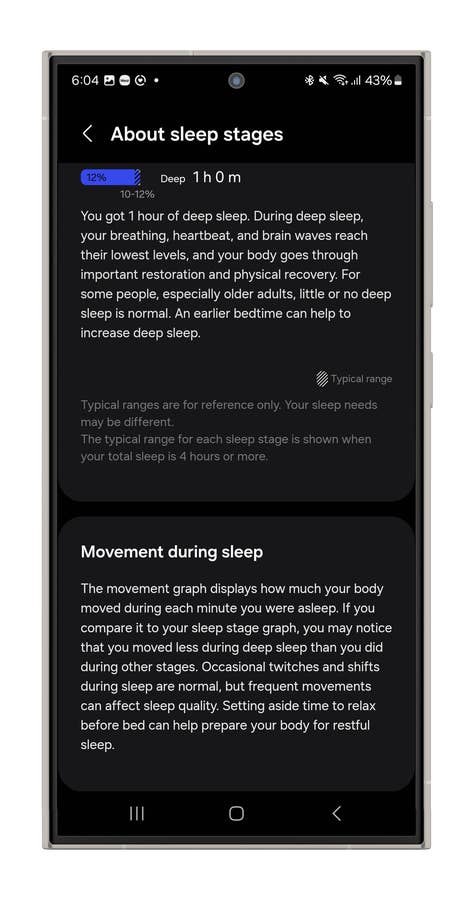
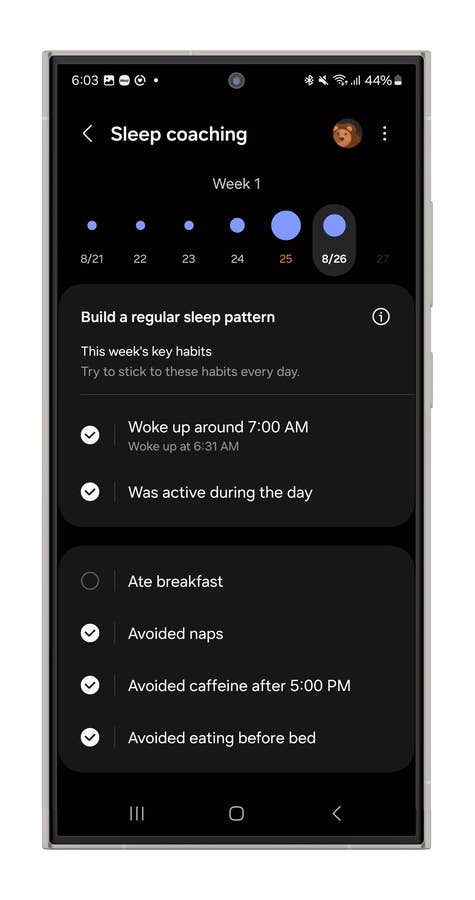
While I’ve noticed some inaccuracies in sleep metrics, the system does seem to improve over time as it learns your routine. Samsung also provides a range of insights and a general analysis of your sleep quality. Additionally, there’s a sleep coach feature that offers tips on daily habits to help you optimize your sleep.
Galaxy Watch Ultra sleep tracking user interface.
Quelle: nextpit
Galaxy Watch Ultra sleep tracking user interface.
Quelle: nextpit
Galaxy Watch Ultra sleep tracking user interface.
Quelle: nextpit
Galaxy Watch Ultra sleep tracking user interface.
Quelle: nextpit
Galaxy Watch Ultra sleep tracking user interface.
Quelle: nextpit
Galaxy Watch Ultra sleep tracking user interface.
Quelle: nextpit
Galaxy Watch Ultra sleep tracking user interface.
Quelle: nextpit
Galaxy Watch Ultra sleep tracking user interface.
Quelle: nextpit
Galaxy Watch Ultra sleep tracking user interface.
Quelle: nextpit
Galaxy Watch Ultra sleep tracking user interface.
Quelle: nextpit
Energy Score
A new addition to the Galaxy Watch Series is the Energy Score, which is integrated into the entire Samsung Health ecosystem. The Energy Score provides a daily overview of your body’s mental and physical condition. Samsung also referred to it as the “body battery level.”
The Energy Score is calculated based on metrics such as sleep duration and quality, previous day’s activities, average heart rate, and heart rate variability, among others. This metric looks close to what Whoop offers as Daily Overview, and it helps to understand recovery time and planning training and sleep.
What I didn’t love about Samsung’s approach is how it can be a bit misleading when it comes to recovery. Instead of offering constructive insights, Samsung opted for a somewhat judgmental icon—a happy or sad face—in the Health app UI, which can make you feel like you’re not doing enough on days when your body needs rest.
In contrast, I preferred Whoop’S approach, which gives you a more nuanced overview after a tough day and clearly explains why you should dial back the intensity while your body recovers from the high strain.
Multisport Mode
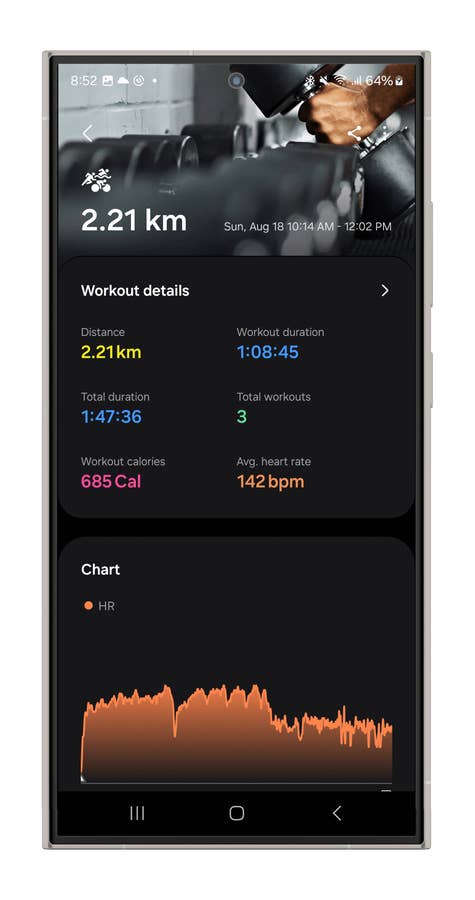
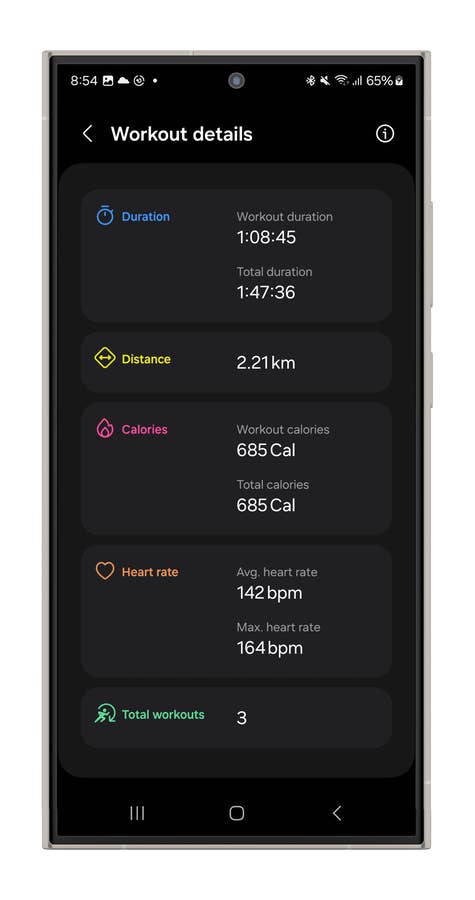
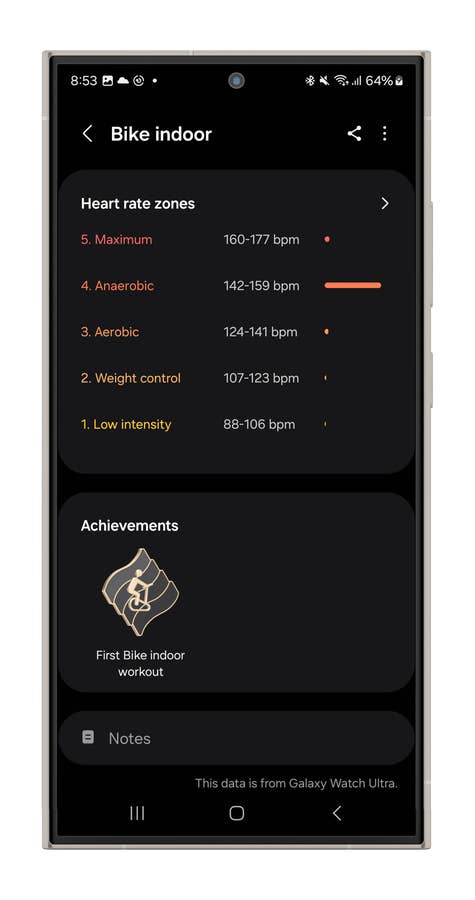
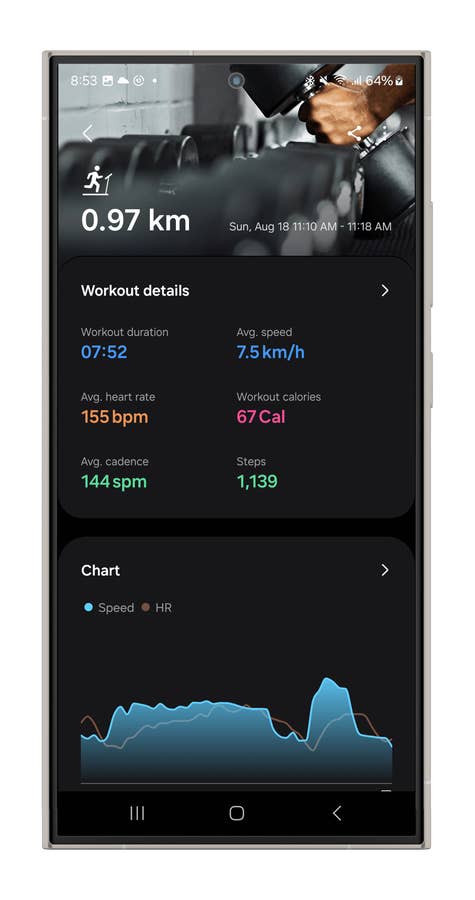
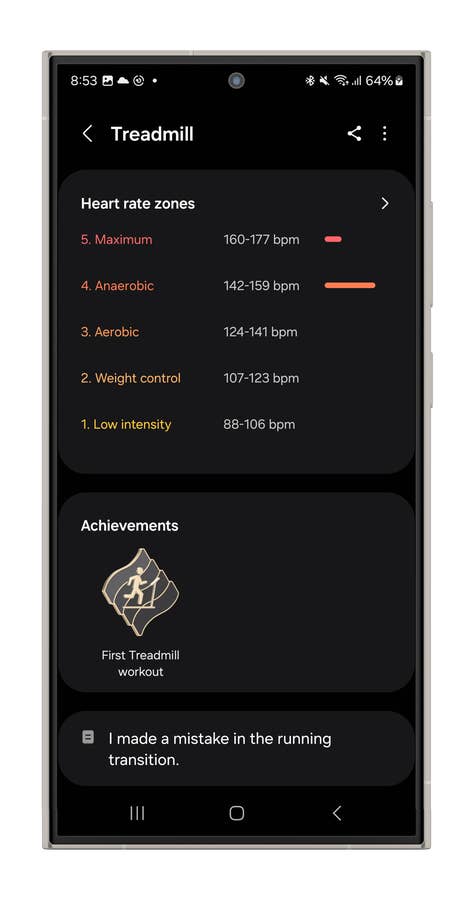
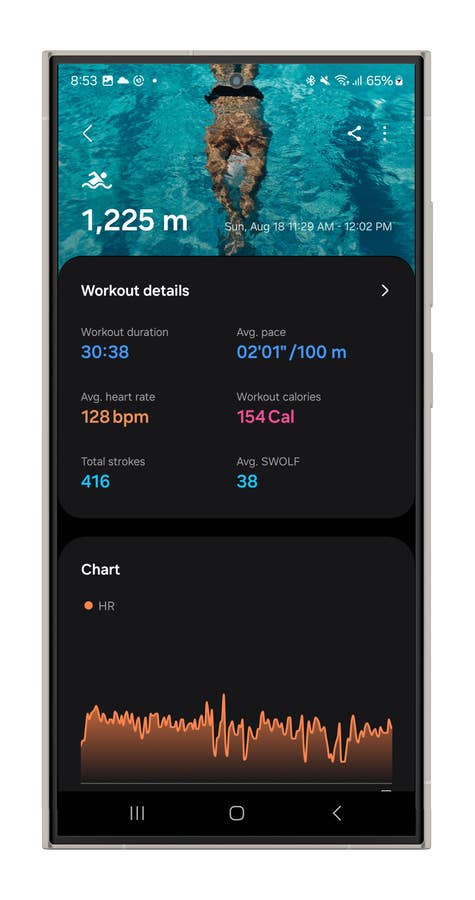
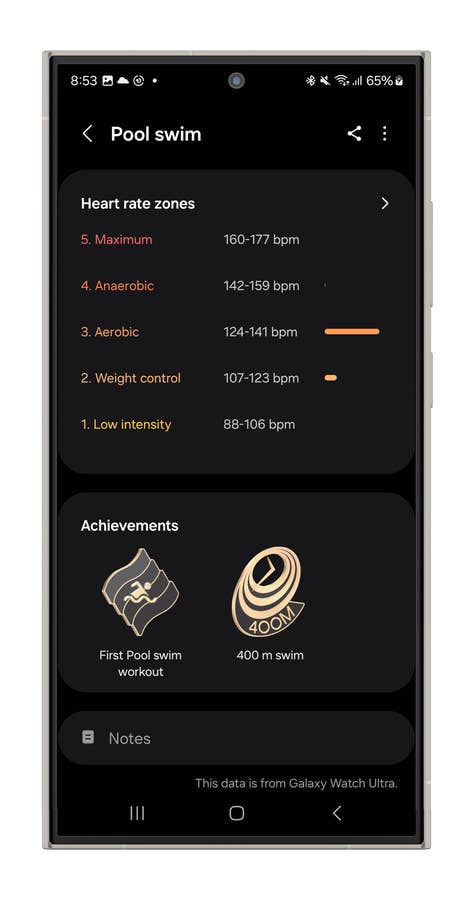
One of the standout features of the Ultra variant is its Multisport mode, designed to seamlessly track a range of activities, including swimming, cycling, and running, within a single exercise session. This feature is particularly compelling for triathletes, and other multi-sport enthusiasts. It’s highly customizable, and once set up, transitioning between activities is as simple as pressing the function button—the only manual input required during your workout.
Galaxy Watch Ultra Multisport user interface.
Quelle: nextpit
Galaxy Watch Ultra Multisport user interface.
Quelle: nextpit
Galaxy Watch Ultra Multisport user interface.
Quelle: nextpit
Galaxy Watch Ultra Multisport user interface.
Quelle: nextpit
Galaxy Watch Ultra Multisport user interface.
Quelle: nextpit
Galaxy Watch Ultra Multisport user interface.
Quelle: nextpit
Galaxy Watch Ultra Multisport user interface.
Quelle: nextpit
Galaxy Watch Ultra Multisport user interface.
Quelle: nextpit
Galaxy Watch Ultra Multisport user interface.
Quelle: nextpit
Galaxy Watch Ultra Multisport user interface.
Quelle: nextpit
In my experience, I encountered a minor hiccup with the first transition, which I didn’t execute correctly. As a result, 20 minutes of my 30-minute run didn’t appear in the correct sequence. While the system didn’t allow me to edit the transition time afterward, it still counted the full run time for that day.
Although I’m not a triathlon enthusiast, this feature resonated with me because it eliminates the need to set up each exercise individually before starting. You configure your routine in advance, focus on your transitions, and you’re rewarded with a clear, organized report of your activities within a specific timeframe.
Cycling & Running
The Watch Ultra’s dual-frequency GPS provides more accurate positioning, making it perfect for cycling on unfamiliar terrain and avoiding GPS lag. In my experience, it’s reliable, with a quick 8-10 second startup time. For bike rides and outdoor runs, Samsung provides turn-by-turn navigation, but you’ll need your phone or a cellular connection for this.
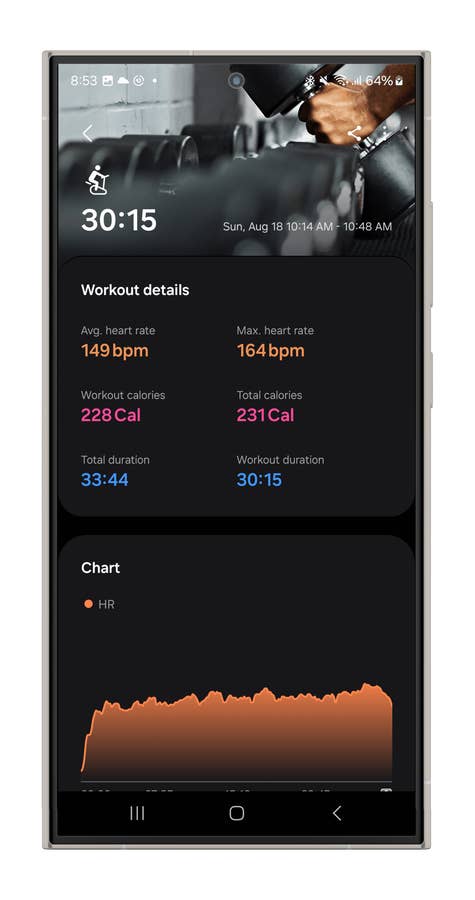
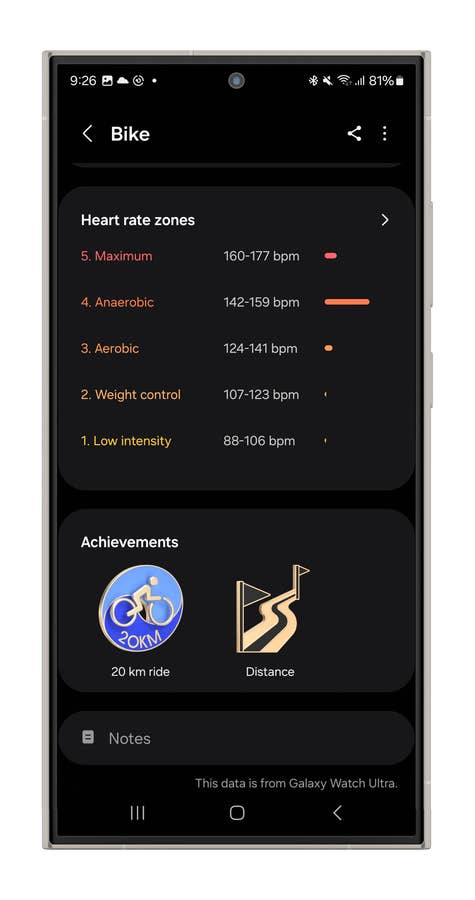
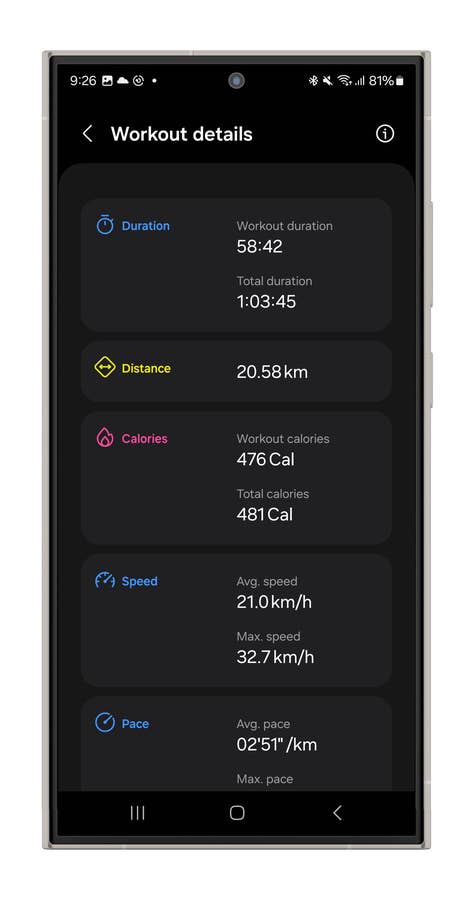
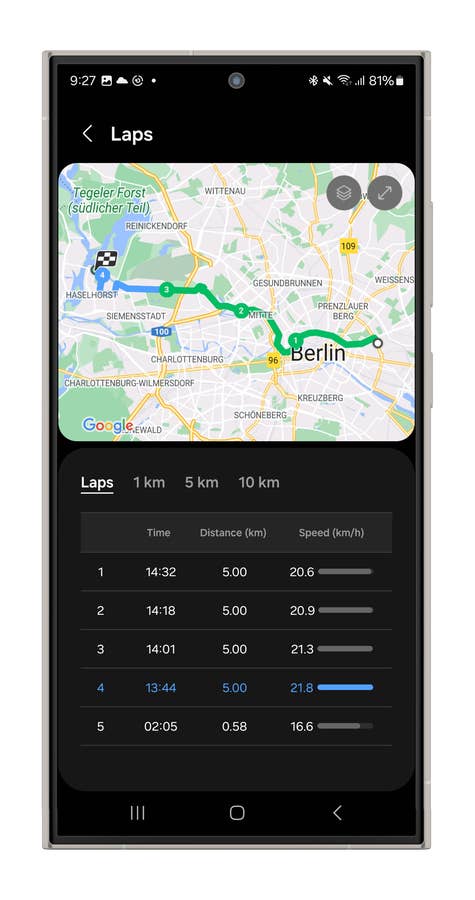
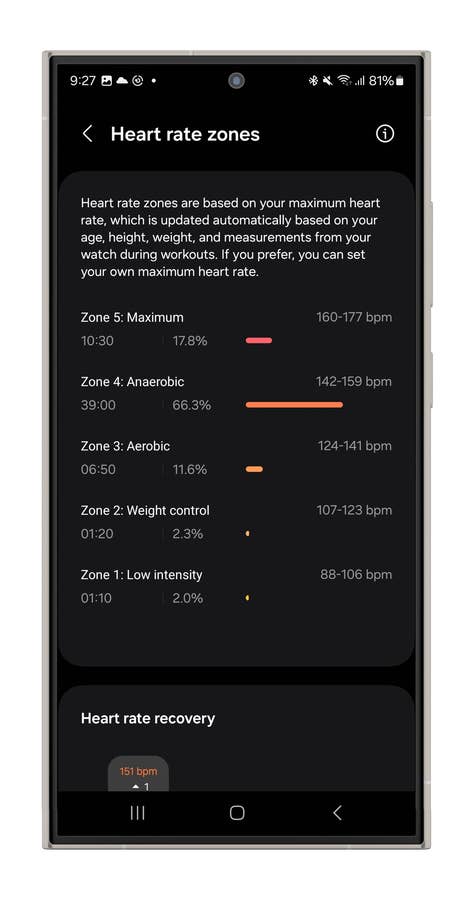
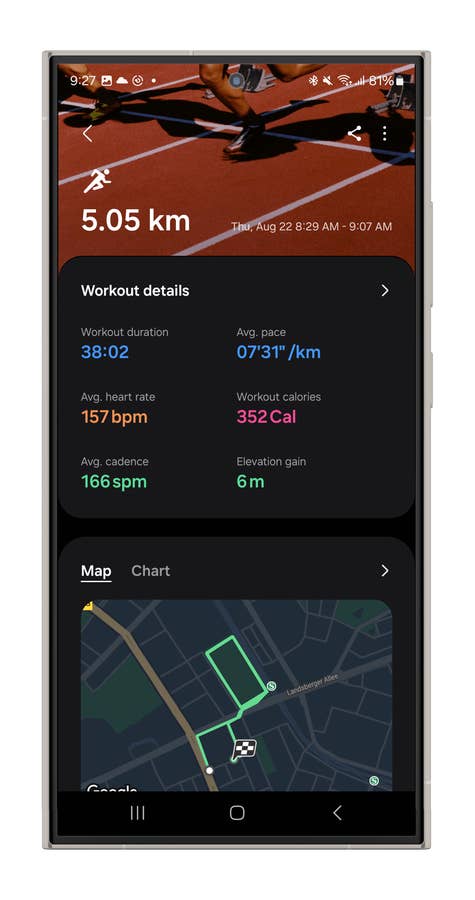
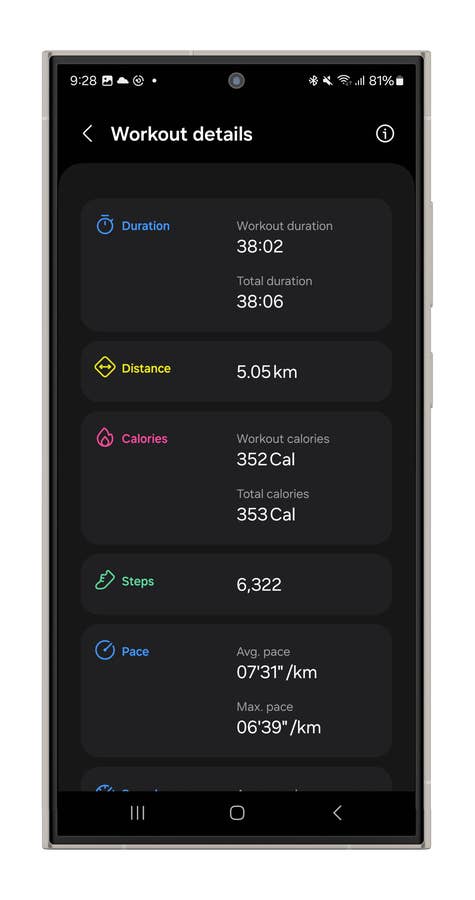
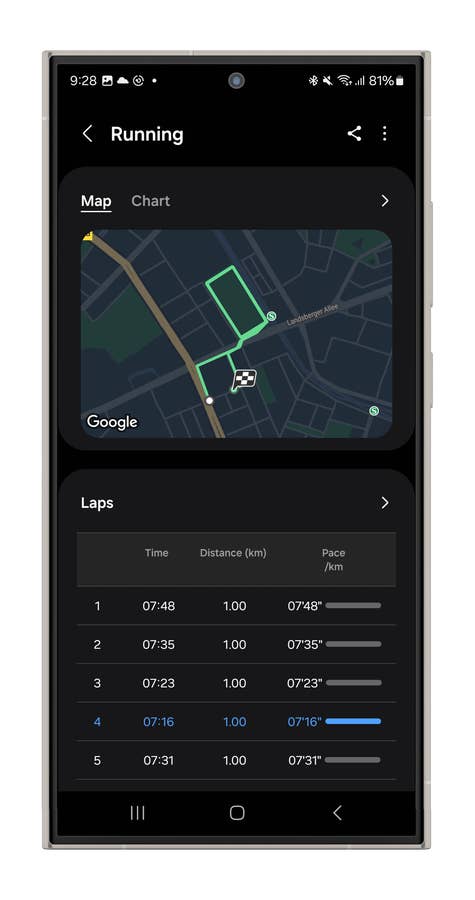
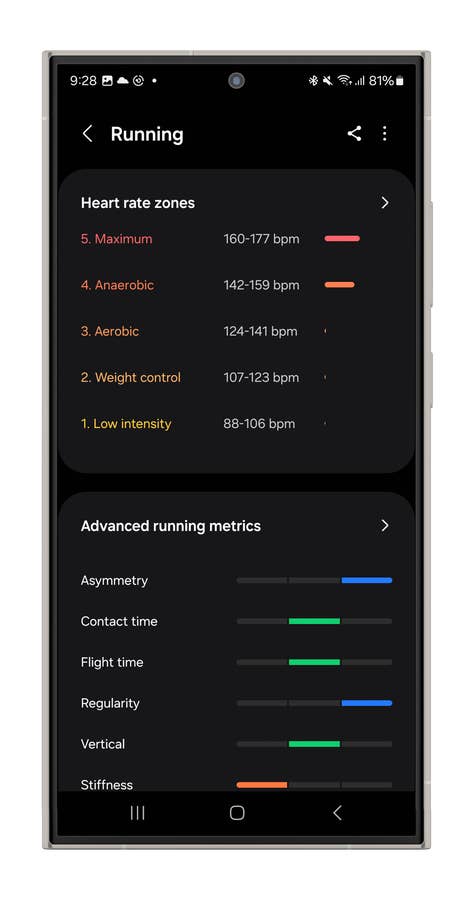
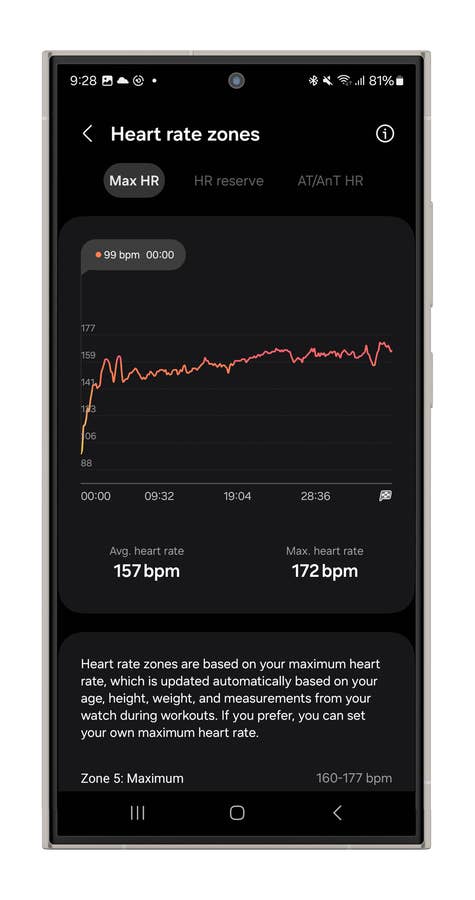
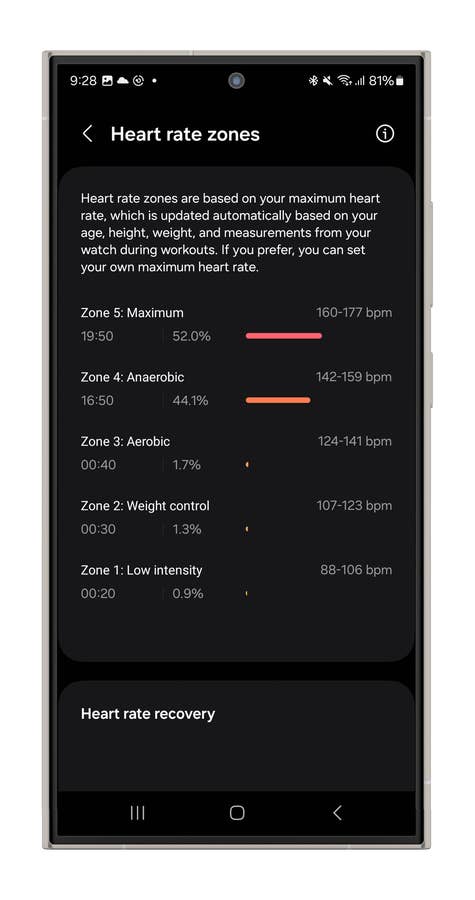
While I enjoy long-distance rides, I’m more of a weekend cycling enthusiast. That said, I found Samsung’s data overview to be fairly straightforward. You get essential metrics like distance, maps, average and maximum speed, elevation, heart rate zones, laps, and calories burned.
However, if you have a power meter connected to the Samsung Health app, you can measure and track Functional Threshold Power (FTP), which is critical to enhance training effectiveness. Unfortunately, I don’t have a power meter, but there are YouTube tests demonstrating how it works. Many of these tests highlight that the user experience isn’t as optimized as it could be, though it’s still possible to set it up.
In addition, the race feature lets you compare real-time cycling performances with past rides using Galaxy AI. It needs two recorded routes on the same path, which I haven’t completed yet. It’s great for competition training or targeting specific cycling improvements.
Galaxy Watch Ultra Cycling mode user interface.
Quelle: nextpit
Galaxy Watch Ultra Cycling mode user interface.
Quelle: nextpit
Galaxy Watch Ultra Cycling mode user interface.
Quelle: nextpit
Galaxy Watch Ultra Cycling mode user interface.
Quelle: nextpit
Galaxy Watch Ultra Cycling mode user interface.
Quelle: nextpit
Galaxy Watch Ultra Cycling mode user interface.
Quelle: nextpit
Galaxy Watch Ultra Cycling mode user interface.
Quelle: nextpit
Galaxy Watch Ultra Cycling mode user interface.
Quelle: nextpit
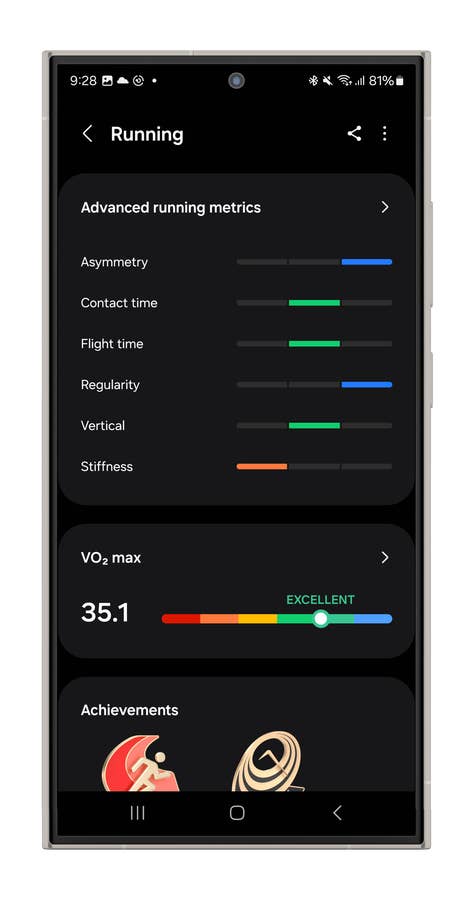
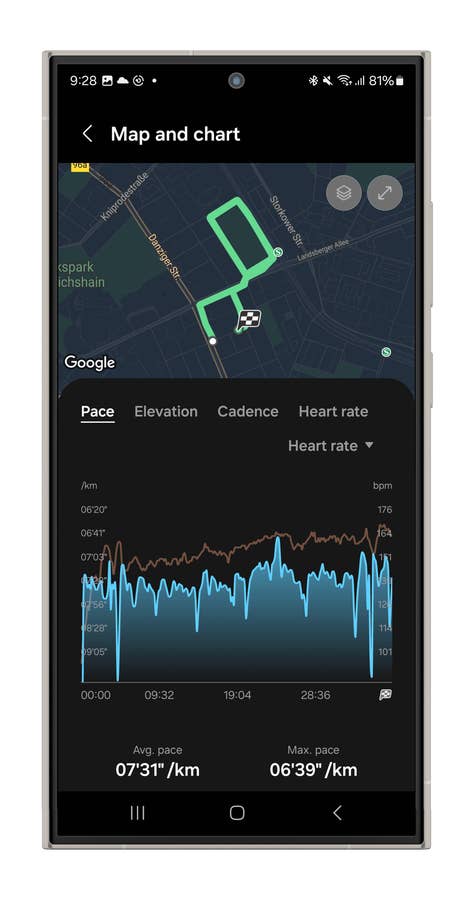
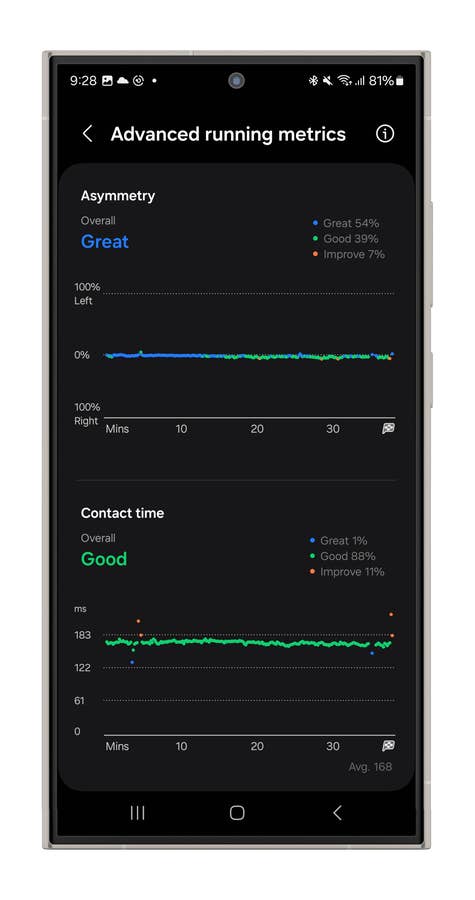
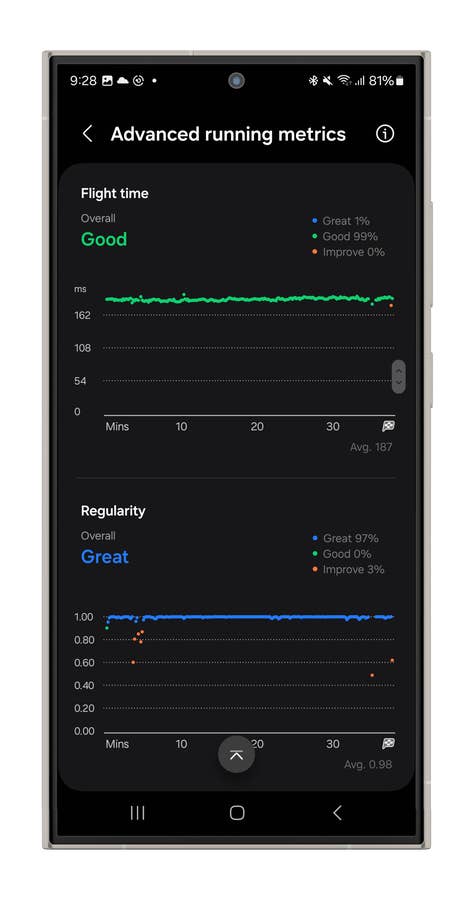
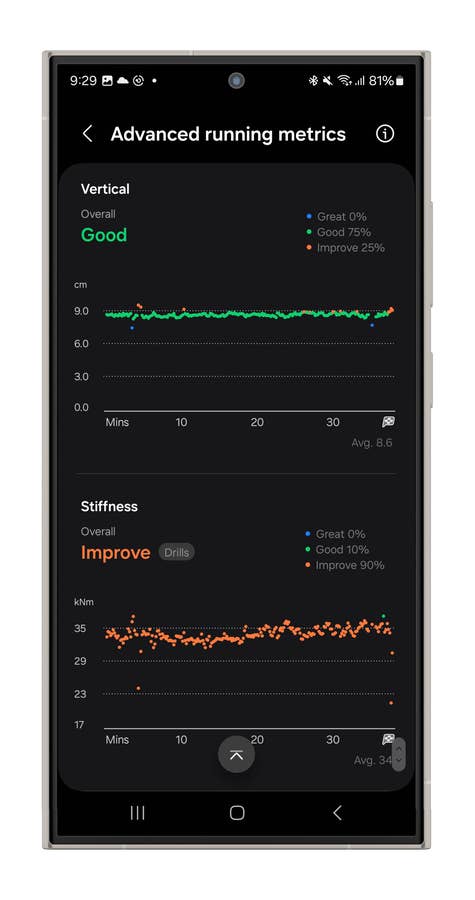
Last but not least, the running metrics on the Watch Ultra are more detailed, offering the standard distance and calorie overview, along with heart zones, maps, and pace data. It also includes advanced metrics crucial for someone like me who’s training for a marathon.
One standout feature is the VO2 max overview, which provides insights into your aerobic capacity. Additionally, it estimates your sweat loss and suggests how much you should hydrate afterward. While I’m not sure how scientifically accurate that recommendation is, it’s a thoughtful touch that adds to the overall experience.
Galaxy Watch Ultra Running mode user interface.
Quelle: nextpit
Galaxy Watch Ultra Running mode user interface.
Quelle: nextpit
Galaxy Watch Ultra Running mode user interface.
Quelle: nextpit
Galaxy Watch Ultra Running mode user interface.
Quelle: nextpit
Galaxy Watch Ultra Running mode user interface.
Quelle: nextpit
Galaxy Watch Ultra Running mode user interface.
Quelle: nextpit
Galaxy Watch Ultra Running mode user interface.
Quelle: nextpit
Galaxy Watch Ultra Running mode user interface.
Quelle: nextpit
Galaxy Watch Ultra Running mode user interface.
Quelle: nextpit
Galaxy Watch Ultra Running mode user interface.
Quelle: nextpit
Galaxy Watch Ultra Running mode user interface.
Quelle: nextpit
Battery Life & Charging
This is my first time reviewing an Ultra model, and honestly, I expected more in terms of battery life. The Galaxy Watch Ultra managed about a day and a half on a single charge, and if you activate the power-saving mode, you might stretch it to nearly two days. That’s decent, but nothing groundbreaking for a device in the Ultra category. It’s roughly on par with what we experienced while reviewing the Apple Watch Ultra 2.
When the Galaxy Watch Ultra first launched, Samsung faced a major issue with the device’s battery life. On my first day with the Ultra, the battery barely made it through 24 hours, dying at the end of a 40 km bike ride. However, after a crucial software update, the smartwatch’s performance improved significantly, allowing it to last at least a day and a half on the same ride.
During my recent 42 km outdoor bike ride, I put the battery life to the test. In native mode, it burned through 10% of the battery over 59 minutes for the first 21 km, which was pretty solid. For the last 21 km, I switched to Strava to track the ride, and it drained 8% of the battery over 1 hour and 8 minutes.
I kicked off the day with a full charge and rolled back home with 40% left after a full day out. So yeah, it’ll easily last you 24 hours, but pushing it into a second day is where things start to get a bit tricky.
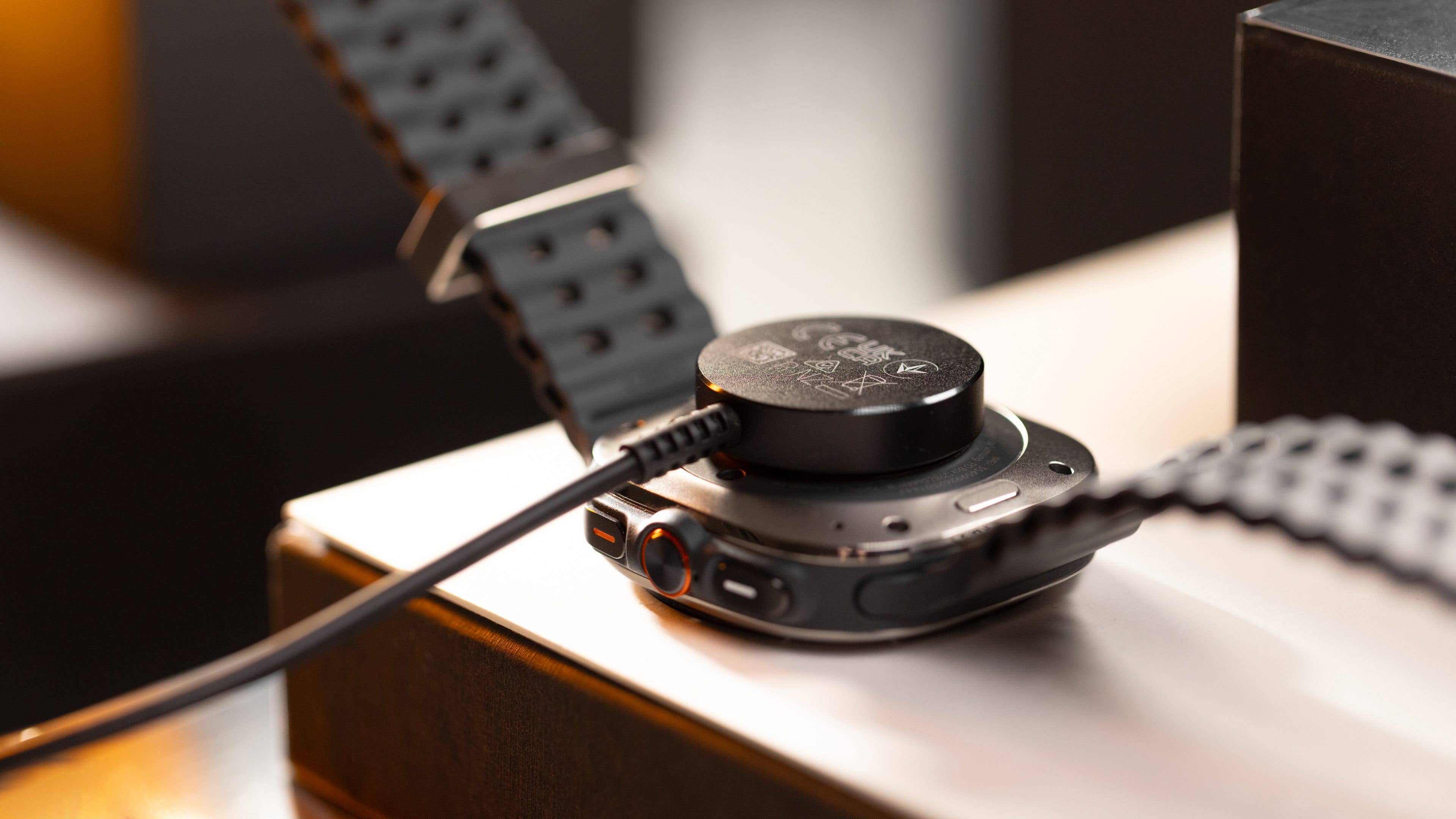
When it comes to charging, the Galaxy Watch Ultra takes longer than you’d expect. The device packs a hefty 590 mAh battery, but it takes at least 112 minutes to achieve a full charge. In 10 minutes, you’ll only get 8% of the battery back; in one hour, it’s up to 60%.
That’s a pretty lengthy wait, especially when you consider that the OnePlus Watch 2R (review), with a 500 mAh battery, hits full capacity in just 60 minutes, and the Apple Watch Ultra 2, with a 564 mAh battery, takes 90 minutes.
On the bright side, the Galaxy Watch Ultra is compatible with a magnetic charging puck, making the charging experience hassle-free and convenient.
While it is not without its flaws, Samsung has truly stepped up with the Galaxy Watch Ultra, delivering a smartwatch that feels like it’s in a league of its own.
Sure, there are some drawbacks—issues with external sensors, battery life that could be better, and a sense of being somewhat locked into the Galaxy ecosystem. Recharging is still slower than ideal, and it’s a bit disappointing that the Ultra line typically offers just one size option.
That said, the Galaxy Watch Ultra is a bold, stylish statement piece, featuring a vibrant, colorful display, and those Ultra-specific watch faces add a refined touch to its overall design. It’s also Samsung’s most accurate Galaxy Watch yet, with multisport features that are not only comprehensive but genuinely fun to use.
The decision largely hinges on your phone’s ecosystem and your specific health and fitness needs. If you’re using an iPhone, this watch isn’t for you. If you have any Android device outside the Samsung Galaxy lineup, you can still enjoy the Galaxy Watch Ultra, but you’ll miss out on features like Energy Score, Galaxy AI, ECG, and Find My Ring.
However, if you’re a Samsung phone user, this watch is a strong recommendation—but consider your needs carefully. If endurance training isn’t your focus, the more affordable Galaxy Watch 7 might suffice, offering nearly all the health features and most of the workout modes.
For those entrenched in the Samsung ecosystem and serious about hardcore fitness training, Garmin’s top devices might be worth considering for their external sensor compatibility and potentially better battery life. But remember, the Galaxy Watch Ultra undeniably elevates Samsung’s smartwatch game to a whole new level.
We mark partner links with this symbol. If you click on one of these links or buttons–or make a purchase through them–we may receive a small commission from the retailer. This doesn’t affect the price you pay, but it helps us keep nextpit free for everyone. Thanks for your support!
Ich habe 15 Jahre Erfahrung in der Bewertung von Smartphones und Wearables und vereine technisches Know-how mit einer echten Leidenschaft für Innovation. Ich habe bekannte Tech-Websites wie AndroidPIT und Canaltech in Brasilien geleitet und möchte jetzt meine Expertise mit einem Publikum auf der ganzen Welt – unter anderem in den USA, Deutschland, Frankreich, Spanien und Brasilien – durch ehrliche, praxisnahe Tests teilen.
Kürzlich habe ich meinen Fokus auf digitale Gesundheit verlagert, mit einem besonderen Augenmerk auf Geschlechtergerechtigkeit und dem Ziel den geschlechtsspezifischen Datengraben zu überwinden. Ich brenne dafür, durch einfache, klare Texte Frauen in den Bereichen Technik und Gesundheit eine stärkere Stimme zu geben. Ob ich nun die neuesten Gadgets teste oder neue Trends im Bereich der digitalen Gesundheit erkunde – ich bemühe mich stets, komplexe Themen verständlich aufzubereiten.
Persönlich bin ich ein begeisterter Läufer – ich habe 2024 den Berlin-Marathon absolviert – und bereite mich auf eine lange Radtour von Deutschland nach Österreich vor, die im Jahr 2025 in nur vier Tagen schaffen will.
Trust me, it is! But if you’re in a hurry, I’d say that 50% battery might get you through the day—depending on what you plan to do.
Log in to Reply
I agree with you, recharging this watch is so so slow. And a I could not use my S24 Ultra to charging, so strange.
Log in to Reply
Sadly power sharing wont work properly with the new Watch 7 and Ultra due to their redesigned bottom plate. You might need to wait for wireless chargers specific to the duo or use their original chargers.










Recharging is so painful.
Trust me, it is! But if you’re in a hurry, I’d say that 50% battery might get you through the day—depending on what you plan to do.
I agree with you, recharging this watch is so so slow. And a I could not use my S24 Ultra to charging, so strange.
Sadly power sharing wont work properly with the new Watch 7 and Ultra due to their redesigned bottom plate. You might need to wait for wireless chargers specific to the duo or use their original chargers.
https://www.nextpit.com/samsung-galaxy-watch-7-ultra-no-feature-reverse-wireless-charging
Thanks a Lot.
NOT worth it for the price! I’ll just stick with my watch 6 "classic" that still has the rotating bezel!