


Contents
Pros of the Nuki Smart Lock Pro 4.0
- Easy installation and setup
- No user profile required
- Battery pack installed instead of batteries
- Matter-compatible
Cons of the Nuki Smart Lock Pro 4.0
- Accessories such as the keypad must be purchased separately
- Battery pack must be removed for charging
Jump directly to:
- Price andThe Nuki Smart Lock Pro 4.0 in a nutshell
- Nuki Smart Lock Pro 4.0 design and installation process
- Nuki app and Operating the Nuki Smart Lock Pro 4.0
- Nuki Smart Lock Pro 4.0 conclusion
Price andThe Nuki Smart Lock Pro 4.0 in a nutshell
The Nuki Smart Lock Pro 4.0 is already available in stores and costs €289 (recommended retail price, approx. $310). It is unavailable in the US because it is meant for European locks and is not compatible with US-style deadbolts. The Nuki Keypad 2 must be purchased separately and costs €159 (MSRP) and both devices can be purchased in a bundle to the tune of €399 ($420).
Nuki Smart Lock Pro 4.0 design and installation process
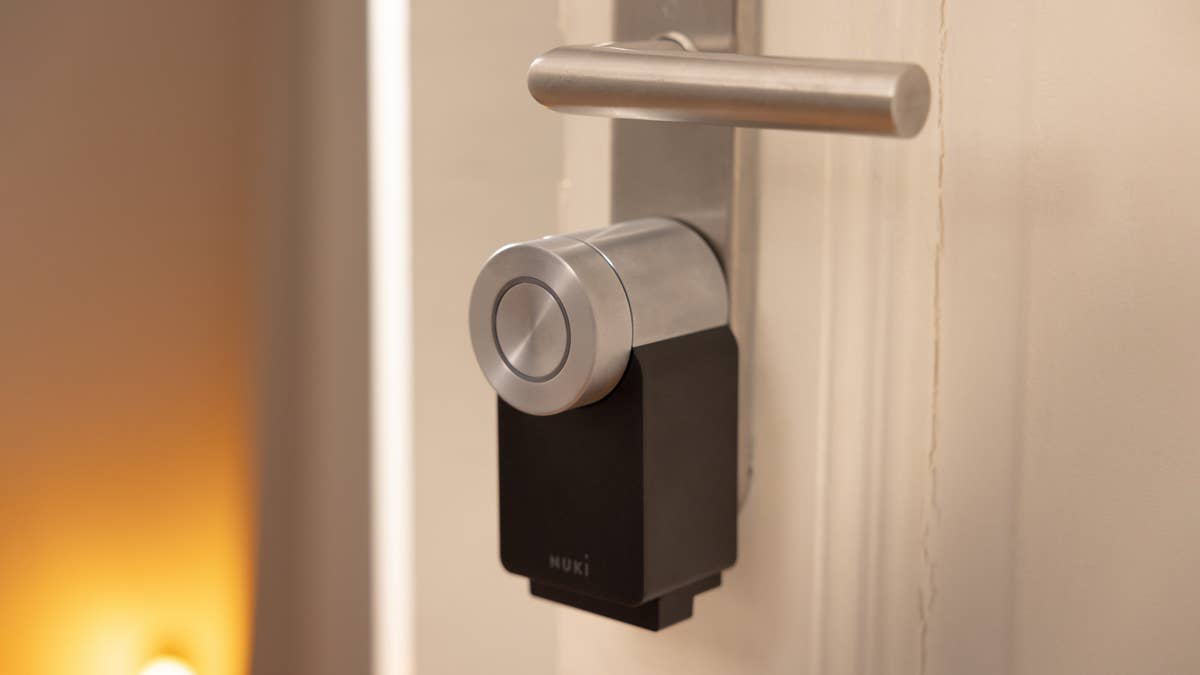
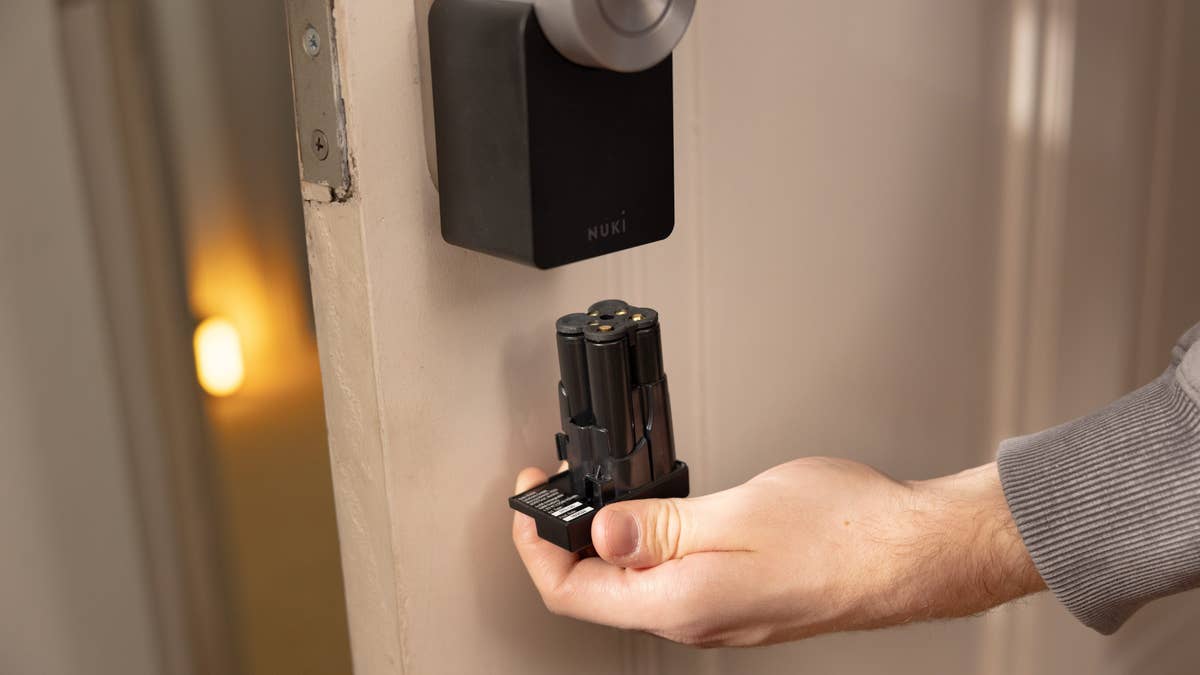
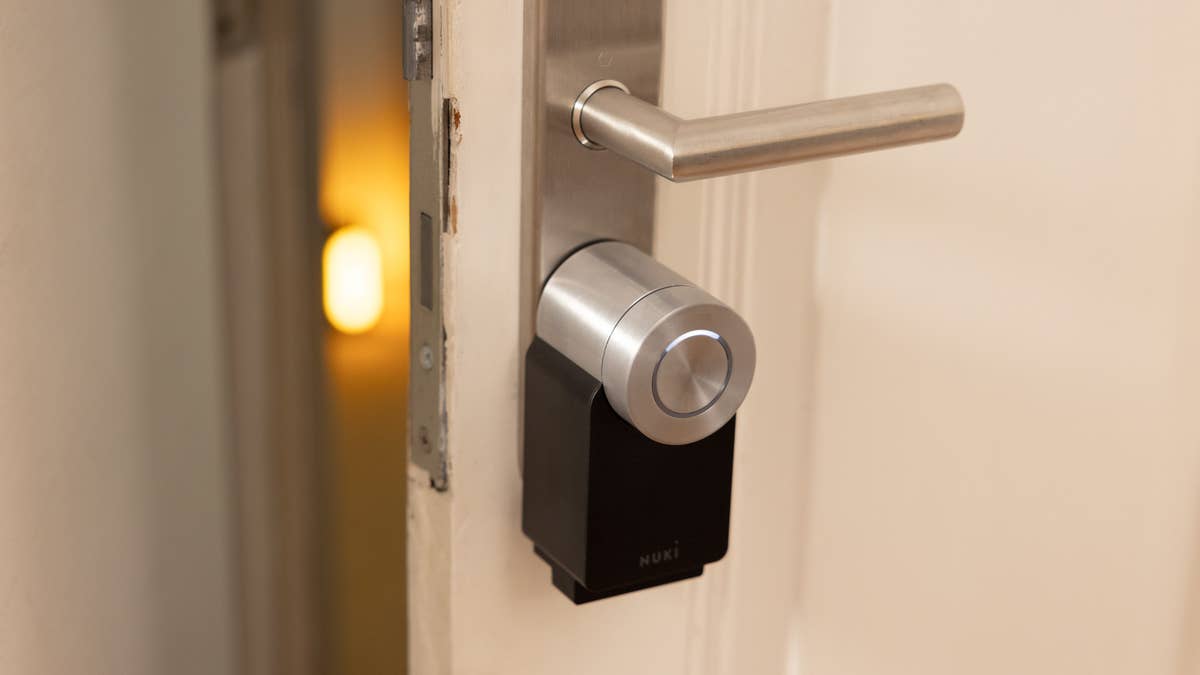
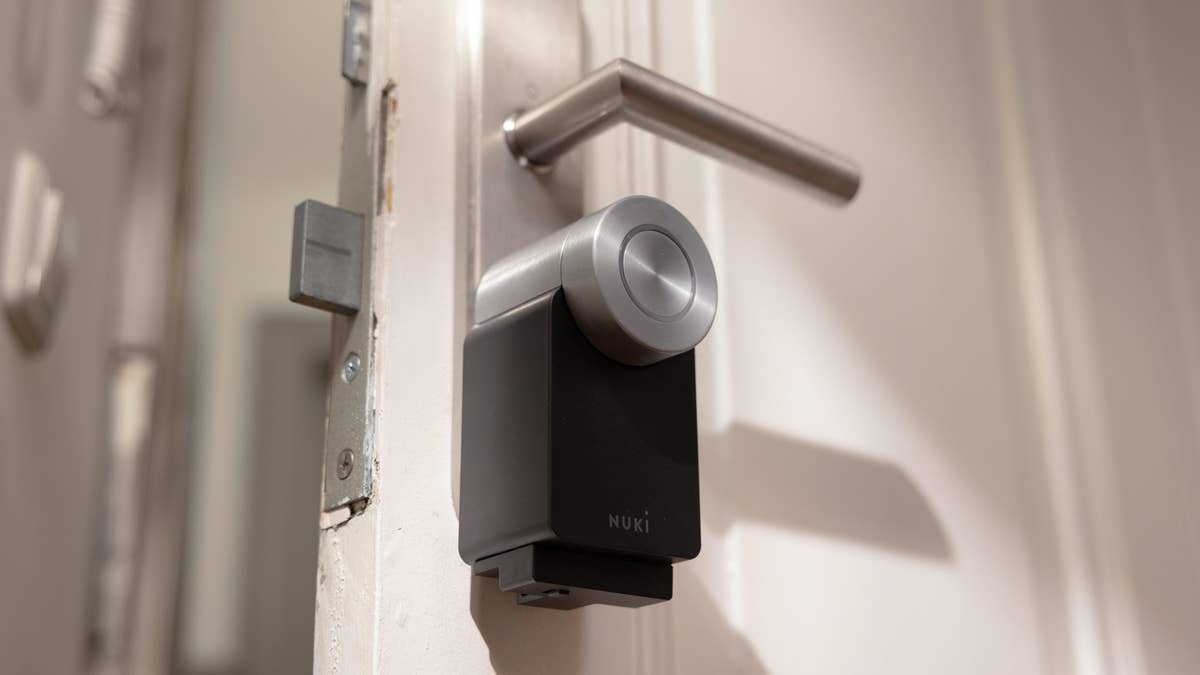
Installing the Nuki Smart Lock Pro couldn’t be any easier. The electronic door lock boasts a high-quality finish. In addition, the smart home gadget does not rely on batteries, but on a rechargeable battery pack with a particularly silly shortcoming.
Pros:
- Simple, detailed installation.
- Door lock is available in two colors.
- Top-class workmanship.
Cons:
- Battery pack must be removed before charging.
Nuki provided us with the white version of the Smart Lock Pro 4 for review. The Austrian manufacturer also offers the model in black as an option. The Smart Lock Pro comes with a battery pack, a suitable Allen key, and two plastic locking mechanisms.
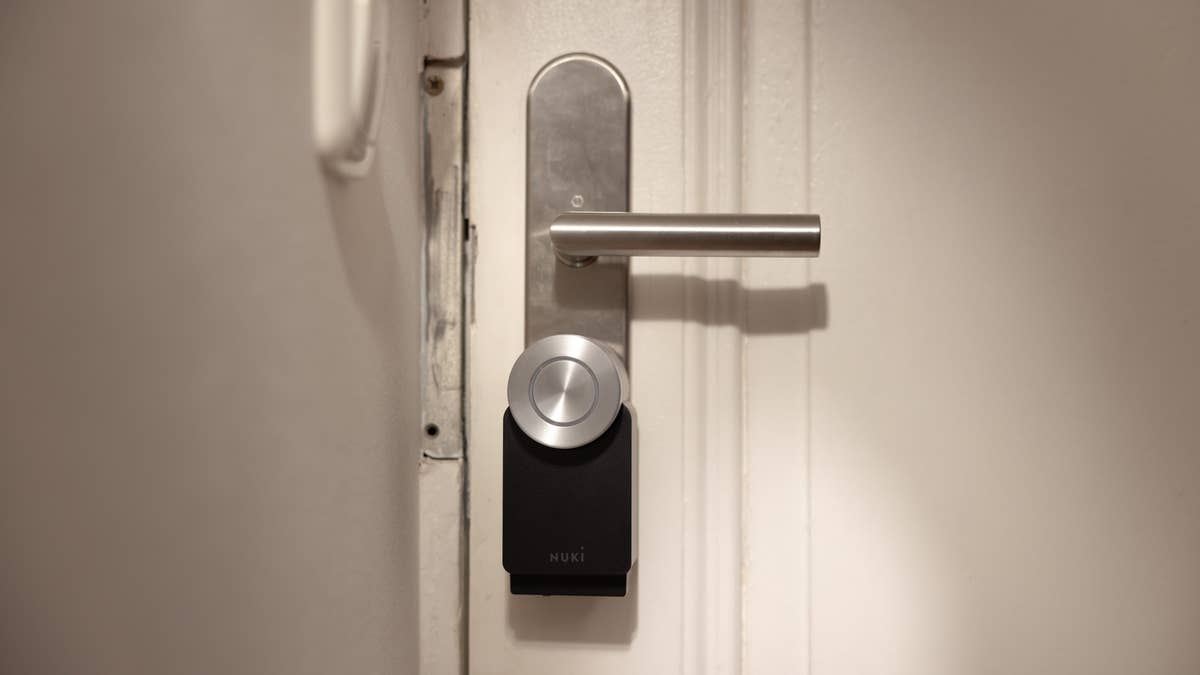
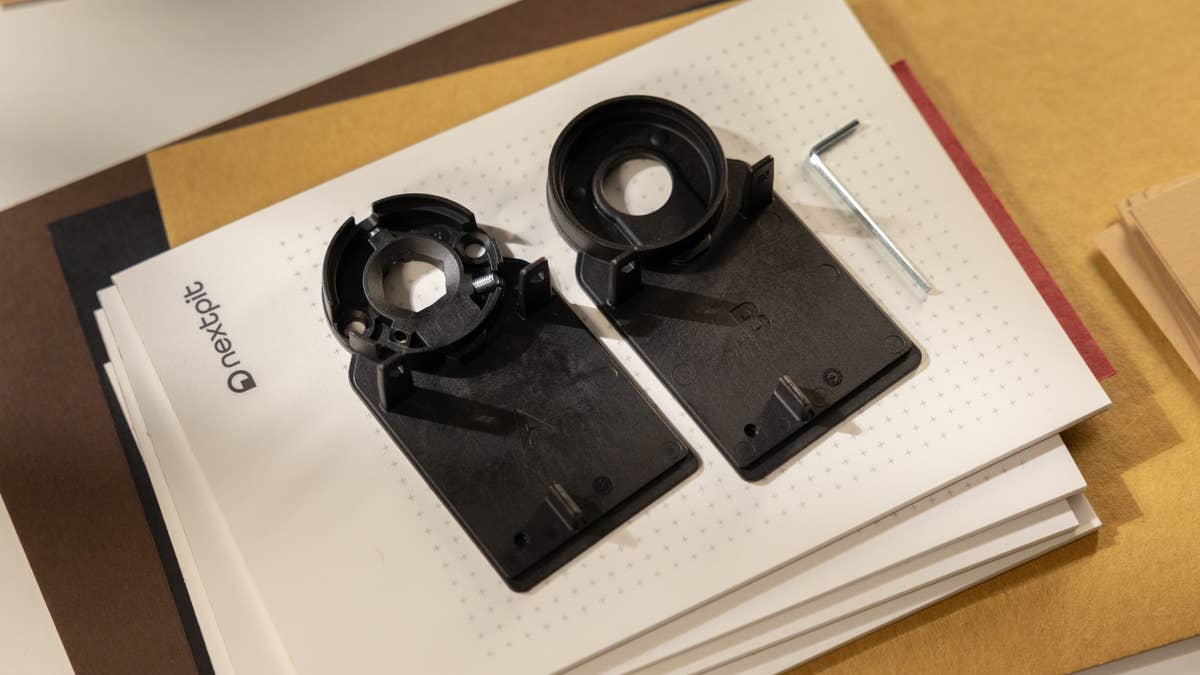
Installing the smart home device is very simple. The Smart Lock Pro is placed on the door lock from the apartment side. You can use either an adhesive locking device or screw the fixing plate in place. Once the lock is installed, press the Nuki button for five seconds to wake it. As soon as the ring lights up in white, your smartphone should be able to find the lock and add it to the Nuki app.
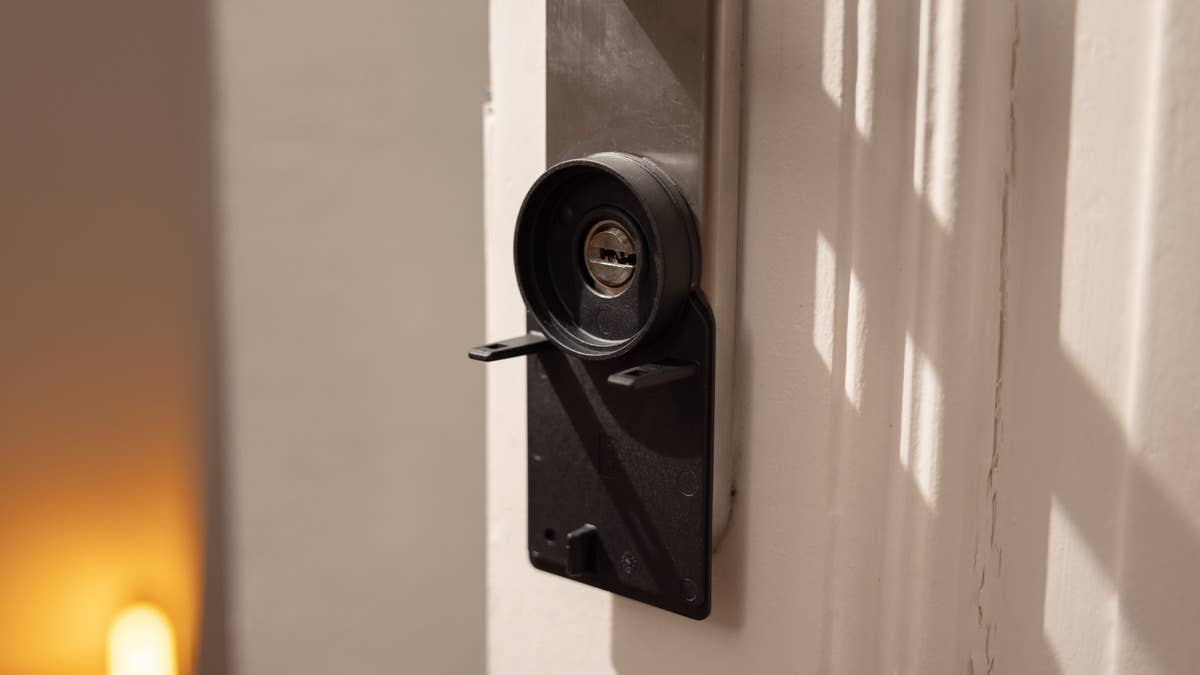
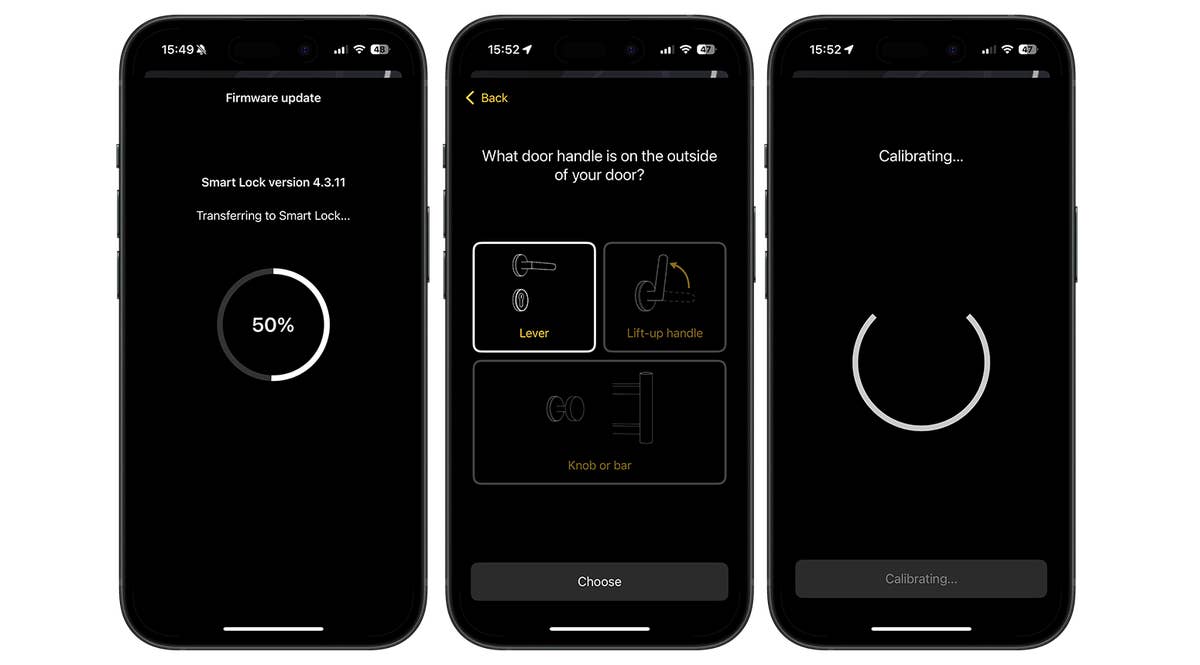
Users of Nuki Smart Locks enjoy a great advantage. It is possible to use the practical Smart Home help without an online account. Once the lock has been added to the app, a firmware update is next on the list. The software then guides the user through the entire setup process. We were impressed by how detailed Nuki’s instructions were here. Before the calibration process marks the end of the setup process, we recommend setting a four-digit security code. The Nuki app optionally requests this code if certain settings are to be changed.
Overall, installation and setup in the app are really fast and easy. Even customers who are using a smart door lock for the first time won’t get confused at any point during setup. In our review, the entire setup process took around ten minutes.
Nuki app and Operating the Nuki Smart Lock Pro 4.0
The Nuki app has a large number of appealing settings to pick from. The smart lock works flawlessly and opens the door quickly. If you buy the optional keypad, you can open your home with a fingerprint or code
Pros:
- Intuitive software.
- Extensive range of functions.
- Reliable, fast fingerprint sensor of the Keypad 2.
Cons:
- –
The principle of the Nuki lock is as follows: The device turns the key inserted in the lock using a built-in motor. The 6 x 11.1 x 6.4 cm Pro contains a NiMH rechargeable battery that lasts up to 140 days, according to the manufacturer. This can be charged using the supplied USB-C to USB-A cable.
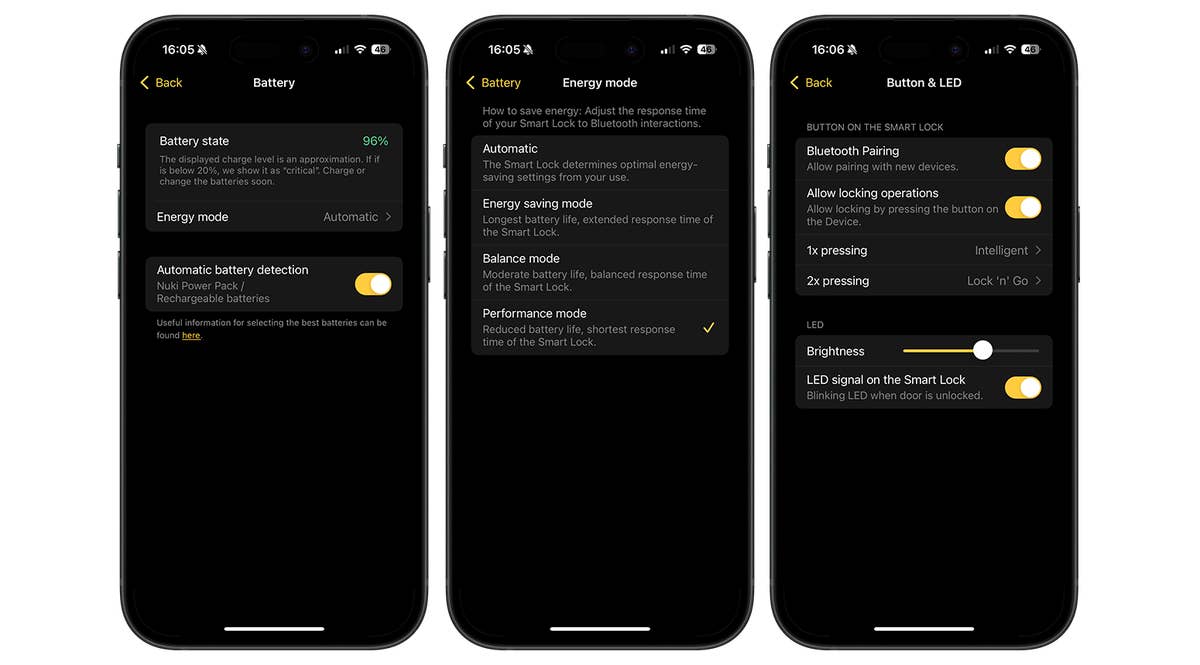
However, there is an annoying flaw when charging. To charge the battery pack, it has to be removed from the Nuki first. This means the battery cannot be charged while it is in the lock. Battery status is also displayed in bar form in the main menu of the Nuki app. A percentage display would certainly have been preferred.
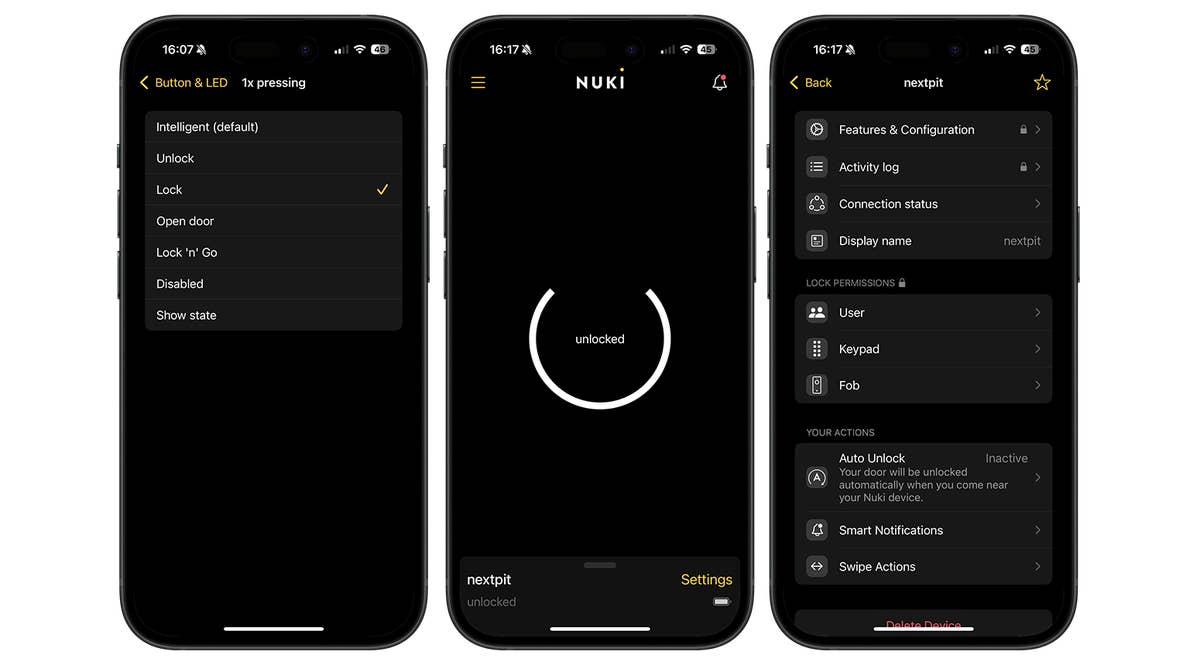
At the very least, the app provides information on the remaining battery level in the “Battery” section, where a maximum of three attempts are allowed. You can also choose between four energy settings. In short: the more speed/performance required from the Nuki, the higher the battery consumption.
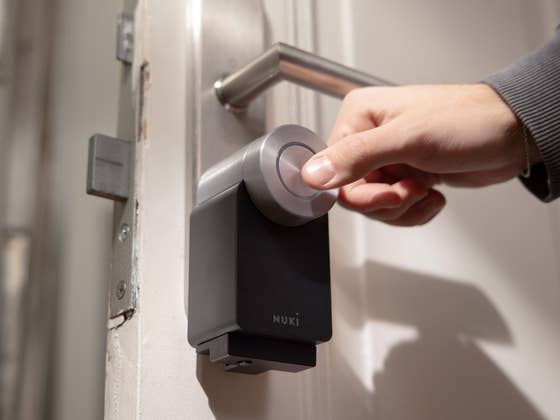
The button control works wonderfully in reality. In the app, you specify which action is to be carried out when the button is pressed once or twice. By pressing the button, the lock can open, unlock, or lock the door, for instance. Alternatively, you can use the Nuki app and open the front door in the main menu. However, the app often takes a moment to execute the function during this process.
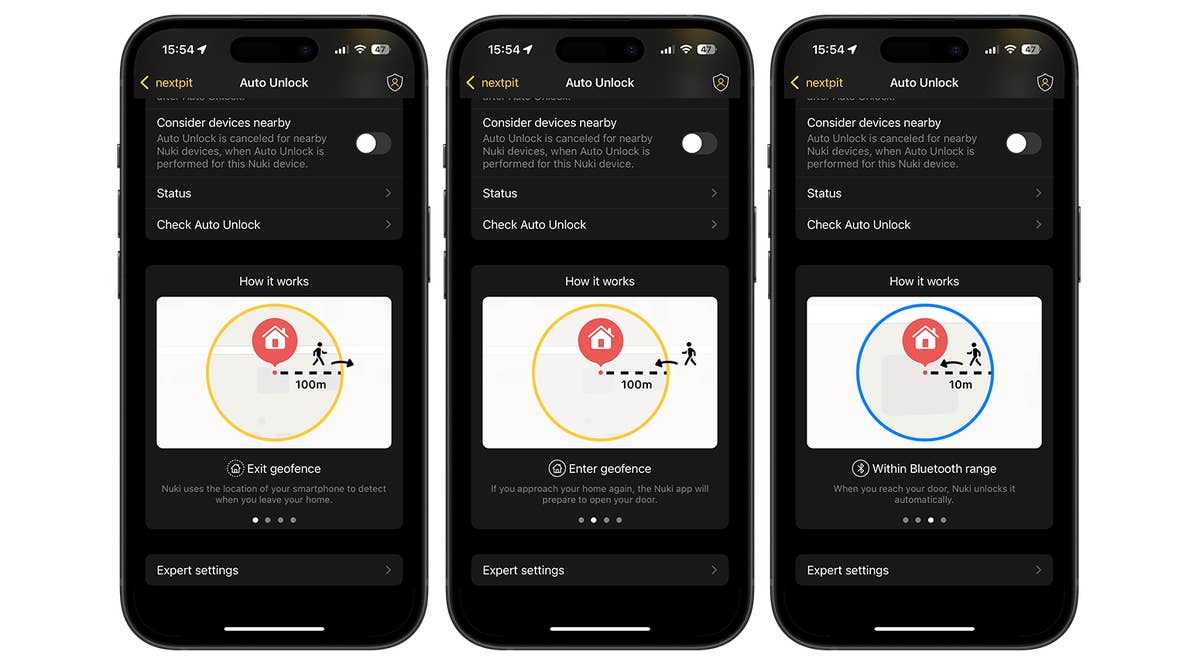
Another interesting feature is “Auto Unlock”. Should this be activated, the Pro 4.0 uses the location of your smartphone to determine when you leave your home and return home. As soon as users are within Bluetooth range of the Smart Lock, the Nuki automatically unlocks the front door. To do this, however, you must constantly share your location with Nuki.
The app also keeps an access log that records every single lock use. This enables unauthorized access attempts to be detected. However, Nuki is not spared one of the primary smart door lock problems: if the battery pack is empty, you can no longer get in when the key is inside. Sure, the battery lasts a very long time, but keep an eye on the battery level so that you don’t lock yourself out by accident.
- Door lock with integrated fingerprint sensor: Aqara U200 smart door lock review
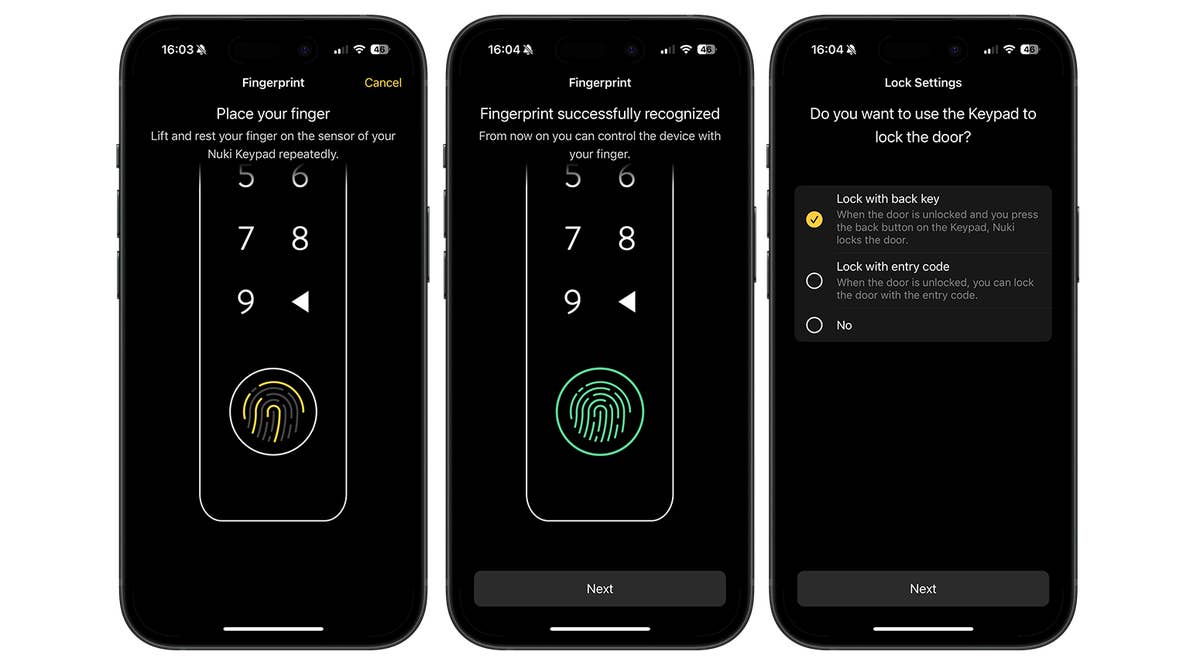
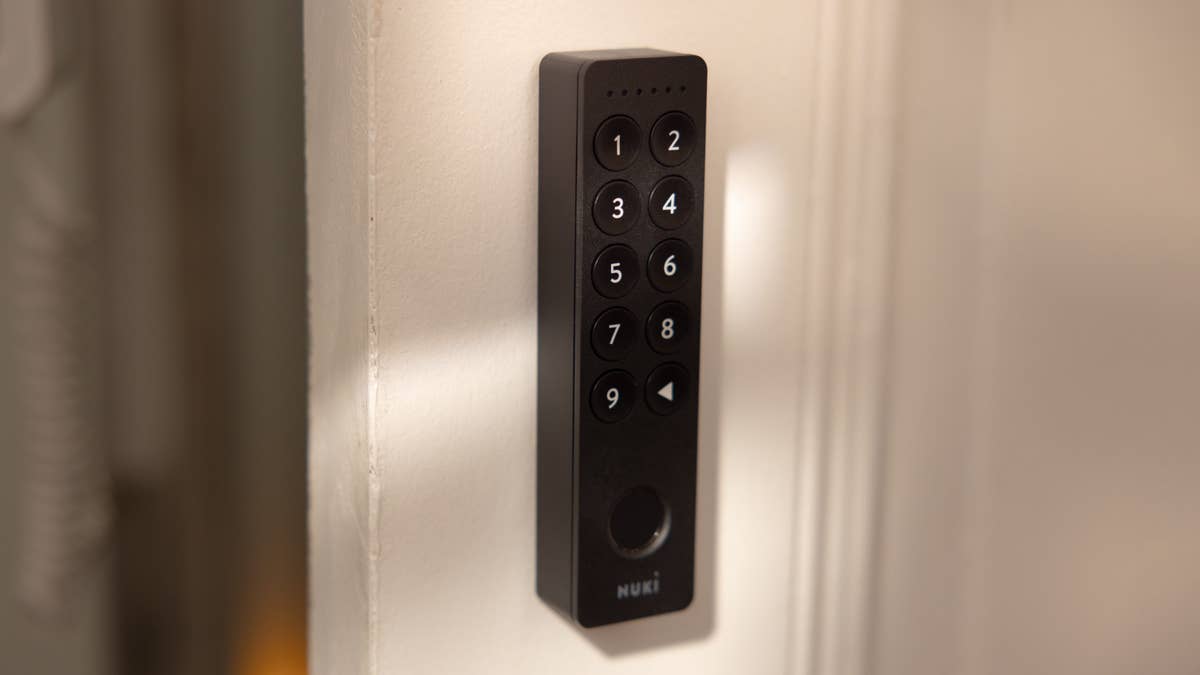
We also had the opportunity to check out the Keypad 2 during the review. The advantage of this is, you don’t need an additional bridge to connect the door lock to the Keypad 2. The accessory enables opening by using a fingerprint or security code. What does this mean for the user? You do not always have to take out your smartphone to open the door via the app.
The fingerprint sensor also has a very fast reaction time. However, it doesn’t quite match the speed of the Aqara U200 (review). If you were to press the “Back” button after leaving the apartment, the lock would have been locked.
Nuki Smart Lock Pro 4.0 conclusion
Anyone looking for one of the best smart door locks is on the right track with the Nuki Smart Lock Pro. The electronic lock is easy to install and quick to set up. If you don’t want to keep digging your smartphone out of your pocket, you can buy a matching fingerprint sensor separately with the Keypad 2. This also allows you to create an access code for your home.
The Nuki Smart Home Pro 4.0 has no real shortcomings: the smart home device opens the door quickly and reliably. The only possible gripe is how the app occasionally takes a moment to open the door, which can be a bit annoying in the long run. If you were to use the geofence function, you don’t have to do anything at all for the door to open automatically.
It is not at all difficult for us to recommend this smart electric lock. The Nuki Smart Lock Pro costs €289 according to the recommended retail price. The Keypad 2 costs an additional €159. Customers who buy a bundle consisting of both devices would have to fork out €399. For those of you who are patient, it may be worth the wait, as Nuki has already unveiled its latest Smart Lock Ultra, which will be launched in December.
We mark partner links with this symbol. If you click on one of these links or buttons–or make a purchase through them–we may receive a small commission from the retailer. This doesn’t affect the price you pay, but it helps us keep nextpit free for everyone. Thanks for your support!

0 comments