


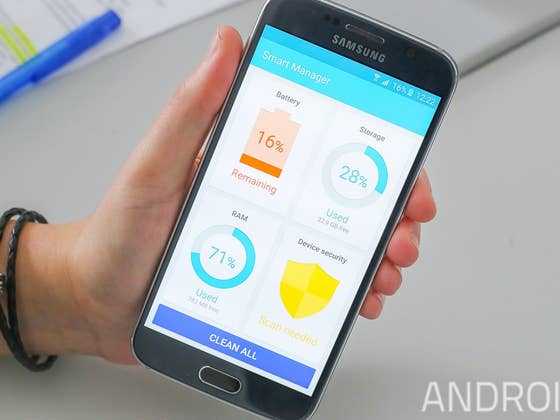
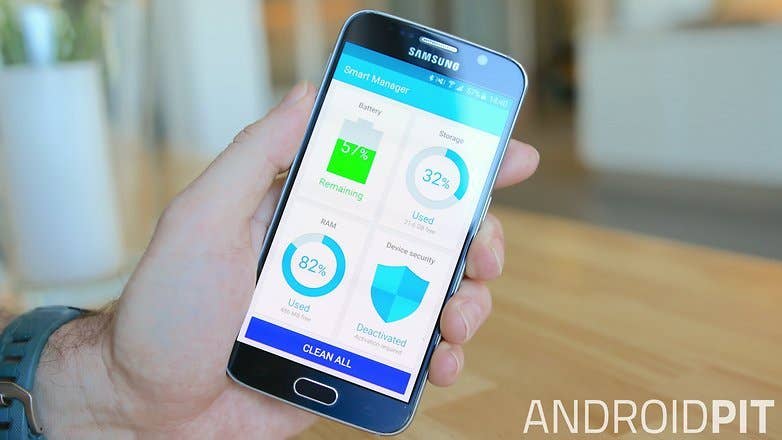
What is Smart Manager?
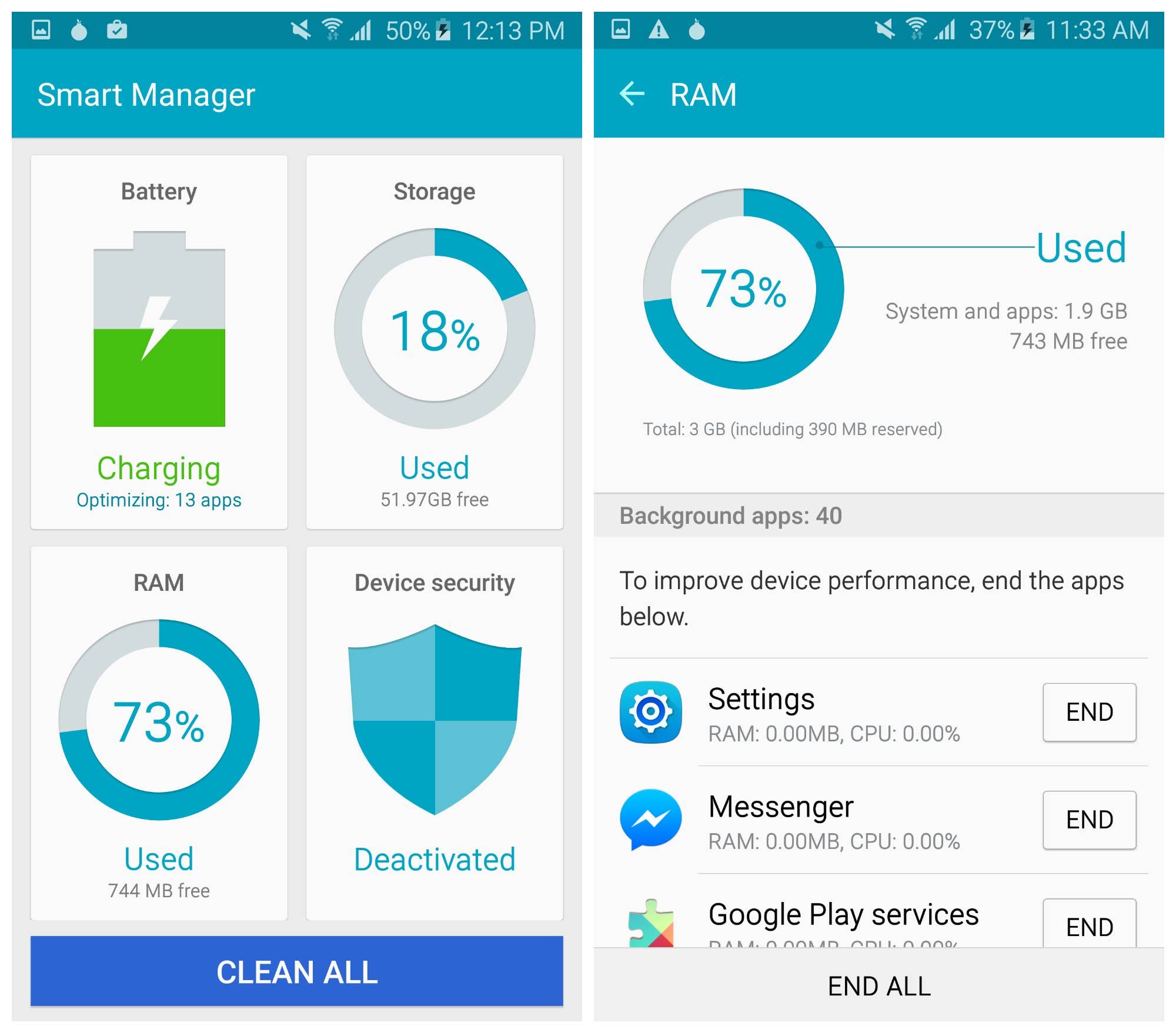
Smart Manager is found in the Galaxy S6’s (and other post-Lollipop Galaxy devices) app drawer. It gives quick access to four pages: battery, storage, RAM and device security, as well as a one-tap performance boost called Clean All, which “clears the “RAM status” and “deletes unnecessary data stored on your device”.
It’s supplied by Cheetah Mobile, creator of the popular ‘Android optimization’ app Clean Master (boost and applock). There’s a chance you may not have even encountered it before, because certain operators, including AT&T and Verizon, don’t let you access it. If you haven’t, best keep it that way.
Why shouldn’t I use Smart Manager (Clean All)?
While Smart Manager could be used as a widget or shortcut to battery and storage settings, you should avoid using the frankly pointless Clean All optimization feature. This feature is said to improve device performance – as the Clean Master app aims to do – but its actual impact is questionable.
Apps have varying impacts on the amount of RAM used, and while some can use a lot, it does not inherently mean they are rogue, out of control or using too much. Android is designed to manage RAM effectively and automatically, and does by default much of what Clean All does manually. Reason number one to not use Clean All for this is that it’s entirely unnecessary.
But the second is that it’s wildly ineffective. The apps deactivated after you tap the Clean All button simply don’t stay inactive for long. In a test I conducted earlier (see the screenshot below), it took less than a minute for the processes I had ended to be back up and running again.
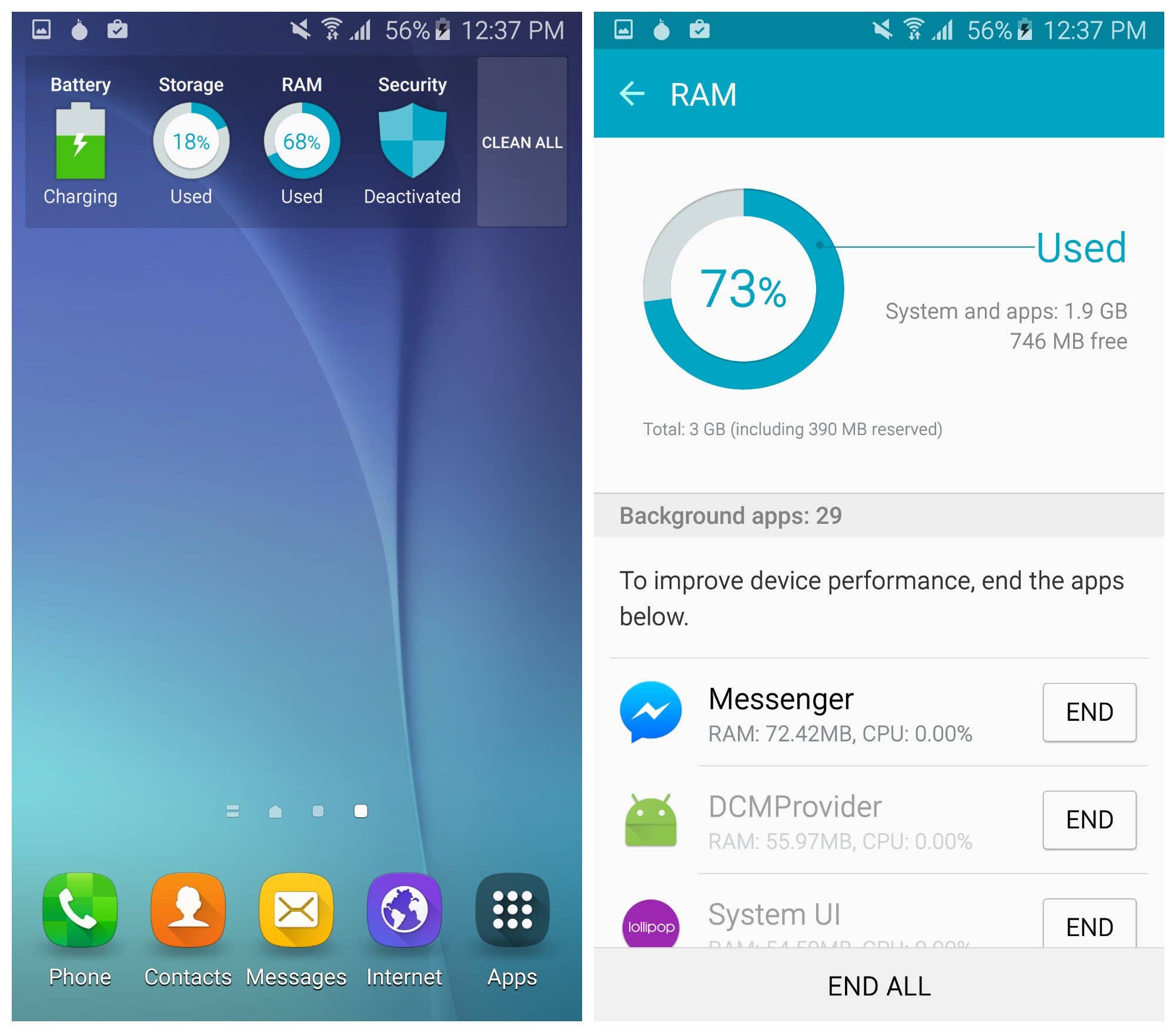
Many of the processes that the RAM manager stops either should be running, or will restart soon anyway. What’s more, the Galaxy S6 comes with 3 GB of RAM, which should be more than enough to manage the demands thrown at it.
Supposedly performance-boosting apps like Clean Master are extremely popular because they bank on the idea that the person using them doesn’t really understand how the Android platform works. There are countless stories about the inefficiency of so-called task killers on Android. Smart Manager’s Clean All plays on the same idea.
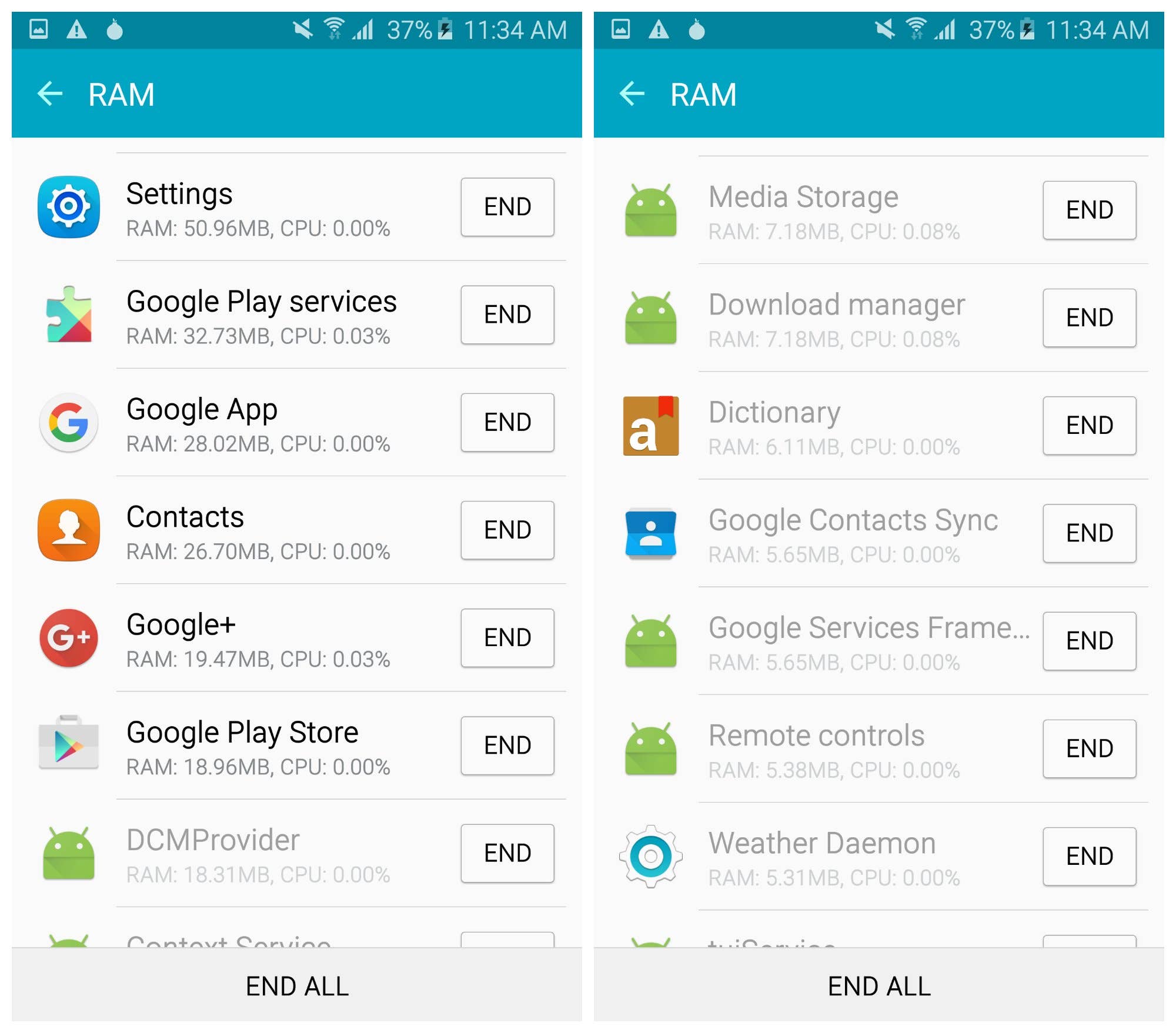
If Smart Manager is dropped from the Galaxy S7, the device will be better for it. And if you use it on your current Galaxy device, consider stopping – unless you just really like tapping buttons for no reason.
Have you used Samsung’s RAM management tool? What are your thoughts on it? Tell us about it in the comments.



I have it disabled loooong time ago so uneccesary
"…unless you just really like tapping buttons for no reason."
Hahahaha. (I do…)
I used CleanMaster when I first switched to Touchwiz Lollipop Rooted, and later the TW ROMS. I don’t know precisely why, but TW Lollipop ran brutally hot. Apps seemed to go on full core runaway processes. And CleanMaster made TW Lollipop usable. But it was only the Touchwiz ROMs that had this problem.
Wow how pointless…. More bloatware
Adam pls find something intresting….dont bore people with it
How do you do a smart manager widget? I have smart manager on my Galaxy Note 4 too, but I didn’t find the widget..
I think the smart manager was a great app in lollipop which auto stopped apps in my Galaxy J7.I mean i rest in peace without worrying about battery drainage at all.I miss that great feature on marshmallow
Does anyone knows on which baseline an app is reported as "abnormal battery usage"?
Thanks,
I disagree that this is useless at best. I recently acquired a "new" S6 and due to this, I found a lot of pre-installed programs (including Facebook?!) that I refuse to allow on my devices. It was a straight-forward view of programs I may not ever want running, and due to root, I was able to disable/delete them as I saw fit.
On the other hand, for people who should not be mucking up their phones… maybe it will teach them what all is going on without them realising it. That’s how I first discovered it on my first Android. Yes, Android handles memory wonderfully, but it also hides a lot of things that should make you wonder. 😉
The only part of the touchwiz app optimizer that has anything to do with CleanMaster is the junk file detection feature that deletes junk files left behind by other apps. This is just a hit piece plain and simple. You’ll find lots of others just like it. There has been an open attack on 3rd party development of Android where anything that doesn’t have a Google sticker is labeled bloat and dismissed as bad even if it enhances performance and eliminates bloat like this feature does.
This feature makes it unnecessary to use package disablers, Greenify or any other 3rd party optimization app in fact their use actually throws off all the usage trackers that automatically optimized your device and also causes glitches.
If you follow the advice of this article you’ll actually end up with a device that’ll live down to the stereotype which will fool you into thinking that no 3rd party development of Android should be tolerated.
I always had this app and all it’s sister processes disabled until yesterday, when my Android 7 Nougat Non-Beta finally went live for the S7 Edge T-Mobile variant. Unfortunately now the battery category and optimizations usually found in settings will aldo be disable when disabling thid app… I am mad ?
Nevermind, I’ve found a way around it ?
This article is either lazy as hell are downright malicious. The touchwiz app optimizer is an enhanced form of app standby that is the very reason why there is a modern touchwiz. It automatically detects apps that are infrequently used and prevents them from running in the background, it detects any glitchy or resource intensive apps and notifies you before they can cause system degradation. Without this feature you will have a bloated laggy touchwiz experience whereas with it you’ll have an experience as light weight as stock android. This feature is why the S7 gets better battery life and comparable performance to the pixel although both have roughly the same hardware and the pixel has barely a fraction of the features of the S7.
The only part that had any CleanMaster at all is the junk detection feature that deletes junk files left behind by other apps. You don’t have to use it at all and it never runs in the background.
This is seriously a garbage article that will cause people to have a much worse experience with their galaxy devices.
Most of the comments on here that are bashing this article seem to be from people who haven’t read the entire post…
He says not to use the END ALL feature.
He also states that some apps even when ended, come right back using even more RAM.
hi there Jose, i think i need your help, and i think u might be able to help me. i hope..
so, here i go,
I’m using "the android lost" app on my phone.
But now smart manager is constantly telling me to uninstall it.
I want it to stop doing that, but there might be something else I eventually download that smart manager might pick up on.
Is there any way for me to add an exception to a handful of apps that I trust?
Thanks a lot.. i hope you can help me on this.. u looks like know android very much..
thx again..
I’ve never heard of Smart Manager showing a notification to remove an app. Can you send me a screenshot of that? As far As I know there’s no way to add an exception in Smart Manager, BUT you can turn off notifications for it. Go to Settings>Apps> select the Smart Manager app and then click Notifications and turn them off. SHOULD fix it. E-mail me if it doesn’t work and I will help you… joeyakaspce1130@gmail.com
"So I’m using SideloadVR to install Vridge for Gear VR.
But now smart manager is constantly telling me to uninstall it.
I want it to stop doing that, but there might be something else I eventually download that smart manager might pick up on.
Is there any way for me to add an exception to a handful of apps that I trust?
Thanks!"
i found the paragraph above on reddit. but still has no answer. did any of u guys here know the answer for the question on paragraph above because i have the very same question and it’s annoying to have my phone always telling me to uninstall some apps.
thx a lot guys..
when I switch on my samsung galaxy n7000,even before I do anything I get a notification saying 88% of memory is used and 91% CPU, running 31 apps. These are not apps I downloaded (I have only downloaded 3 apps so far). I am offered a button to click to solve the problem, but I hesitate to do it as I know nothing about what it will do. Is it advisable to ignore the notification?
It would help if I knew how to find out what these 31 apps are. Also is it possible that the data I have deleted is in a waste bin somewhere, and if so, how do I empty it?
I am now totally confused.
all what I need is to know how to get rid of Smart manager widget . I can charge the phone until it reaches 100 % full but whenever I tap that widget my phone blacks out.
First thanks you for that info,no wonder I have SD MAIAD and so I’ll sut down as many apps as I can on my Galaxy tab A but when my game starts slowdown I’ll look at the smart manager app and 70%-80% of the Ram is being used with apps I shutdown. My question is can I delete the " cheetah cleaning app )? And have work better. If any body knows please post!!
I hate that dam that thiing its aggravating, thank you!