


1
4 Min.
HTC has revealed its new mid-tier handset, the Desire 820, at IFA 2014. The manufacturer aims to reach a young audience, providing power in all the right places at a (hopefully) moderate price. Here is our first impression of the fun 64-bit phablet.
4
8 Min.
For many, SlimRoms simplifies the Android experience while reducing a lot of the unnecessary overhead that might be found within. As such, it provides a good experience for most Android purists and those who are looking to bring an older device out of the dark ages and back into the golden light of Android.

5
3 Min.
There are so many great themes available for CyanogenMod 11 and Paranoid Android that they could quickly send you broke. But there a bunch of great free themes for CM 11 that will totally refresh the look of your Android with the touch of a button. Here’s the best free themes for CyanogenMod 11 that I’ve been enjoying lately.
Best custom ROMs for Android
Custom ROMs: the guide
3
2 Min.
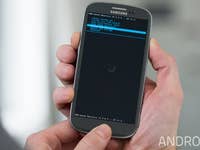
Recovery mode on any device is a special thing for Android tweakers, providing a variety of options the average user never sees. Using the recovery menu on the Galaxy S3 is like the difference between poking around under the hood of your car when you hear something funny and simply taking it to a mechanic. If you want to know how to reboot into recovery on the Galaxy S3, we’ll tell you right now.

1
9 Min.
Lets be honest: Samsung’s historical attempts at mini flagship devices have been pretty miserable. In our Galaxy S5 Mini review, we’ll show you how Samsung has improved upon the instantly forgettable Galaxy S3 Mini and S4 Mini to produce a slimmed down version of the Galaxy S5 that produces an altogether different result than its miniature predecessors. For the first time, a Samsung Mini demands that you pay attention. How does S5 Mini achieve this? Read on to find out.

2
9 Min.
The LG G3 is one of the best Android smartphones of 2014, standing up very well to the high expectations placed upon it in the lead up to its unveiling a few months ago. We’ve had a couple of months to get used to the G3’s quirks and characteristics and seen it through a recent software update as well. Here’s our in-depth LG G3 review to show you what best LG smartphone has to offer.

3
2 Min.
Here a question that many ask: how does one send an email via Bluetooth on Android? This comes in handy when you want to transfer them from an old to a new phone. Here is how it’s done!

3
3 Min.
Well here’s something to be concerned – or intrigued – about: if you have a Moto X, Moto G or Moto E with a custom launcher installed, you can access previously hidden Qualcomm settings without the need for root. While this may be cool for some, it’s a major security hole for others. [Update: Motorola has commented on these allegations in an official response to AndroidPIT.]

0
8 Min.
The Moto E is Motorola’s latest low-end smartphone with a fantastic price, while still coming with the latest version of KitKat. It has what it takes to bring down the feature phones concept, as it comes with a microSD slot to expand the 4GB of internal storage up to 32 GB. This is just the tip of the iceberg, so we’ve explored the Motorola smartphone in a more in depth review.

0
7 Min.
Samsung presented a brand new flagship tablet in June 2014, the Galaxy Tab S, which comes in two sizes of 10.5 or 8.4 inches. In comparison to previous tablets by Samsung, the Tab S is thinner and lighter, and thanks to its dazzling Super AMOLED display, it lands itself in the category of high end tablets. Our test of the Galaxy Tab S will show whether it lives up to Samsung’s high praises.