Follow nextpit Global:

Internal server error » nextpit
500: maintenance mode

Greetings from the Engine Room!

Sorry, but there's really nothing to see here right now. Our server is in maintenance mode – and our little bot is trying to sort the error messages with its last bit of energy.

Whether it was a data leak, a power outage in the cluster, or just a grumpy bit – we don't know yet. But what we do know is:

The data drama escalated into a server meltdown. But don't worry: We're on it.

What now?

  • Everything is surely running smoothly over at our colleagues from inside digital – why not stop by!
  • Or you could pass the time by visiting our social media channels – for example Instagram, YouTube or TikTok. At least there are no server problems there – promised.

Thanks for your patience. Our bot is already rebooting at full speed. 🔧

How-tosGuides
androidpit-do-not-disturb-teaser.jpg

0

3 Min.

TABLET
Get blocking mode functions on your Android thanks to Do Not Disturb
Most smartphones have a Nexus series, for example, doesn’t have this function built-in, but thankfully there are tons of apps for this purpose in the Google Play Store. Do not Disturb is an app with a ton of customizable options you need to keep the ZZZ’s going all night long.

by Loie Favre

0 Comments

3 Min. Reading time

whatsapp1.jpg

5

2 Min.

SOCIAL MEDIA & MESSENGER
Use WhatsApp as a walkie talkie
Why type out a message on WhatsApp when you’ve got your voice handy and ready to go? One of the better things that has been updated in the popular messaging app over the last little bit has been the removal of the limitations of how long of a message you can send to your chats. Now, with a quick press of a button, you can send voice messages on the fly.

by Sterling Keys

5 Comments

2 Min. Reading time

androidpit-android-for-beginners.jpg

14

4 Min.

TABLET
How to unfreeze your Android smartphone
Your Android smartphone or tablet is basically just a computer packed into a smaller shell. And just like any other type of computer, it can freeze, crash, or just hang up at the least opportune times. So what do you do when this type of thing happens to you? Here’s a few tips to get your frozen Android device, or app, back to normal running condition.

by Sterling Keys

14 Comments

4 Min. Reading time

androidpit-samsung-galaxy-s3-software-downgrade.jpg

20

3 Min.

TABLET
How to downgrade Galaxy S3 back to Android 4.1.2: tutorial [Update]
With all the problems that S3 owners are facing with the official Android 4.3 update from Samsung, many of you are not holding out hope for a rapid fix to your problems. Neither are we. So here's how to downgrade your Galaxy S3 back to Android 4.1.2, the last firmware update prior to the current bungle. Downgrading your OS version probably never sounded so exciting. [Update: S3 owners on the AT&T network are advised NOT to try downgrading. There have been reports of this process bricking devices.] Samsung Galaxy S3 Android update news

by Kris Carlon

20 Comments

3 Min. Reading time

androidpit-kitkat-emojis.jpg

5

2 Min.

TABLET
How to get Android 4.4 KitKat Emojis on your smartphone
Adding smilies to your online conversations is now an integral part of today’s messaging culture, whether it be in your SMS, on Skype, the new funny cats and characters of Facebook and the cute animals, objects and my personal favorite, the smelling poo, from WhatsApp. They’re used to give some life and color to the otherwise boring text appearing on-screen - they back up your ‘lol’ with a smile, giving that emotion just a little more value...and they are just fun! What does emoji even mean? Well Emojis comes from the Japanese word of ‘e’ meaning picture and ‘moji’ meaning letter and and is an ingrained part of the Japanese texting culture. The Android 4.4 KitKat keyboard has these emojis on board.

by Loie Favre

5 Comments

2 Min. Reading time

AndroidPIT-Custom-ROMs.jpg

9

1 Min.

TABLET
Custom ROM database compares features at a glance
A senior developer over at XDA Developer's Forum has built a very handy custom ROM database that lets you compare the features of various custom ROMs at a glance. Sterling recently shared very convenient infographics to explain the main features of Paranoid Android, CyanogenMod and AOKP. This new database will spread that awareness even further (although it's not as exciting to look at).

by Kris Carlon

9 Comments

1 Min. Reading time

whatsapp-screenshots.jpg

0

1 Min.

SOCIAL MEDIA & MESSENGER
WhatsApp: new update brings video editing and fixes location issues
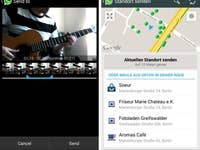
A new update for WhatsApp is rolling out on Google Play. Included in the update is a fix to a pesky bug that was causing localization issues and also allows users to edit videos on the fly.

by Sterling Keys

0 Comments

1 Min. Reading time

SamsungFirmware.jpg

9

3 Min.

TABLET
Android for Beginners: What is my Firmware Number?
When getting root access to your device or installing any custom ROMs you need to know the number of your device's firmware. This number does not necessarily have to be the same for the same model of phone. For example, all Samsung Galaxy S3's represent the same model, but do not have the same firmware number. Today in our Android for Beginners series we will help you clarify what the firmware number is exactly and how to find it.

by Isabel V.

9 Comments

3 Min. Reading time

placeholder image

14

1 Min.

TABLET
How to enable 4G on a Samsung Galaxy S4
One of the most interesting features of the Samsung Galaxy S4 is the ability of it to connect to LTE networks, more commonly referred to as fourth generation networks or 4G. Those who possess the device (…and the data plan to back it up!) can activate LTE connection, but it requires a little bit of a work around. In case you didn’t know how to do it, here is a quick tutorial on how to enable 4G LTE on your Galaxy S4. Galaxy S4 Android update news Galaxy S4 review Galaxy S4 tips and tricks

by Sterling Keys

14 Comments

1 Min. Reading time

placeholder image

1

3 Min.

SMARTPHONES
[Gaming Guide #1] Use Wii Remote With Smartphone And Tablet PCs

by Aaron Tilton

1 Comment

3 Min. Reading time